
Quickstart
Get started with the Job Search, Company Search and Technographics APIs in minutes — build a query with 30+ filters in the app, then export the cURL to Postman, Make, or n8n.
The easiest way to get started with our API is to build a search in our app. You can explore filters, preview results, and copy the exact cURL you’ll need to run the same search via the API.
Use our 30+ filters to narrow down your search and preview the result.
In the top-right corner of the results, click API. This opens a modal where you can copy the cURL needed to replicate the same search with the API.
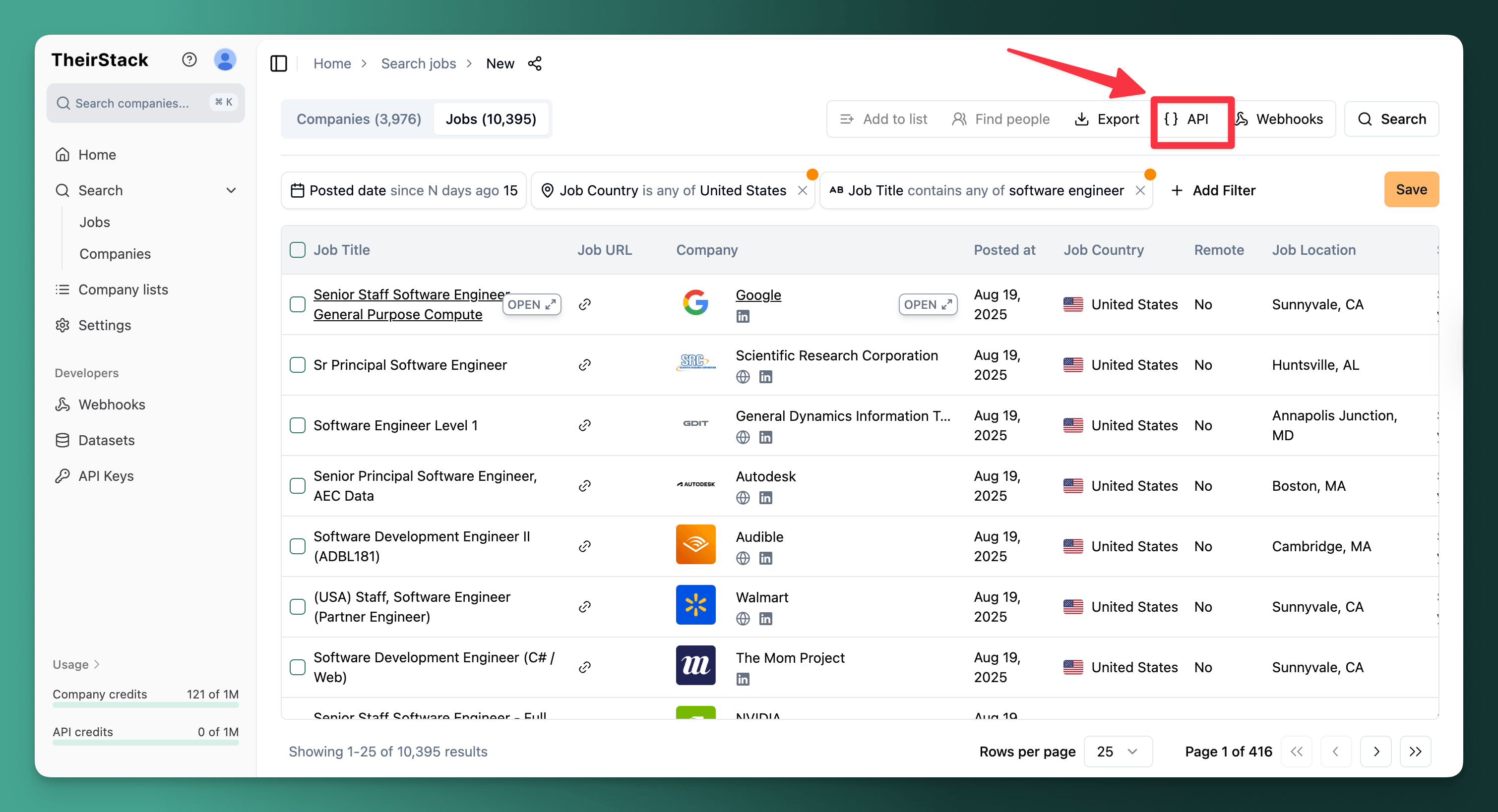
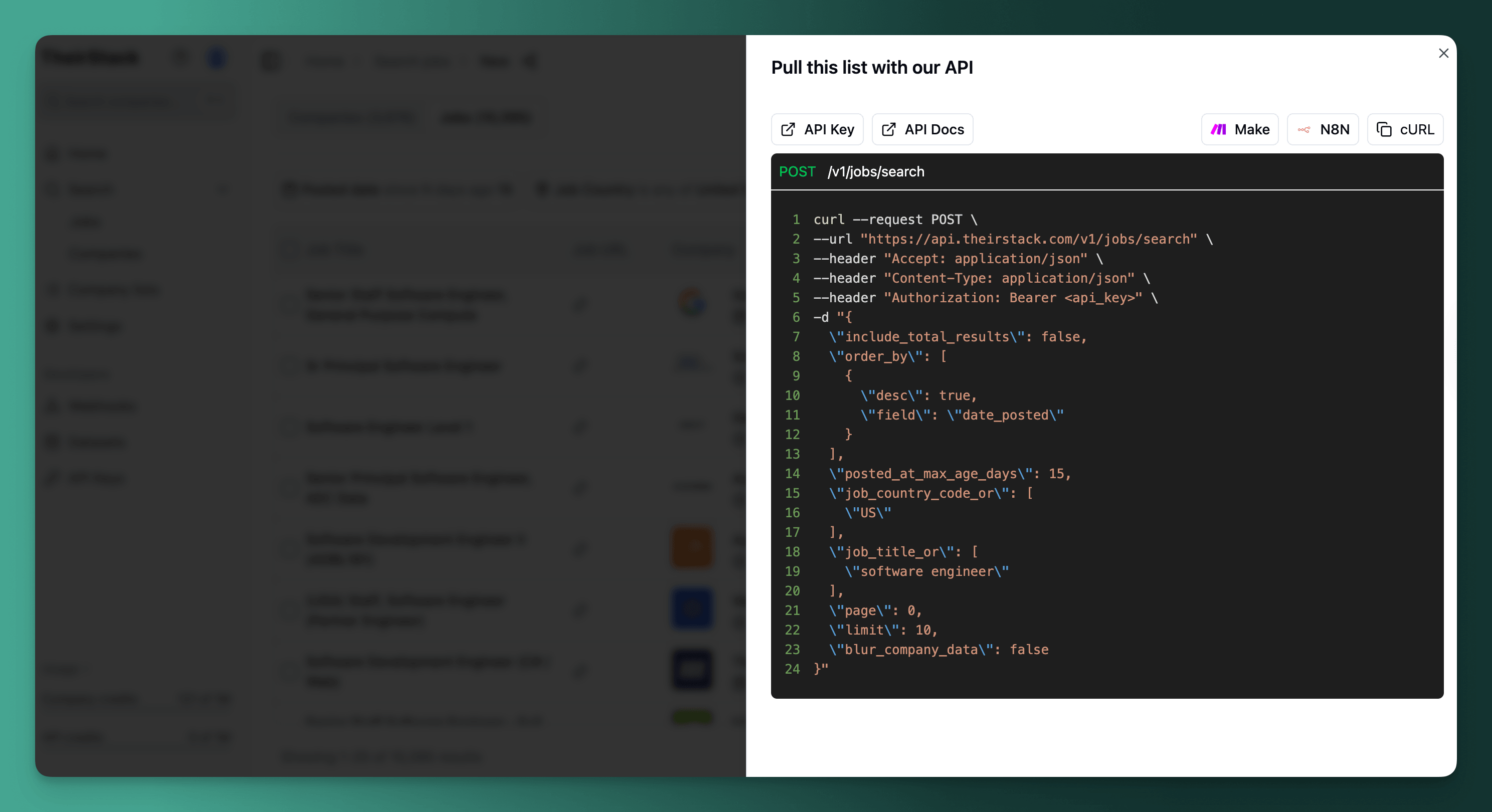
From this modal, you can:
- Copy the cURL to your clipboard and paste it into your terminal (or an HTTP client like Postman).
- Copy a Make.com HTTP module and paste it directly into a scenario (see the Make.com integration documentation).
- Copy an n8n module and paste it into an n8n workflow.
How is this guide?
Last updated on
Introduction
Explore the TheirStack API — the largest database of jobs and technographics. Search job postings, company tech stacks, and more across [[n_countries]] countries.
Authentication
Learn how to set up TheirStack API authentication with Bearer token API keys — create, manage, and revoke keys directly from your account settings.