
Webhooks
Learn how to use webhooks to get notified when events occur (new jobs, expired or closed jobs, tech changes, etc) in TheirStack and trigger actions in your external systems like N8N, Zapier, Make, Airtable, etc
What are webhooks?
Webhooks allow you to send data when specific events occur (new jobs, tech changes, etc) to external systems like N8N, Zapier, Make, Airtable, your own webhook endpoint, etc.
For instance, you can configure a webhook to alert you when a new job is listed in a particular location, company, or technology sector.
Webhooks are dependent on a search, which defines the criteria for triggering the webhook. Any type of searches (job, company, technology, etc) can be used to trigger a webhook.
Webhooks Applications
- Initiate a workflow in an automation tool like Zapier, Make, N8N when a new job is posted or a company adopts a new technology (e.g., Snowflake, Hubspot, Python).
- Send a Slack notification to your team when a new job is found or a company adopts a new technology (e.g., Snowflake, Hubspot, Python).
- Automatically update a Google Sheet with new job or company data.
- Trigger an email alert to a specific distribution list when a new job matches certain criteria.
- Create a table in Airtable to store job listings.
- Integrate with a CRM system to add new company information as leads.
Webhook types
There are three types of webhooks:
- job.new: Fires whenever we discover a new job posting that matches your search criteria. Data Schema.
- company.new: Fires the first time a company matches your search criteria, and never again for that webhook, no matter how many more matching jobs it posts. "New" is relative to the webhook, not to our database: a company that has been hiring for years still fires the first time it matches. Data Schema.
- job.closed: Fires whenever a job matching your search criteria is closed or removed by the source. Data Schema.
tech.new: Triggered when company adopts a new technology (request access to this)
Pricing
Webhooks and API requests share the same pricing. When an event is triggered, it consumes 1 (job.new, job.closed) or 3 (company.new, tech.new) API credits based on the type of event. Learn more about our credit system here.
Each webhook is billed on its own. Events are not deduplicated against records you already pulled through the Job Search or Company Search endpoints, or against another webhook's events, so the same record can be billed twice if you fetch it through two channels.
You can put an upper bound on that spend with a daily event limit on each webhook. See Limit how much a webhook can send.
How to set up a webhook
Learn how to set up a webhook to get notified when events occur (new jobs, tech changes, etc) in TheirStack and trigger actions in your external systems like N8N, Zapier, Make, Airtable, etc
Monitor your webhooks
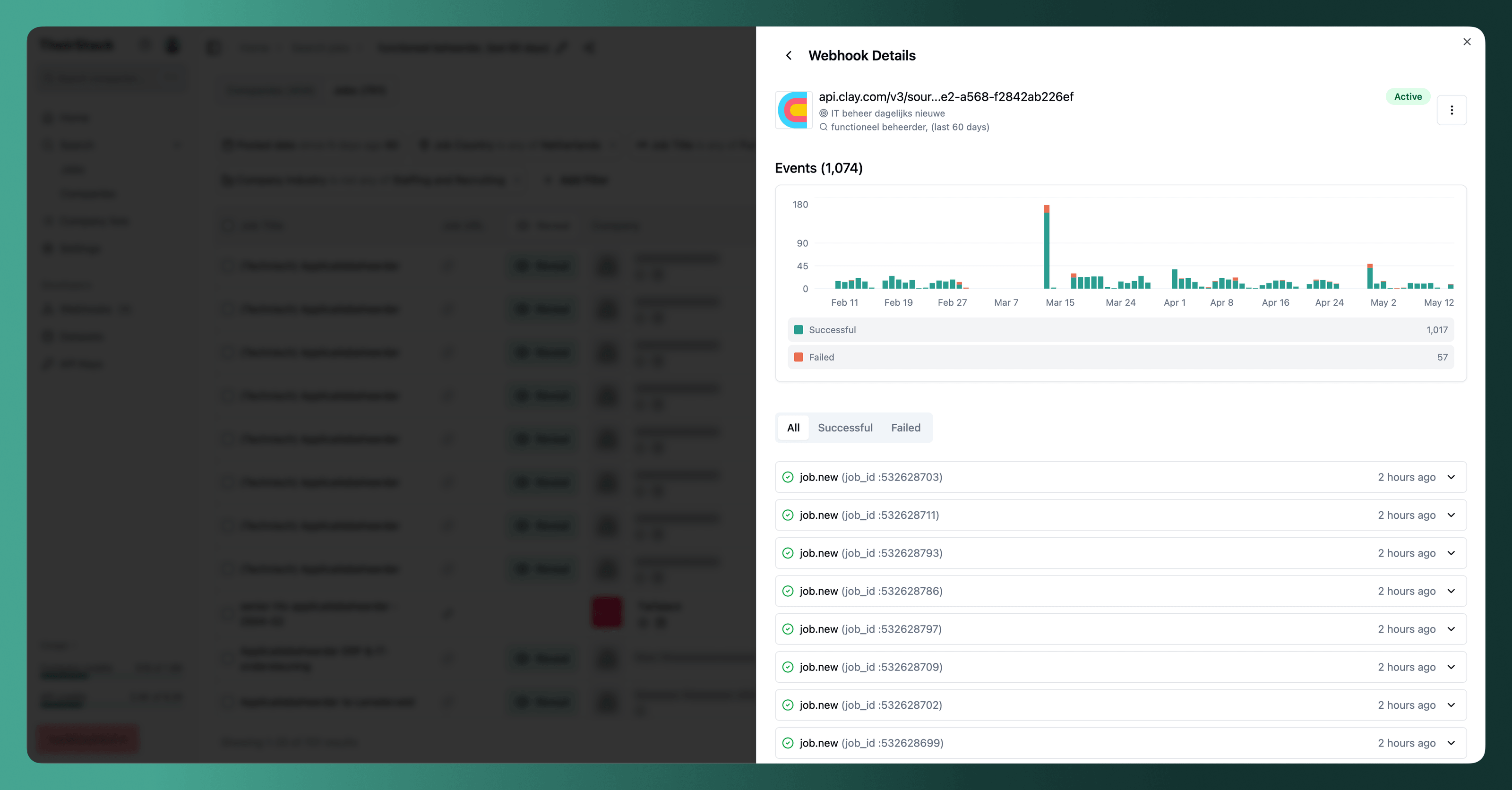
Track your webhook performance with detailed analytics. Learn how to view webhook usage statistics, understand event statuses, and troubleshoot webhook delivery issues using TheirStack's built-in monitoring dashboard.
Limit how much a webhook can send
Set a daily event limit on a webhook so it never sends, or charges, more than you budgeted. Learn how the limit works, when records are dropped, and how to size it against what your search matches per day.
Receive TheirStack events in your webhook endpoint
Learn the essential technical requirements for building webhook endpoints that receive TheirStack job and company data. Covers status codes, retry logic, concurrency handling, and duplicate prevention.
Verify webhook signatures
Learn how to verify that webhook deliveries come from TheirStack by validating the HMAC-SHA256 signature included in each request.
Company.New Webhook
Triggered when a new company matching your saved search criteria is discovered. [Learn more about webhooks](https://theirstack.com/en/docs/webhooks).
Job.Closed Webhook
Triggered when a job matching your saved search criteria expires, is closed, or is removed by the source. Use this event to get real-time notifications when roles are filled, expired, paused, or taken offline.
Job.New Webhook
Triggered when a new job matching your saved search criteria is discovered. [Learn more about webhooks](https://theirstack.com/en/docs/webhooks).
FAQs
How is this guide?
Last updated on