
How to send a slack message for every new job found
Step-by-step guide to automatically notify your team in Slack whenever new jobs are posted using TheirStack's webhook integration with Make, Zapier, or N8n.
Through our Webhooks feature, you can trigger actions in any external system (CRMs, Slack, Airtable, etc).
Not all systems accept webhooks, so we recommend using workflow automation tools like Make, Zapier or N8n and then levearing their integrations libraries to connect to other systems like Salesforce, Hubspot, etc.
Choose a workflow automation tool to connect to TheirStack.
- Make (Generous free plan, low cost)
- N8N (no free plan, open source, low cost)
- Zapier (Good documentation and easy for beginners)
For this example we will use Make, it's our favorite and has a generous free plan. Follow this guides to do it in N8n or Zapier
Get the webhook URL from Make
- Click on "Create a new scenario"
- Click on "Add Webhooks module"
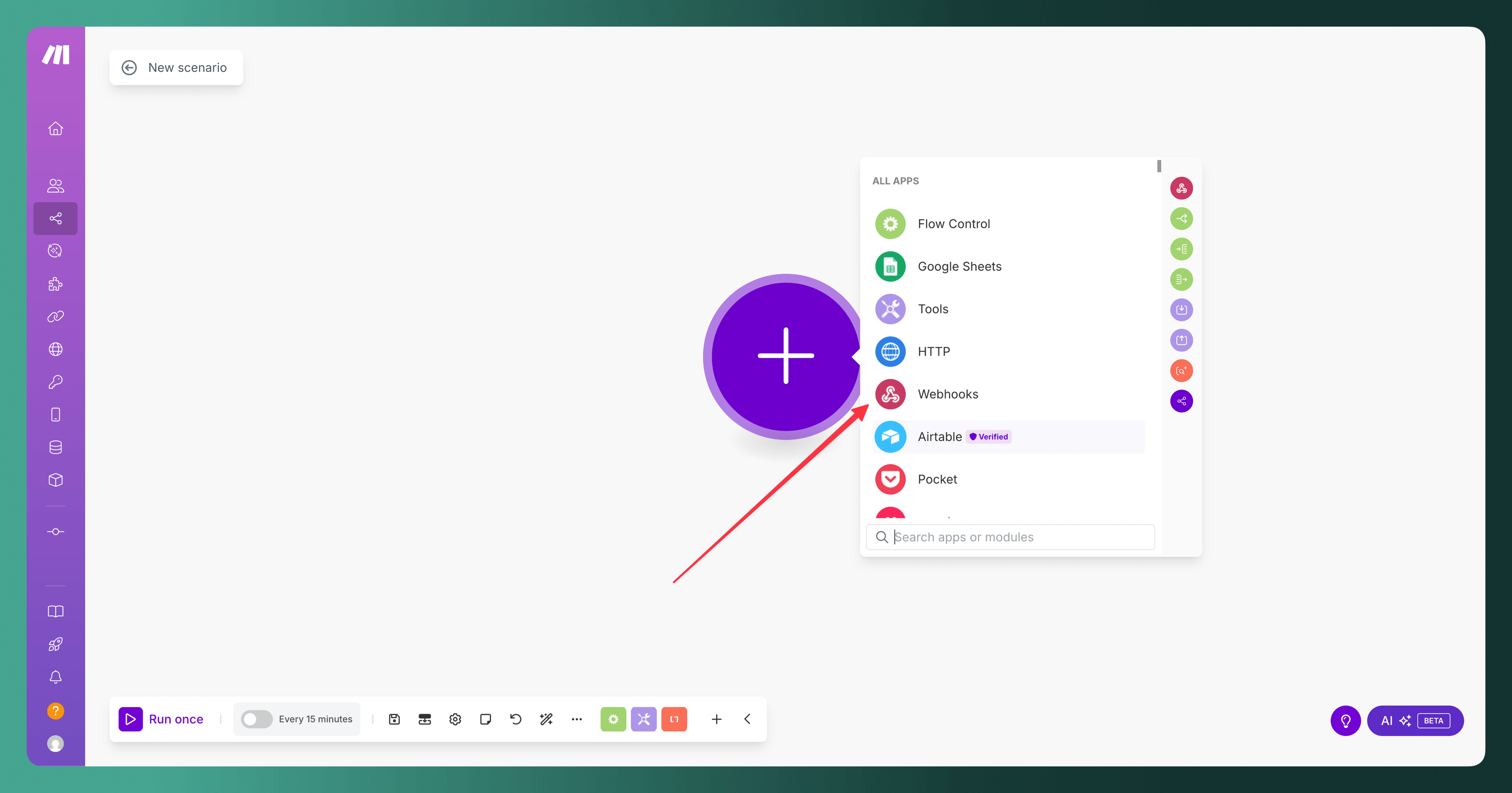
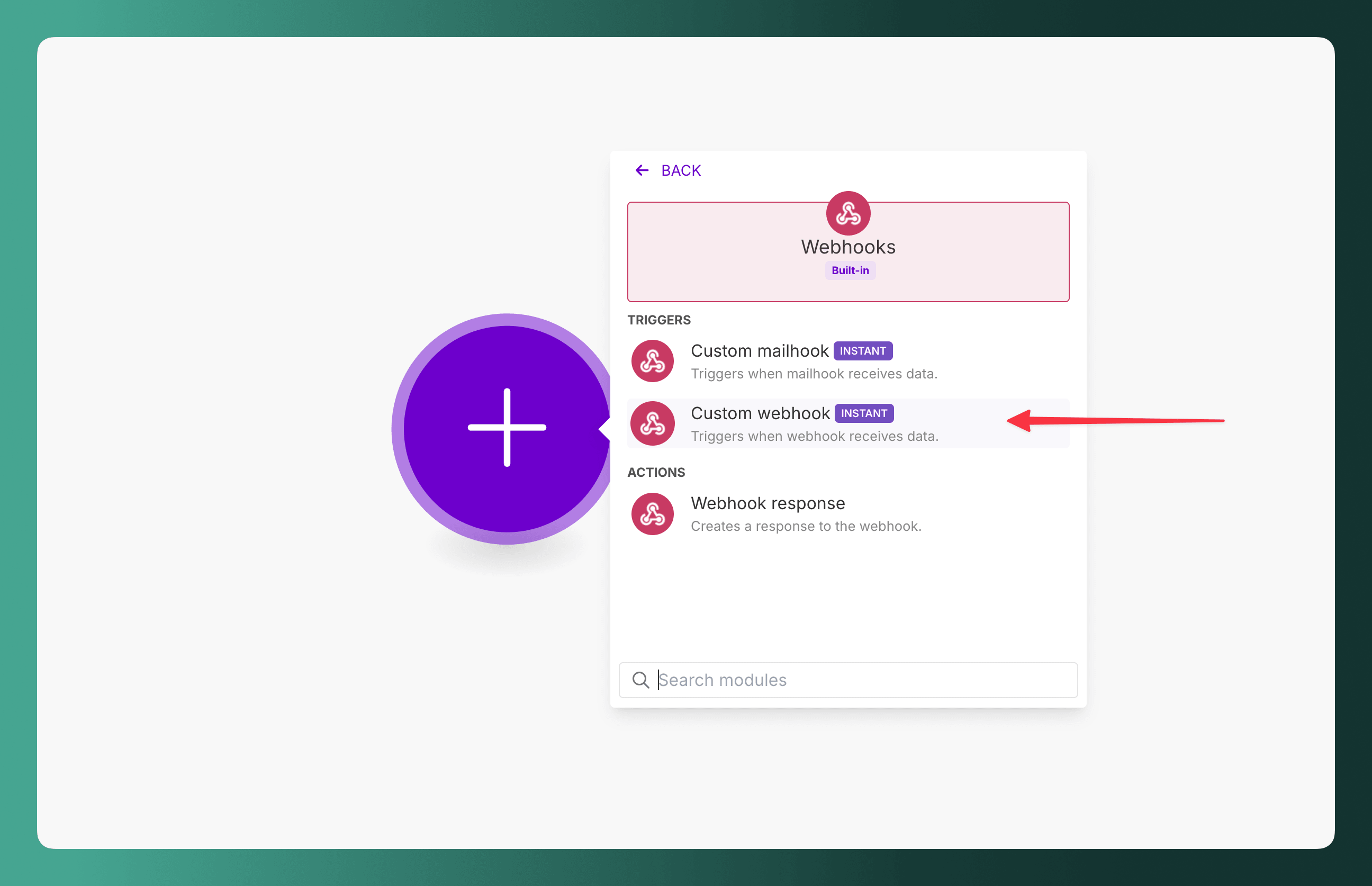
- Click on "Custom webhook"
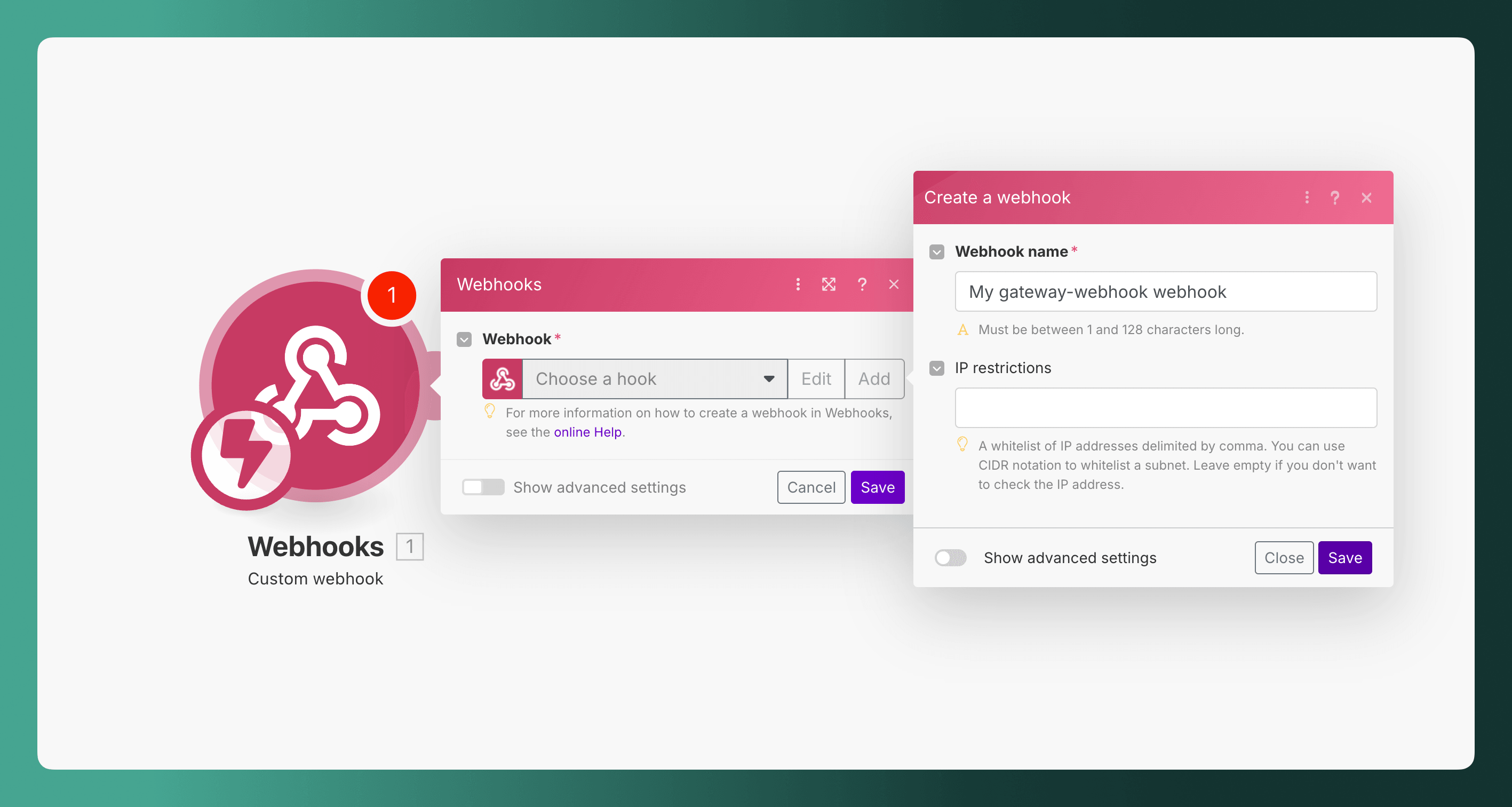
- Click on "Add" and then "Create webhook"
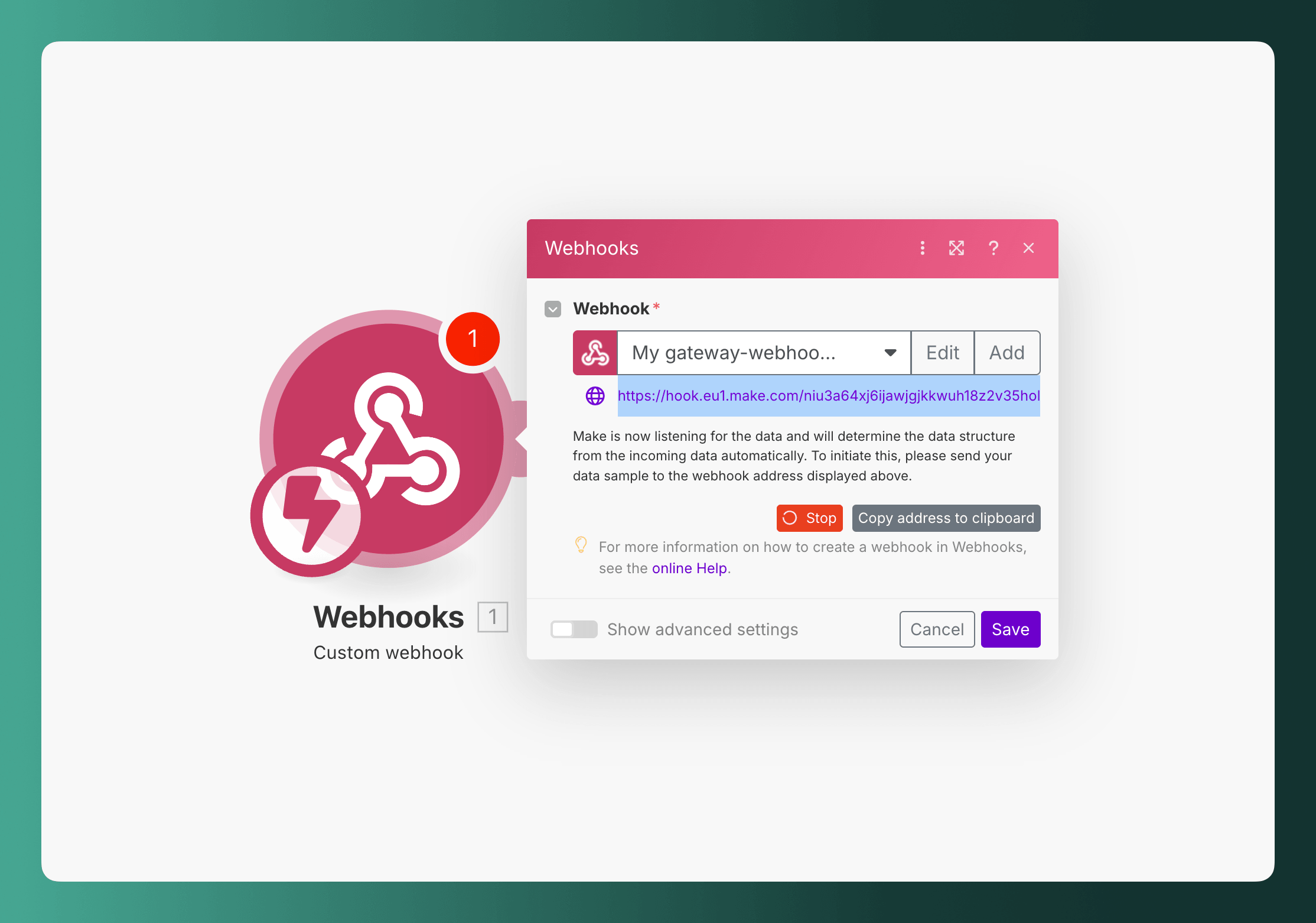
- Copy the webhook URL
Create a webhook that triggers an event when a new job is found
- Use the webhook URL you got from the previous step.
- I recommend you sending a test event to make sure the webhook is working.
Add slack module to your Make scenario
- Click on "Add another module" and search for "Slack - Create message"
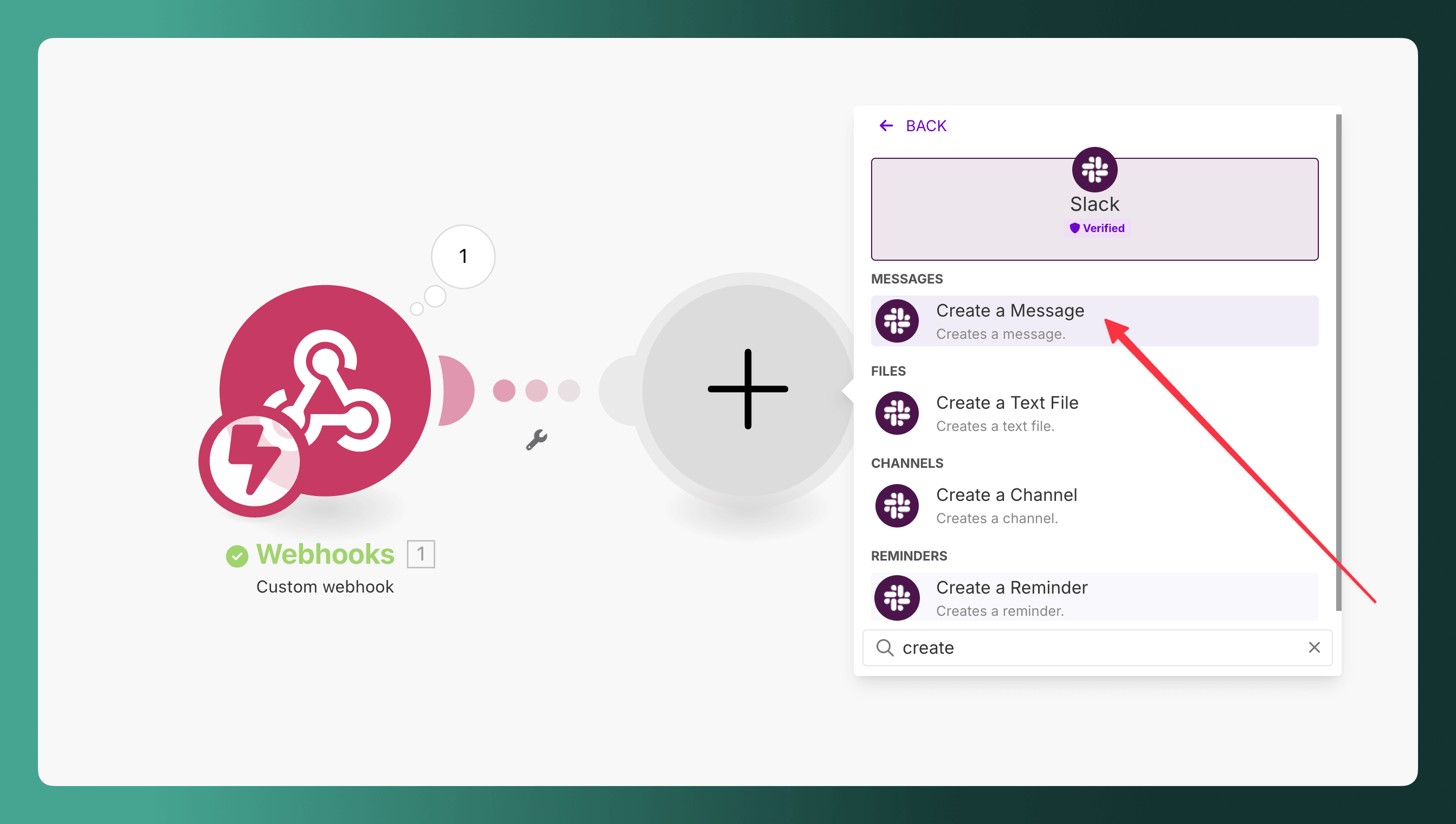
- Configure in which channel you want to send the message and the message content.
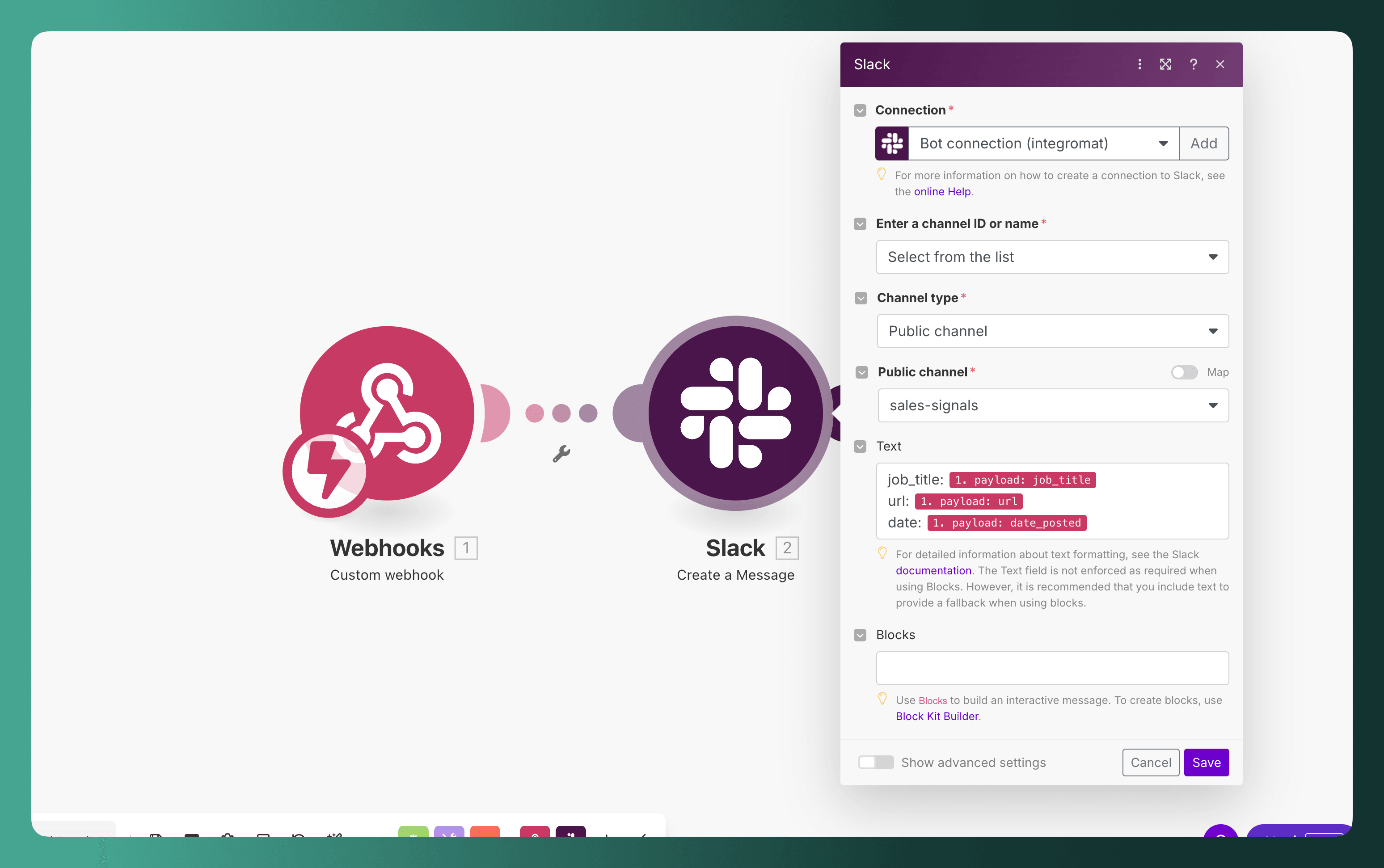
- Click on "Save"
How is this guide?
Last updated on
How to Search Job Postings Across 328,000+ Sources
Complete guide to searching millions of job postings from 328,000+ sources. Learn how to combine filters for sales prospecting, recruiting, and market research — with full walkthroughs for each use case.
Spotting your competitors' next moves
Learn how to use job postings as an early signal for competitor expansion. Track new locations, new teams, and strategic initiatives 6-18 months before they show up on maps and press releases.