
Preview data mode
Discover how to use preview data mode in TheirStack API to show blurred job and company results without consuming credits. Save API calls today.
Our Job Search and Company Search endpoints include a preview mode that return the same data but some fields are blurred.
This mode is useful for sales software building products with TheirStack data. It allows you to show a preview of the data to your end users without consuming credits. It's the same we use in our own app.
How to use preview mode
To use preview mode, you need to set the blur_company_data field to true in the request body.
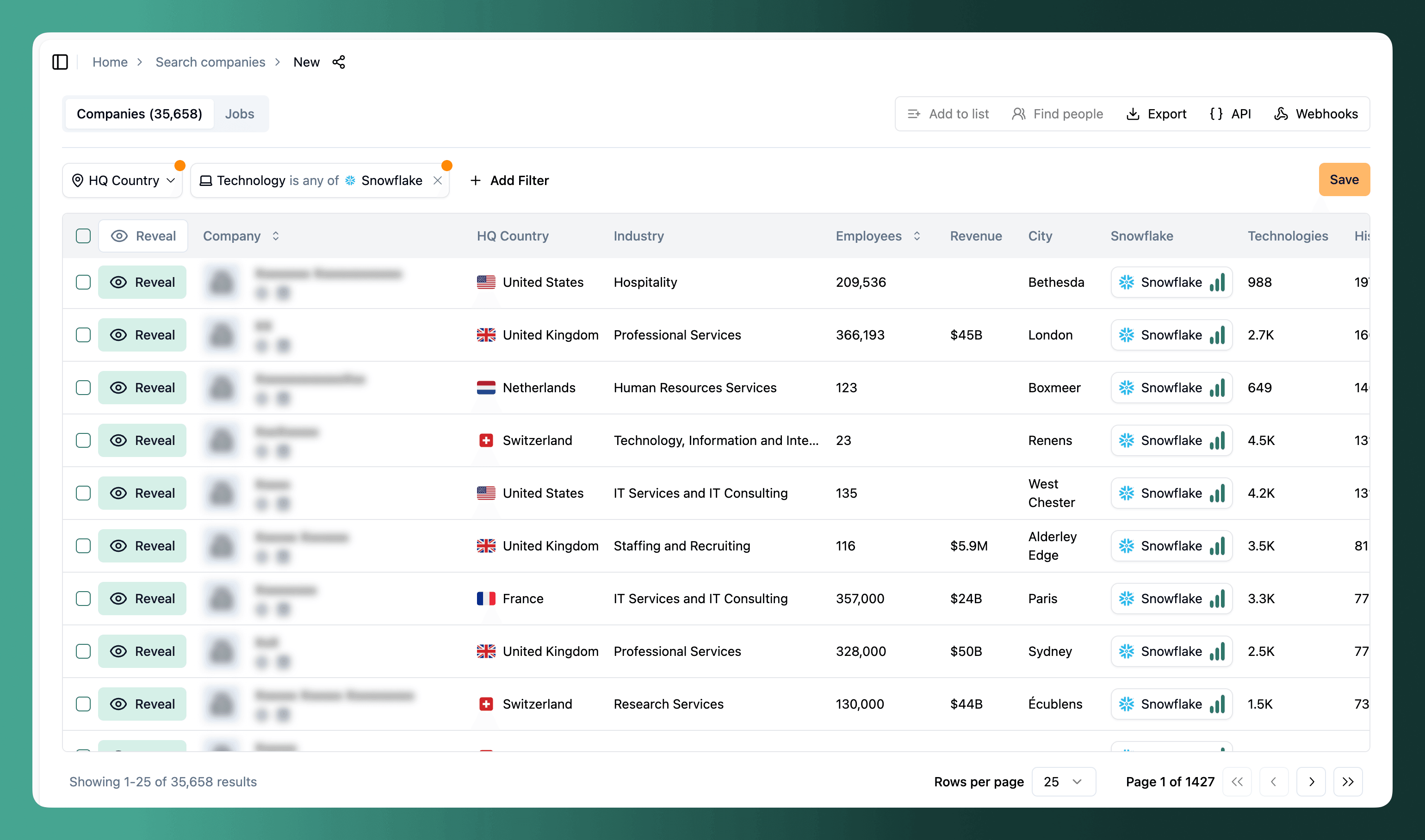
Company search preview
When doing a company search with preview mode, the response will return all fields but the name, logo, url, domain, long_description, seo_description, linkedin_url, publicly_traded_symbol, apollo_id, linkedin_id fields will be blurred.
Job search preview
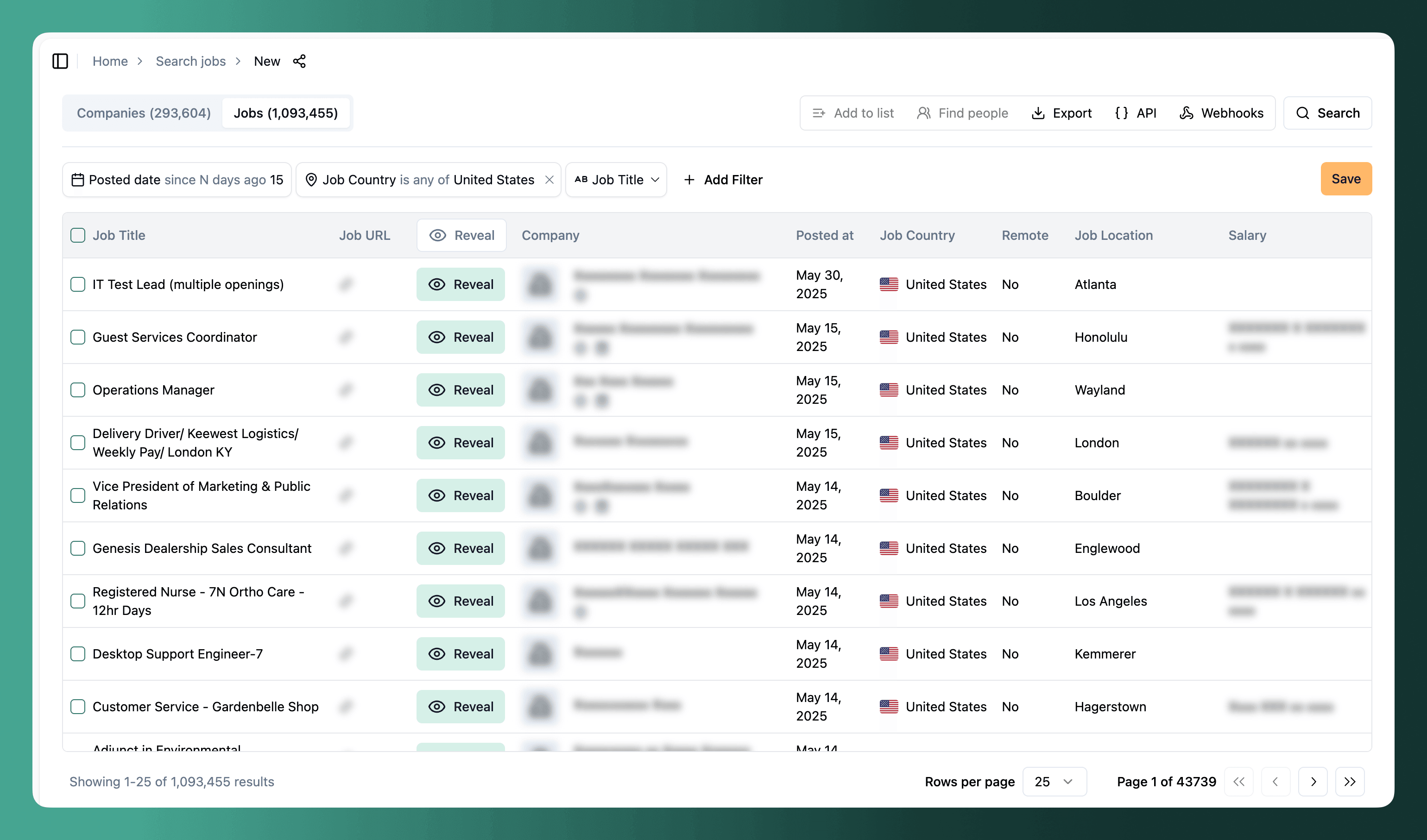
When doing a job search with preview mode, the response will return all fields but the description, url, final_url, source_url, company, company_domain, company_object.name, company_object.domain, company_object.linkedin_url, company_object.linkedin_id, company_object.url, company_object.long_description, company_object.seo_description, company_object.possible_domains fields will be blurred.
Limitations
This mode is not available when filtering by company identifiers (company_name, company_domain, company_linkedin_url, company_id).
How is this guide?
Last updated on
Free count
Discover how to use TheirStack's free count feature to estimate matching records in Job and Company Search endpoints without spending API credits.
Avoiding getting the same job twice
Discover how to use discovered_at_gte and job_id_not filters to avoid getting duplicate jobs in the Job Search API and save credits on every call.