Recursos

Atualizações de produto

Todas as últimas atualizações, melhorias e correções na TheirStack

March 4, 2026

New API keys section and workspace-wide management
New API keys section and workspace-wide management

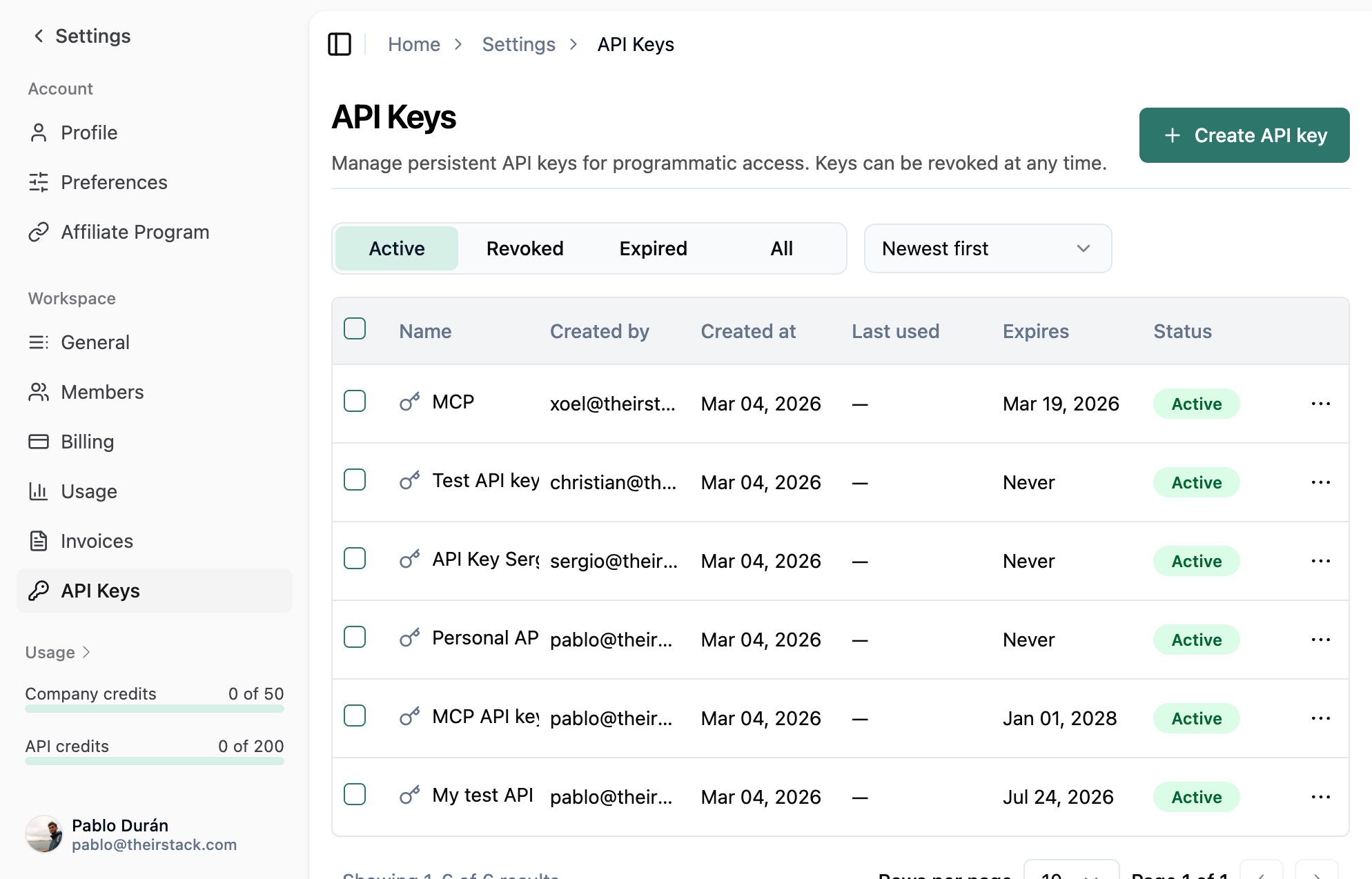
We've added a dedicated API keys section in workspace settings.

Previously, you couldn't set expirations, revoke keys without losing history, or see all workspace keys in one place.

Now you get one screen per workspace with optional expiration when creating a key and revoke when you need to—usage history is preserved.

In practice:

  • One place for all keys — See and manage every API key in the workspace from one screen.
  • Expiration dates — Create keys that expire on a chosen date for temporary access or safer sharing.
  • Revoke instead of delete — Revoke a key when it's compromised or no longer needed; you keep visibility into past usage.
  • Workspace-scoped — Keys belong to the workspace, so switching workspaces shows the right set of keys.

The new API keys section is available in your workspace settings. We'll keep improving how you control and audit API access.

Workspaces have arrived at TheirStack

Workspaces have arrived at TheirStack

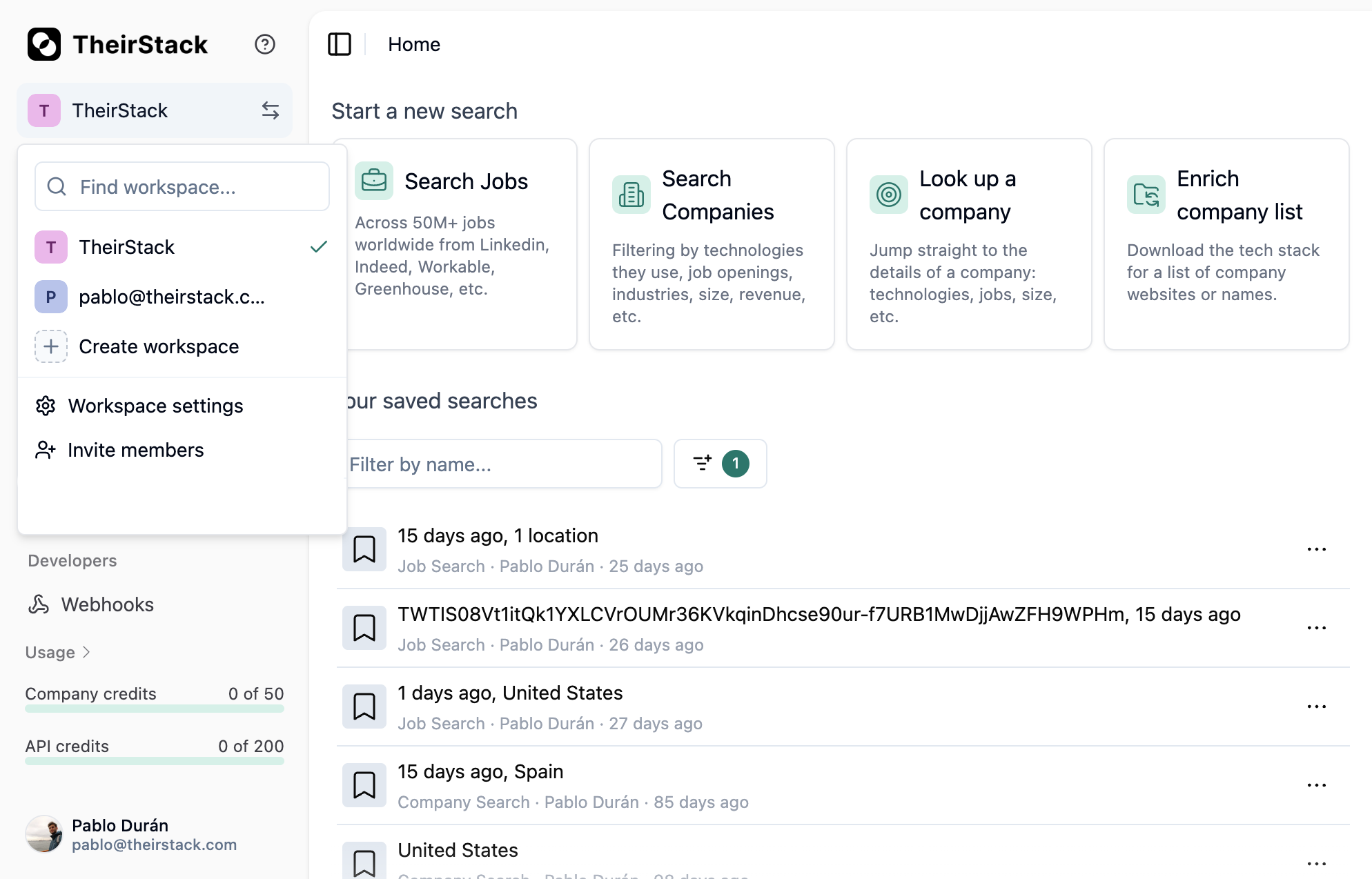
We've added workspaces so you can switch between them, create new ones, and edit their details—all from the sidebar.

Previously, keeping work for different teams or projects separate meant either logging in and out or mixing company lists, saved searches, and settings in a single account.

Now you can switch workspaces in one click from the sidebar. Company lists, saved searches, and settings stay separate per workspace. You can create new workspaces (up to 5 as owner) and edit names and details whenever you need to.

What this means for you:

  • Switch without switching accounts — Move between workspaces in one click; no need to log out or lose context.
  • Separate spaces for teams or clients — Use one workspace per team or client, or create one just for yourself.
  • Full control — Create workspaces, edit names and details, and keep company lists and saved searches scoped to each workspace.

Workspaces are available now in the sidebar. We'll continue to improve how you organize and switch between your work.

February 25, 2026

New Support Center

New Support Center

The problem: Submitting feedback or requesting a missing technology required filling out an external form with no way to track your request's status.

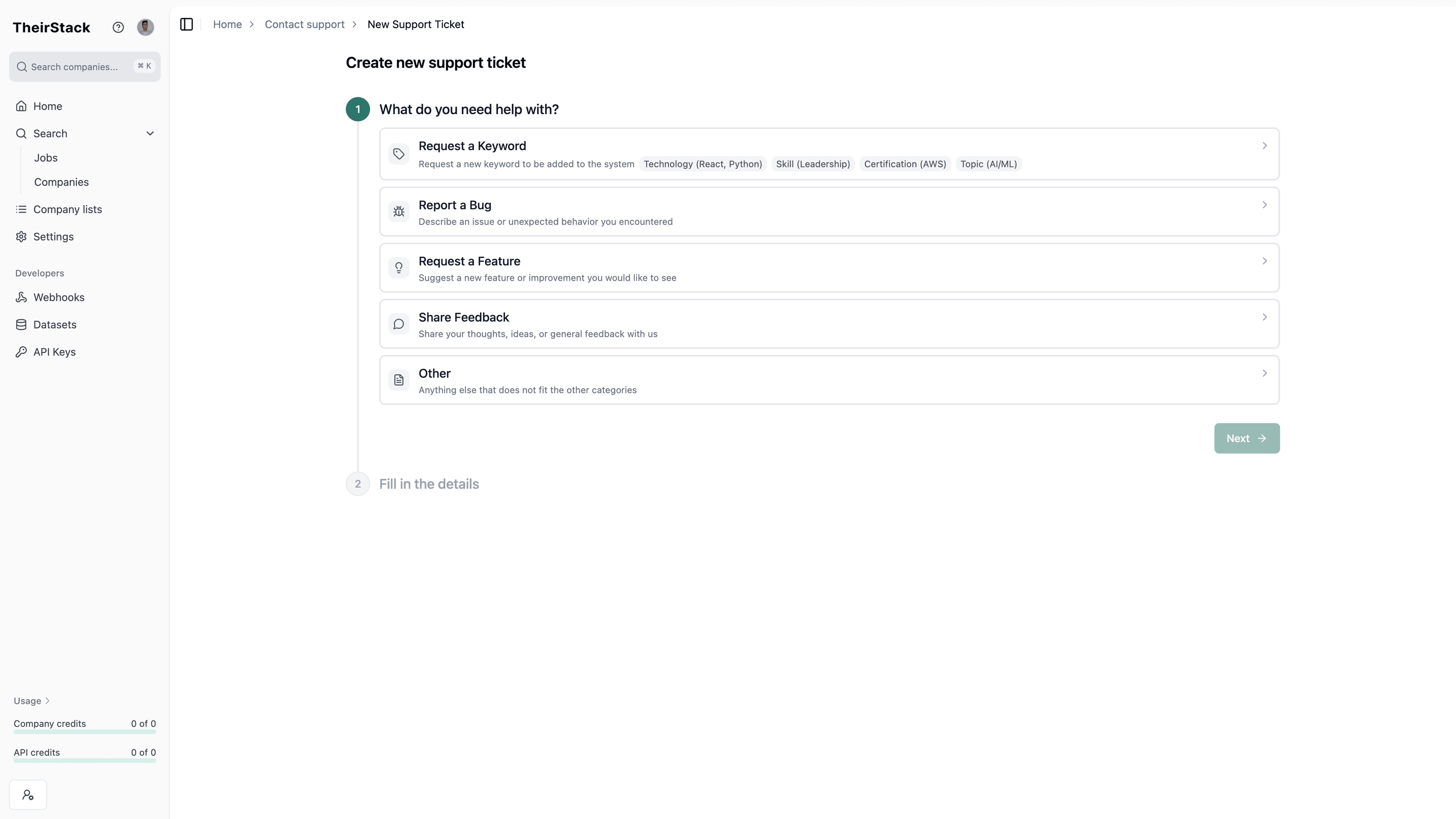
The solution: A new Support Center lets you create and track requests directly inside the app. Click the help icon and select "Contact support" to get started.

Choose from five categories:

  • Request a keyword — Ask us to track a new technology, skill, certification, or topic we don't cover yet
  • Report a bug — Something isn't working as expected
  • Request a feature — Suggest a new capability
  • Share feedback — Tell us what you think
  • Other — Anything else (free text)

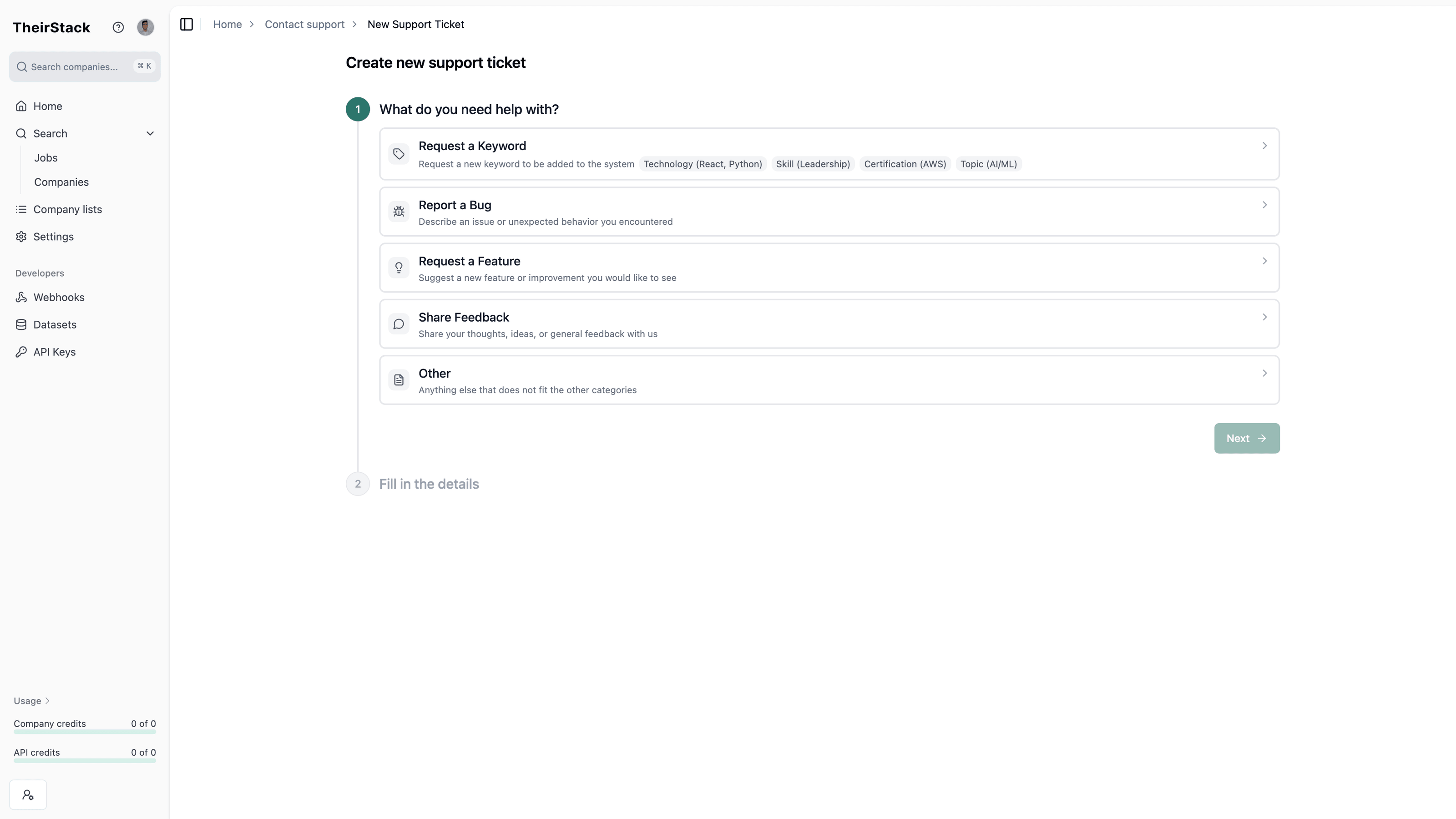
Step 1: Choose a ticket category

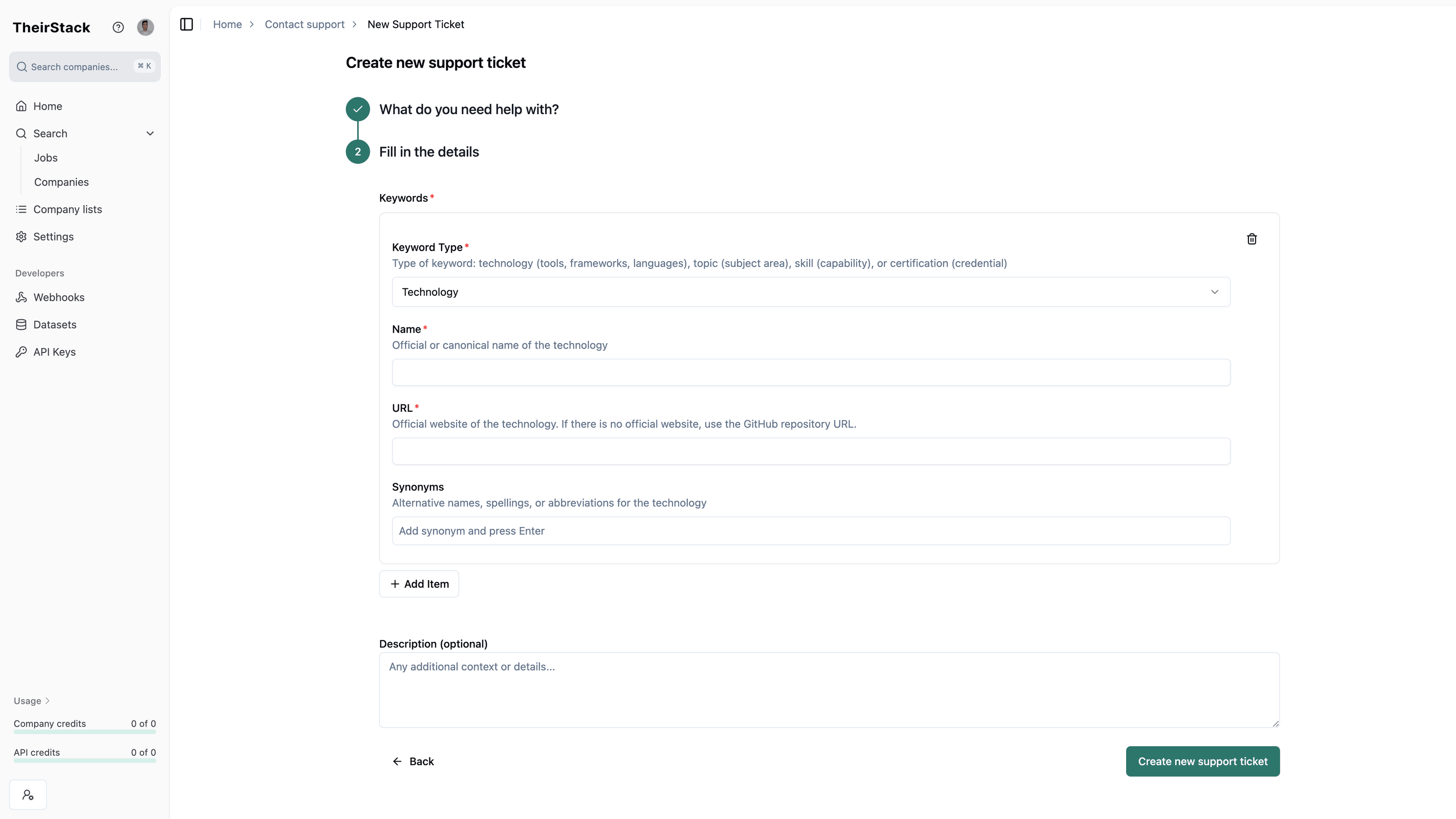
Each category has a guided form. You can attach screenshots and track your request's status from the tickets list.

Step 2: Fill out the form

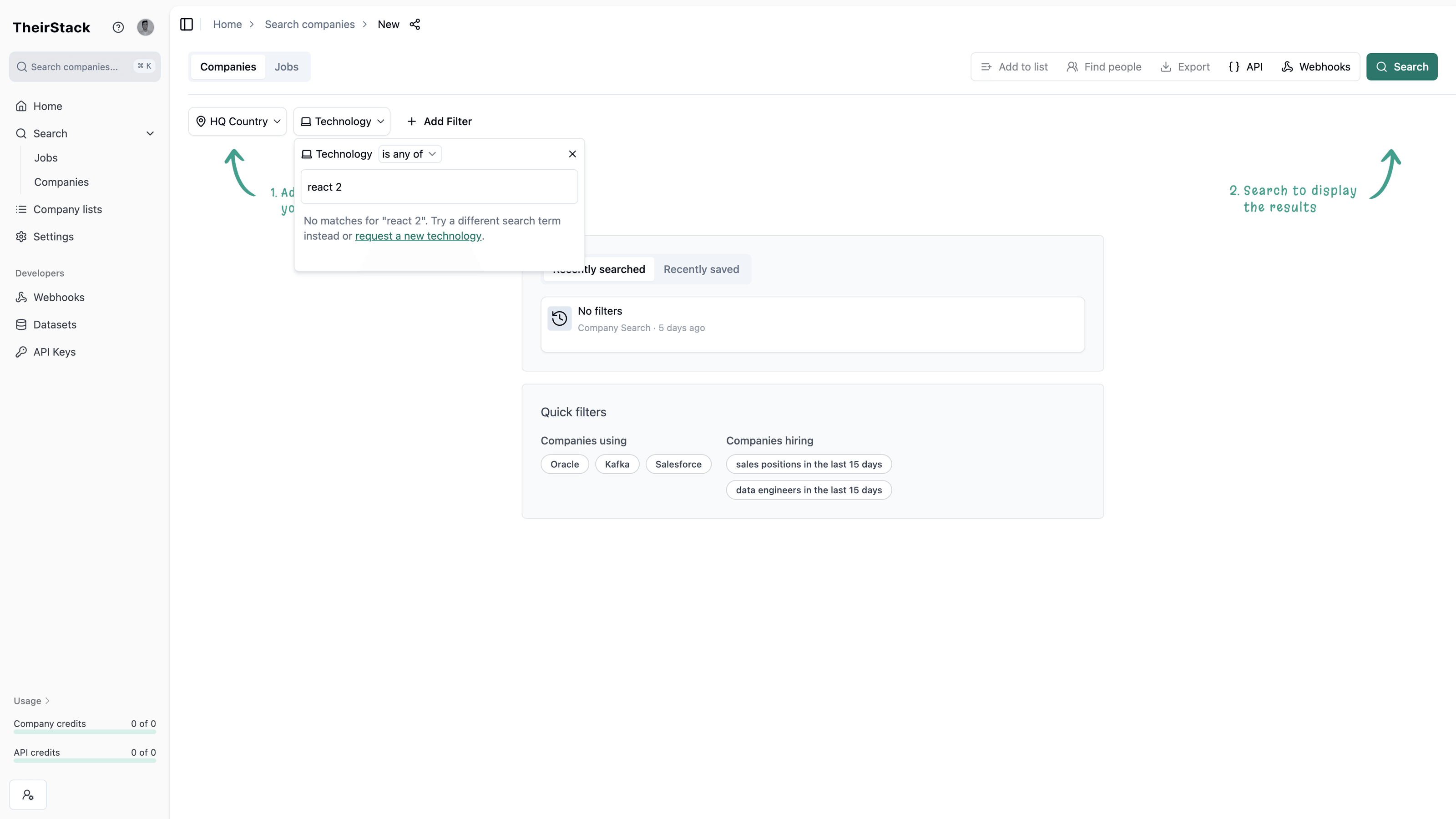
You can also request a new technology directly from the technology filter — if your search doesn't match any known technology, click "request a new technology" in the dropdown.

Step 3: Request a new technology from the filter

February 17, 2026

New sales and marketing technologies

We've added 25 new technologies to our detection system, expanding coverage across sales tooling, marketing and growth platforms, finance and billing software, and development infrastructure.

Sales

Marketing & Growth

Finance & Billing

Collaboration, Security & Developer Infrastructure

February 13, 2026

Excluding recruiting agencies from technology signals

We've updated our technology signals to automatically exclude recruiting agencies, staffing companies, and other firms that repost job offers on behalf of other companies.

Previously, results sometimes included companies that didn't provide meaningful value—firms that repost job offers for other companies rather than using the technologies themselves. This reduced the quality and relevance of your search results.

Now, when you search for companies using technology signals (technographics), you'll only see direct employers—companies that post jobs for their own positions.

What this means for you:

  • More accurate results: Signals now reflect companies that actually use the technologies you're looking for
  • Better targeting: Results focus on direct employers that are relevant for sales and marketing outreach
  • Less manual filtering: No need to manually filter through irrelevant companies to find valuable ones

This filtering happens automatically in all technology signal searches, so you don't need to do anything differently.

We'll continue making improvements to maintain and enhance the accuracy and reliability of our data to deliver a better experience for all users.

MCP Server: Connect AI assistants to TheirStack

You can now connect AI assistants like Claude, Cursor, or ChatGPT to TheirStack using the Model Context Protocol (MCP).

Ask your AI assistant questions in natural language and it will query TheirStack's data directly — no copy-pasting, no code needed.

What you can do

  • Search jobs"Find Python jobs in Berlin paying over 80k"
  • Find companies"Companies using Snowflake in Germany with 100+ employees"
  • Explore tech stacks"What technologies does Stripe use?"
  • Browse catalogs"List all AI/ML technology categories"

How to connect

Add TheirStack's MCP server to your client with your API key. Setup takes under a minute — see the full documentation for Cursor, Claude Code, Claude Desktop, Windsurf, and other clients.

MCP requests consume API credits at the same rate as regular API calls.

February 11, 2026

Favourite Technologies

Favourite Technologies

The problem: When you open a company profile to check its tech stack, you have to manually search through dozens of technologies to find the ones you care about. Every time, the same repetitive filtering.

The solution: You can now mark technologies as favourites. Starred technologies appear first everywhere — in company profiles and in search filters.

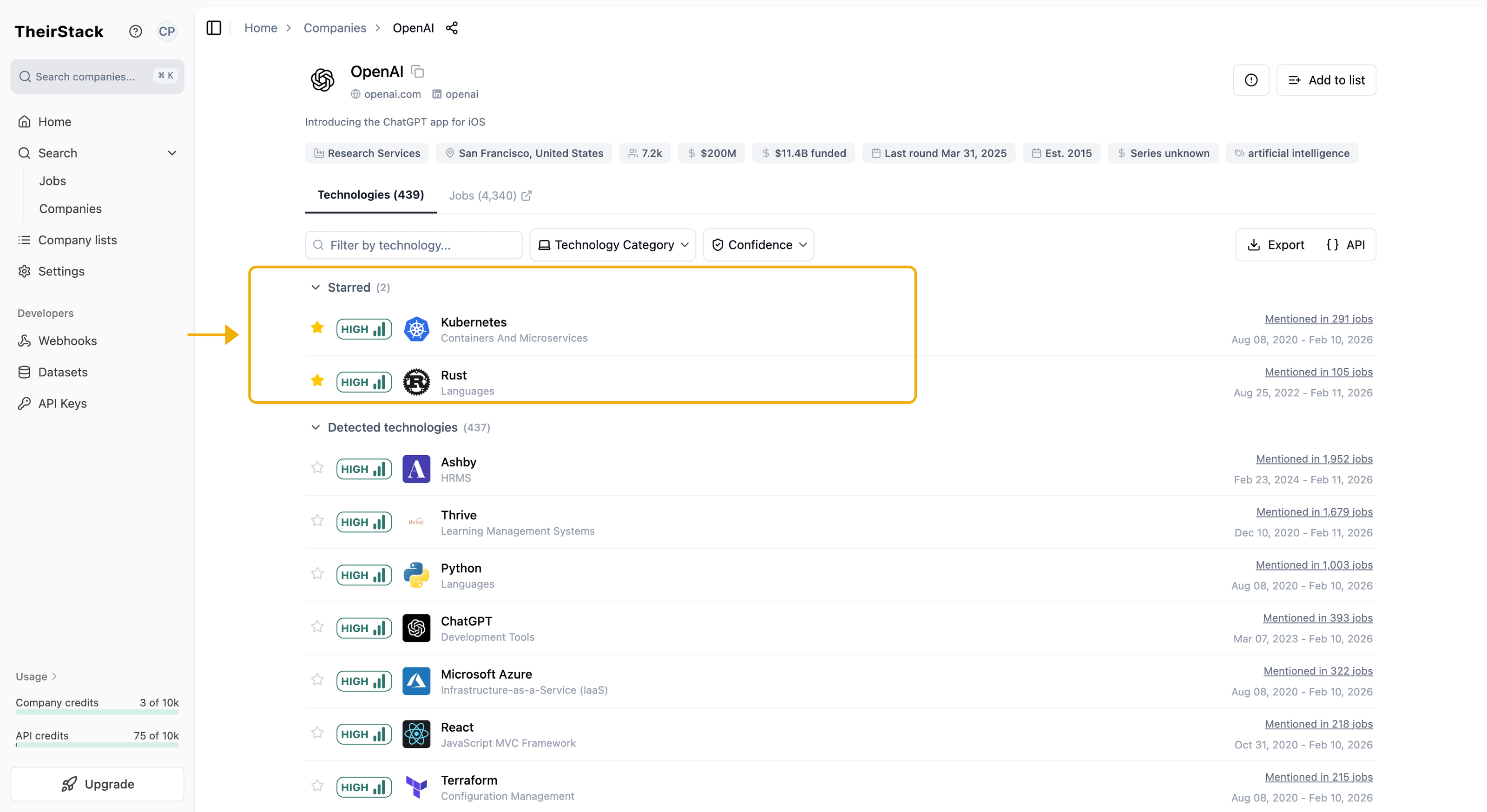
Open any company profile, search for a technology, and click the star icon to add it to your favourites.

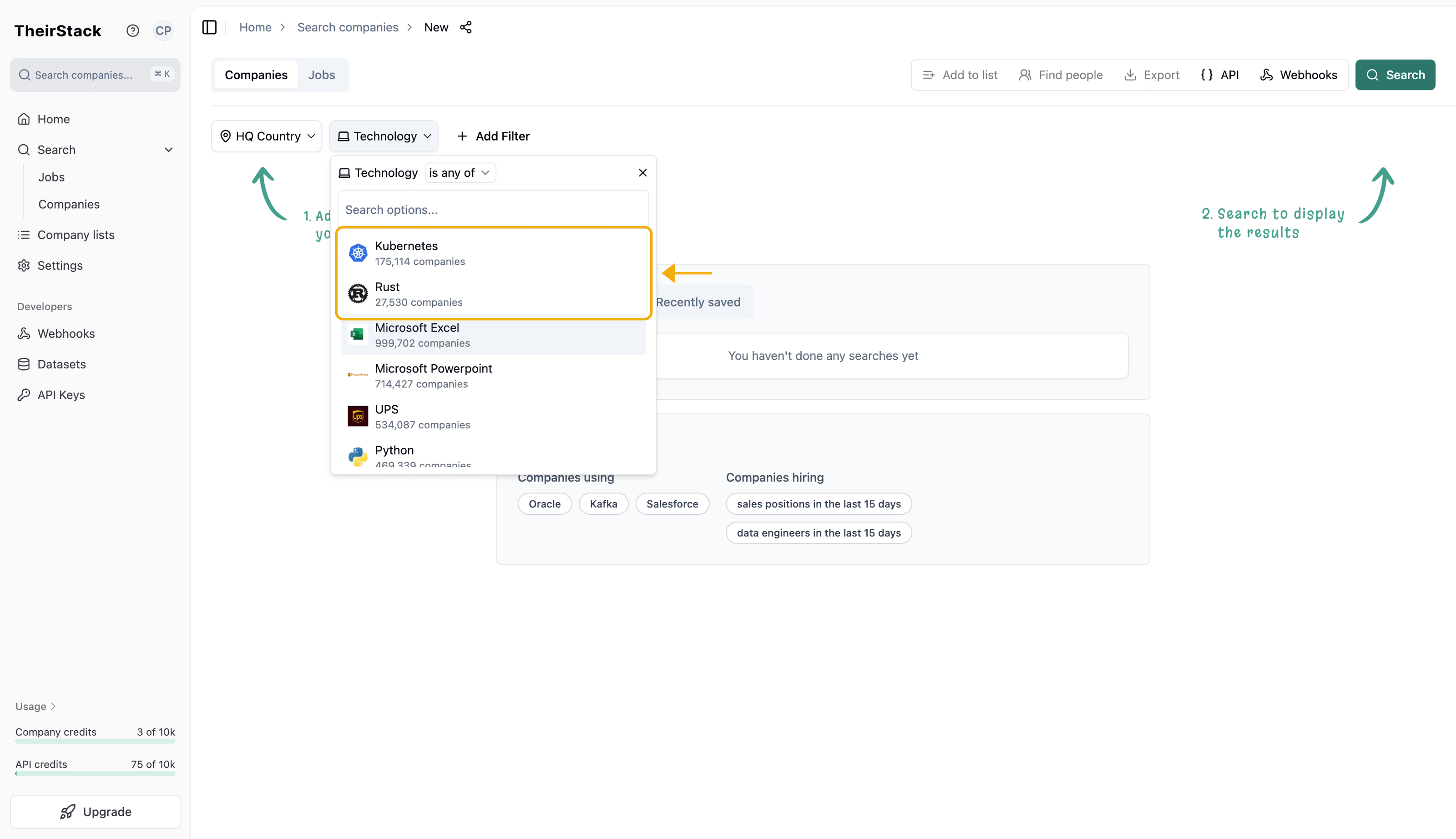
Step 1: Star Kubernetes and Rust from OpenAI's profile

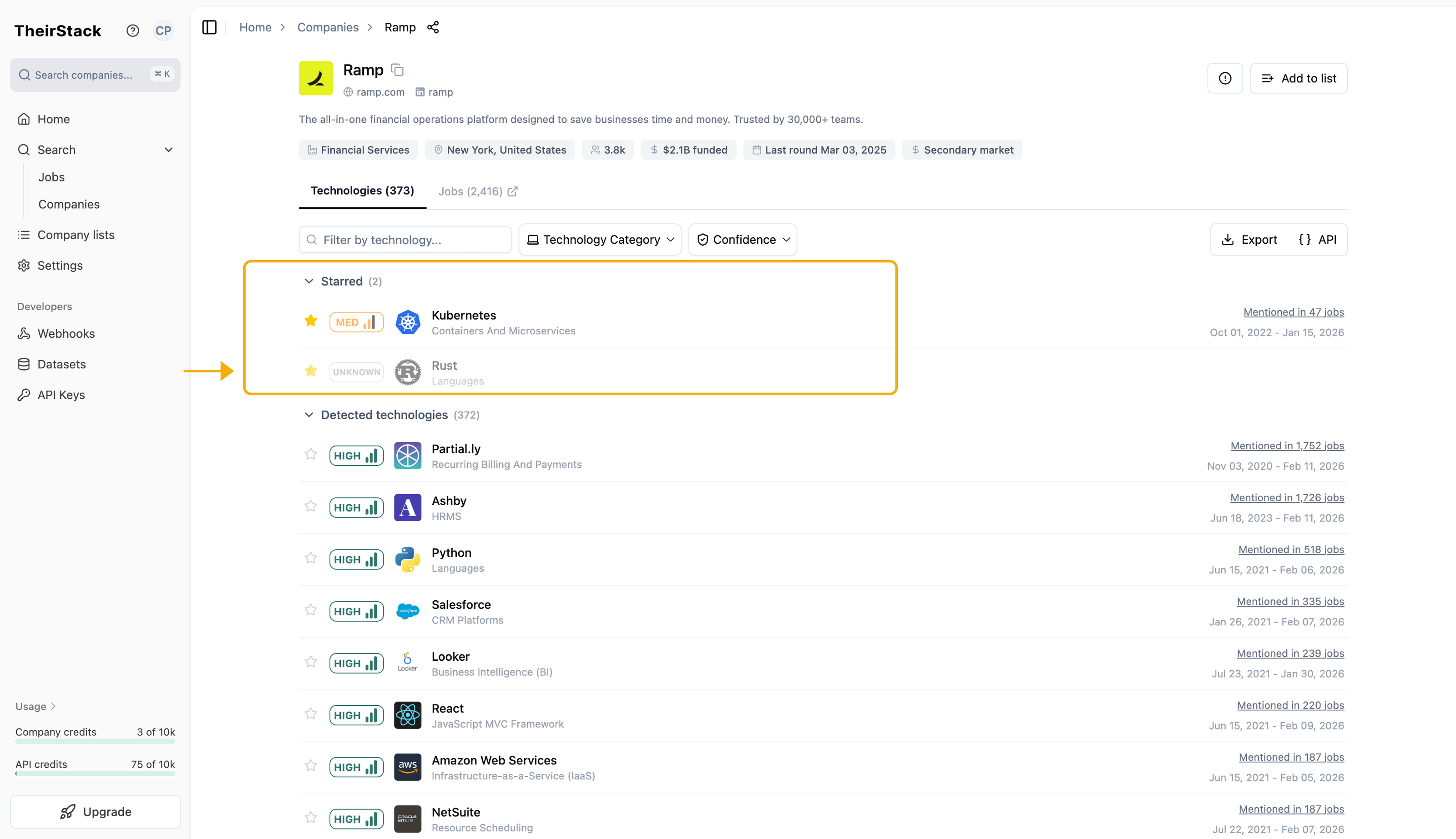
From now on, when you open any company profile, your favourites appear at the top — so you can instantly check if a company uses the tools you're tracking. If a favourite technology is not detected for that company, it will still show up in the starred section marked as unknown, confirming the company is not using it.

Step 2: Ramp's profile showing favourite technologies first

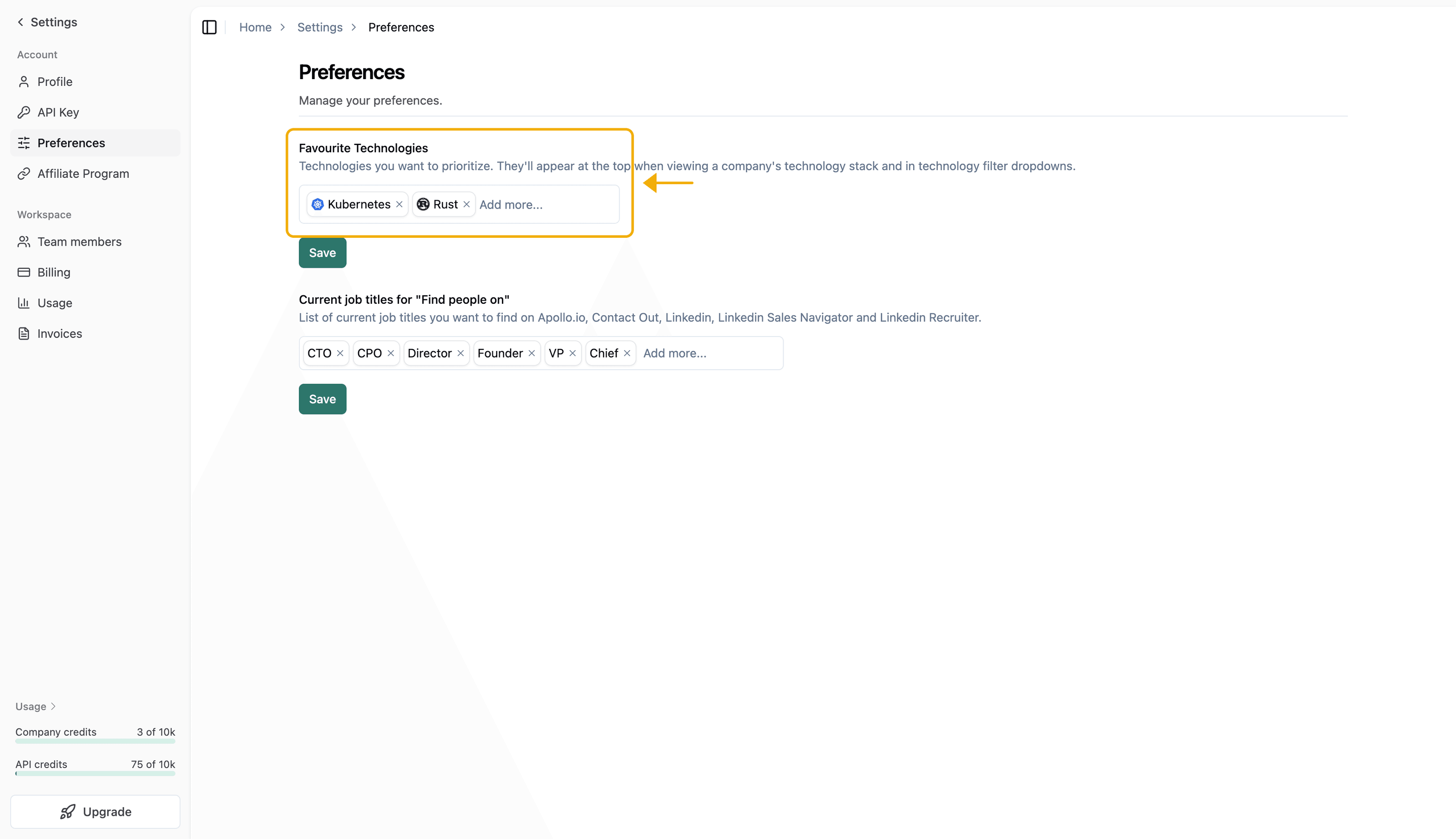
You can also manage your favourite technologies from Settings → Preferences at any time.

Step 4: Manage favourite technologies in Settings → Preferences

Your favourites also appear at the top of the technology filter in company search, making it faster to build searches around the technologies you track most.

Step 3: Favourite technologies at the top of the search filter

February 2, 2026

Search within your Company Lists

Search within your Company Lists

The problem: When you save companies to a list after searching by job title or technology, the list only shows basic company information. You lose the job and technology context that made those companies relevant in the first place — and exports don't include those fields either.

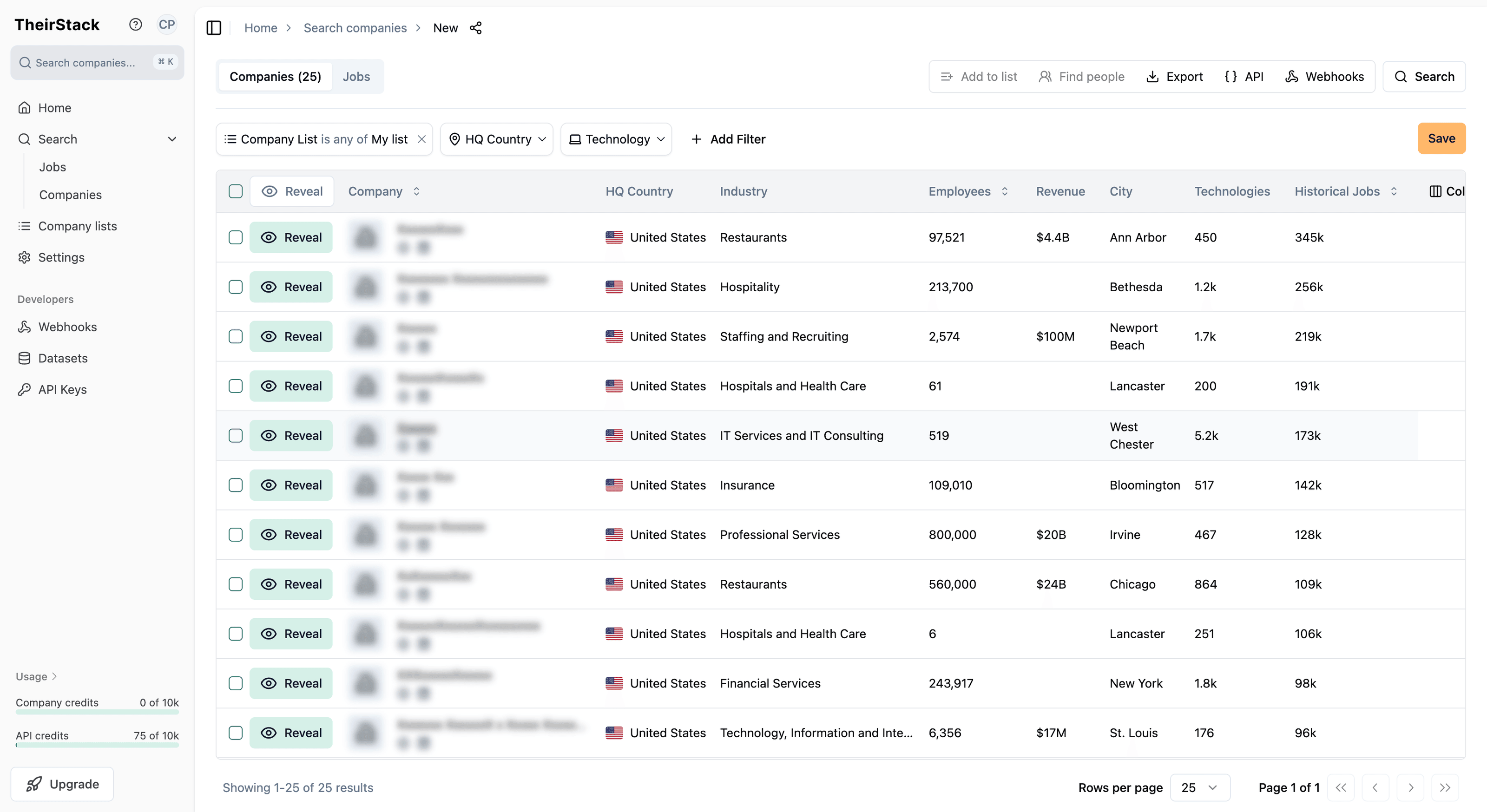
The solution: You can now click the "Add filter" button next to the search bar on any company list page.

This opens the company search with your list pre-selected as a filter, where you can:

  • Re-apply job title or description filters to see matching jobs
  • Add technology filters to see which tools each company uses
  • Export results with job titles, technologies, and other fields included

Step 2: Company search with your list filter applied

This bridges the gap between your curated company lists and TheirStack's full search capabilities — so you never lose the context of why a company was added to your list.

January 19, 2026

Increased amount of discovered jobs

Increased amount of discovered jobs

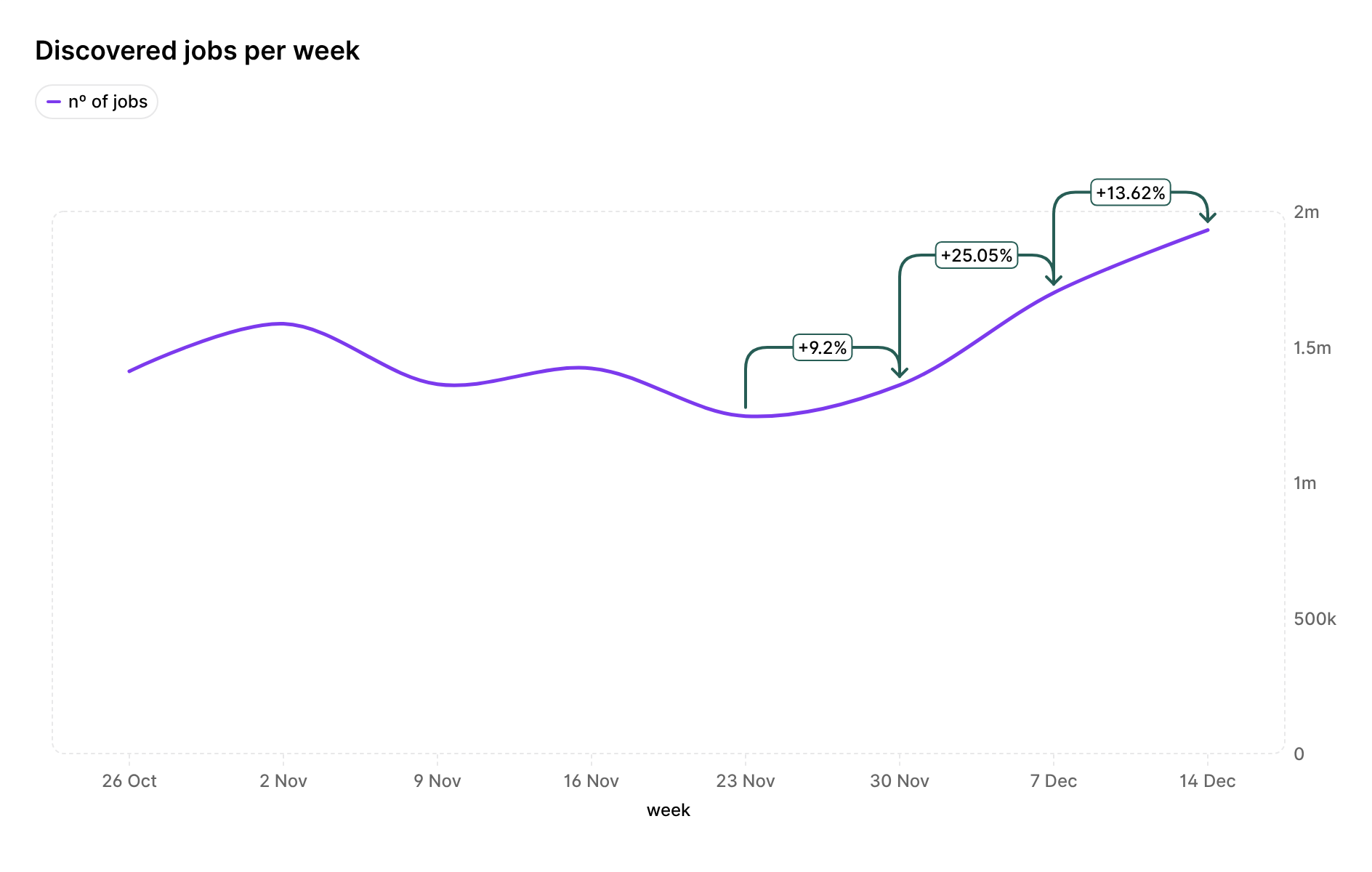
Since November we've constantly increased the number of daily jobs in our system by scaling up our discovery agents and improving how we find new job postings.

We now have more agents scanning job boards, so we're catching jobs faster and more frequently. We've also improved our discovery strategy to find a wider variety of job types, job roles and jobs in countries that we might have missed before.

What this means for you:

  • More hits on your job searches: Your searches will return more results
  • More jobs for each company: Companies now have more job postings in our system
  • More technology hits: When searching for jobs or companies using specific technologies, you'll find more matches

These improvements are live now. You'll see more jobs in your searches and exports as we continue discovering new postings every day.

January 15, 2026

New AI and accounting technologies

We've added 24 new technologies to our detection system, expanding coverage across artificial intelligence models, accounting software, meeting tools, and development platforms.

Artificial Intelligence & Machine Learning

Accounting & Financial Management

Meeting & Collaboration Tools

Development & Testing

Other Categories

December 19, 2025

Full locations catalog - over 4.2M locations

We've expanded the locations catalog endpoint to include the full catalog of over 4.2 million searchable locations, up from the previous limit of 250,000 locations.

What's changed

When we first introduced the locations catalog alongside the new location filters, we initially limited searchable locations to 250k to ensure fast response times. Now, you can search through and use the complete catalog of over 4.2 million locations in your job searches.

This means you can now find and use location IDs for:

  • More cities and towns - Access to smaller cities, towns, and localities that weren't previously searchable
  • Broader geographic coverage - More comprehensive location data across all countries and regions
  • Greater precision - Find exact location IDs for even the most specific geographic areas

All locations in the catalog can be used with the job_location_or and job_location_not filters in the Jobs Search API and the New Job Location filter in the UI, giving you access to the full breadth of our location data for precise geographic targeting.

December 18, 2025

Job location filtering - 20% fewer false matches

We've significantly improved the accuracy of the job_location_or filter (shown as "New Job Location" in the UI) reducing false positives in location matching by ~20%.

Before

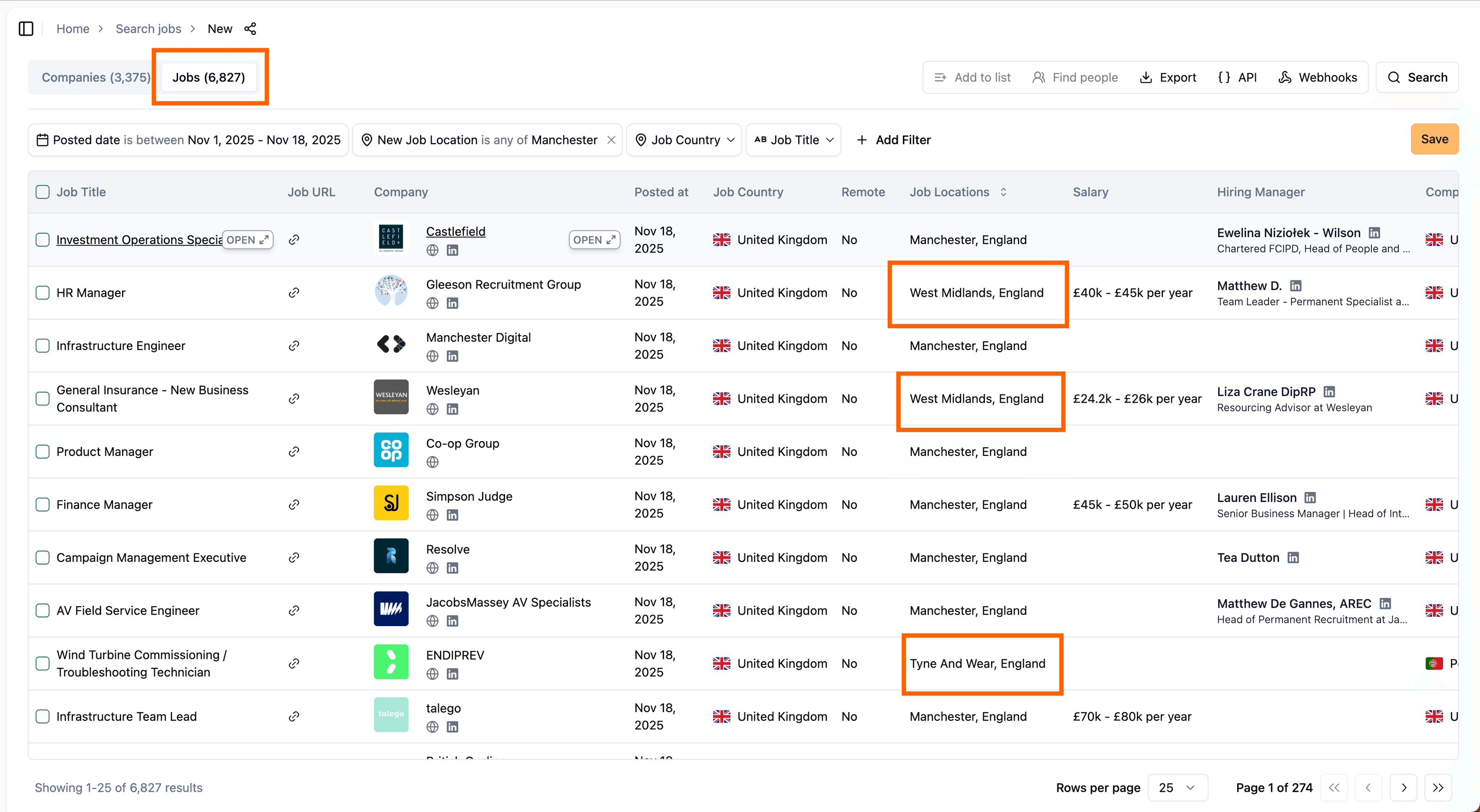
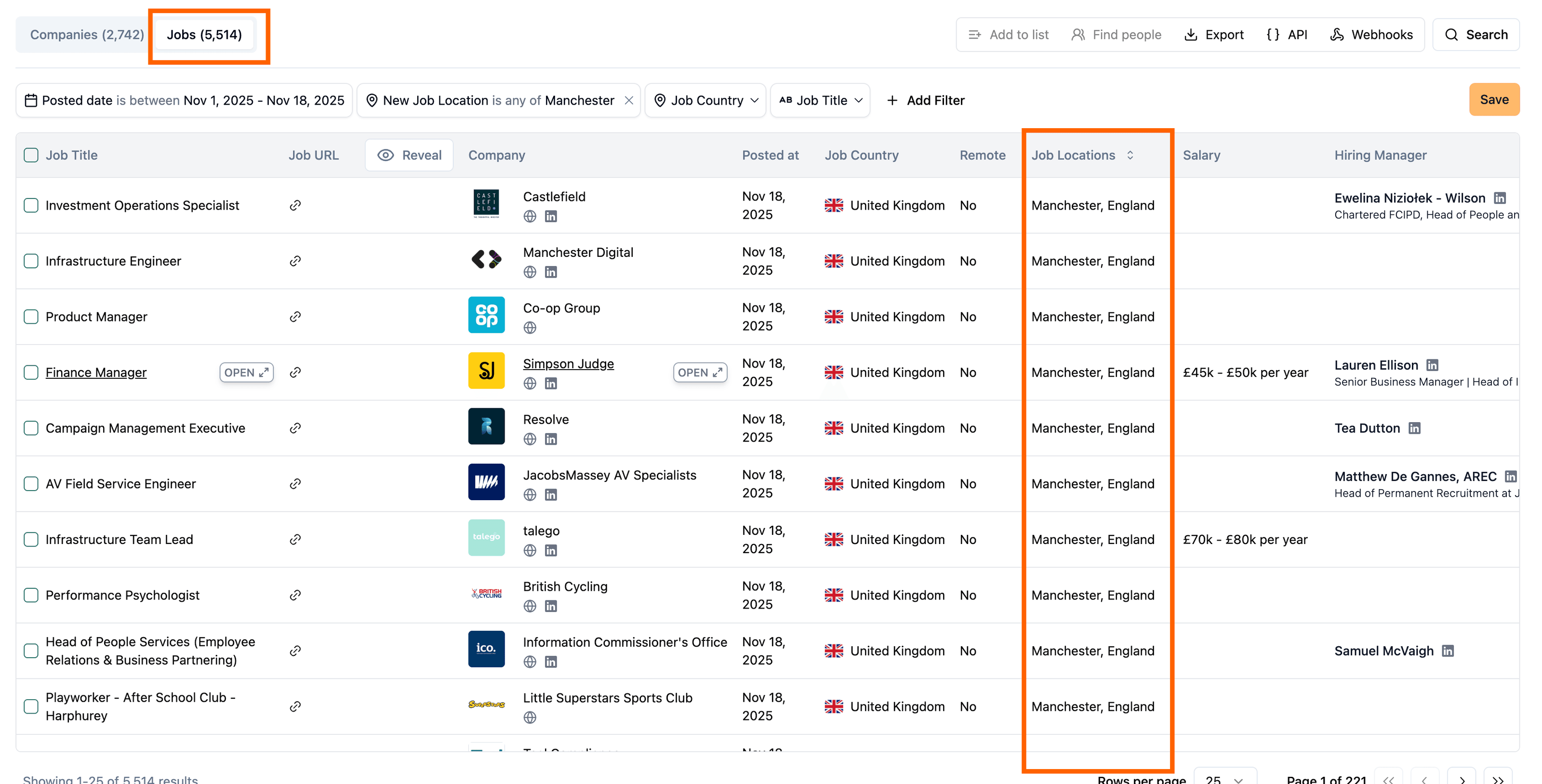
When looking for jobs from many cities, around 20% of the results were false positives. For example, when looking for jobs from Manchester, one would get results from different places as shown in the image below:

Before

After

This happened because for jobs where we didn't have structured location data but just a location string, we'd fall back to making string matches on the name of the location being searched, as well as it's parent administrative units (state, country, etc.). So we'd be looking for jobs mentioning 'England' as well, which would yield many false positives.

This is now fixed and in the following image you can see that both the number of jobs found is lower, and there are no false positives anymore:

After