
How to Discover Any Company's Tech Stack
Step-by-step guide to finding what technologies any company uses — from backend infrastructure to internal tools — using TheirStack's job-posting-based technographic data.
You've got a target company and you want to know what technologies they use — their databases, cloud infrastructure, internal tools, DevOps stack, everything. Common reasons to look up a company's tech stack:
- Sales preparation — Research a prospect's stack before a call so you can tailor your pitch to tools they already use.
- Competitive intelligence — See what technologies a competitor relies on, from backend infrastructure to DevOps tooling.
- Partner evaluation — Check whether a potential partner's stack is compatible with yours before investing in the relationship.
Most tech stack lookup tools only scan a company's website, so they only detect front-end technologies like analytics scripts, marketing pixels, and JavaScript frameworks. The backend — where the real technology decisions happen — stays invisible.
Job postings change that. When a company hires a "Senior Engineer with Snowflake and Kubernetes experience," they've just told you two technologies in their stack that no website crawler would ever find. TheirStack analyzes millions of job postings to build technology profiles for 12M+ companies, covering 33k+ technologies.
Look up a company in the app
The fastest way to check a single company's tech stack.
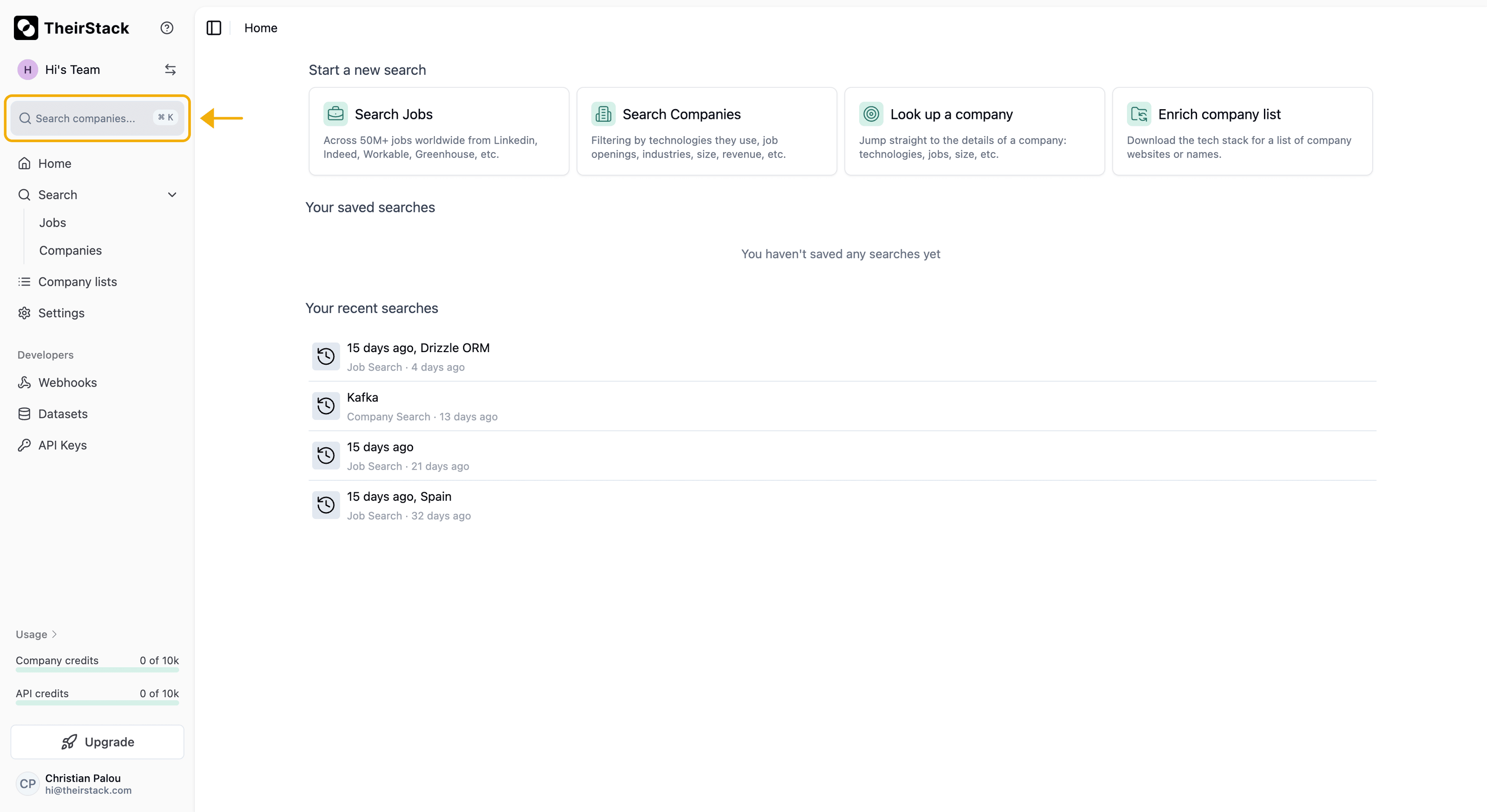
Open the search bar
Click on "Search companies..." in the sidebar, or press ⌘ K (Mac) / Ctrl K (Windows).
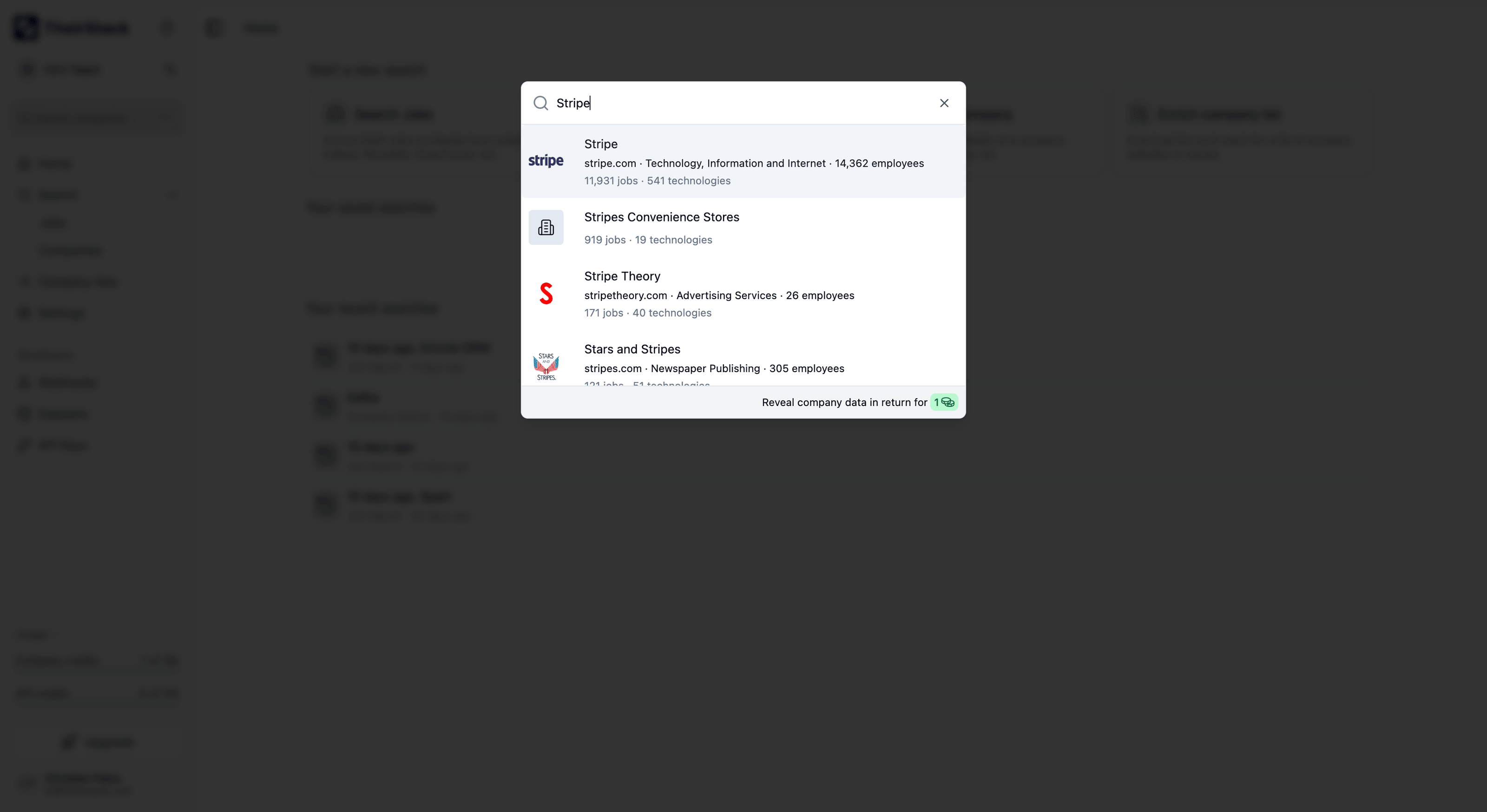
Search by company name or domain
Type the company name or domain. The dropdown shows matching results with logo, domain, industry, employee count, number of jobs, and number of technologies detected.
Browse the Technologies tab
Click a company to open its profile. The header shows firmographic data at a glance: industry, location, employees, revenue, funding, founded year, and funding stage.
The Technologies tab lists every technology detected for the company. For each technology you can see:
- Confidence level (High / Medium / Low) — based on how often it appears relative to other technologies in the same category
- Number of job postings where the technology was mentioned — click to view the actual jobs
- Date range — when the technology was first and last detected in their job postings
- Category — what type of technology it is (e.g., "Big Data as a Service", "Languages", "Containers")
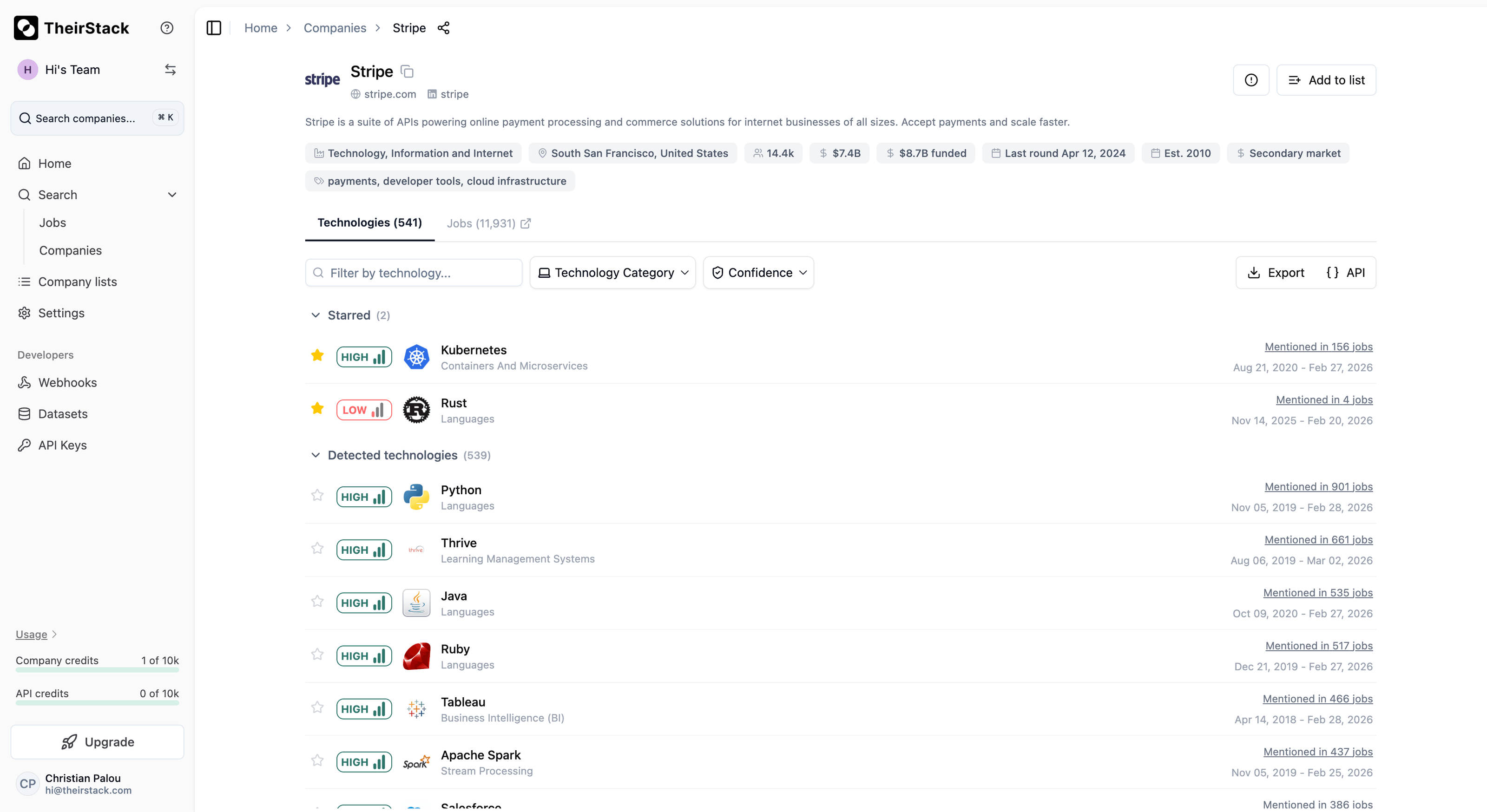
Filter and search: Use the search box to filter by technology name. Use the Technology Category dropdown to see only technologies from a specific category — for example, filtering by "Big Data as a Service" might show that BigQuery was mentioned 35 times (HIGH confidence) while Snowflake only 5 times (LOW confidence).
Export and API: Click Export to download the full technology list as CSV or Excel. Click API to see the equivalent cURL command and JSON response — useful for building programmatic integrations.
Star your favourite technologies
Click the star icon next to any technology to add it to your favourites. Starred technologies are pinned to a "Starred" section at the top of the list, so you always see the signals that matter most without scrolling.
Favourites are saved to your account and appear first everywhere technologies are shown:
- Company profiles — when you open a company directly
- Company search modals — when you click a company in company search results
- Job search modals — when you click a company name in job search results
Star the technologies your product integrates with, the tools your clients hire for, or your competitors — and you'll spot relevant companies faster across every workflow.
Access via the API
This data is also available programmatically. Click the API button in the company profile to see the equivalent cURL command and JSON response.
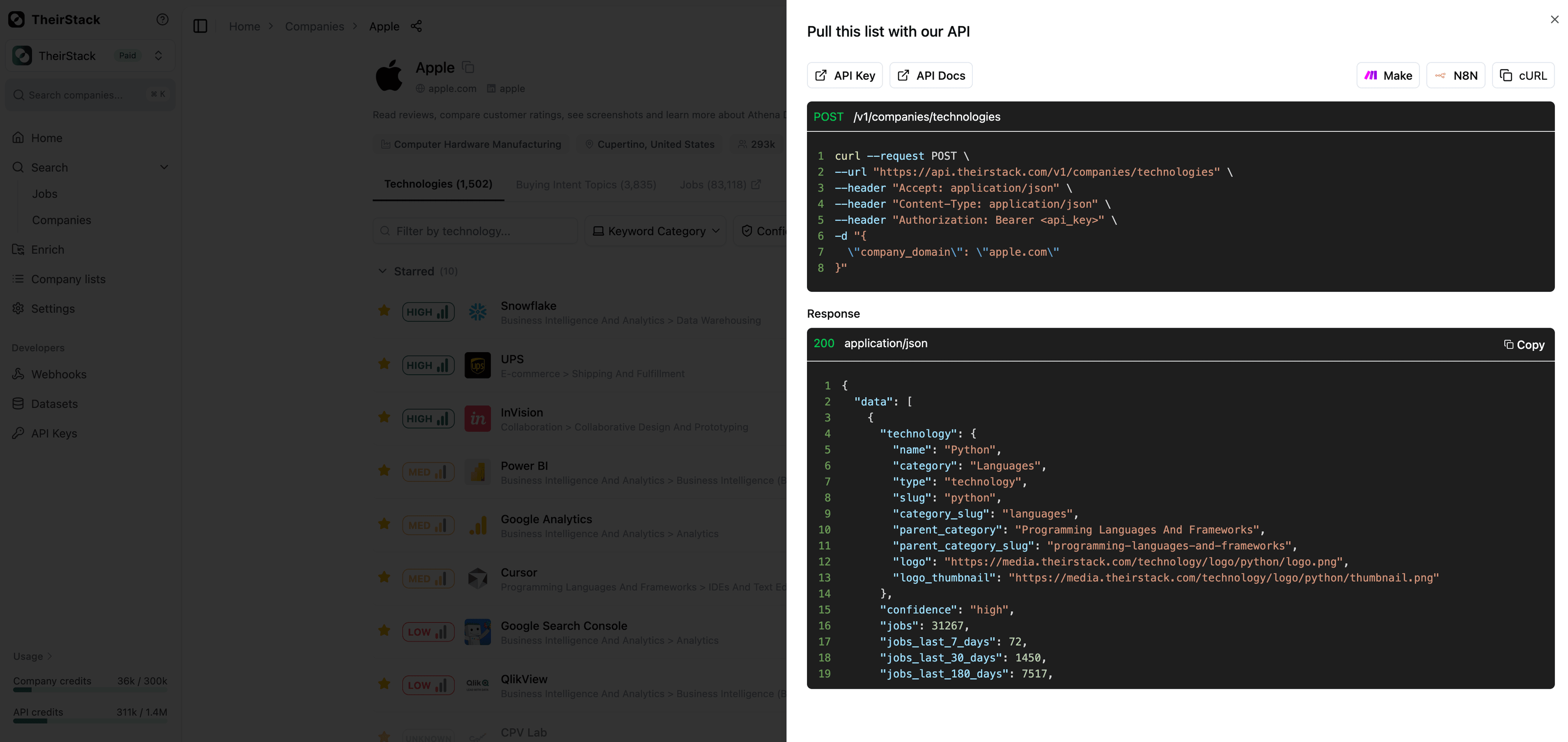
curl -X POST "https://api.theirstack.com/v1/companies/technologies" \
  -H "Authorization: Bearer YOUR_API_KEY" \
  -H "Content-Type: application/json" \
  -d '{
    "company_domain": "stripe.com"
  }'
Each lookup consumes 3 API credits per company, regardless of the number of technologies returned. See the full Technographics API reference for all parameters and response fields.
Add to list: Click Add to list in the top-right corner to save the company to a company list for tracking and organization.
What you'll find — and why job postings reveal more
TheirStack detects technologies across categories that website crawlers simply cannot reach:
- Backend and databases: PostgreSQL, MongoDB, Snowflake, BigQuery, Redis, Elasticsearch
- DevOps and infrastructure: Kubernetes, Terraform, Docker, AWS/GCP/Azure services, CI/CD tools
- Data engineering: Spark, Airflow, Kafka, dbt, Fivetran
- Internal tools: Salesforce, Workday, ServiceNow, Jira, Confluence
- Security: Okta, CrowdStrike, Splunk, HashiCorp Vault
- Frontend and mobile: React, Angular, Swift, Kotlin (also detectable, but less unique to job-posting data)
Further reading
Company Lookup
How to Build a Targeted Lead List Using Technographic Data
How to Find Companies by Technology Stack
Technographic Data
How we source tech stack data
Technographics
TheirStack vs BuiltWith
How is this guide?
Last updated on
How to create a niche job newsletter with TheirStack MCP
Learn how to create a weekly curated job newsletter using Claude.ai and TheirStack MCP. Automate job newsletter creation with a reusable template — no code needed.
How to Enrich a Company List with Technographic Data
Step-by-step guide to enriching your company lists with technographic data on TheirStack — from manual CSV uploads to automated API integration for CRM and sales workflows.