
How to Find Companies by Technology Stack
Step-by-step guide to finding companies that use specific technologies. Build targeted lead lists by filtering companies based on their tech stack, combined with firmographic data like size, industry, and funding.
Why search companies by technology?
Your Ideal Customer Profile is often linked to a technology. If you sell a data tool, companies using Snowflake or Databricks are more likely to buy. If you sell security software, companies running Kubernetes are a better fit than those on shared hosting.
TheirStack detects technologies from job postings — the more a technology is mentioned, the higher the confidence that a company actually uses it. Search companies by the tools they use internally, and combine that with firmographic filters like size, industry, and funding.
Common reasons to start a technology-based search:
- Must-have technologies — Find accounts using a technology your product requires, so you can focus outbound on high-fit prospects (e.g., Prometheus → Grafana, ClickHouse → ClickHouse Cloud).
- Competitor customers — Identify companies using competitor tools to build competitive lists, tailor positioning, and prioritize accounts already paying for a similar solution.
- Partners or integrations — Target accounts using partner tools or integrations your product supports (e.g., accounting, payments, productivity tools) to increase conversion rates with a clear "works with your stack" message.
Find companies using a specific technology
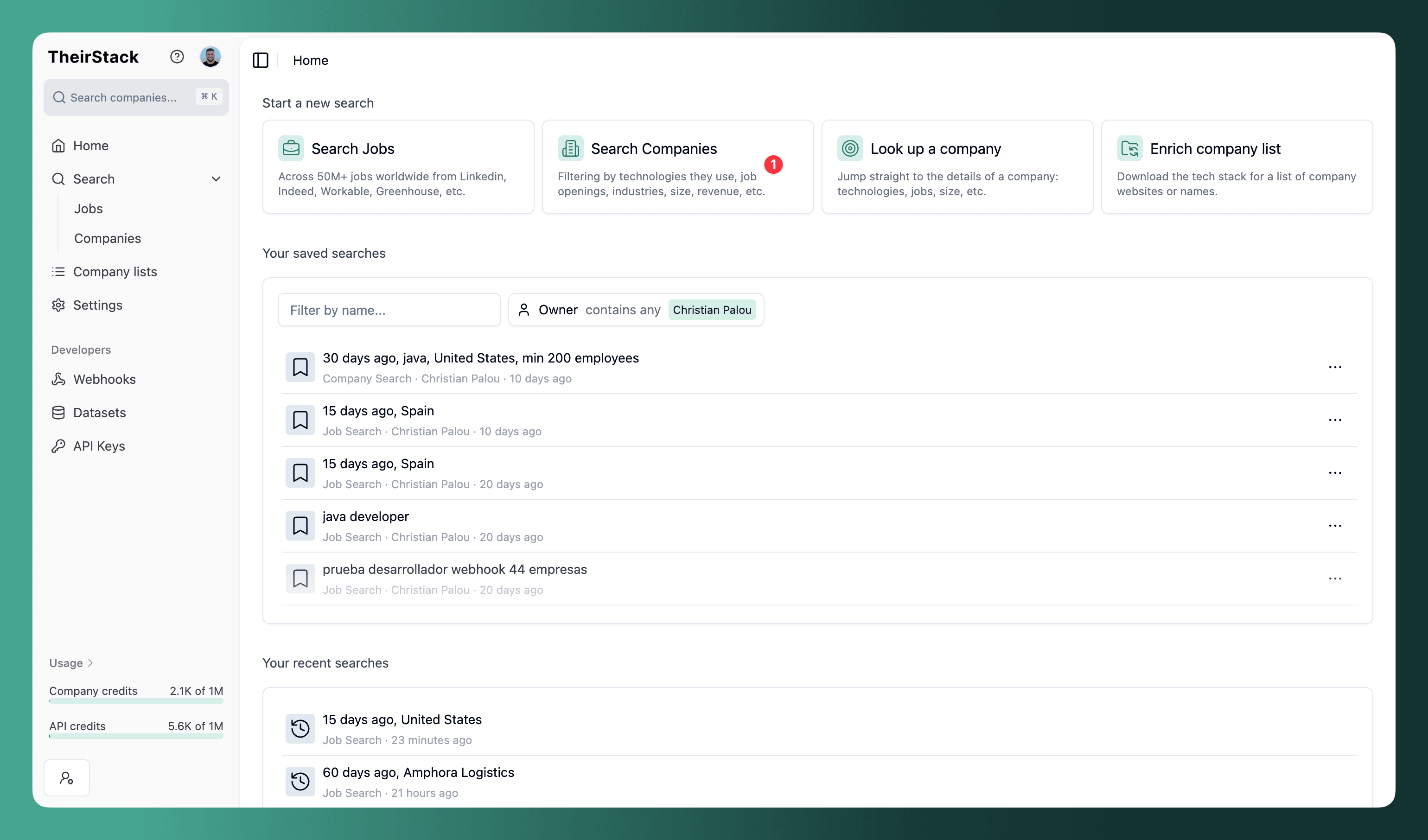
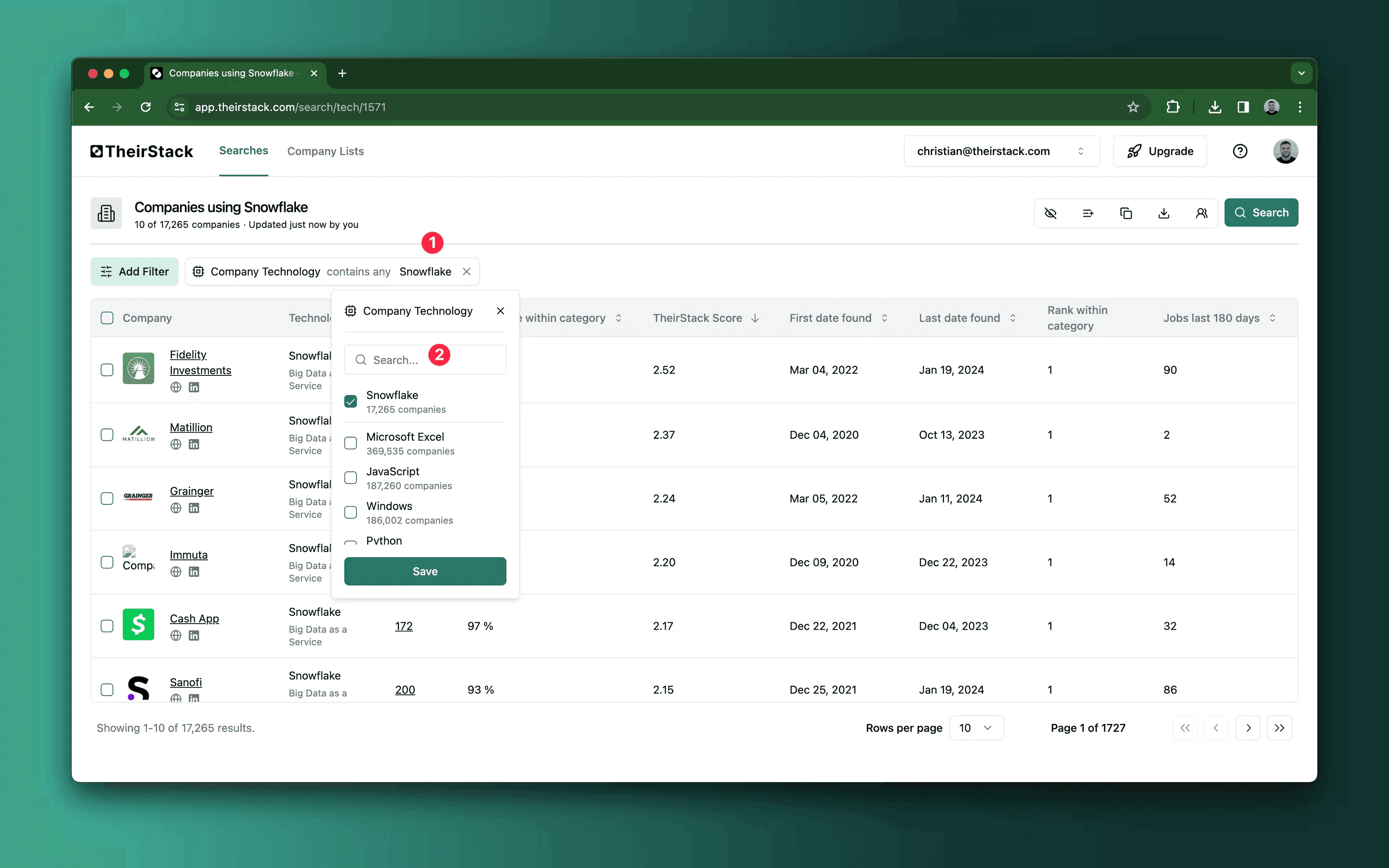
Add a technology filter
In the Technology filter, start typing a technology name and select one or more. You can combine multiple technologies — use "is any of" to match companies using at least one, or "contains all of" to match companies using all of them.
Narrow down your results
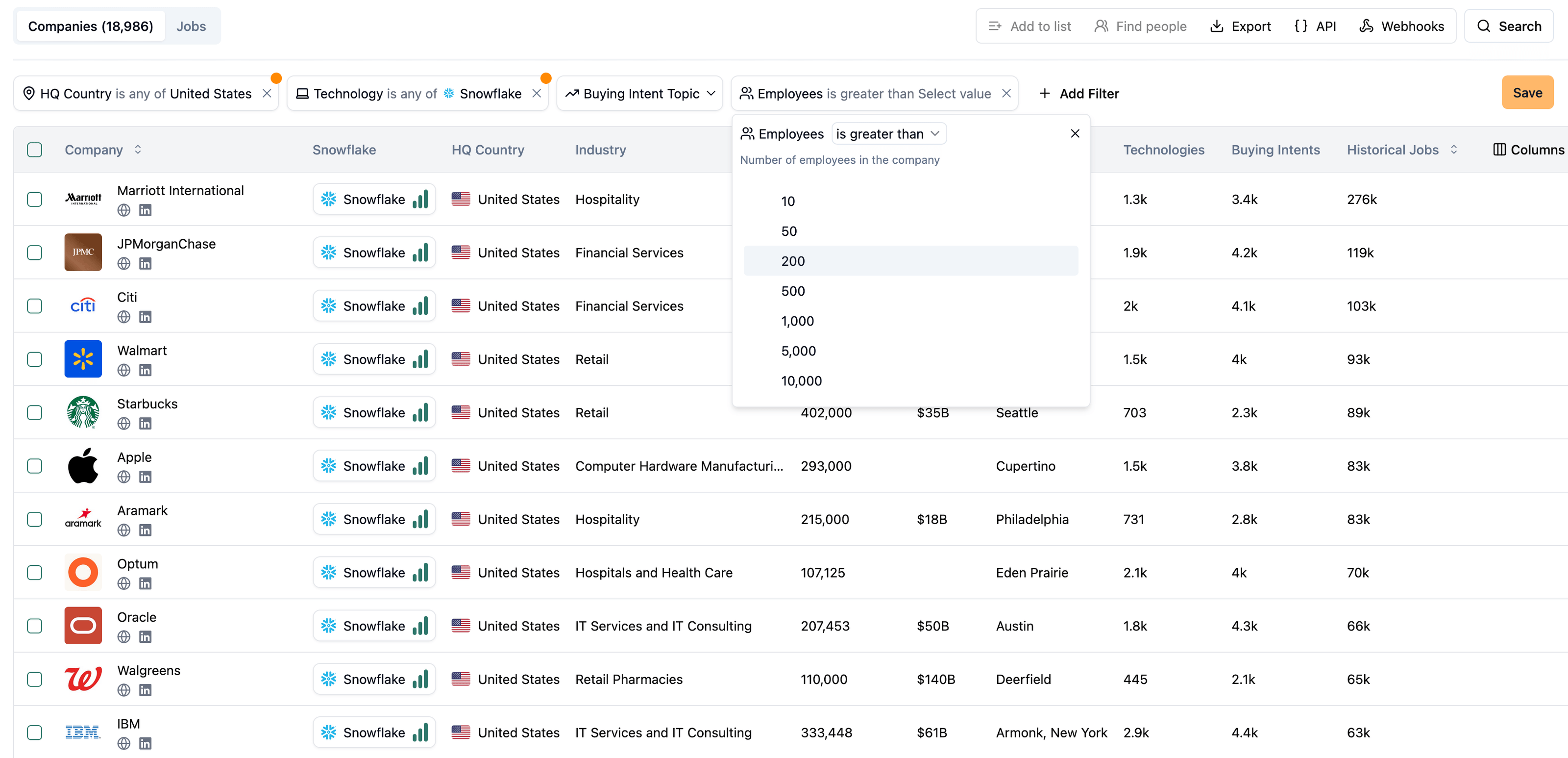
Combine technology filters with company filters to match your ICP.
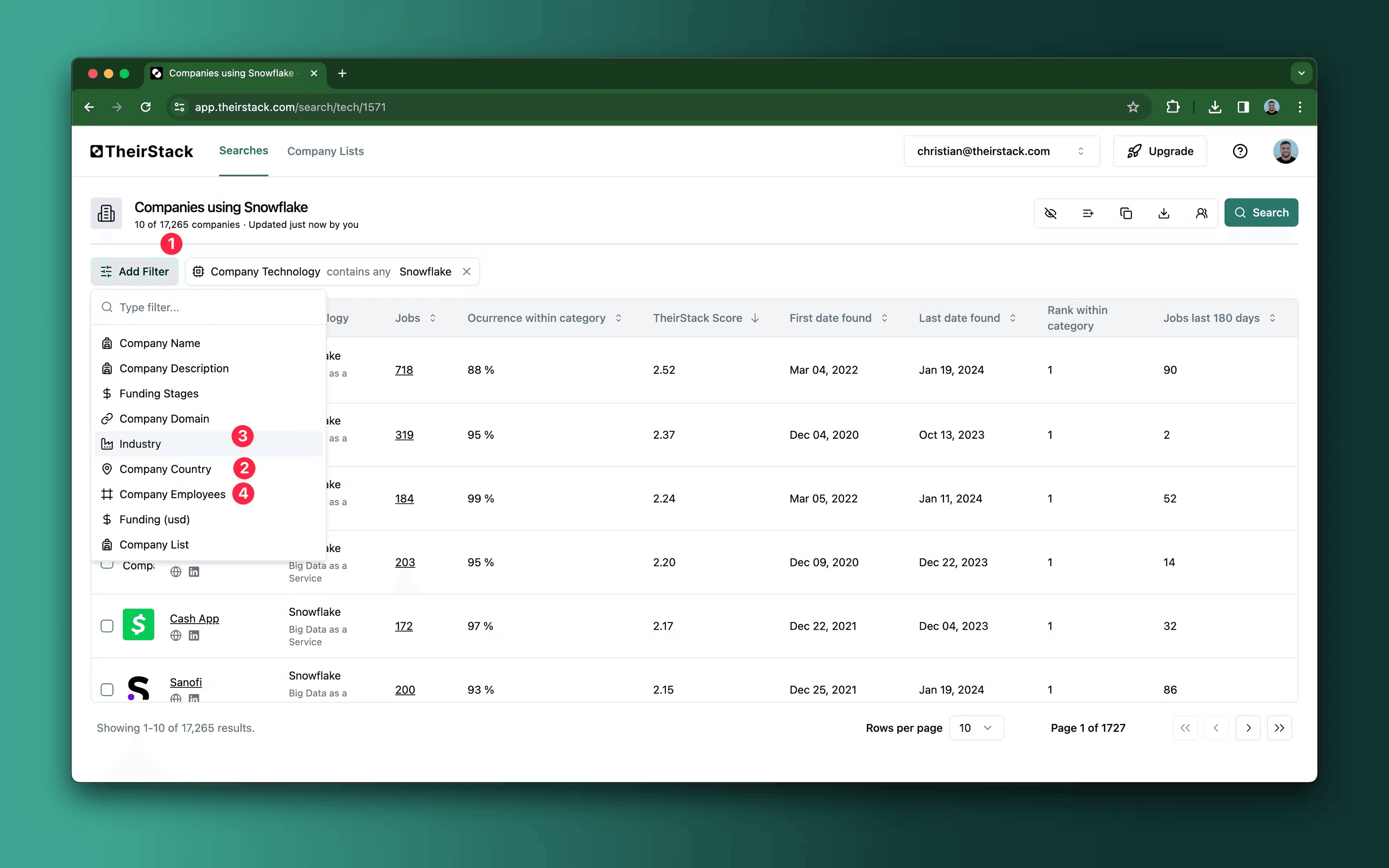
Company filters — all company search filters are available:
- Employees — Target a company size range (e.g., 100–1,000 for mid-market)
- HQ Country — Filter by where the company is headquartered
- Company type — Set to "Direct employer" to exclude recruiting agencies
- Industry, revenue, funding stage — and more
Technology filters — go deeper than just "uses technology X":
- Keyword confidence — Set to "High" to only see companies with strong evidence of usage
- First date found — Find recent adopters (e.g., first detected in the last 90 days)
- Last date found — Exclude stale data where the technology hasn't been mentioned recently
- Jobs mentioning keyword — Set a minimum to focus on companies with heavy usage
Explore the technology signals
A column is added for each technology you filtered by. Each cell shows the technology logo, name, and a confidence level (High, Medium, or Low).
Hover over any technology cell to see:
- Job count — How many jobs mention this technology (click to view them)
- Date range — When it was first and last detected
- Occurrence within category — What percentage of mentions in this category go to this technology
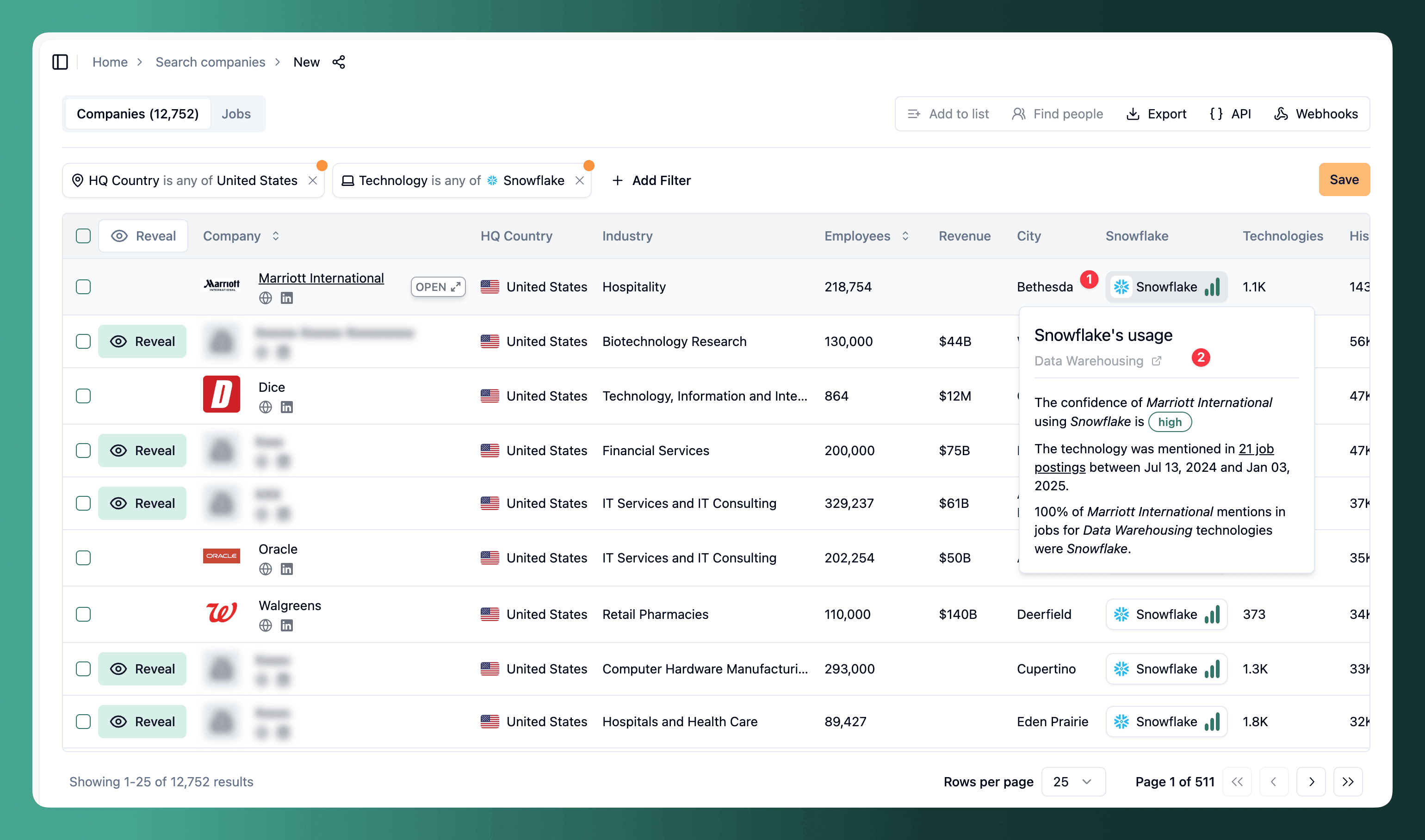
This lets you quickly assess how heavily a company relies on a technology before reaching out. Learn more about how we source technographic data.
Reveal companies
Results appear in preview mode — company names and domains are blurred. Click Reveal to unlock a company's full data. Each reveal costs 1 company credit and gives you access for 90 days.
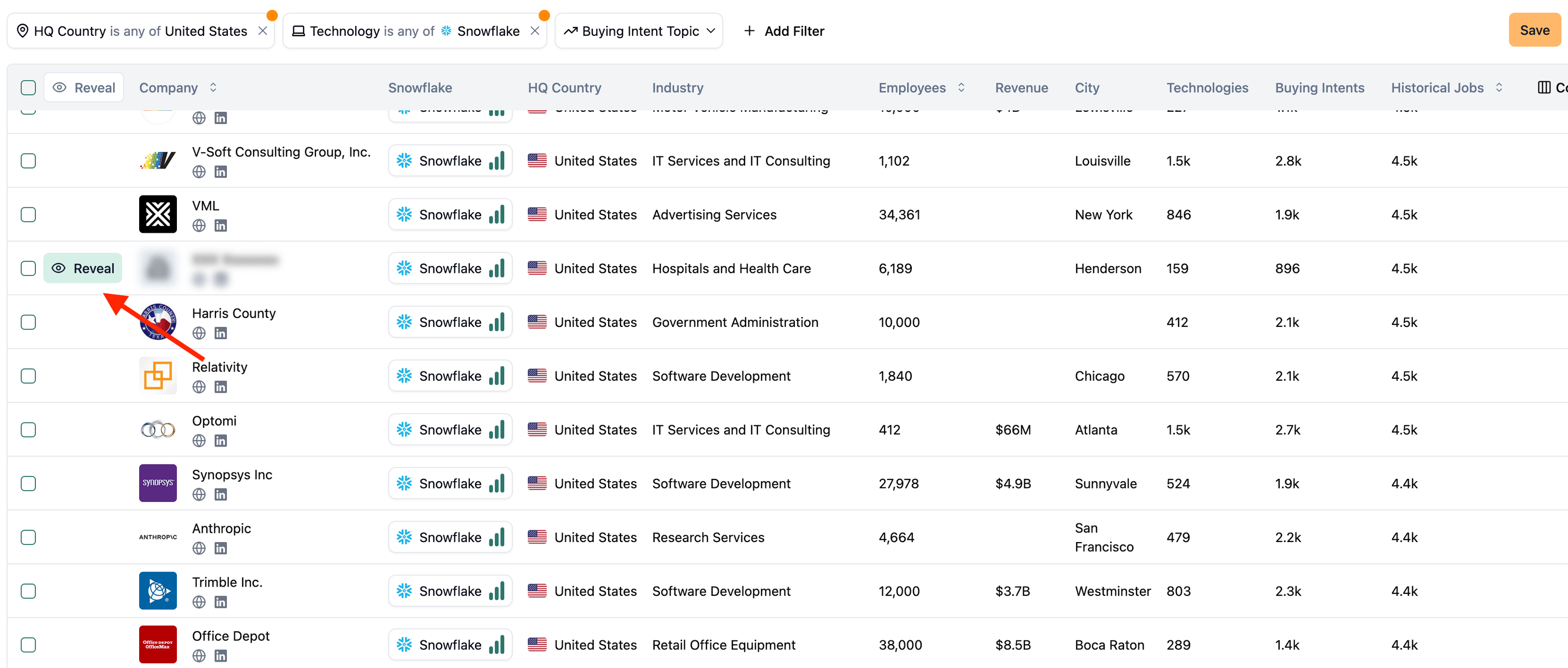
Browse the revealed companies, then go back and refine your filters to exclude companies that don't match your ICP — adjust industry, size, or funding until the results are tight.
Export or take action
- Export to CSV, Excel, or webhook
- Find people at target companies — select companies, click "Find People", and choose an integration (Apollo, LinkedIn Sales Navigator, ContactOut, or LinkedIn Recruiter). It opens with your companies and job titles pre-filled.
- Get the list using the API to reproduce your search programmatically
- Save the search and enable email alerts for new matches
- Get Slack notifications whenever a new company matches your filters via webhooks
Further reading
Company Search
How to Discover Any Company's Tech Stack
Find people
How we source tech stack data
How is this guide?
Last updated on
How to Exclude Specific Companies from a Search
Step-by-step guide to creating a blacklist of companies and excluding them from your company search results using TheirStack's company list filters.
How to Find Companies With the Most Open Jobs
Learn how to find companies hiring at scale — those with more than a set number of open jobs — using the matching-jobs filter in Company Search, then export them for outbound.