
How to Avoid Downloading the Same Companies Twice
Learn how to deduplicate your company exports month over month by duplicating your company list and using it as an exclusion filter in TheirStack.
If you run recurring company searches — for example, exporting companies using a specific technology every month — you'll want to make sure you're only getting new companies each time, not re-downloading the ones you already exported.
This guide shows you how to use company lists to keep track of what you've already exported and exclude those companies from future searches.
Step-by-step: deduplicate your monthly exports
Before your new export, duplicate your current company list
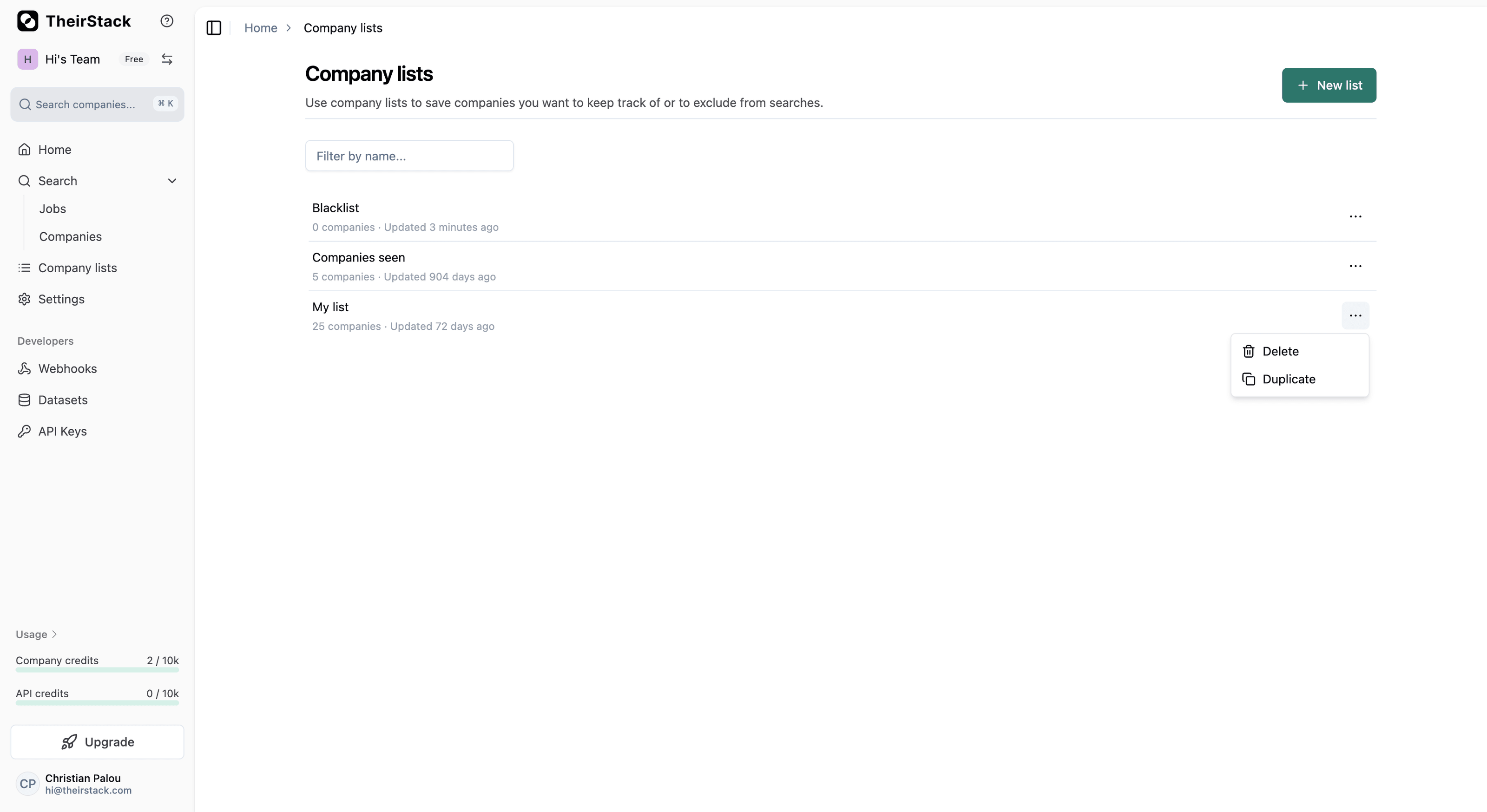
Go to Company Lists, find the list from your previous search (or the Companies Seen list), and click the three-dot menu on the right. Select Duplicate.
Rename the duplicated list
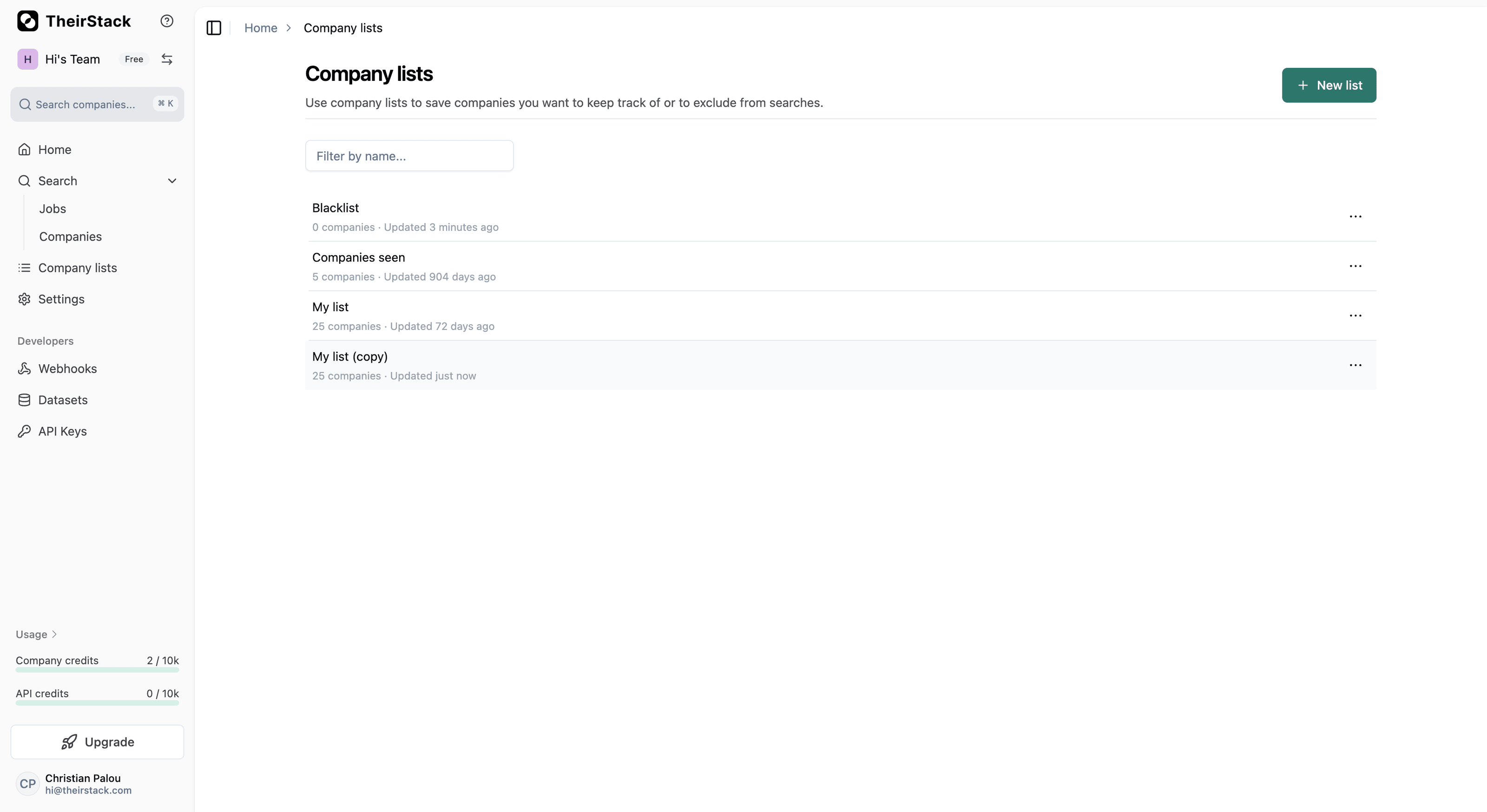
The duplicated list will appear as "Your list (copy)". Rename it to something that identifies the time period — for example, "Exported April 2026" or "Companies seen until April 2026". This way, you'll have a snapshot of all the companies you had at that point in time.
Add the exclusion filter to your new search
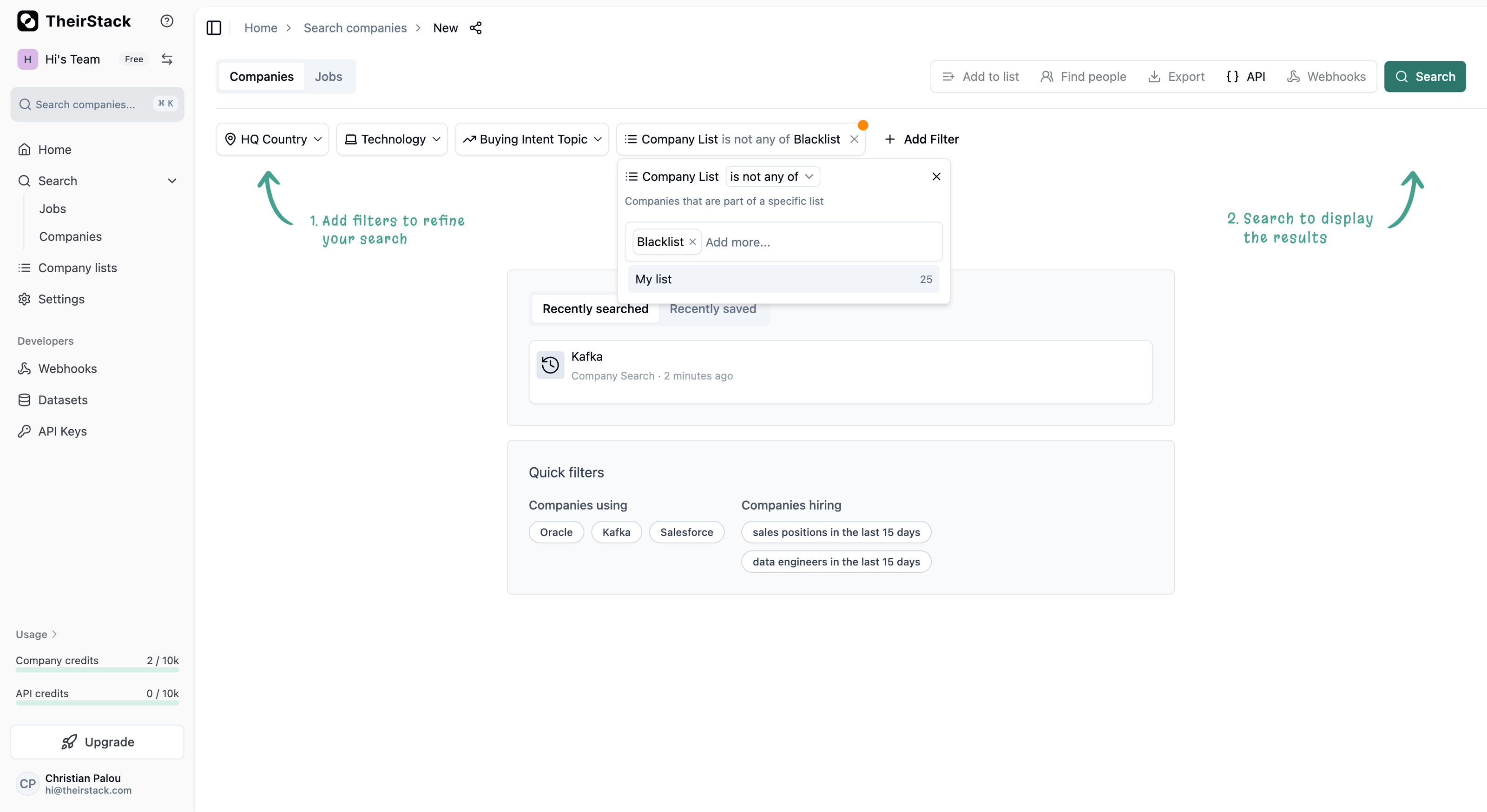
Open a new company search, apply your usual filters (technology, country, industry, etc.), and then click Add Filter. Search for "Company List" and select it.
Change the operator to is not any of and select the list you just duplicated.
Run the search and export
Click Search. Your results will now only show companies that are not in your previous export list — meaning you'll only download new companies.
Export the results as usual (CSV, Excel, or via webhooks).
Repeat every month
Each time you want to do a fresh export:
- Duplicate your company list (or the Companies Seen list) to create a snapshot
- Rename it with the current date
- Filter your new search to exclude that snapshot
- Export the new results
This way, you build up a history of snapshots (e.g., "Exported Jan 2026", "Exported Feb 2026") and each export only contains companies you haven't downloaded before.
Further reading
Company Lists
Companies Seen
Company Search
How to Exclude Specific Companies from a Search
How is this guide?
Last updated on
How to Automate Your Ad Chase as a Recruiting Agency
Learn how to automate ad chase — the process of monitoring job postings to find companies actively hiring and reach out before competitors. Set up filters, alerts, and workflows with TheirStack.
How to Build a Targeted Lead List Using Technographic Data
Step-by-step guide to building targeted sales lead lists by filtering companies based on their tech stack using TheirStack's [[total_technologies]]+ technology database.