
Company Search
Search and filter companies by technology stack, buying intent, industry, size, funding, and more. Build targeted lead lists with technographic and firmographic data.
TheirStack lets you search companies by the technologies they use, the topics they're hiring for, their size, industry, funding, and more. Use company search to build targeted lead lists based on technographic and firmographic data.
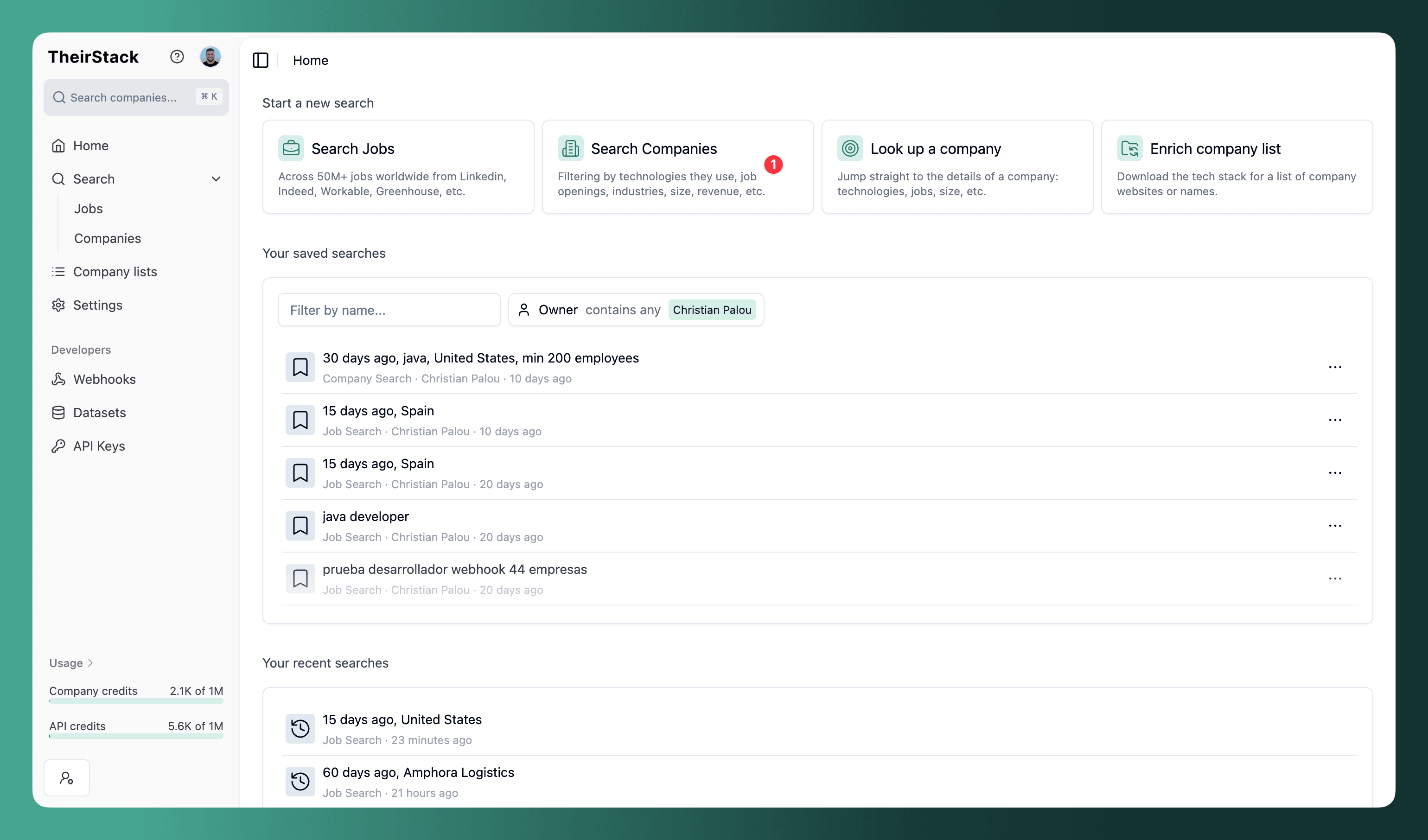
Open a new company search
Go to Company Search and click on "Search Companies".
Filters
The filter bar sits at the top of the search, above the results table. Click Add filter to add any of the filters below (on a narrow screen or mobile the filters collapse behind the filter icon in the toolbar, a funnel with a "+", tap it to open the same panel). Company search combines three types of filters: company attributes, technology & buying intent signals, and job posting data. You can mix them freely to build precise queries.
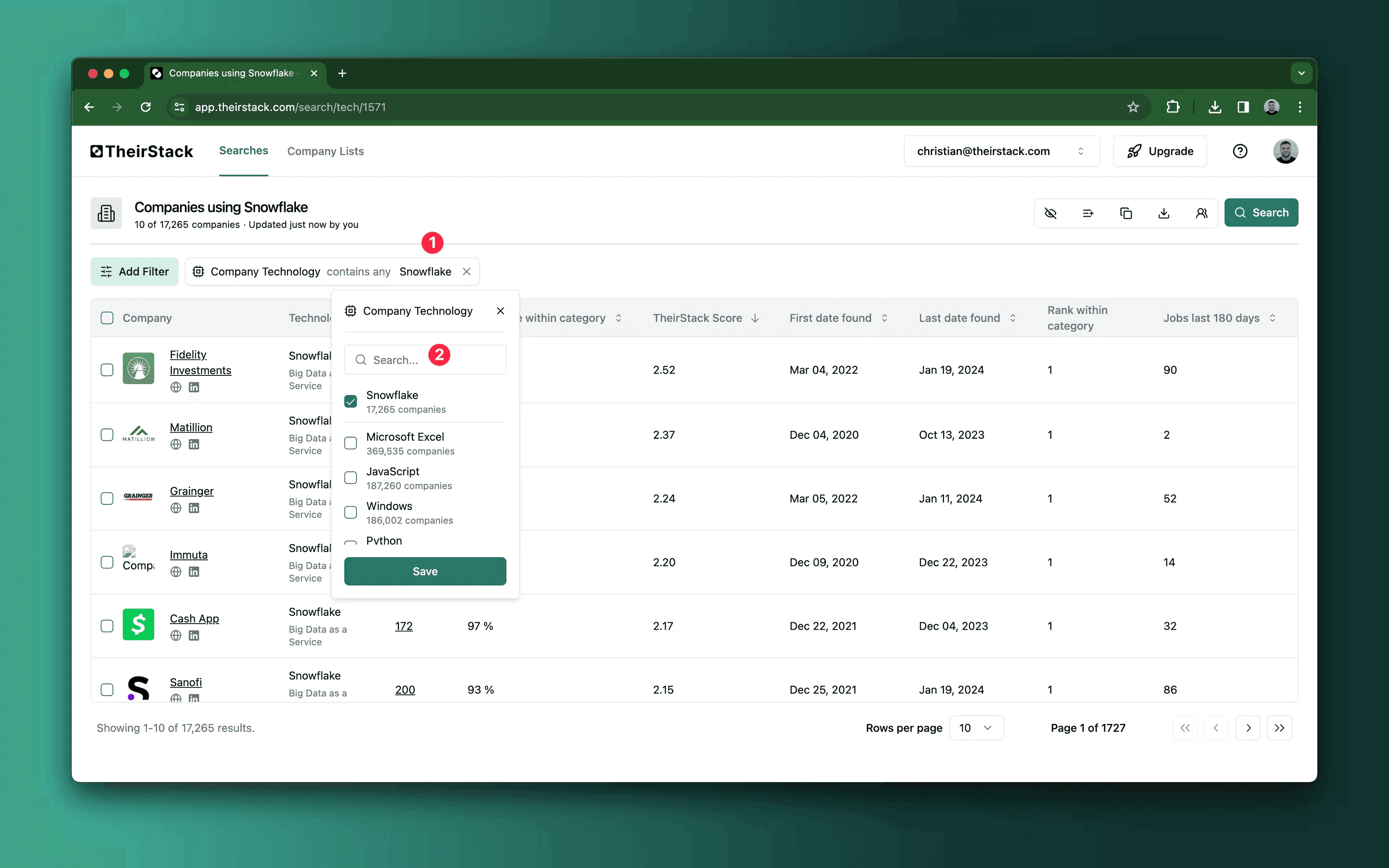
For example: companies with 50–500 employees in the US that use Snowflake and were first detected in the last 90 days.
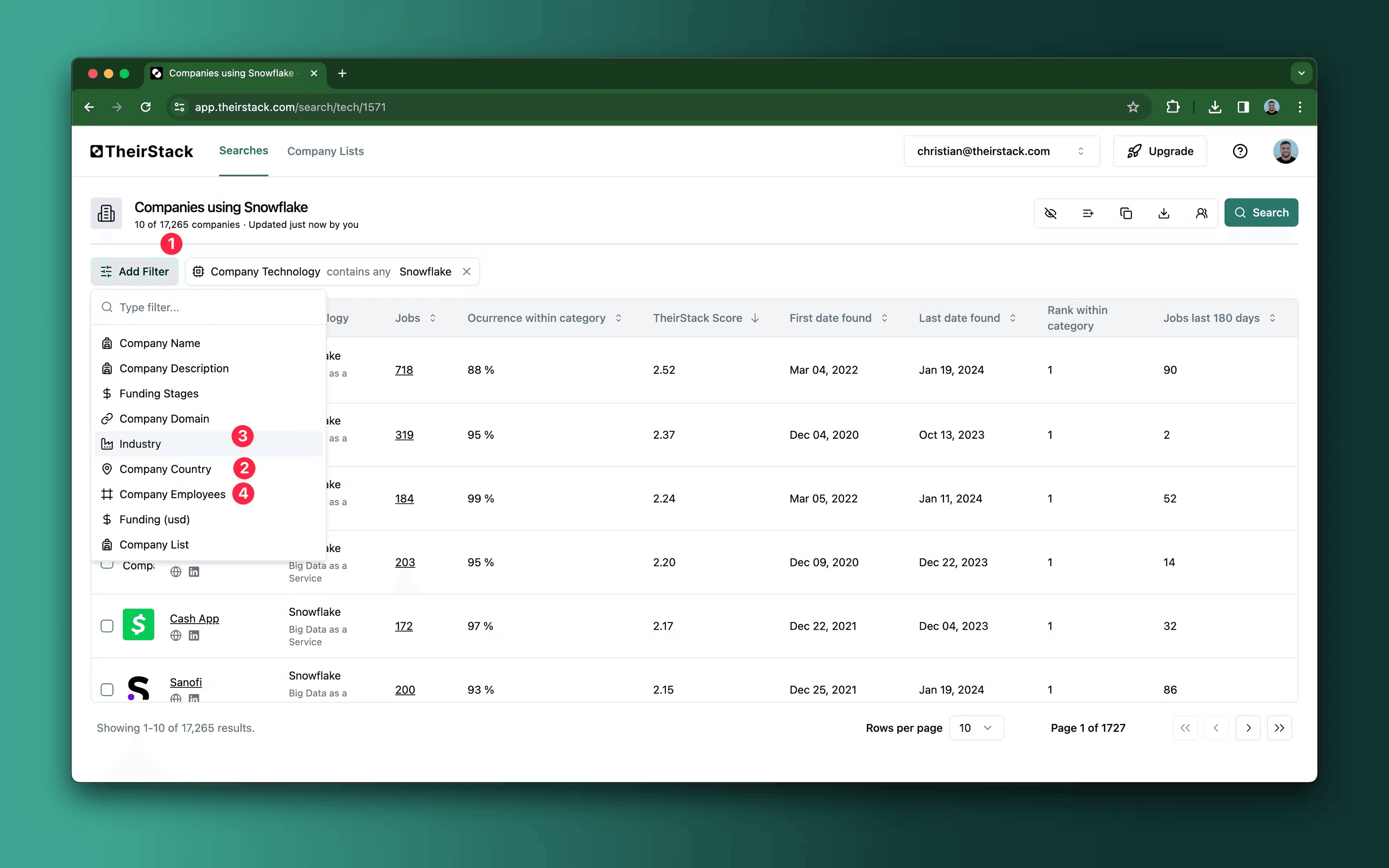
Company filters
| Filter | What it does |
|---|---|
| Company name | Include or exclude by name. Supports exact match, partial match, and catalog lookup. |
| Company description | Keywords or regex in company descriptions. |
| Industry | Include or exclude industries. |
| HQ Country | Filter by headquarters country. |
| Company city | Filter by headquarters city. |
| Employees | Employee count range. |
| Revenue | Annual revenue range in USD. |
| Funding | Total funding raised in USD. |
| Funding stages | Seed, Series A, Series B, Series C, and beyond. |
| Company type | Direct employer vs. recruiting agency. |
| Company list | Include or exclude companies from your saved company lists. |
| Website domain | Include or exclude specific domains. |
Technology & buying intent filters
| Filter | What it does |
|---|---|
| Technology | Technologies in the company's stack. Supports "is any of", "contains all of", and "is not any of". |
| Buying intent topic | Topics the company is actively interested in, based on job postings and online signals. |
| Keyword category | Filter by technology category (e.g., Databases, Frameworks, Cloud). |
| Keyword confidence | High, Medium, or Low confidence that the company actually uses the technology. |
| First date found | When the technology was first detected. Useful for spotting recent adopters. |
| Last date found | When the technology was last seen. Useful for filtering out stale data. |
| Jobs mentioning keyword | Minimum/maximum number of job postings where the technology appears. |
Job posting filters
Company search also lets you filter by attributes of the jobs a company has posted — job title, description, country, technology, salary, workplace type, job closed status, and more. This lets you find companies based on what they're hiring for (or what they recently stopped hiring for), not just what they use.
For example, filter to companies that closed a "VP of Engineering" role in the last 30 days to find teams that just made a key hire — a strong trigger for outreach.
Understanding the results
The results table shows columns for Company, HQ Country, Industry, Employees, Revenue, City, Jobs matching filters, Technologies, Buying Intents, and Historical Jobs.
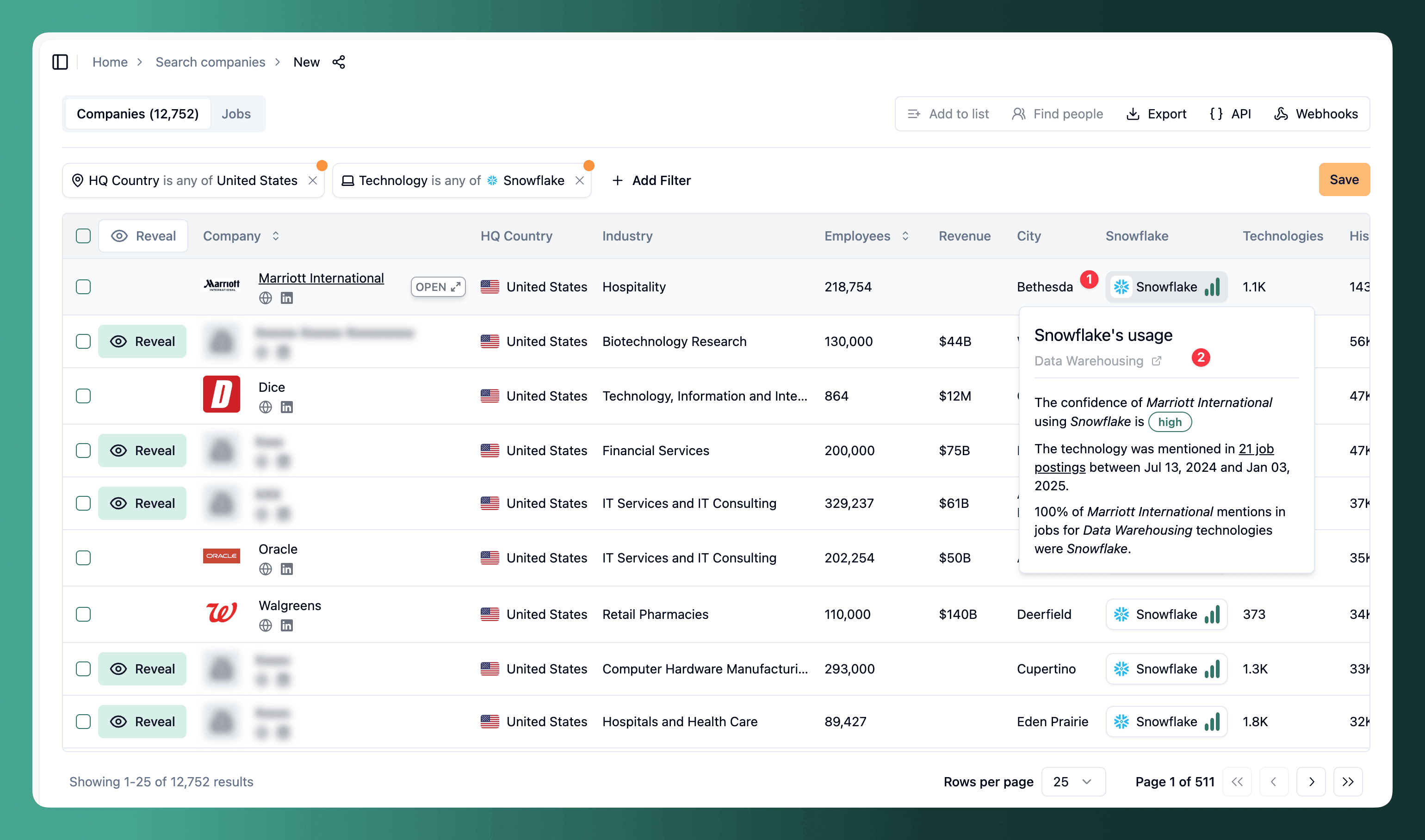
When you filter by technology, a column is added for each technology. Each cell shows the technology logo, name, and a confidence level (High, Medium, or Low) indicating how likely the company is to actively use it.
Hover over a technology cell for more detail:
- Confidence — How certain we are the company uses this technology
- Job postings — How many jobs mention the technology, with a link to view them
- Date range — When the technology was first and last detected
- Occurrence within category — What percentage of the company's mentions in this category are for this technology
Reveal company data
Results appear in preview mode — company names and domains are blurred. Click Reveal to unlock a company's full data. Each reveal costs 1 company credit and gives you access for 90 days.
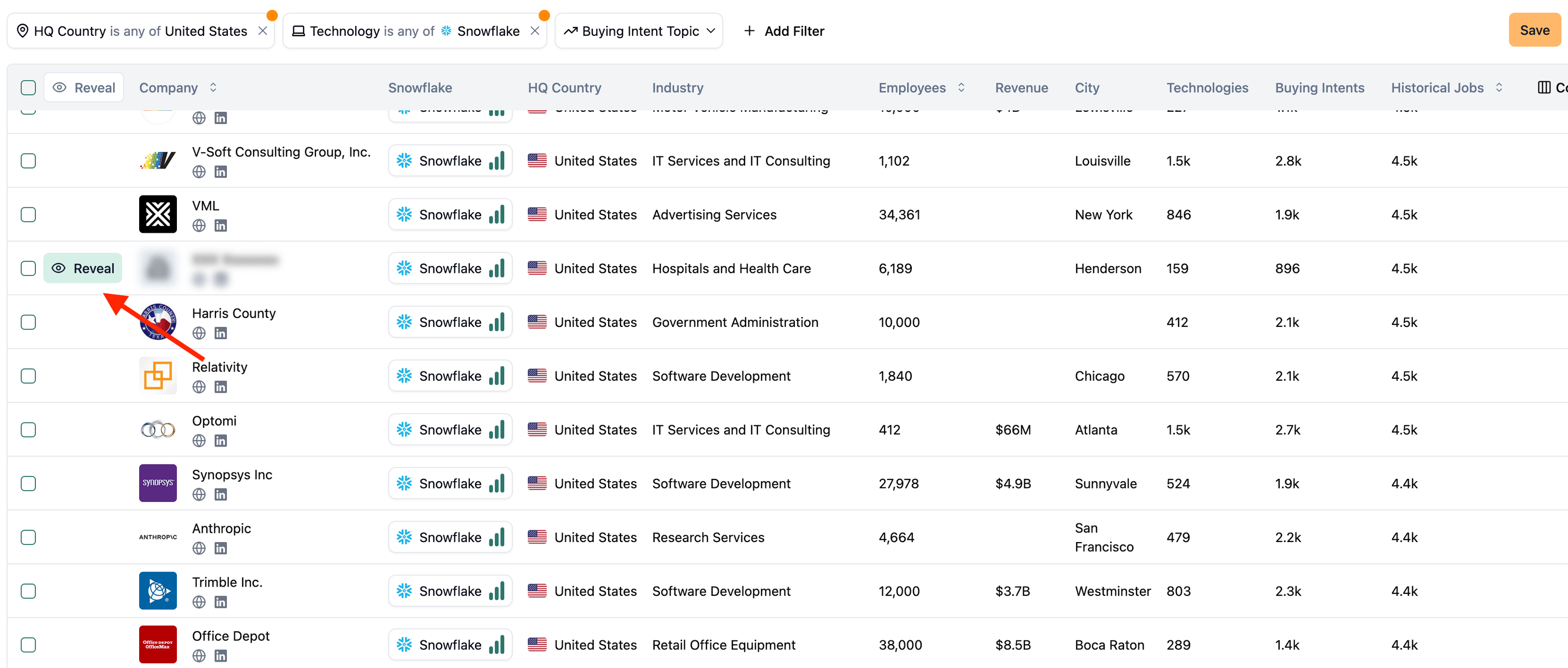
Every revealed company is automatically added to your Companies Seen list.
Customize columns
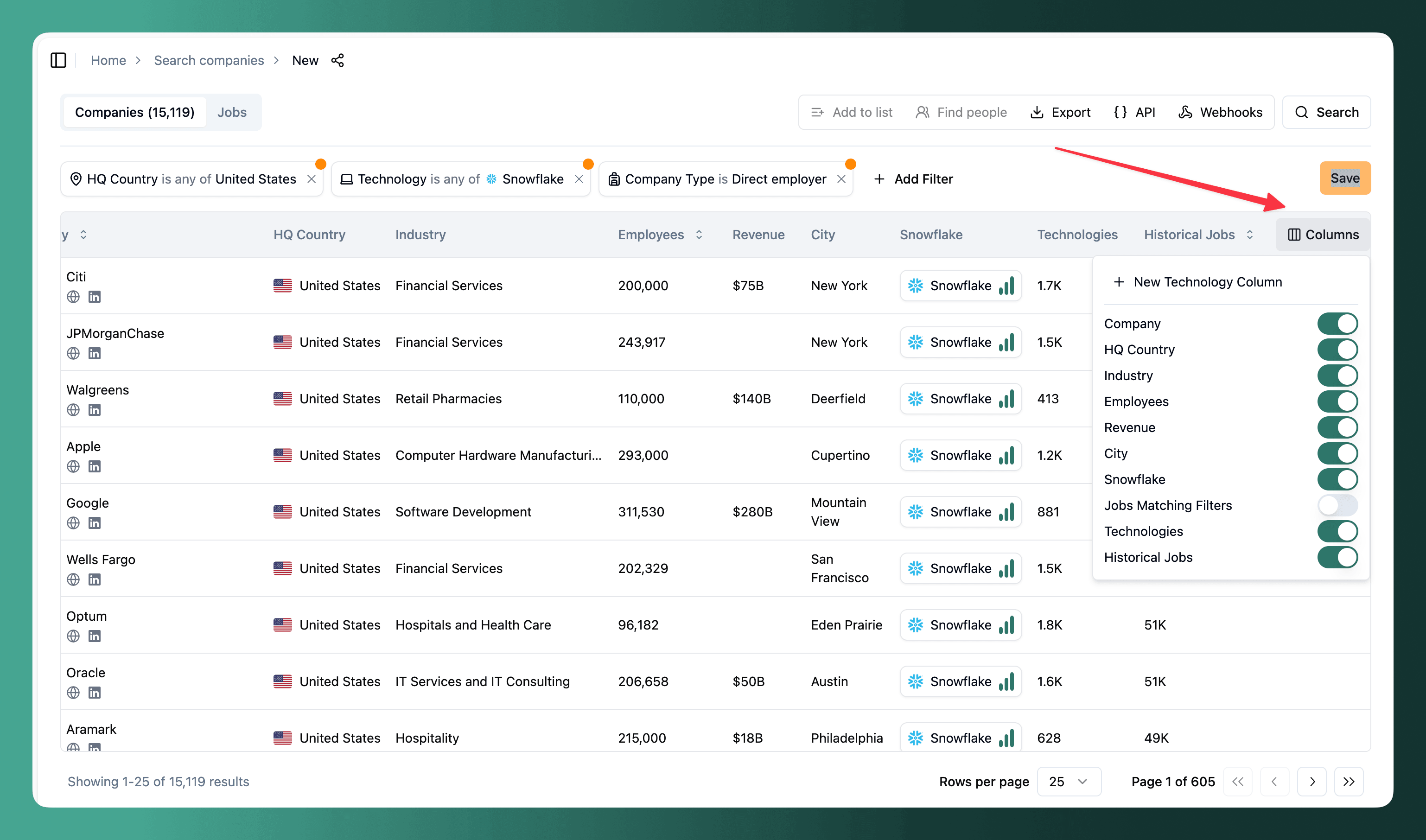
Click Columns in the table header to show or hide columns. When you filter by technology, a column for each technology is added automatically — but you can add technology columns even without filtering by them to enrich your data.
The same applies to buying intent: filtering by Buying Intent Topic adds a column for each topic you selected. Unlike technologies, an intent topic has to be in the filter to appear as a column.
Export data
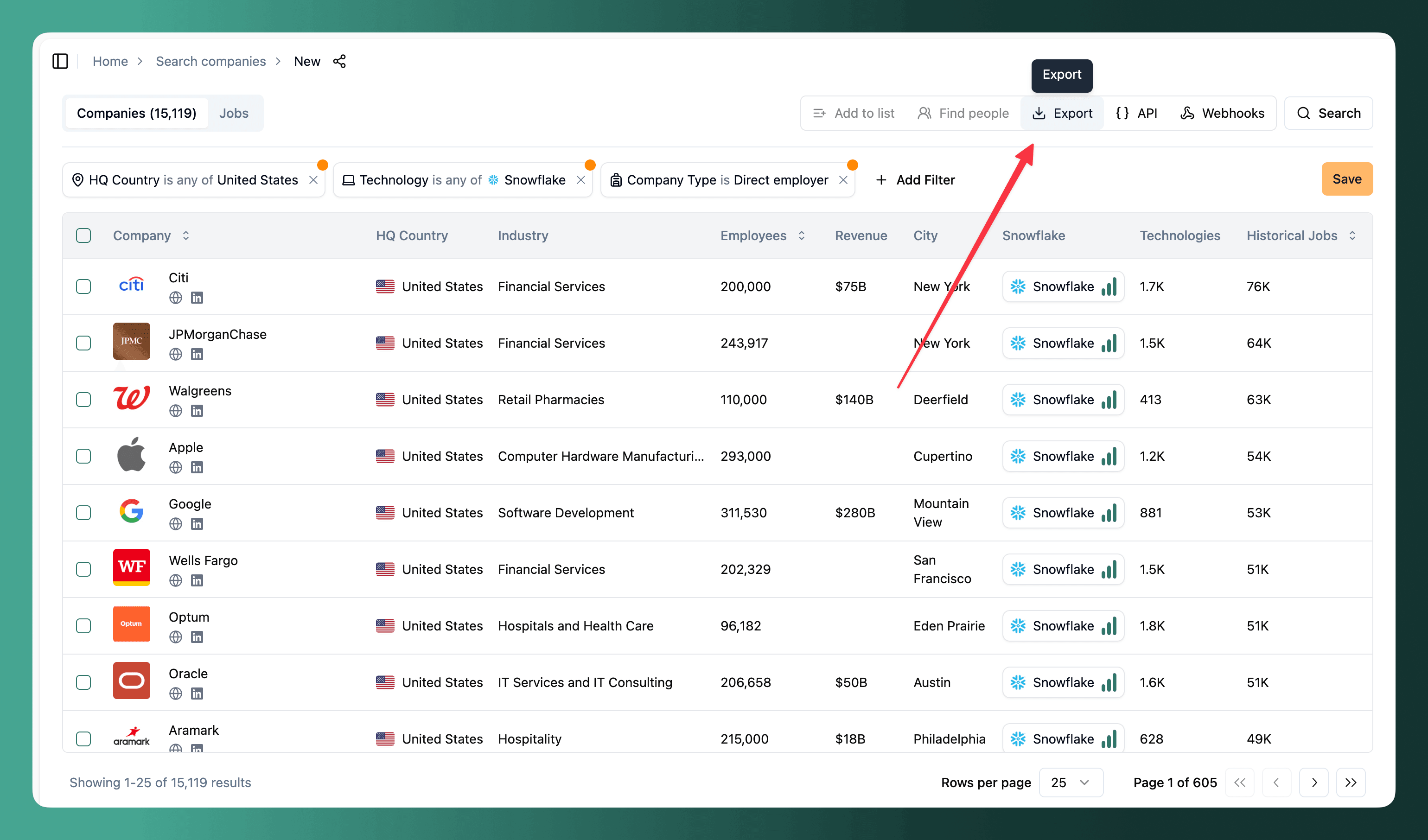
Click Export to download results as CSV, Excel, or push them to external systems via webhook.
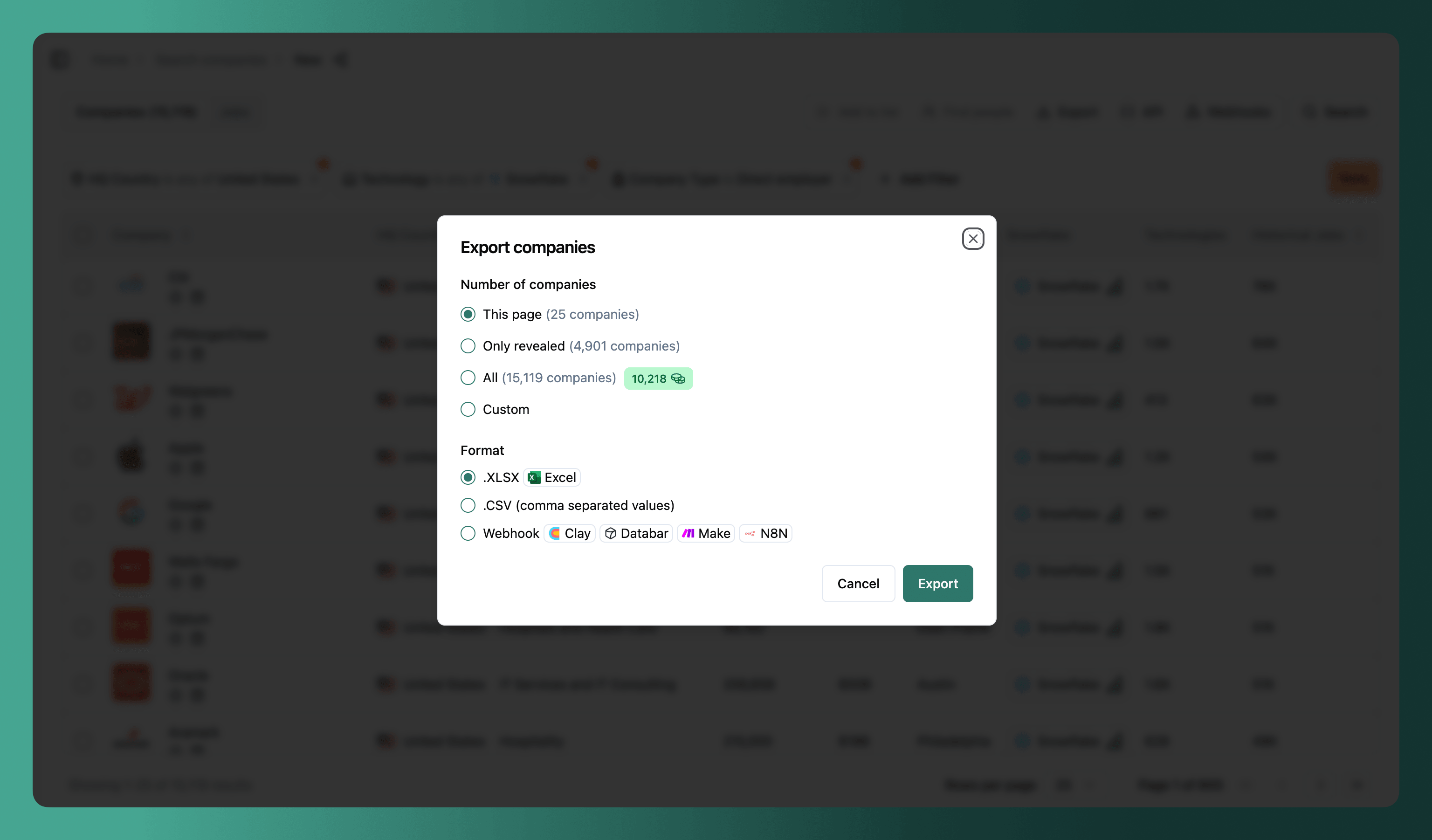
Each option shows its cost in company credits.
What the file contains
The export modal asks for the number of records and the format, not for the columns. What the file contains is decided by your search, so set that up before exporting:
- Firmographics — name, website, LinkedIn, country, city, industry, employee count, founding year, revenue and description. Always included.
- Jobs — job titles, total job count, and the count matching your filters. Always included, and the last two only mean something once you have job filters.
- Technologies — one set of columns per technology you filtered by or added under Customize columns, with its confidence and job count.
- Buying intents — one set of columns per topic you filtered by, with its confidence, job count, and the first and last date we saw it.
Exporting a company list gives you the firmographic columns only, without the job, technology or buying intent ones.
Example searches
Find companies hiring for roles that match your product
You sell a data integration tool and want to find companies with active data hiring — they have budget and need.
- Job title: Data Engineer, Analytics Engineer (contains any of)
- Job technology: Snowflake, Databricks (is any of)
- Company type: Direct employer
- Employees: 100–1,000
- HQ Country: United States
- Company list: is not in "Already contacted"
Find recruiting clients actively hiring developers
You place React developers and want to find companies with open roles right now.
- Technology: React, Next.js (is any of)
- Job title: Frontend, Full-stack, React (contains any of)
- Company type: Direct employer
- Employees: 50–500
- Job posted date: Last 15 days
Target enterprise companies investing in AI
You offer AI consulting and want to find large companies with growing AI teams.
- Buying intent topic: Machine Learning, LLM, Computer Vision (is any of)
- Revenue: > $50M
- Company type: Direct employer
- Industry: exclude Government, Education
- Jobs mentioning keyword: > 3
Track technology adoption in a vertical
You want to understand which healthcare companies are adopting cloud infrastructure.
- Technology: Kubernetes, Terraform, AWS (is any of)
- Industry: Healthcare, Biotechnology
- Employees: > 200
- Keyword confidence: High
Next steps
- Find people at the companies you're interested in
- Click API to get the cURL command that reproduces your search — use it programmatically or as a starting point for integrations. See the API quickstart
- Use webhooks to push data to Airtable, Google Sheets, HubSpot, etc.
- Save your search and set up email alerts for new matches
Guides
FAQs
How is this guide?
Last updated on
Company Lookup
Look up any company by name or domain to see their full technology stack, buying intent topics, job postings, and firmographic data.
Company Lists
Explore Company Lists to organize, track company reveals, filter your searches, and exclude duplicates for efficient lead research workflows.