
Company Lookup
Look up any company by name or domain to see their full technology stack, buying intent topics, job postings, and firmographic data.
Company Lookup lets you search for any company by name or domain and instantly see their technology stack, buying intent topics, job postings, and firmographic data.
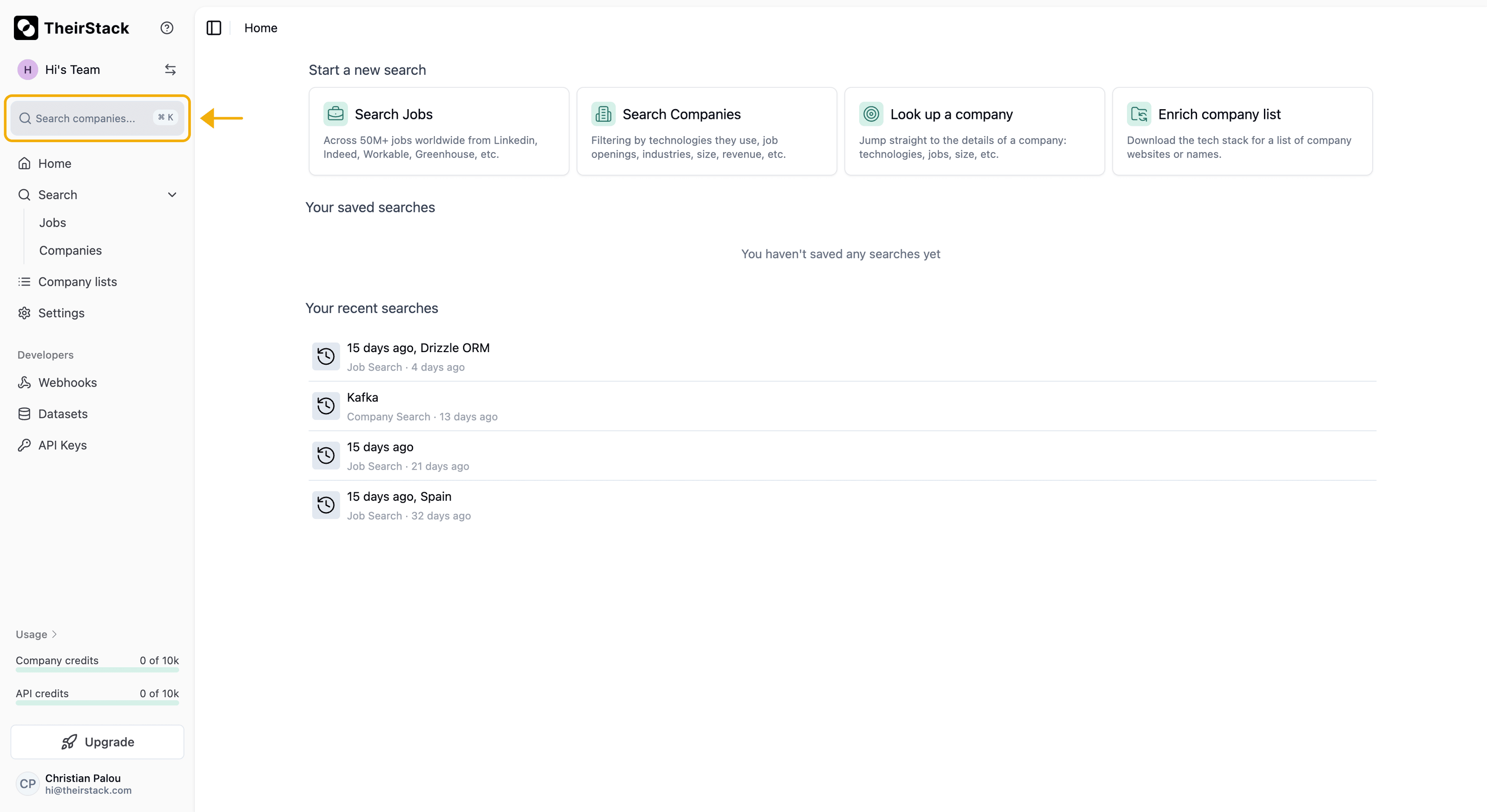
Search bar
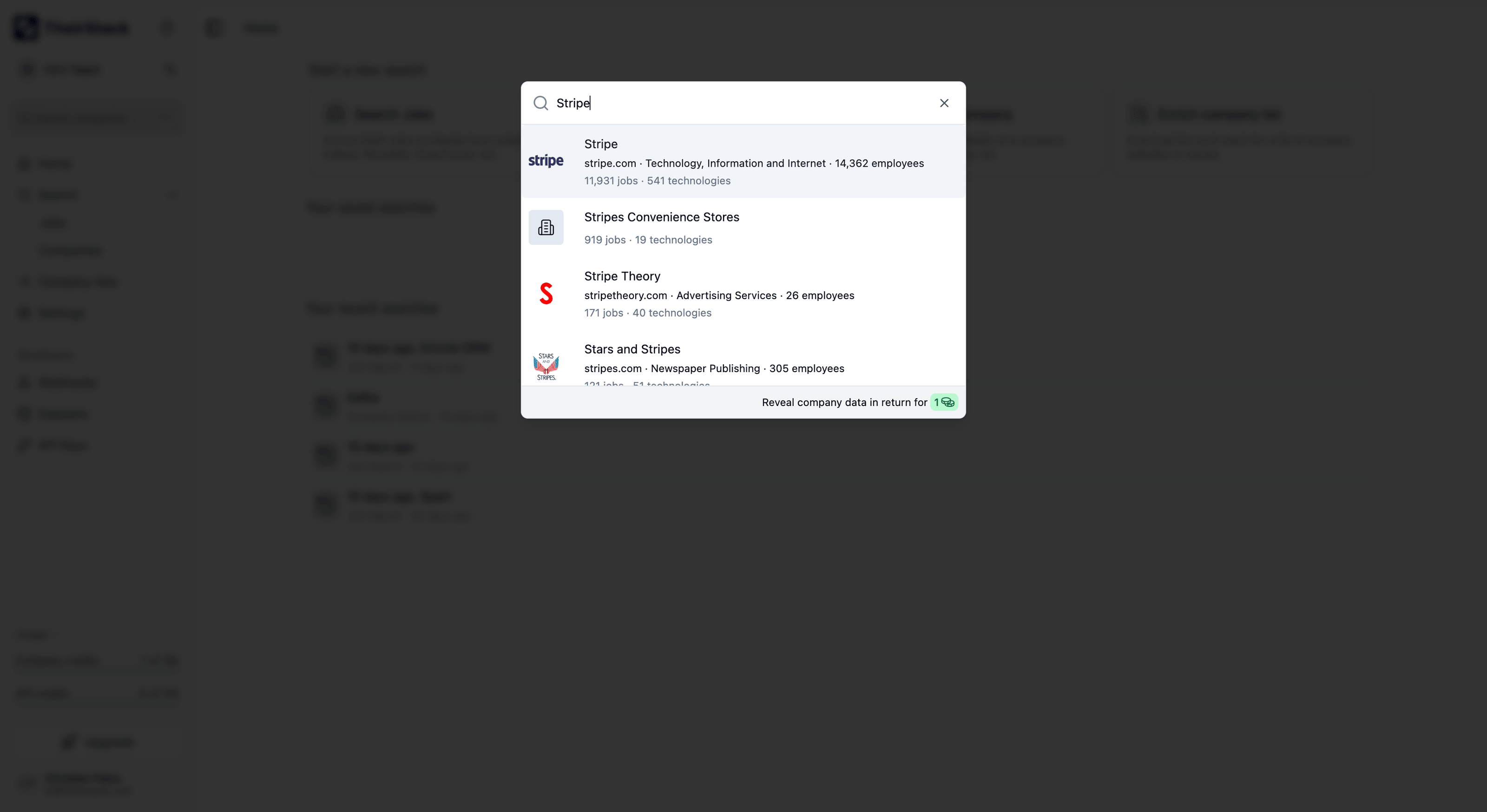
Click on "Search companies..." in the sidebar, or press ⌘ K (Mac) / Ctrl K (Windows). Type a company name or domain — the dropdown shows matching results with logo, domain, industry, employee count, number of jobs, and number of technologies detected.
Company profile
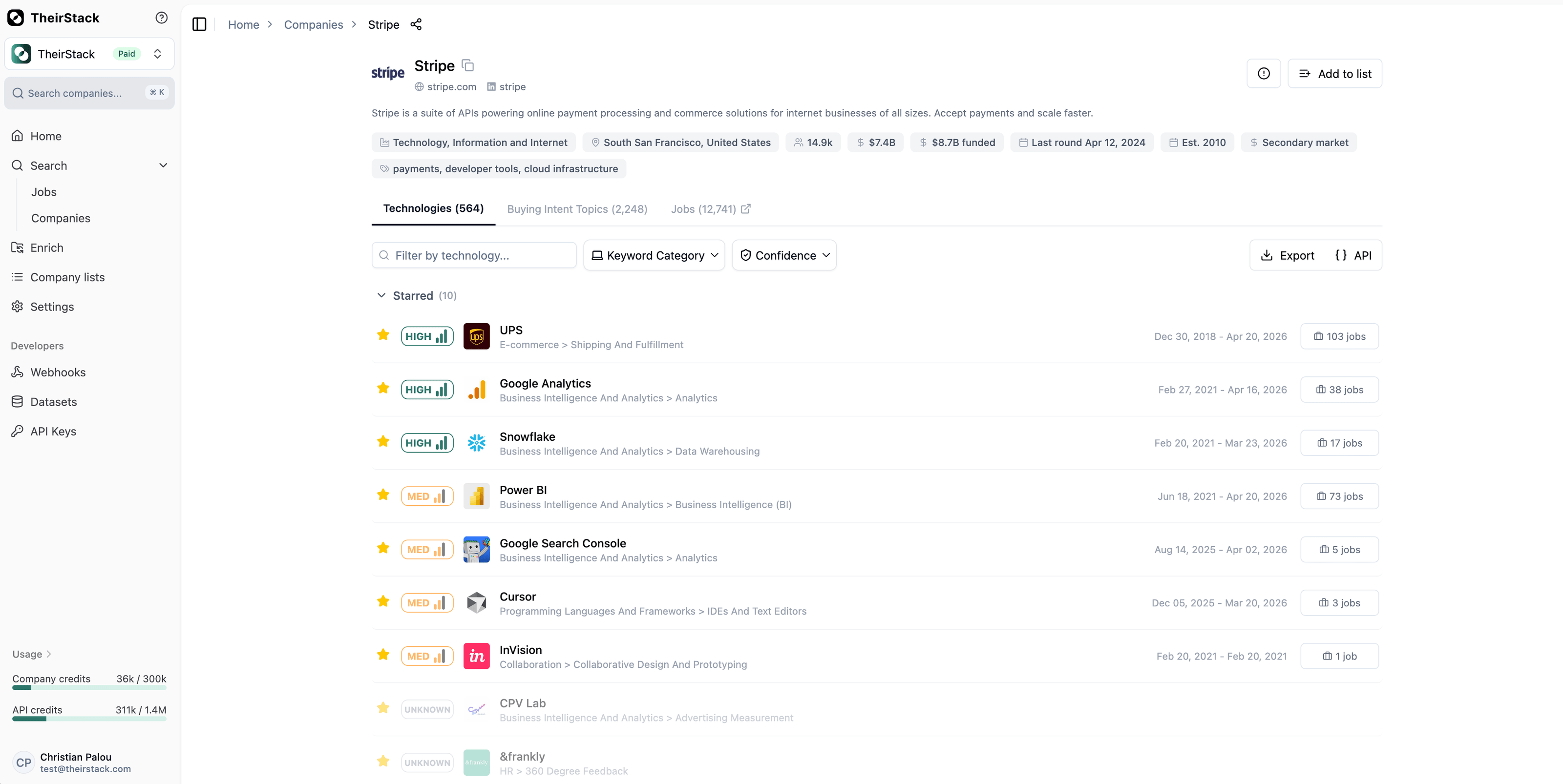
Click a result to open the company profile. The header shows firmographic data at a glance: industry, location, employees, revenue, total funding, last funding round, founded date, and funding stage.
Technologies tab
Lists every technology detected for the company. For each technology you can see:
- Confidence level (High / Low) — based on how often it appears relative to other technologies in the same category
- Number of job postings where the technology was mentioned — click to view the actual jobs
- Date range — when the technology was first and last detected
Use the search box to filter by technology name. Use the Technology Category dropdown to see only technologies from a specific category — for example, filtering by "Big Data as a Service" might show BigQuery mentioned 35 times (HIGH confidence) while Snowflake only 5 times (LOW confidence).
Star any technology to pin it to a "Starred" section at the top. Starred technologies appear first when you revisit the profile.
Buying Intent Topics tab
Shows topics the company is actively interested in, extracted from job postings and online activity. Each topic shows confidence level, job count, and date range — same structure as technologies. Topics like "Machine Learning", "Cloud Migration", or "Data Privacy" reveal what the company is investing in beyond specific tools.
Jobs tab
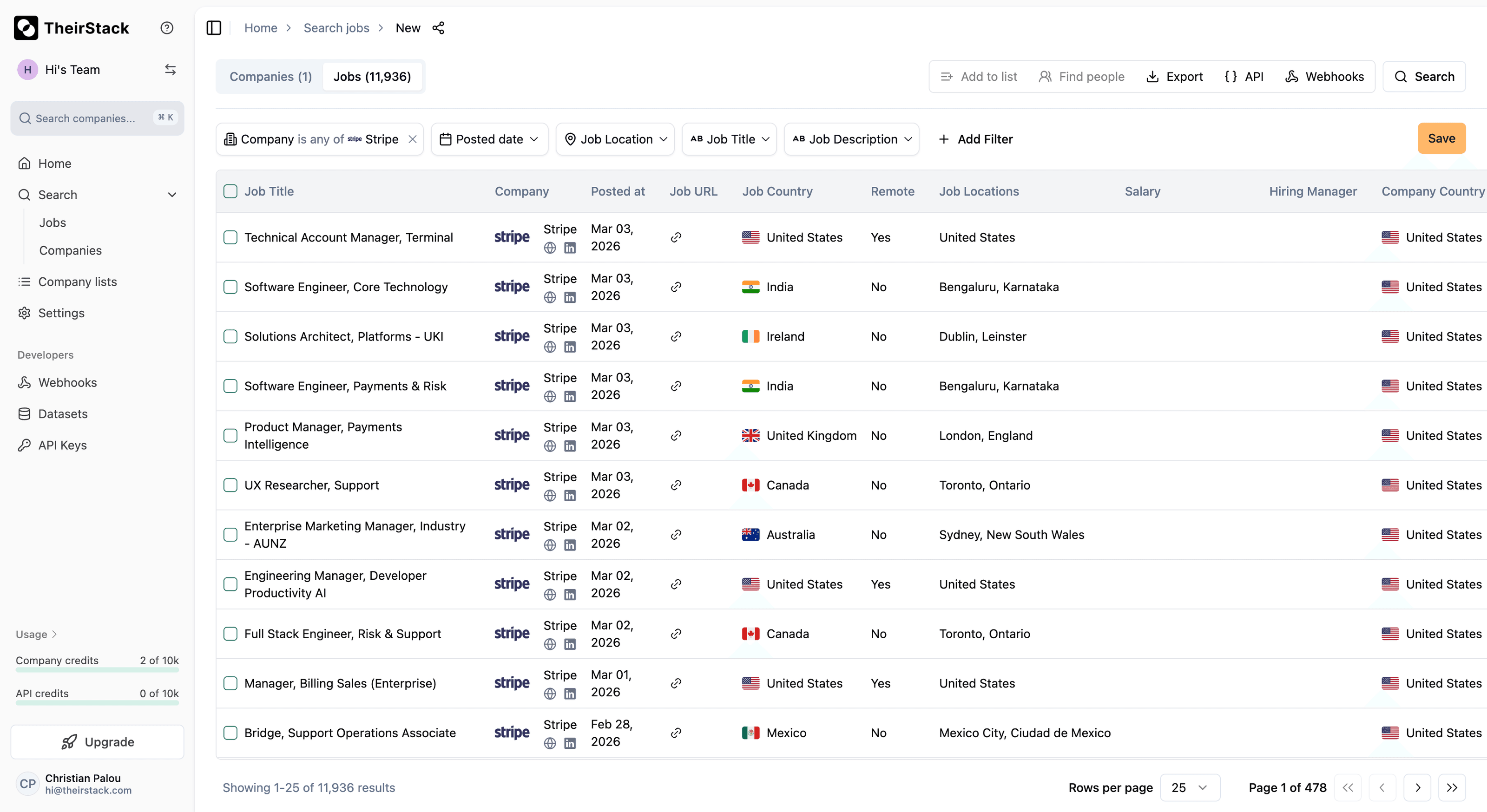
Opens a job search pre-filtered for this company, with the full job search experience and all available filters.
Actions
- Add to list — Save the company to a company list for tracking and organization
- Export — Download the full technology list as CSV or Excel
- API — View the equivalent cURL command and JSON response for programmatic access
Guides
How to Discover Any Company's Tech Stack
How to find old job postings
Further reading
How we source tech stack data
Find people
How is this guide?
Last updated on
Company Enrichment
Enrich your company lists with technographic and buying intent data — via CSV upload, manual input, or programmatically through our API.
Company Search
Search and filter companies by technology stack, buying intent, industry, size, funding, and more. Build targeted lead lists with technographic and firmographic data.