
GoHighLevel
Connect a GoHighLevel sub-account to TheirStack, see how companies are matched by their Website, write the rules for Customer and Open deal on your own fields, and see what a send writes in GoHighLevel.
Connect a GoHighLevel sub-account and TheirStack knows which companies are already in your CRM. The accounts your team already works with can leave your Signals feed, and you can send the companies you find to GoHighLevel without creating duplicates.
This page covers what is specific to GoHighLevel. What works the same in every CRM is in the CRM integration guide: CRM statuses, sending companies and syncing and disconnecting.
Private beta
The GoHighLevel integration is in private beta. To turn it on for your workspace, open a ticket. Click ? in the app and choose Contact support.
Connect GoHighLevel
To connect, you need to be:
- An owner of the workspace in TheirStack.
- An admin who can install apps on the GoHighLevel sub-account.
A workspace connects one CRM at a time. If your workspace is connected to HubSpot, disconnect it first.
Then:
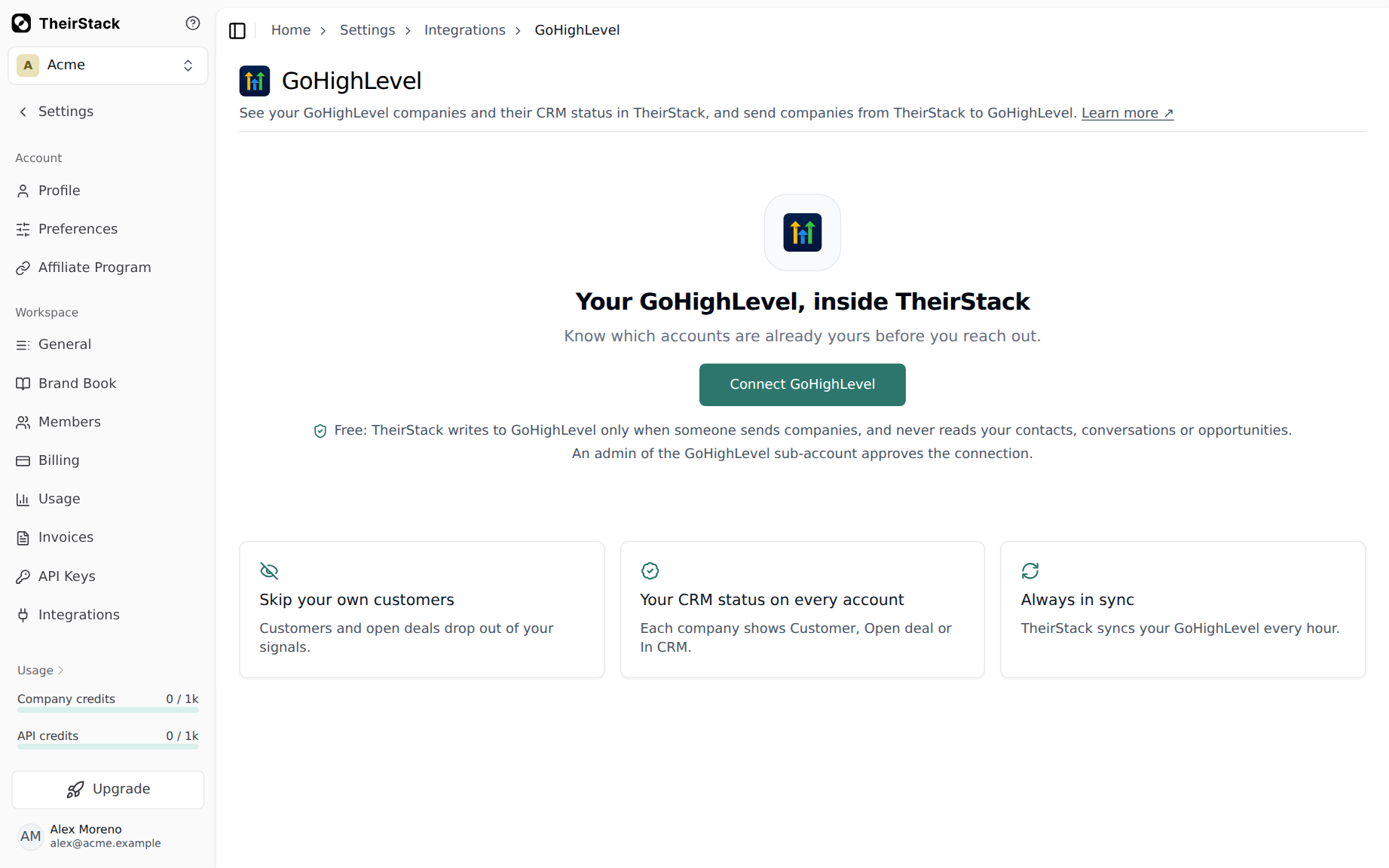
Click Connect GoHighLevel
Go to Settings → Integrations → GoHighLevel and click Connect GoHighLevel.
Pick the sub-account and approve the access
GoHighLevel asks which sub-account TheirStack reads. If you install the app from your agency, you still pick one sub-account.
Wait for the first import
You can leave the page while it runs. The GoHighLevel list fills in when the import finishes.
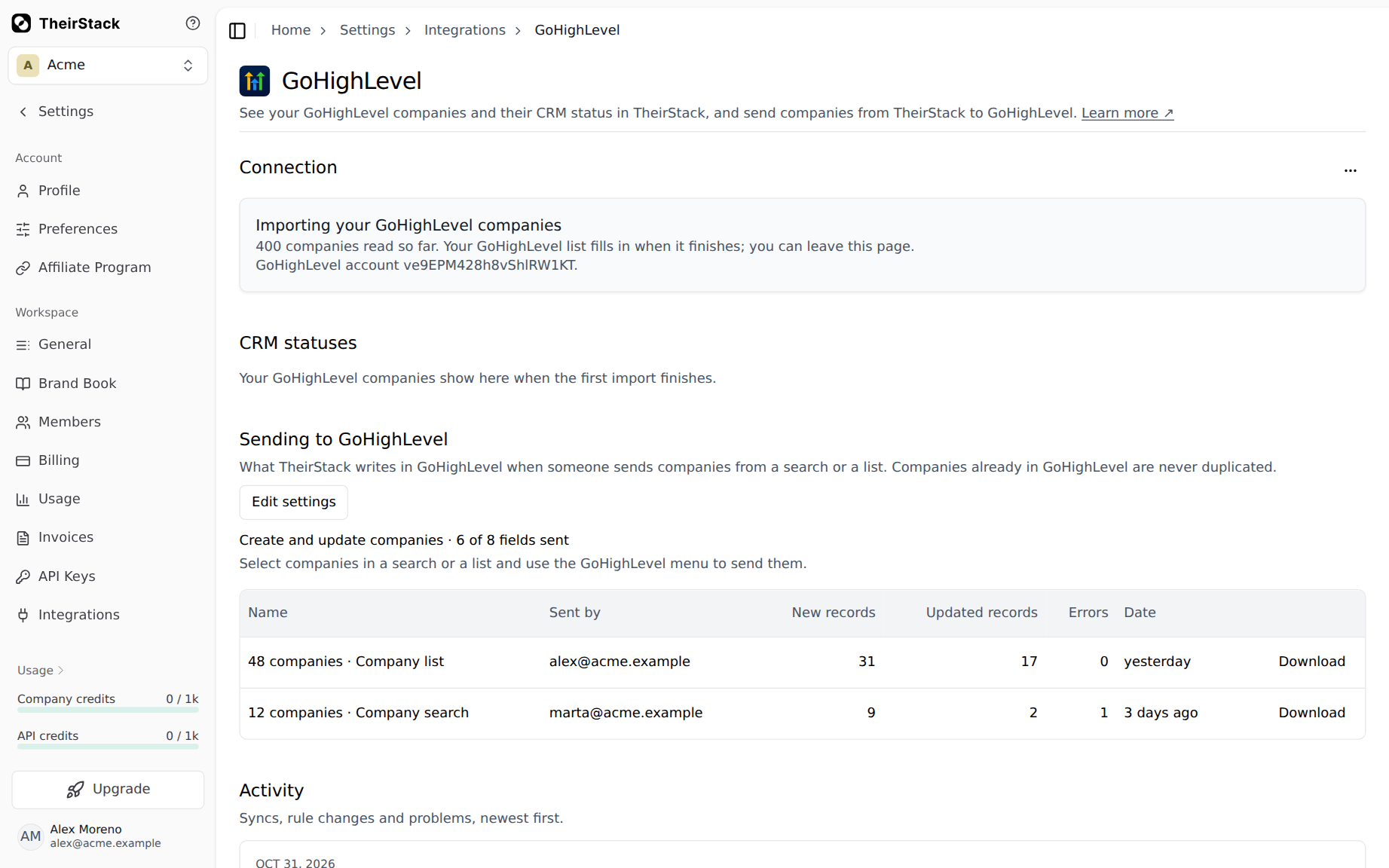
TheirStack reads the sub-account's companies and their fields, custom fields included. It never reads contacts, conversations or opportunities. It writes to GoHighLevel only when someone sends companies.
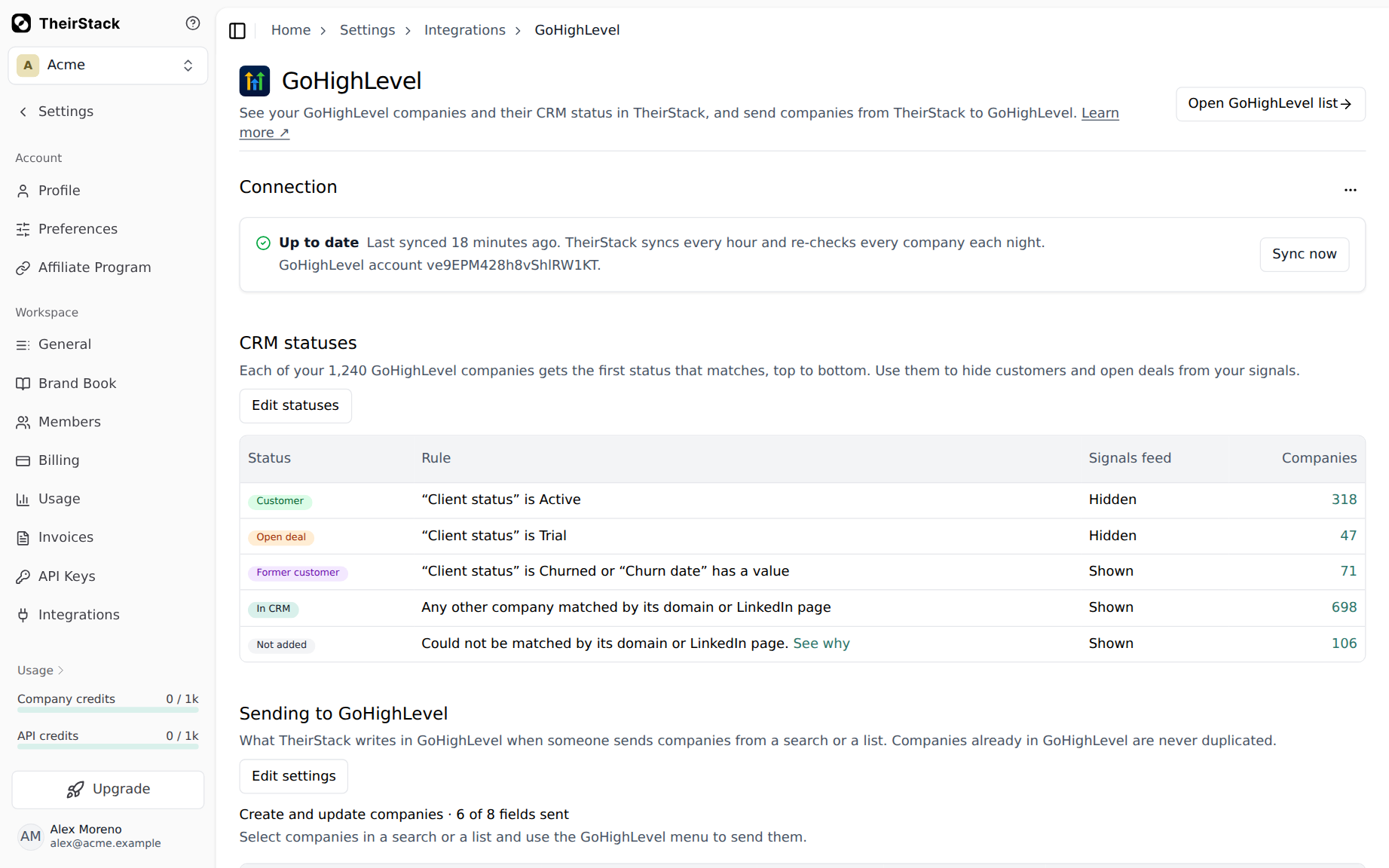
Once GoHighLevel is connected, an AI assistant can finish the setup, including the rules for Customer and Former customer.
Companies that are not matched
TheirStack matches each GoHighLevel company by the domain of its Website. GoHighLevel has no field for other domains or for the LinkedIn page, so the Website is the only way in. A company is not matched when:
- Its Website is empty.
- Its Website is a link page or a URL shortener, which doesn't say which company it is.
- Its Website is an old domain the company no longer uses.
To see those companies and why, click See why in the settings. Fix their Website in GoHighLevel, and they are matched on the next sync. Click Sync now to match them right away.
Default CRM statuses
GoHighLevel companies have no lifecycle stage and no count of deals, and every team tracks customers in its own fields. Every workspace connected to GoHighLevel starts with these CRM statuses:
| Status | Default rule | Signals feed |
|---|---|---|
| Customer | None until you add one | Hidden |
| Open deal | None until you add one | Hidden |
| Former customer | None until you add one | Shown |
| In CRM | Any other matched company | Shown |
Until you add a condition, every matched company is In CRM and the feed hides none of them.
Example status rules
Say your GoHighLevel companies have a Client status dropdown with the options Active, Trial and Churned, and a Churn date field your team fills in when a customer leaves. These rules split your CRM into the companies to leave alone and the ones to call again:
| Order | Status | Mark it when | Signals feed |
|---|---|---|---|
| 1 | Customer | Client status is any of Active | Hidden |
| 2 | Open deal | Client status is any of Trial | Hidden |
| 3 | Former customer | Any of these holds: Client status is any of Churned, Churn date has any value | Shown |
| Last | In CRM | Any other matched company | Shown |
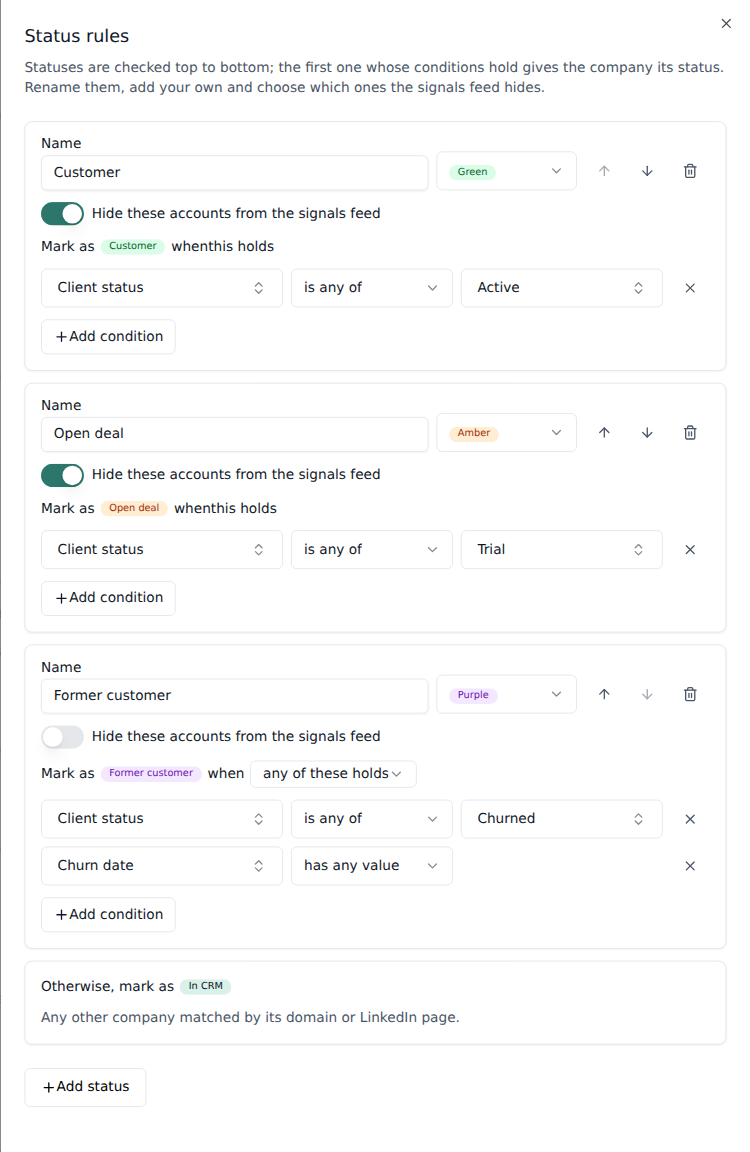
Why it is written this way:
- Former customer comes after Customer, so a company that left and came back is a Customer.
- Former customer uses any of these holds because either field proves the company was a customer.
- Former customer stays in the feed because a new signal on one of those companies is a reason to call again.
What TheirStack writes by default
When you send companies to GoHighLevel, TheirStack writes these fields:
| TheirStack field | GoHighLevel field | If the company is already in GoHighLevel |
|---|---|---|
| Company name | Company name | Never changed |
| Website | Website, or https:// and the company's domain when TheirStack has no Website | Filled in only when empty |
| Number of technologies, number of job postings, signals timeline and TheirStack profile | New custom fields in a TheirStack folder | Always updated |
TheirStack creates the TheirStack folder and its custom fields on the first send. It also adds a TheirStack company ID field, which it uses to find the companies it created. Right before creating a company, it looks for it in GoHighLevel by that ID and by its Website. A value TheirStack does not have never clears a GoHighLevel field.
These fields are not sent until an owner chooses a field for them in the settings:
- LinkedIn URL, because GoHighLevel companies have no field for it.
- Employees, industry, country, city, postal code, founded year and description.
- Technologies, publicly traded, total funding, funding stage and last funding round.
- Annual revenue, because TheirStack's is in USD and your field may hold another currency.
Country, city, postal code and description can go to GoHighLevel's own fields. The rest need a custom field, which you create in GoHighLevel first. Industries are translated to the options of a dropdown field, and an industry with no matching option is not sent.
The signals timeline is a long text field, which GoHighLevel shows as plain text.
TheirStack can't set the owner of the companies it creates, because GoHighLevel doesn't let apps set it. You can give new companies fixed values, such as a lead source.
GoHighLevel takes one company at a time, so a large send can take a few minutes.
Known limits
On top of the limits every CRM shares:
- One GoHighLevel sub-account per workspace.
- Companies are matched by their Website only. A company with no Website, or with a link page or a URL shortener as its Website, is not matched.
- View in GoHighLevel opens
app.gohighlevel.com. If your agency uses its own domain, you may need to sign in there. - TheirStack can't set the owner of the companies it creates.
- Disconnecting doesn't remove TheirStack's access. Uninstall the TheirStack app from the sub-account in GoHighLevel too.
How is this guide?
Last updated on
Databar
Learn how to use TheirStack job postings and technographic data inside Databar, the no-code GTM data platform, without a TheirStack account or API key.
HubSpot
Connect HubSpot to TheirStack, see how companies are matched and what to fix when they are not, the default CRM statuses, what a send writes in HubSpot and how HubSpot stays up to date when a signal finds something new.