
TheirStack Brand Kit
Download TheirStack's official logos, wordmark, icon, brand colors, and product screenshots. Use these assets when referring to TheirStack in articles, integrations, partner pages, or press coverage.
Use these assets when you need to reference TheirStack — in articles, integrations, partner directories, case studies, or press. The marks below are proprietary; please don't alter, recolor, or distort them.
Naming
Refer to us as TheirStack — one word, capital T and capital S. Not "Their Stack", "Theirstack", or "their stack". The wordmark itself is lowercase, but in body copy we always use the camel-case form.
Logo
The full TheirStack logo: icon paired with the wordmark. Use it whenever you have the space — it's the most recognizable version of our brand.



Wordmark
The wordmark on its own — use it when the icon would feel redundant (for example, next to other plain-text wordmarks) or when vertical space is tight.



Icon
The standalone icon — use it as an avatar, favicon, app tile, or anywhere the wordmark won't fit.


Favicons
Pre-rendered favicons for embedding TheirStack inside other apps and integrations.



Clear space
Always leave clear space around the logo equal to the height of the icon. Don't crop it tight against text, edges, or other marks — give it room to breathe.
Colors
Our brand is built on three colors: tsgreen-600 (primary), black, and white.
| Token | HEX | HSL | Preview |
|---|---|---|---|
tsgreen-600 | #2D7669 | hsl(171 45% 32%) | |
black | #000000 | hsl(0 0% 0%) | |
white | #FFFFFF | hsl(0 0% 100%) |
Typography
We use Inter across the website and product. It's available for free on Google Fonts.
Product screenshots
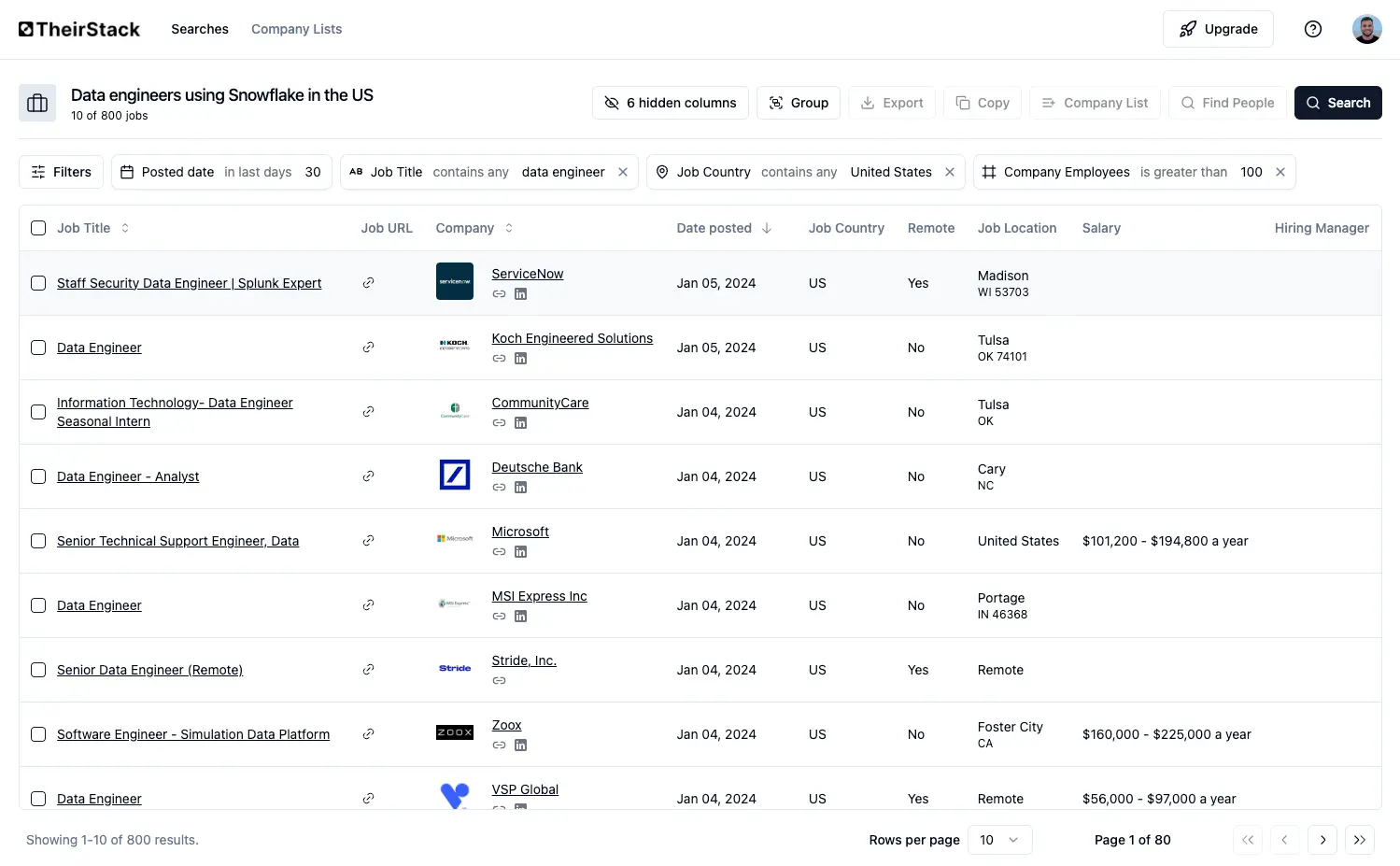
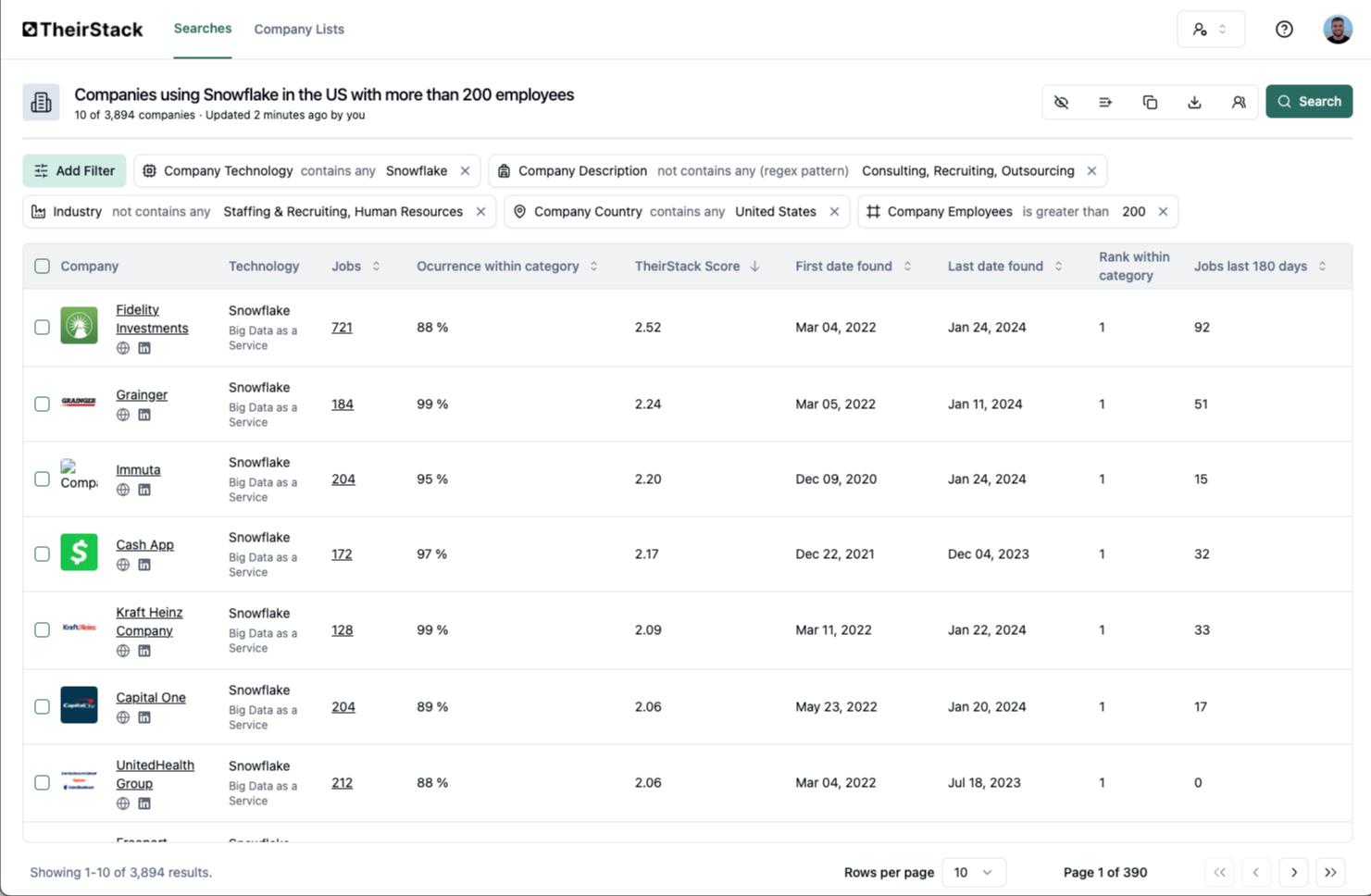
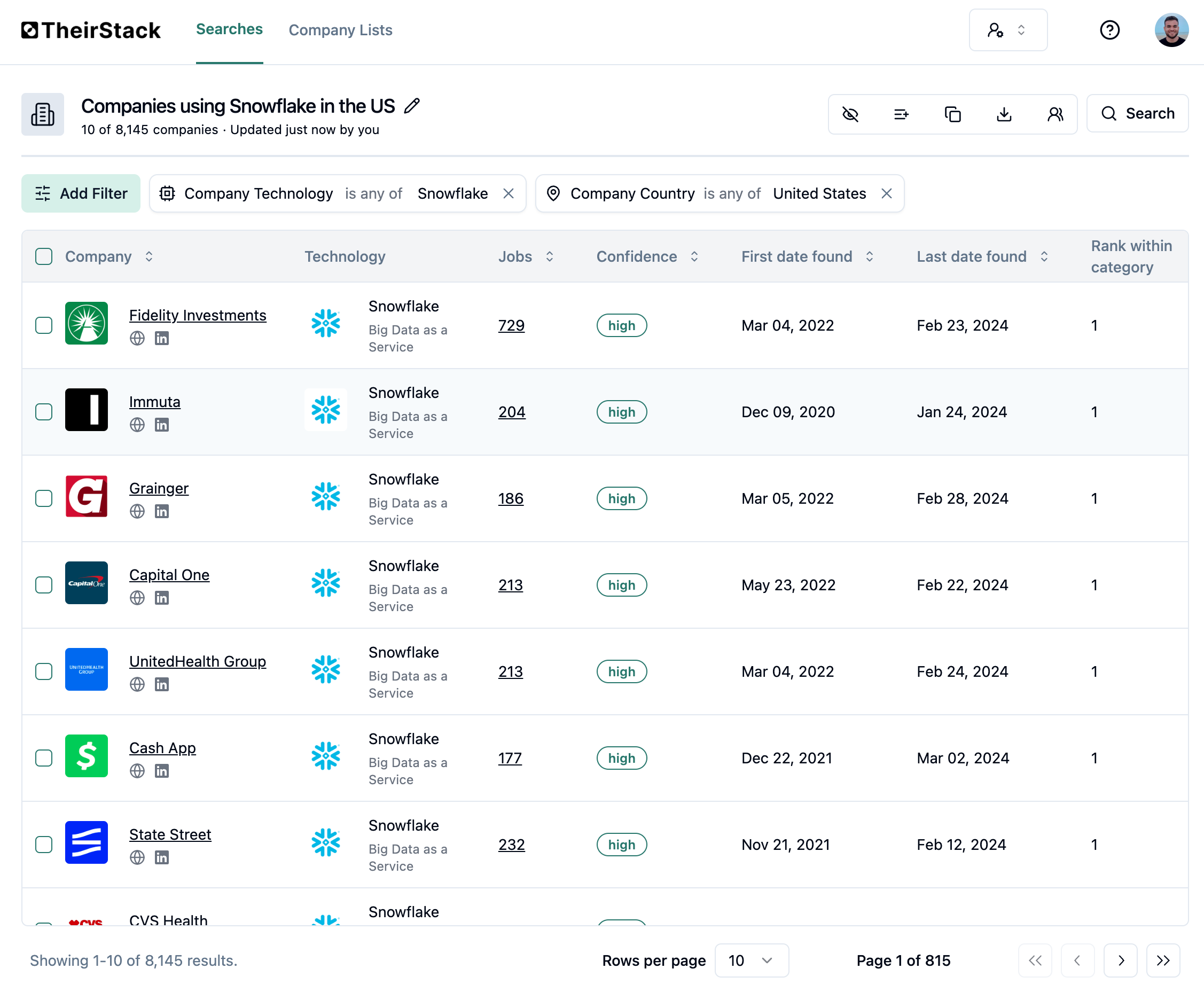
High-resolution screenshots of the TheirStack app — useful for articles, reviews, integration partners, and case studies. Right-click to save, or link directly.
Search and filter UI
Company technographic detail
Companies hiring by technology
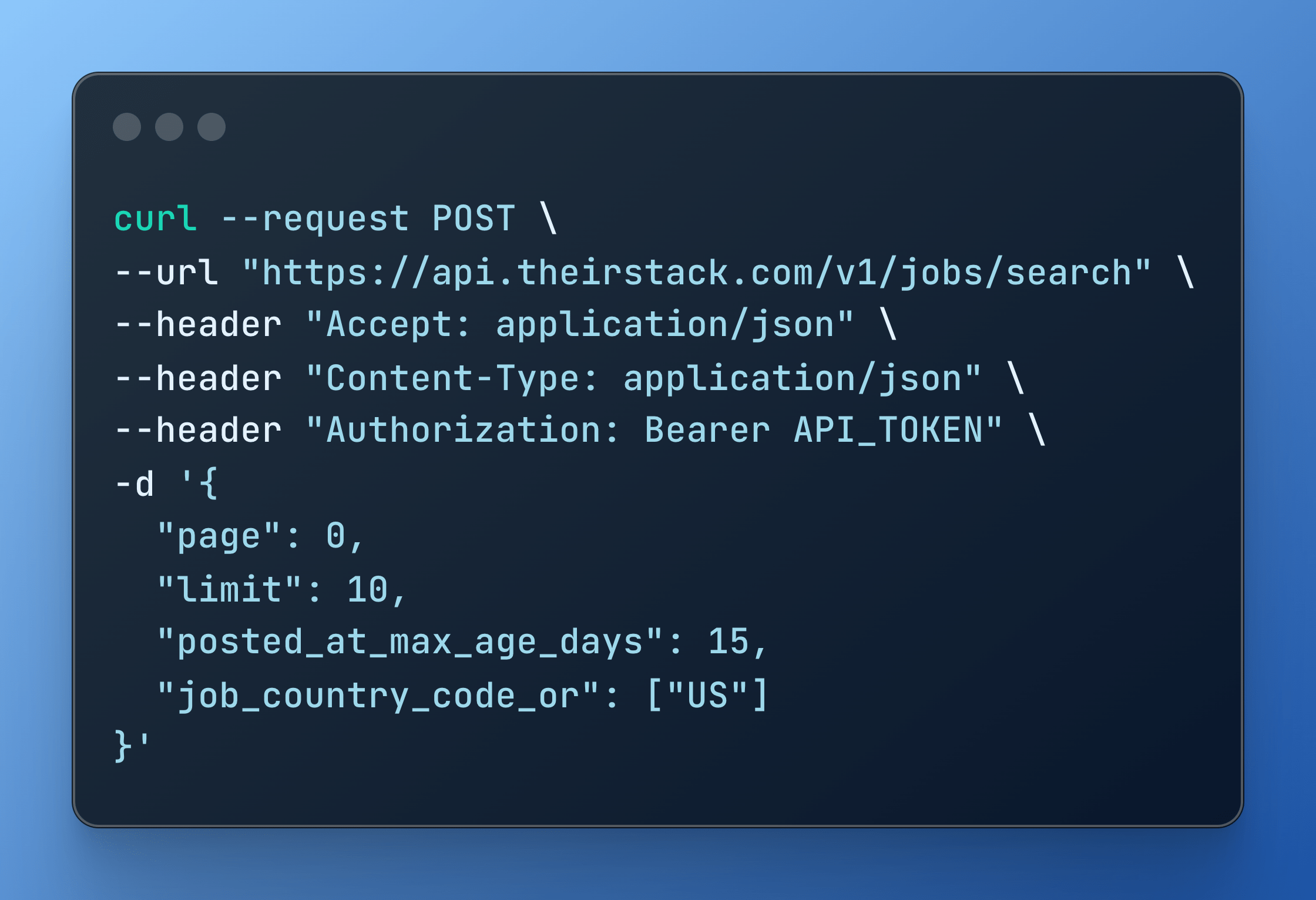
API example
Usage
- Use the full logo wherever you have the horizontal space.
- Use the icon-only version for avatars, favicons, or tight layouts.
- Maintain clear space equal to the height of the icon.
- Place the logo on backgrounds that give it enough contrast.
Misuse
Please don't:
- ❌ Recolor, rotate, skew, or apply effects (shadows, gradients, outlines) to the logo.
- ❌ Place the logo on busy or low-contrast backgrounds.
- ❌ Combine our logo with another logo into a single lockup.
- ❌ Change the proportions of the icon and wordmark or rearrange them.
- ❌ Use the logo to imply endorsement, partnership, or affiliation that doesn't exist.
- ❌ Spell our name as "Their Stack", "Theirstack", or "their stack".
Legal
The TheirStack name, logos, and other brand assets on this page are trademarks of TheirStack. They're provided for reference and editorial use under the guidelines above. Any other use — including in product names, merchandise, or in a way that suggests endorsement or affiliation — requires written permission.
How is this guide?
Last updated on
Change Your Login Email Address
How to switch the email address you use to log in to TheirStack while keeping the same workspace, saved searches, credits, and billing.
Security & Compliance
A public, evidence-linked overview of TheirStack security and privacy practices, customer-data scope, and infrastructure-provider attestations.