
Email Alerts
Learn how to set up daily and weekly notifications to get fresh job or company opportunities delivered straight to your inbox, so you never miss out on potential prospects again.
Would you like to set up email alerts for your job or company searches so new results pop up in your inbox weekly?
Setting up email alerts
Follow these simple steps to start receiving email alerts for your saved searches:
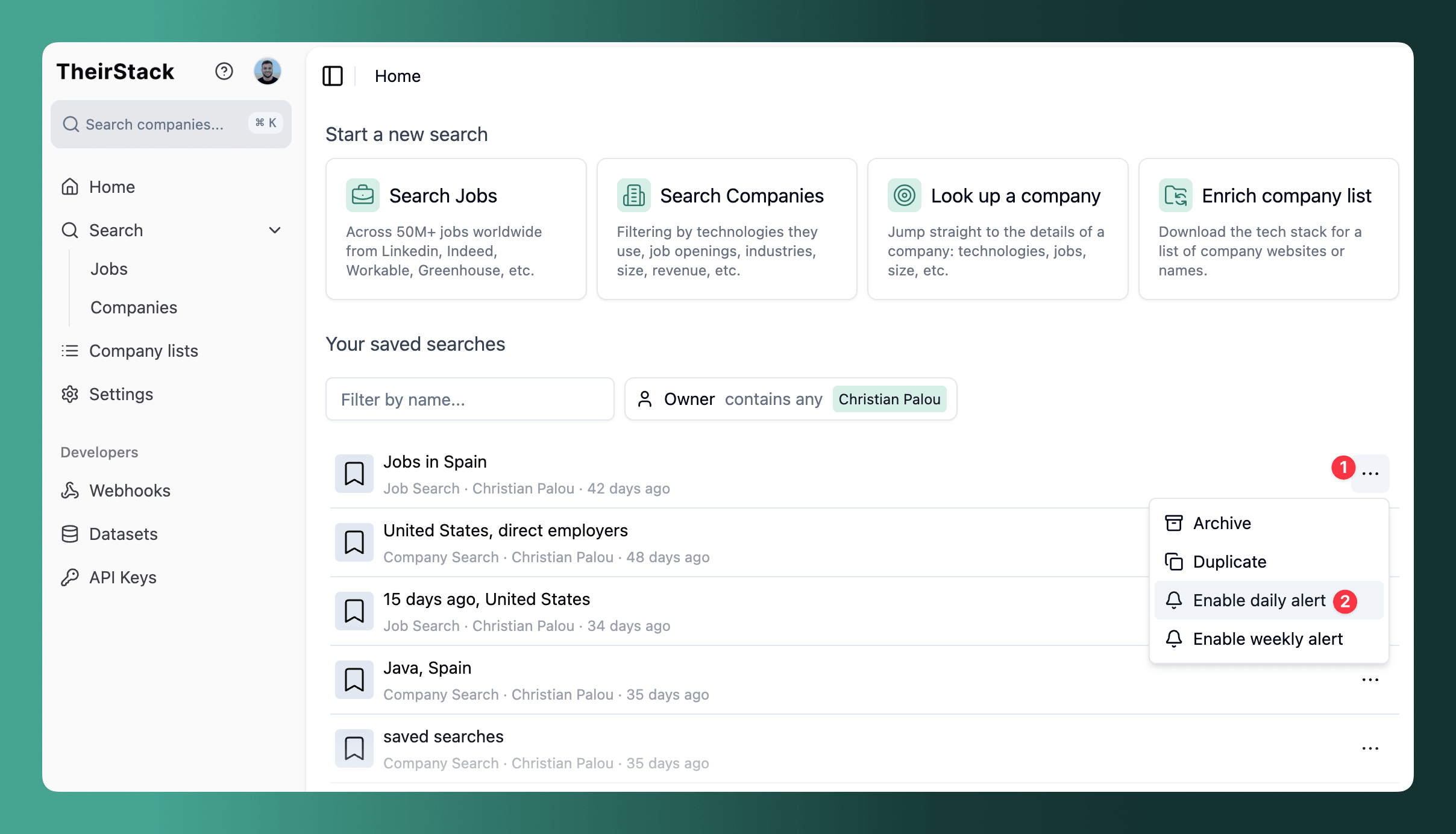
Navigate to your Home page
Find the search you want to monitor in the "Your saved searches" section
Click the three dots menu next to your search and choose either "Enable daily alert" or "Enable weekly alert" from the dropdown
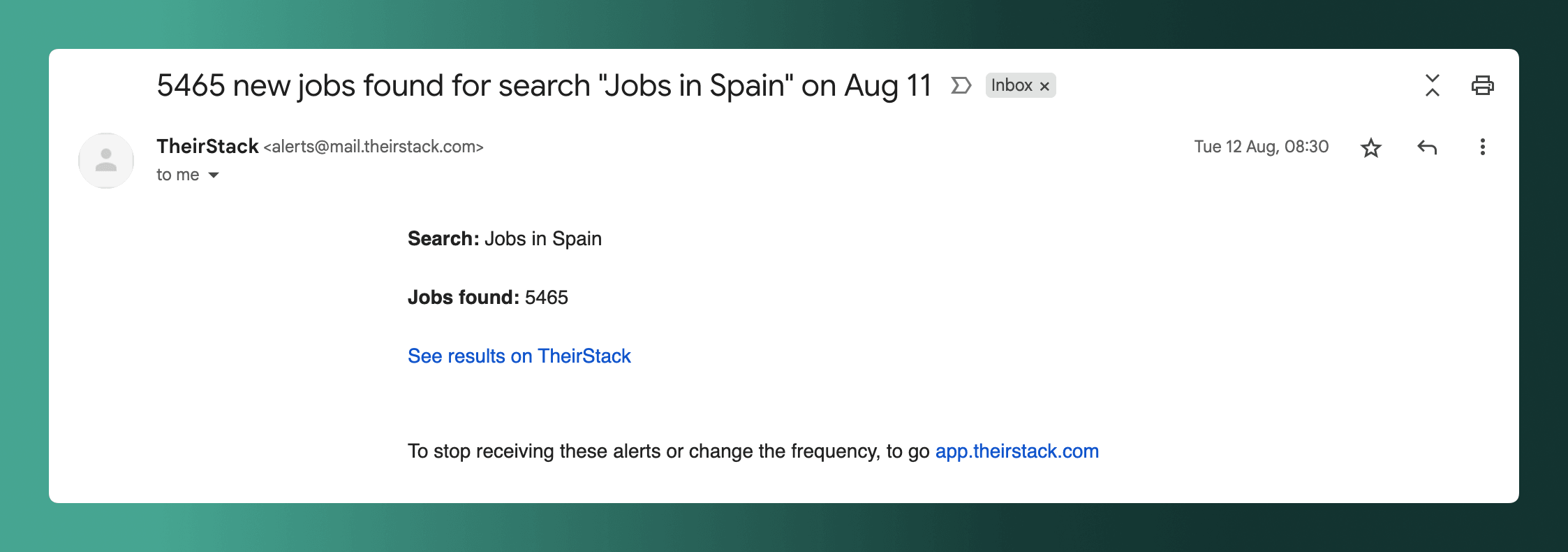
Once you've enabled alerts, you'll automatically receive:
- Daily alerts: Fresh job matches every morning
- Weekly alerts: A summary of new opportunities every Monday morning
How to stop receiving email alerts
To stop receiving email alerts, you can click on the three dots menu next to your search and choose either "Disable alert" from the dropdown
How is this guide?
Last updated on
Saved Searches
Learn how to save, organize, and manage your job and company searches so you can quickly re-run them, set up email alerts, and connect webhooks.
Notification Preferences
Learn how to control which emails TheirStack sends you. Toggle off any notification category from Settings to stop those emails instantly.