
How to find old job postings
Learn how to find old, expired, and deleted job postings from any company — including LinkedIn and Indeed. Access historical job data dating back to 2021 using TheirStack search, company lookup, API, or datasets.
Old job postings vs. recently closed jobs
These are two related but distinct use cases:
| You want | Use this |
|---|---|
| Jobs posted months or years ago (removed from job boards) | date_posted filter set to a past range |
| Jobs that were recently removed (closed in the last days/weeks) | Job Closed filter → closed date last 30 days |
| All jobs a company ever had | date_posted: all time + company filter |
If you want to find roles a company just filled — not just historically old postings — use the Job Closed filter in job search. It filters by closed_at date, letting you isolate recently removed postings regardless of when the original listing was posted.
For everything else — historical listings, archived roles, jobs removed from LinkedIn or Indeed months ago — read on.
What are old job postings?
Old job postings are job listings that have been closed, filled, or expired. These positions are no longer available on most job boards, but they remain part of a company's recruitment history.
You may also hear these called "deleted" or "taken down" job postings — they're the same thing. When a company fills a role, pauses hiring, or lets a listing expire, the job board removes the posting. Once it's gone, it's gone — unless a service captured it before removal.
While most job boards remove expired listings after 30-90 days, TheirStack stores all historical job data dating back to 2021, giving you access to years of recruitment history for any company.
Why do job postings get deleted or taken down?
Job listings disappear from job boards for several reasons:
- Position was filled: Once a company hires for a role, they close the listing.
- Hiring was paused or budget was cut: Companies sometimes pull postings when priorities shift, even if the role wasn't filled.
- Posting expired: Most job boards auto-remove listings after 30-90 days of inactivity.
- Company restructured: Reorgs, mergers, or layoffs can cause entire batches of postings to be taken down overnight.
- Platform policy: LinkedIn, Indeed, and other job boards automatically remove inactive or outdated postings to keep search results fresh.
Regardless of the reason, if you need to access a posting that's already been removed, you need a tool that captured the listing before it disappeared.
Find old job postings of a company
To find historical job postings from any company, use TheirStack's company lookup feature. Search for a company by name or domain, then view all jobs they've ever posted — including expired ones.
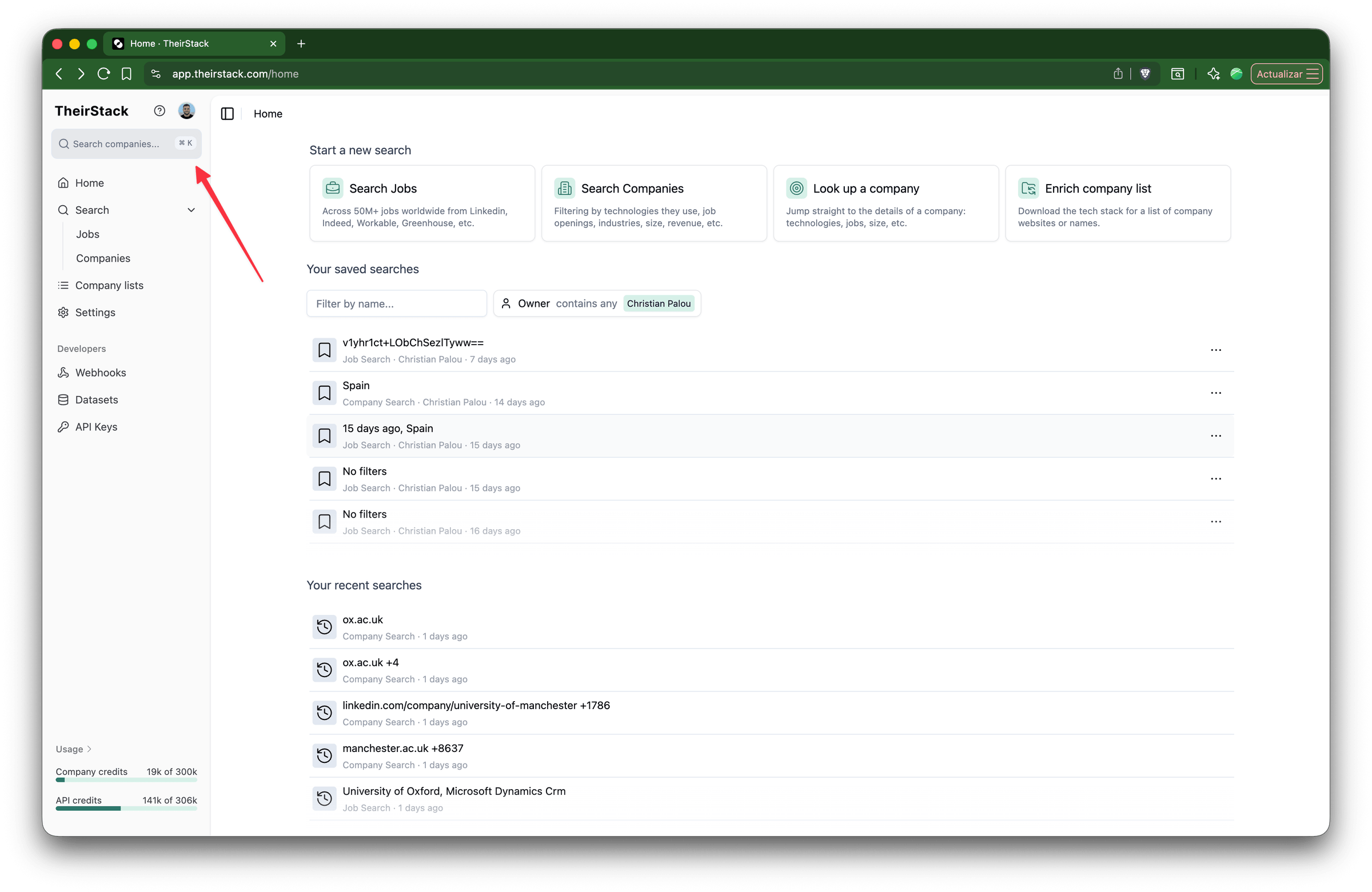
Open the search box
Open TheirStack and click on the search box in the sidebar, or press ⌘K (Mac) / Ctrl+K (Windows).
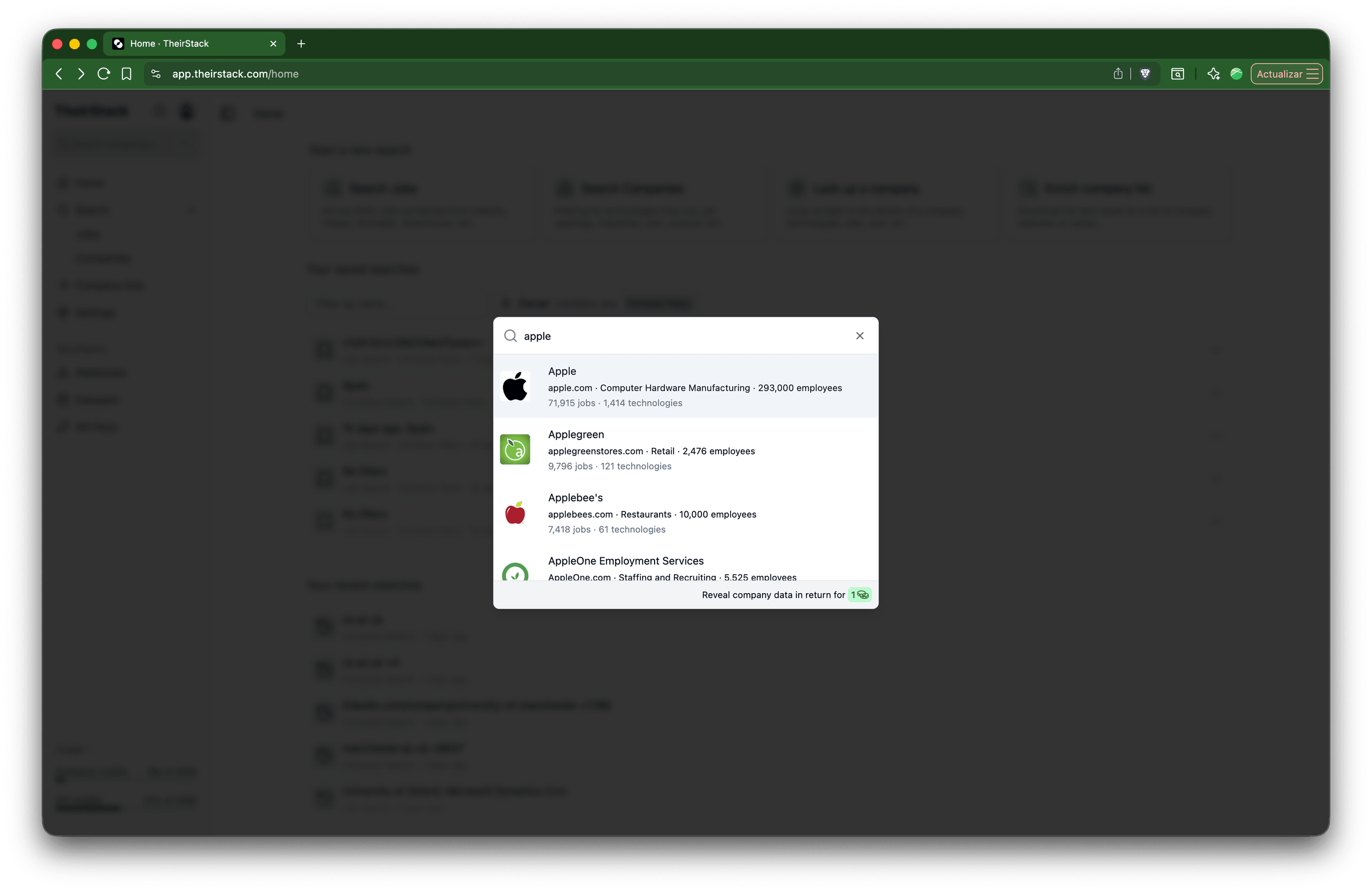
Search for a company
Type the company name or domain. Select the company from the dropdown results.
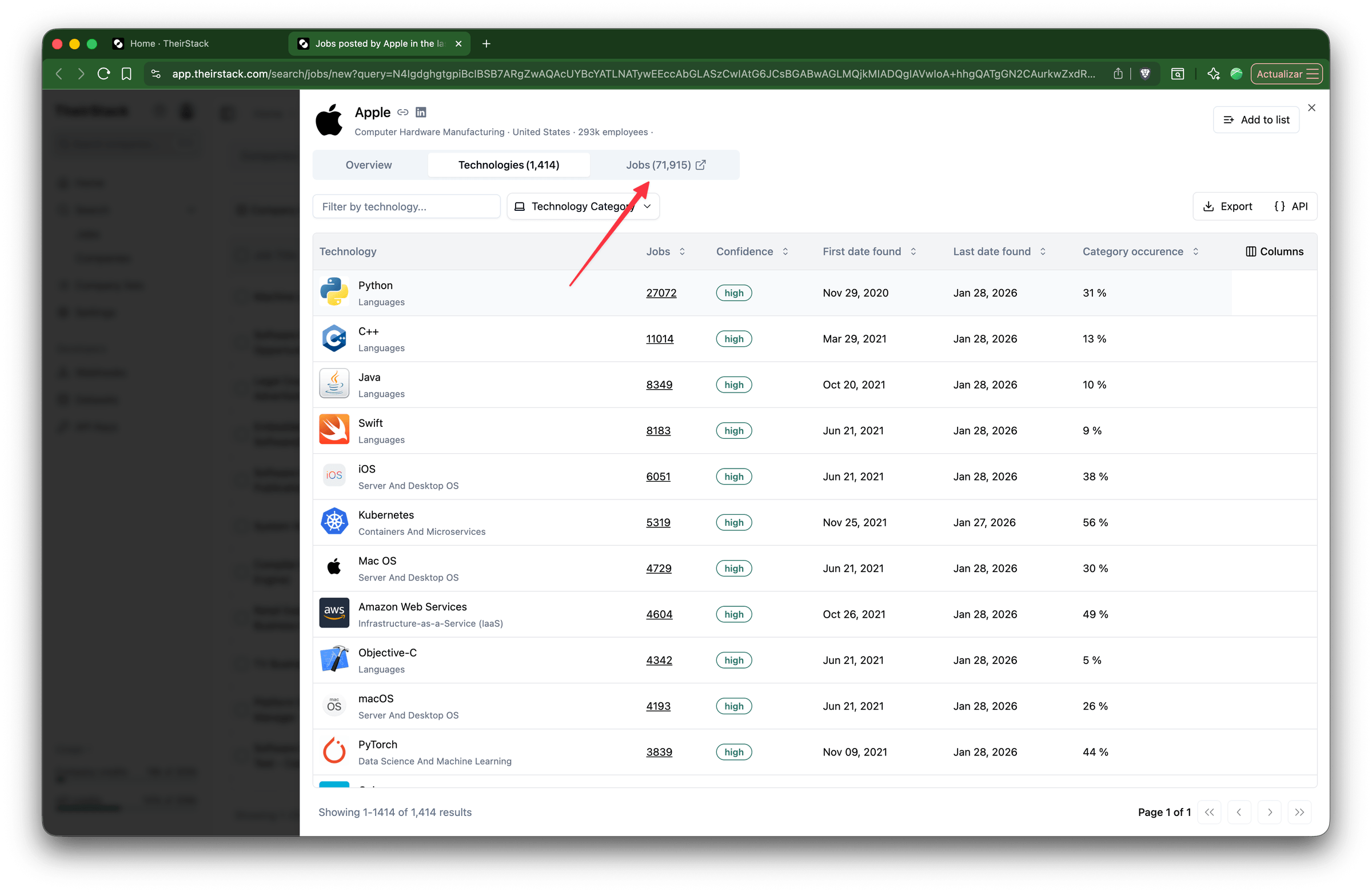
Click on the Jobs link
On the company detail page, click the Jobs link next to the Technologies tab. This opens a job search in a new tab, pre-filtered to show all jobs posted by that company.
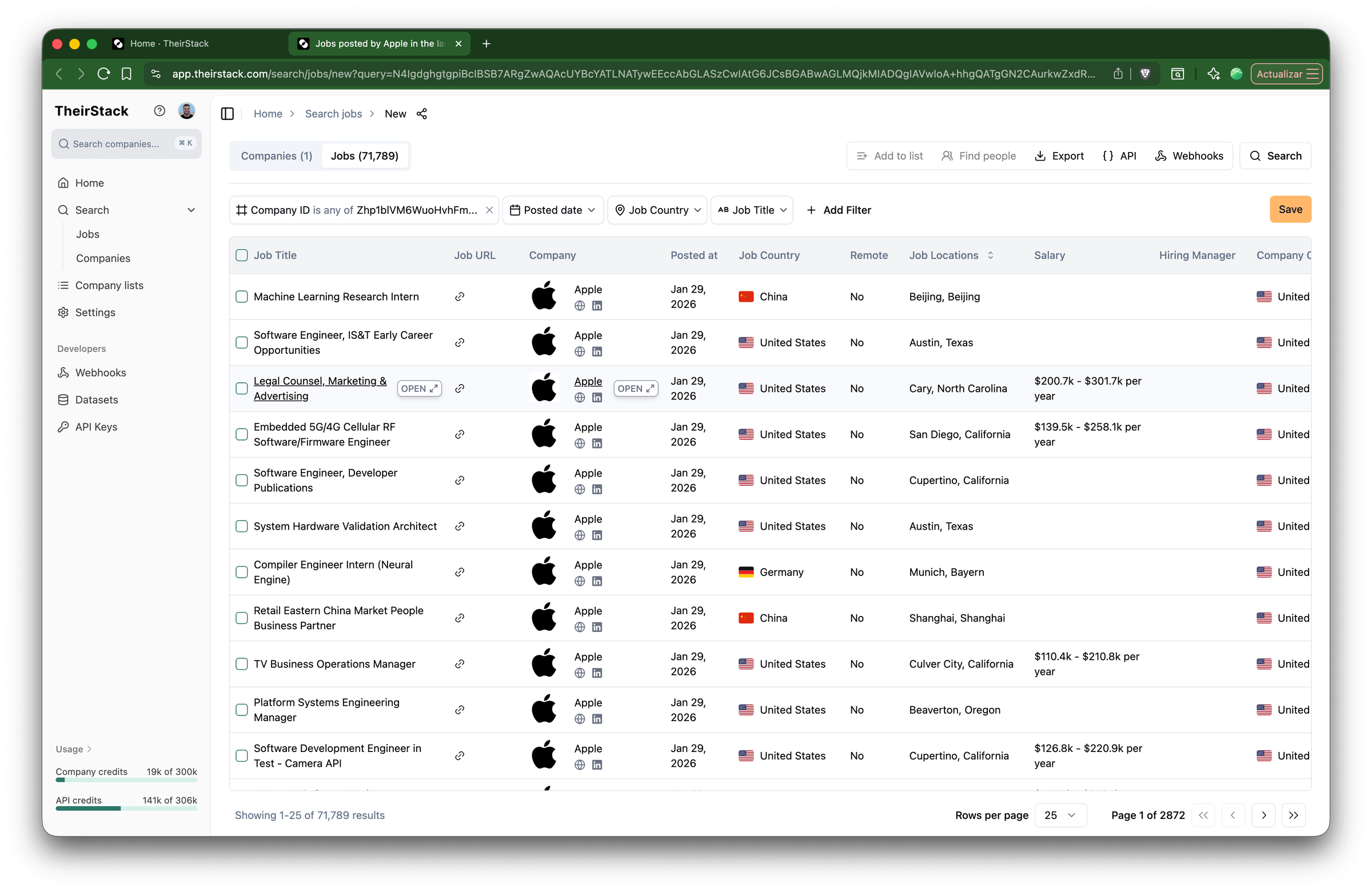
Browse all historical jobs
The job search shows all jobs ever posted by the company, including expired ones. You can filter by date range, job title, country, and more — or export the results.
Why access old job postings?
Historical job data is valuable for:
- Identifying hiring patterns: Spot when and how often companies hire for certain roles to predict future hiring needs.
- Tracking company evolution: See how a company's structure, priorities, and technology stack have changed over time.
- Mapping technology adoption: Chart which tools, platforms, and programming languages are gaining or losing traction across industries.
- Sales prospecting: Find companies that were recently expanding or investing in new areas—strong signals for B2B outreach.
- Competitive intelligence: Understand which companies have hired for specific skills or roles to inform your business strategy.
- Recovering a deleted job you were interested in: If a posting you were tracking was taken down, TheirStack lets you confirm role details, prepare for interviews, or find similar roles.
Data coverage
TheirStack maintains historical job data from:
- Time range: 2021 to present
- Sources: 362k job boards, ATS platforms, and company career pages
- Countries: 195 countries worldwide
- Total jobs: 251M active listings, with millions more in the archive
Even if a job posting has been deleted from LinkedIn, taken down from Indeed, or removed from any other job board, it remains permanently accessible in TheirStack.
Further reading
How to track closed job postings
How to monitor job postings automatically
How to Find Reposted Jobs
How is this guide?
Last updated on
Find hidden candidates with niche technology experience
Use TheirStack technographic data to identify companies using a specific platform in your target market, then cross-reference with LinkedIn Recruiter to surface candidates whose hands-on expertise doesn't appear on their profile.
How to Find Promoted Jobs
Learn how to find promoted (sponsored) job listings on other job boards and turn them into sales leads for job board operators, recruiters, and HR software vendors.