
How to Exclude Specific Companies from a Search
Step-by-step guide to creating a blacklist of companies and excluding them from your company search results using TheirStack's company list filters.
When running a company search, you may want to exclude specific companies from your results — for example, companies you've already contacted, competitors, or companies that are not a good fit. This guide shows you how to create an exclusion company list (blacklist) and use it as a filter.
Step-by-step: exclude companies using a blacklist
Create a new company list
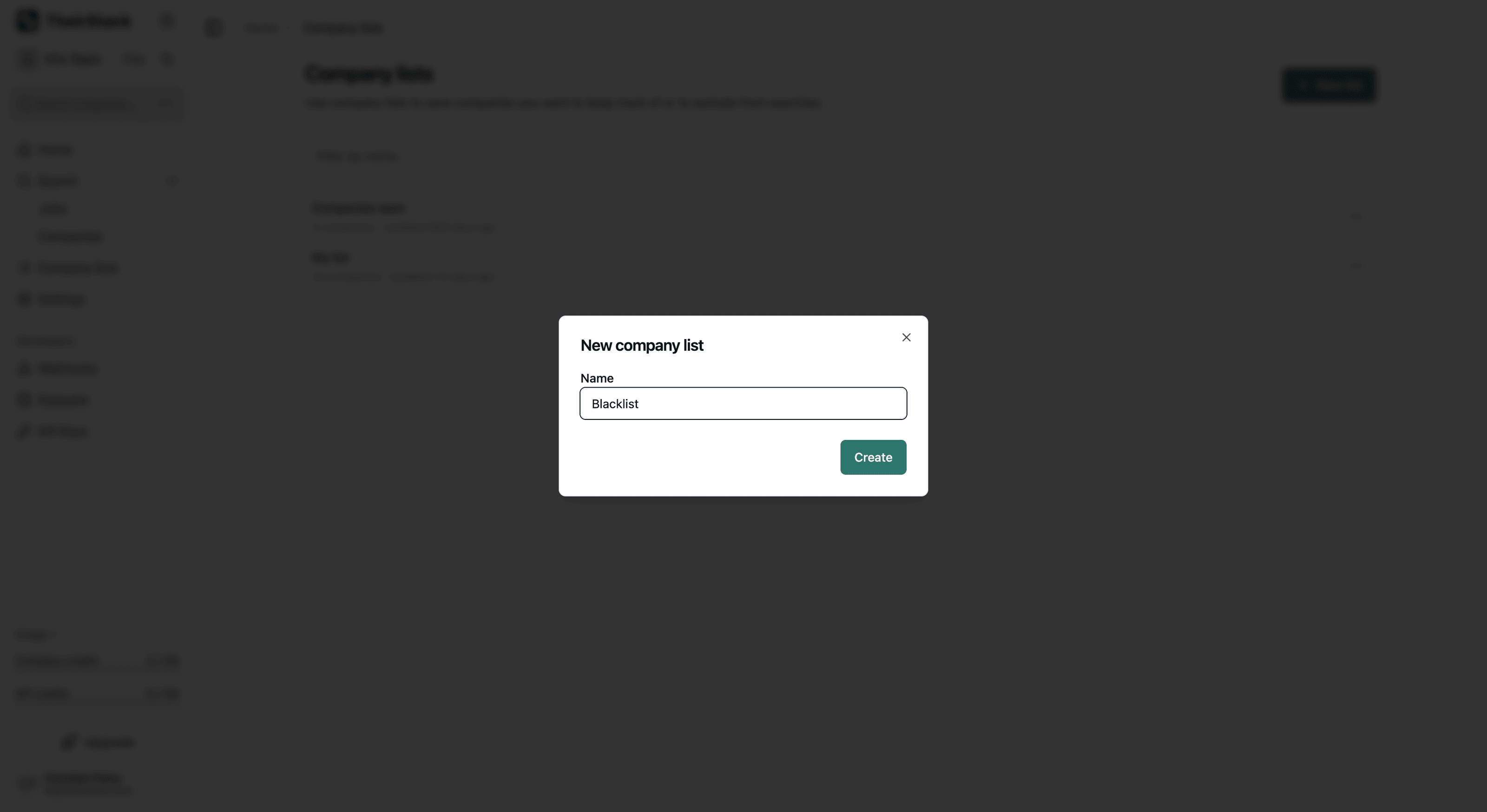
Go to Company Lists and click New list. Name it something descriptive like "Blacklist" or "Companies to exclude".
Add companies to your exclusion list
There are two ways to add companies to your list:
From search results: Run a company search, select the companies you want to exclude by checking their checkboxes, then click Add to list and choose your blacklist.
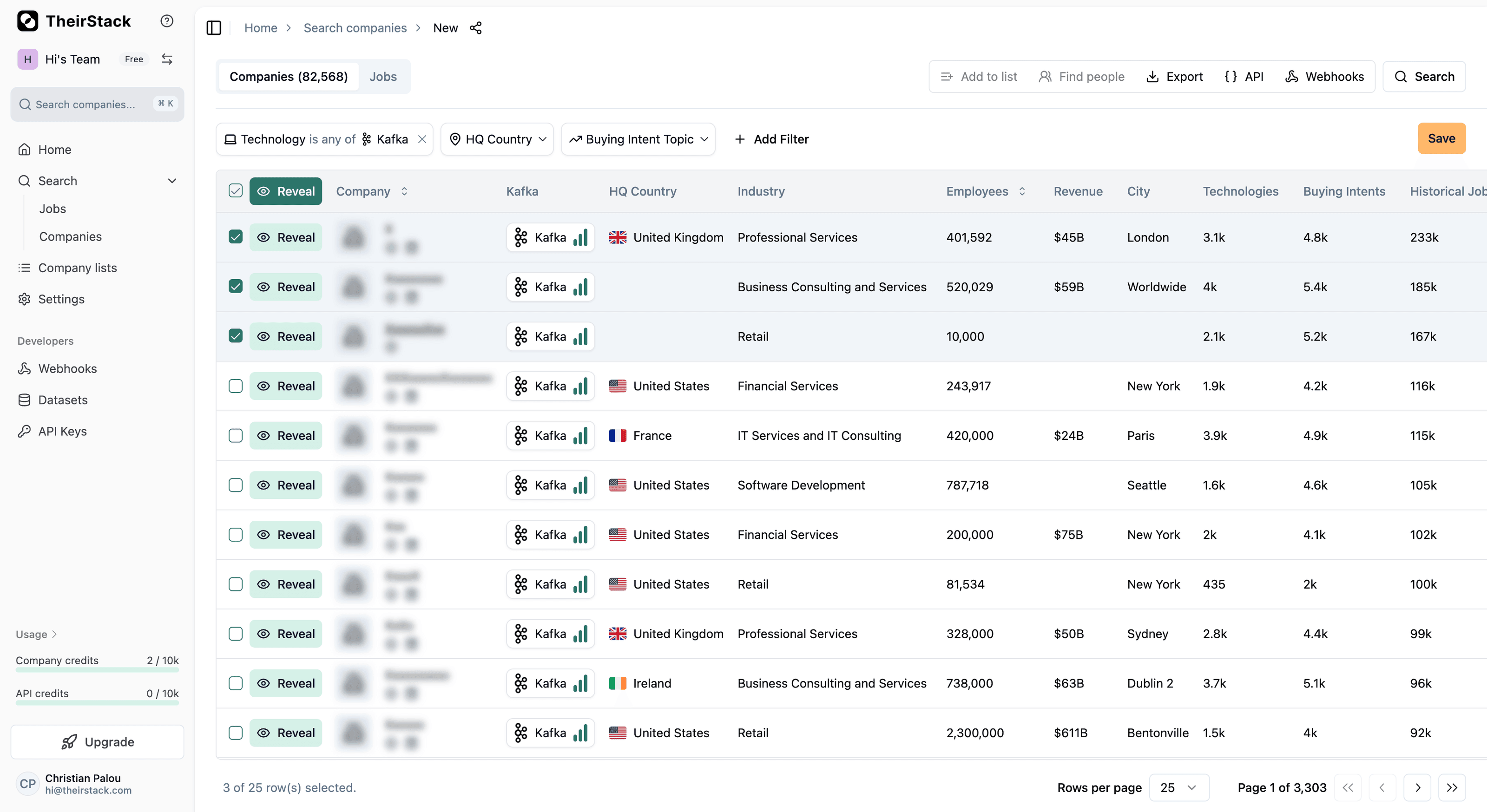
From a company list: If you already have the companies in another list, you can select them there and add them to your blacklist the same way.
Add the "Company List is not" filter to your search
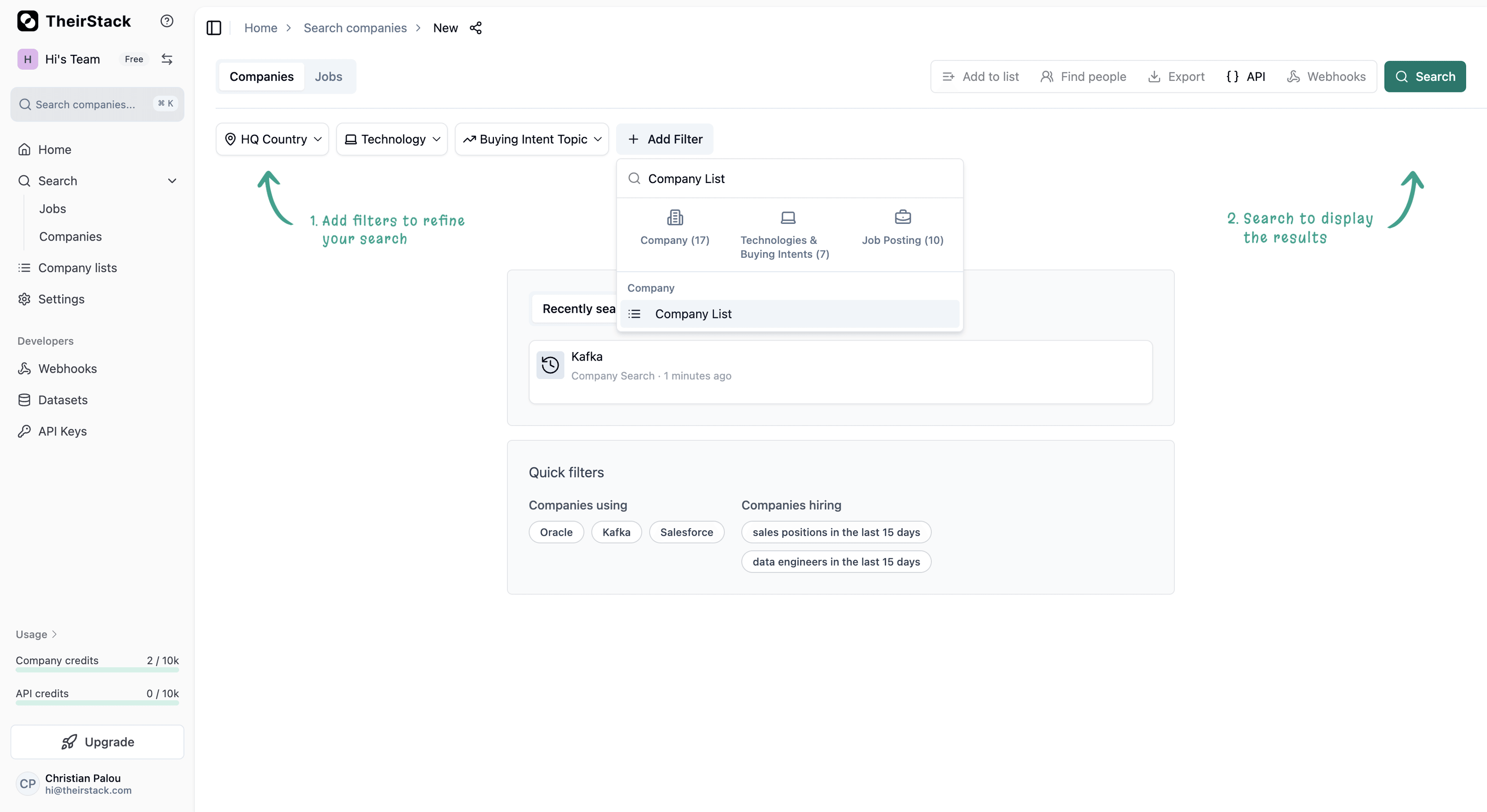
Open a new company search and click Add Filter. Search for "Company List" and select it.
Configure the filter to exclude your blacklist
Once the Company List filter is added:
- Change the operator from is any of to is not any of
- Select your blacklist from the dropdown
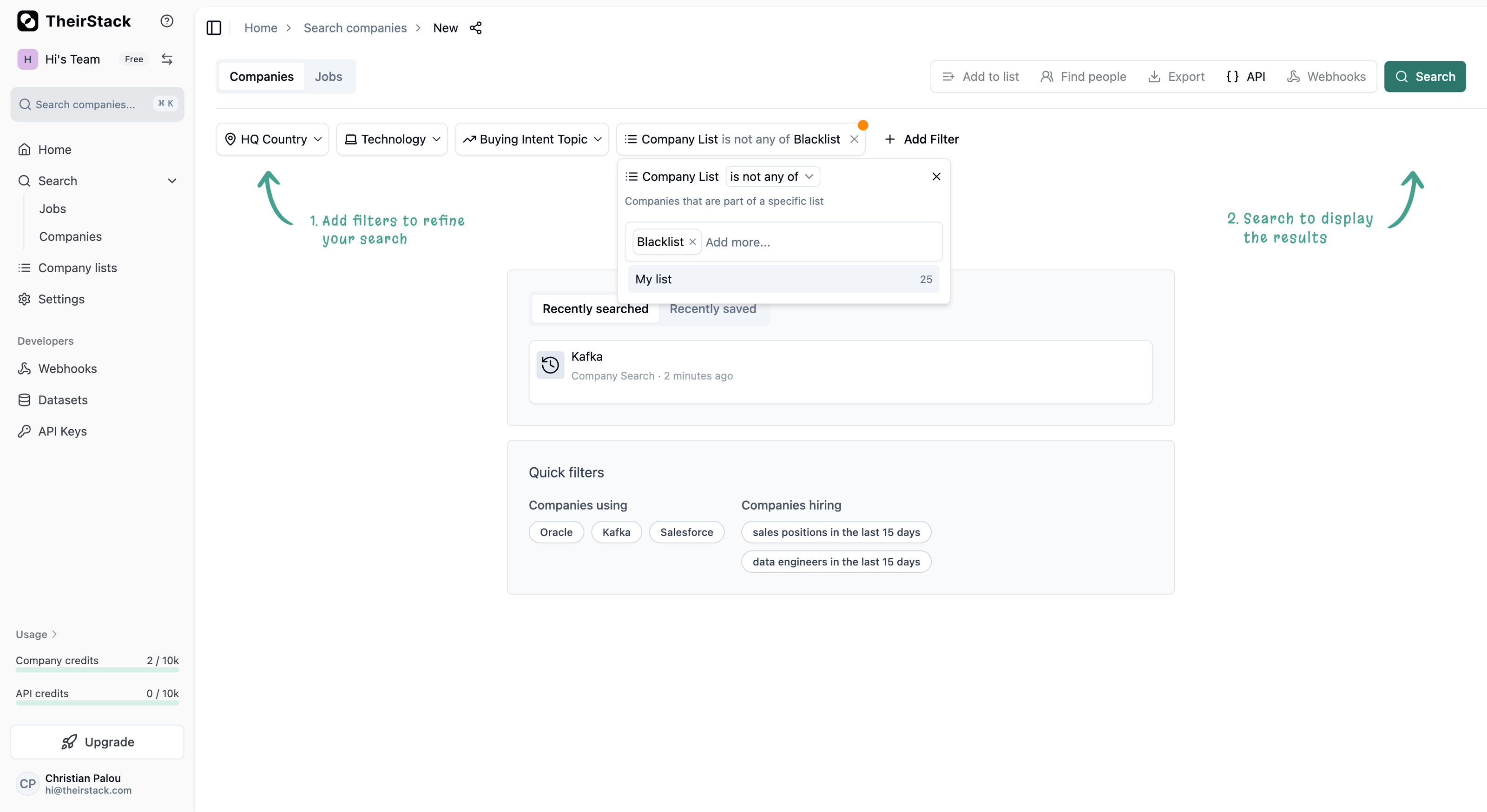
Now add any other filters you need (technology, country, industry, etc.) and run your search. All companies in your blacklist will be excluded from the results.
Keep your blacklist updated
As you find more companies to exclude, simply add them to the same list. The next time you run a search with the "Company List is not any of" filter, the newly added companies will be automatically excluded.
Further reading
Company Lists
Company Search
How to Avoid Downloading the Same Companies Twice
How is this guide?
Last updated on
How to Enrich a Company List with Technographic Data
Step-by-step guide to enriching your company lists with technographic data on TheirStack — from manual CSV uploads to automated API integration for CRM and sales workflows.
How to Find Companies by Technology Stack
Step-by-step guide to finding companies that use specific technologies. Build targeted lead lists by filtering companies based on their tech stack, combined with firmographic data like size, industry, and funding.