
Auto recharge credits
Learn how to set up auto recharge rules to prevent running out of credits in production — configure thresholds, recharge amounts, and payment methods to ensure uninterrupted API access.
Auto recharge rules allows you to automatically recharge credits when your credit balance are bellow a specific number. You can set up one rule for each credit type (Company credits or API credits).
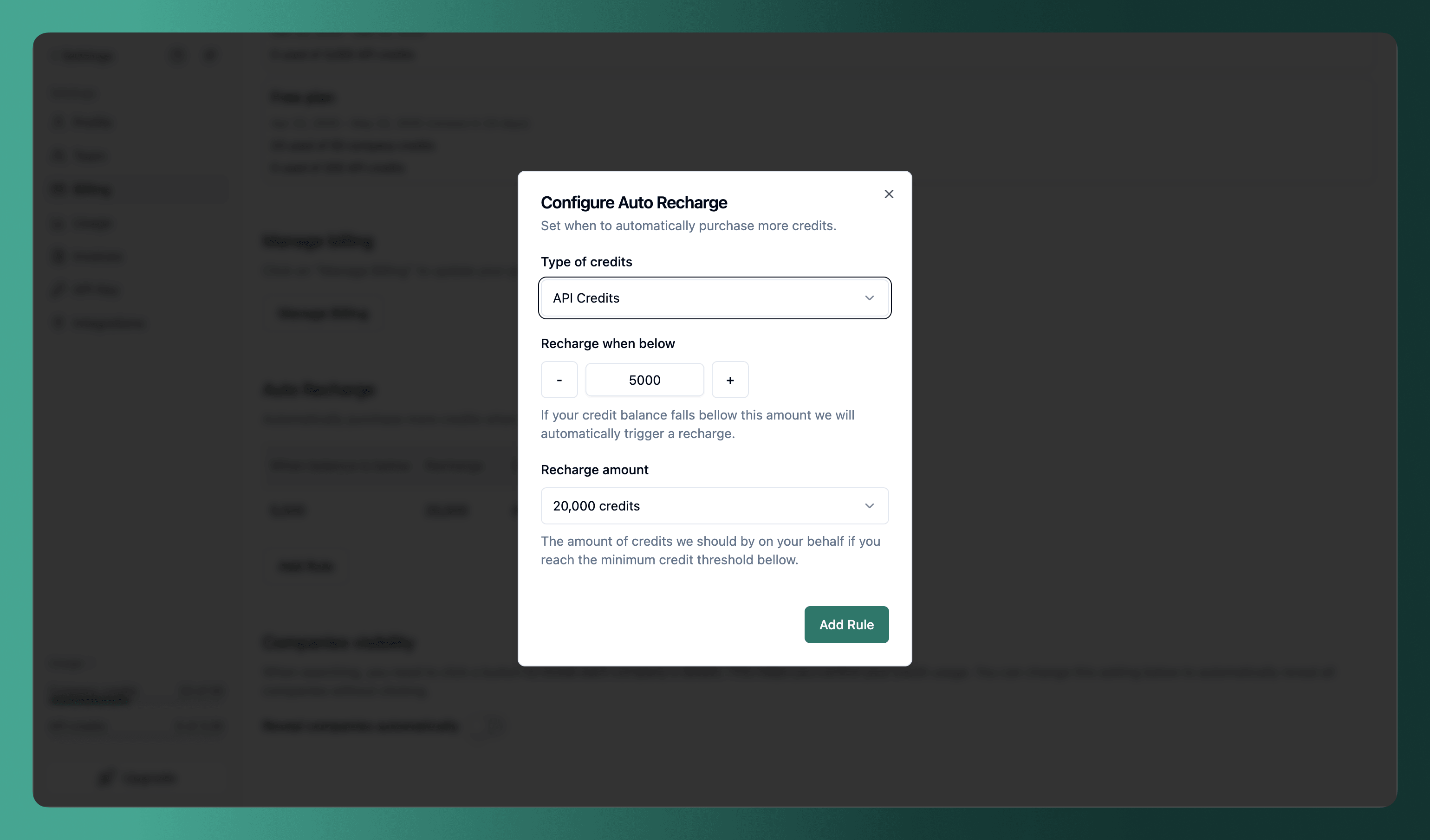
How to set up auto recharge rules
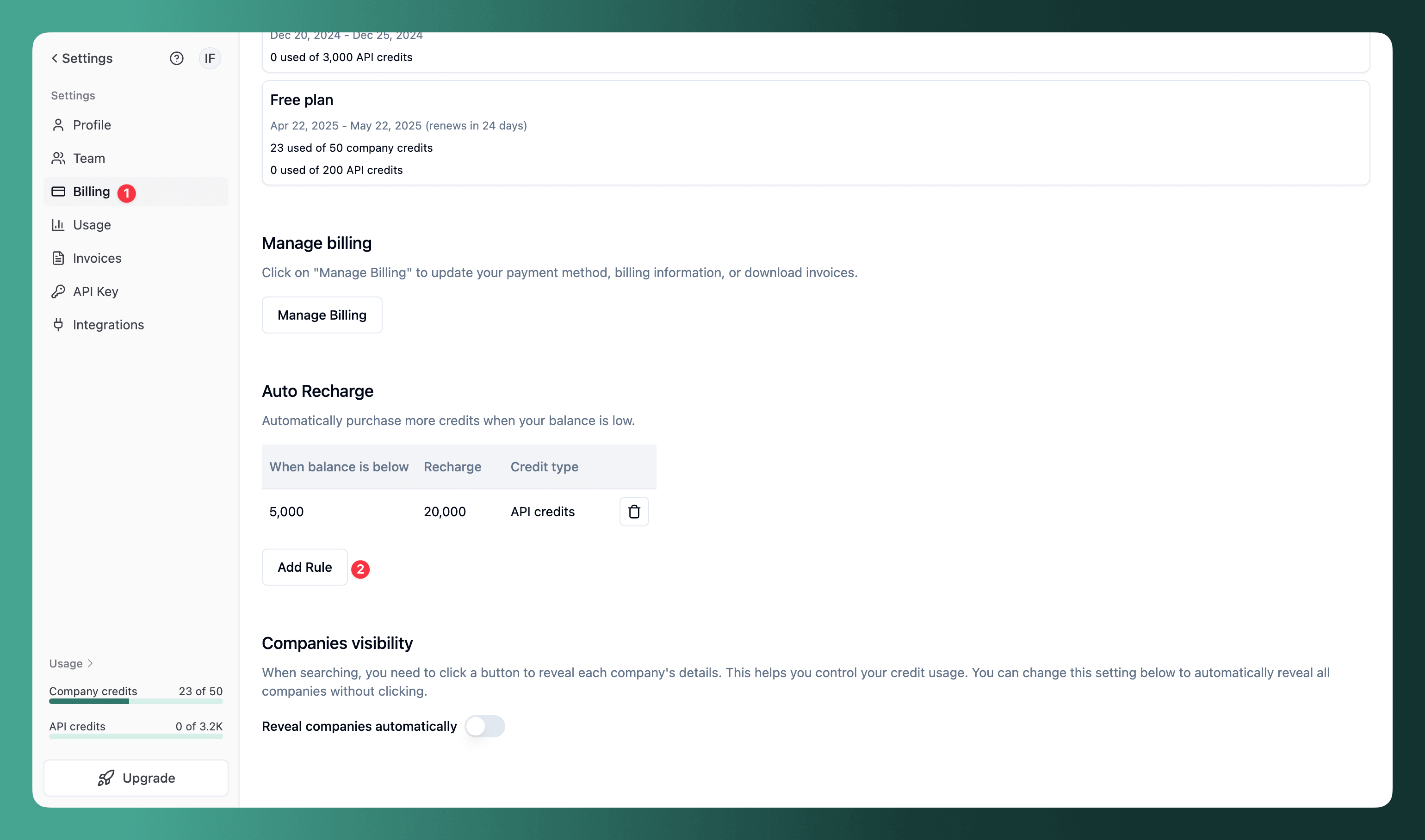
- Go to the billing page
- Go to the "Auto Recharge" section
- Click on the "Add Rule" button
- Select the credit type (Company credits or API credits)
- Insert the amount of credits to recharge when bellow
- Insert the amount of credits to recharge
- Click on the "Save" button
Cost of the auto recharge
Auto recharge uses the same credit prices as API credits in the recurring pricing plan. Check the pricing here
How to delete an auto recharge rule
- Go to the billing page
- Go to the "Auto Recharge" section
- Click on the trash icon button to delete the rule
FAQs
How is this guide?
Last updated on
Pricing
Learn more about TheirStack pricing — explore available plans, understand the credit system for API and company data, and set up auto-recharge rules to keep your workflows running.
Credits
Learn the difference between API credits and Company credits, how each type is consumed, and how to monitor your credit usage across searches, reveals, and API calls.