
How to Check if a Technology Is Available
Learn how to find out whether TheirStack tracks a specific technology, use job description search as a workaround, and request new technologies through the Support Center.
TheirStack tracks over 32k technologies — but not every tool or framework is in the catalog yet. This guide walks you through how to check if a technology is available, what to do if it's not, and how to request that we add it.
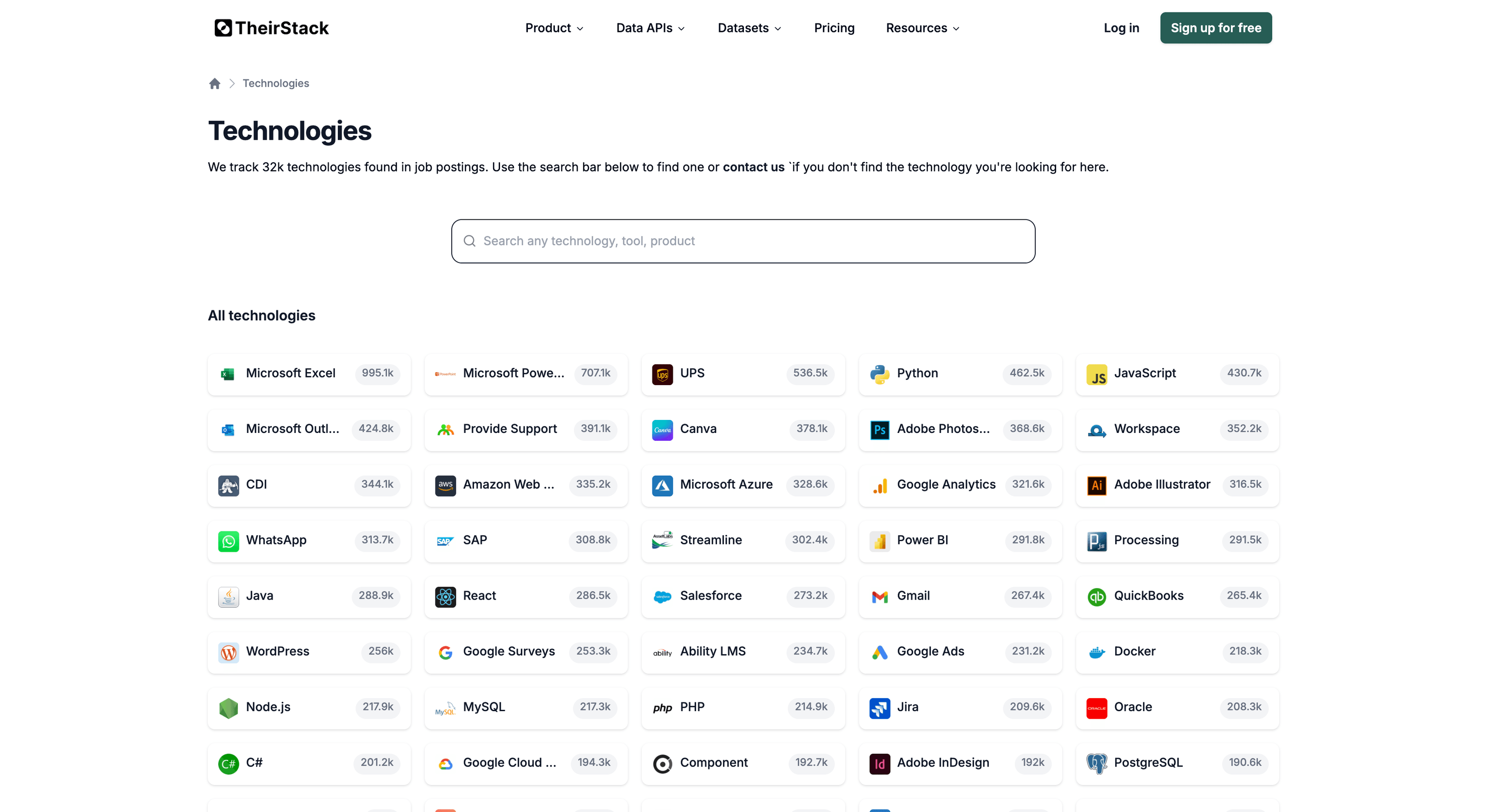
Step 1: Search the technology catalog
The fastest way to check is to browse the technology catalog. Type the name of the technology you're looking for in the search bar — if it appears, you can use it right away as a filter in your company or job searches.
You can also check from the app: open a company search or job search and start typing the technology name in the technology filter. If it shows up in the autocomplete, it's available.
Step 2: If the technology is not in the catalog — search by job description
If the technology you need isn't tracked yet, you can still find companies that use it by searching job descriptions directly.
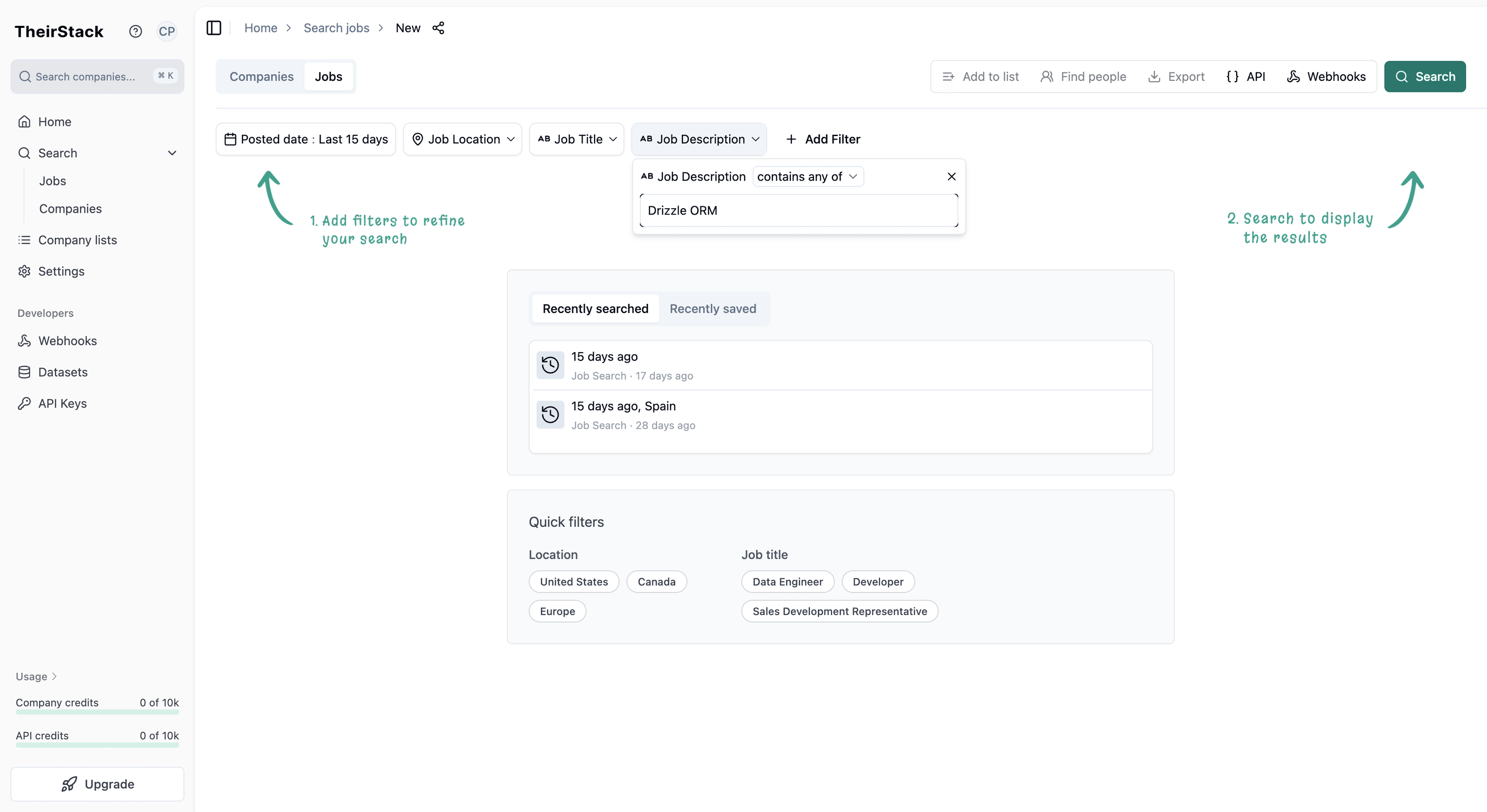
Go to the job search in TheirStack.
Use the job description filter to search for the technology name. For example, if you're looking for companies using "Drizzle ORM", type Drizzle ORM in the job description filter.
Review the results. Jobs that mention the technology in their description will appear. This is a strong signal that the company actively uses (or plans to adopt) that technology — companies don't mention tools in job postings unless they're part of their stack.
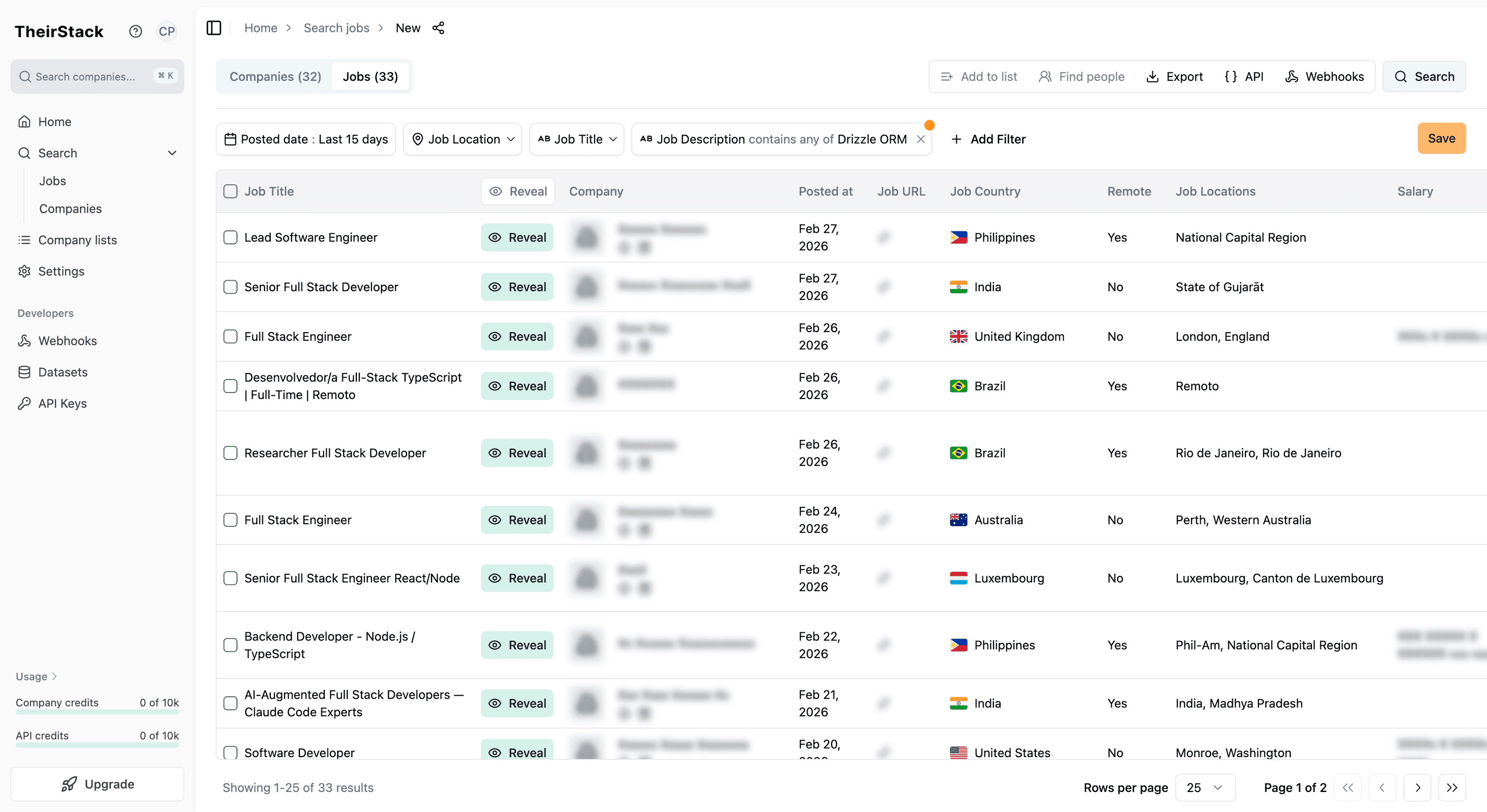
Switch to the company view if you need a deduplicated list of companies. From the job results, you can pivot to see unique companies that have posted jobs mentioning that technology.
This approach works especially well for newer or niche technologies that haven't been added to the catalog yet. Job postings often mention internal tools and emerging frameworks months before they appear in any technology database.
Step 3: Request a new technology through the Support Center
If you need the technology as a first-class filter (with proper detection, company counts, and alerting), you can request it:
Go to the Support Center.
Select the "Request a Keyword" category — this is the ticket type for requesting new technologies, skills, certifications, and topics.
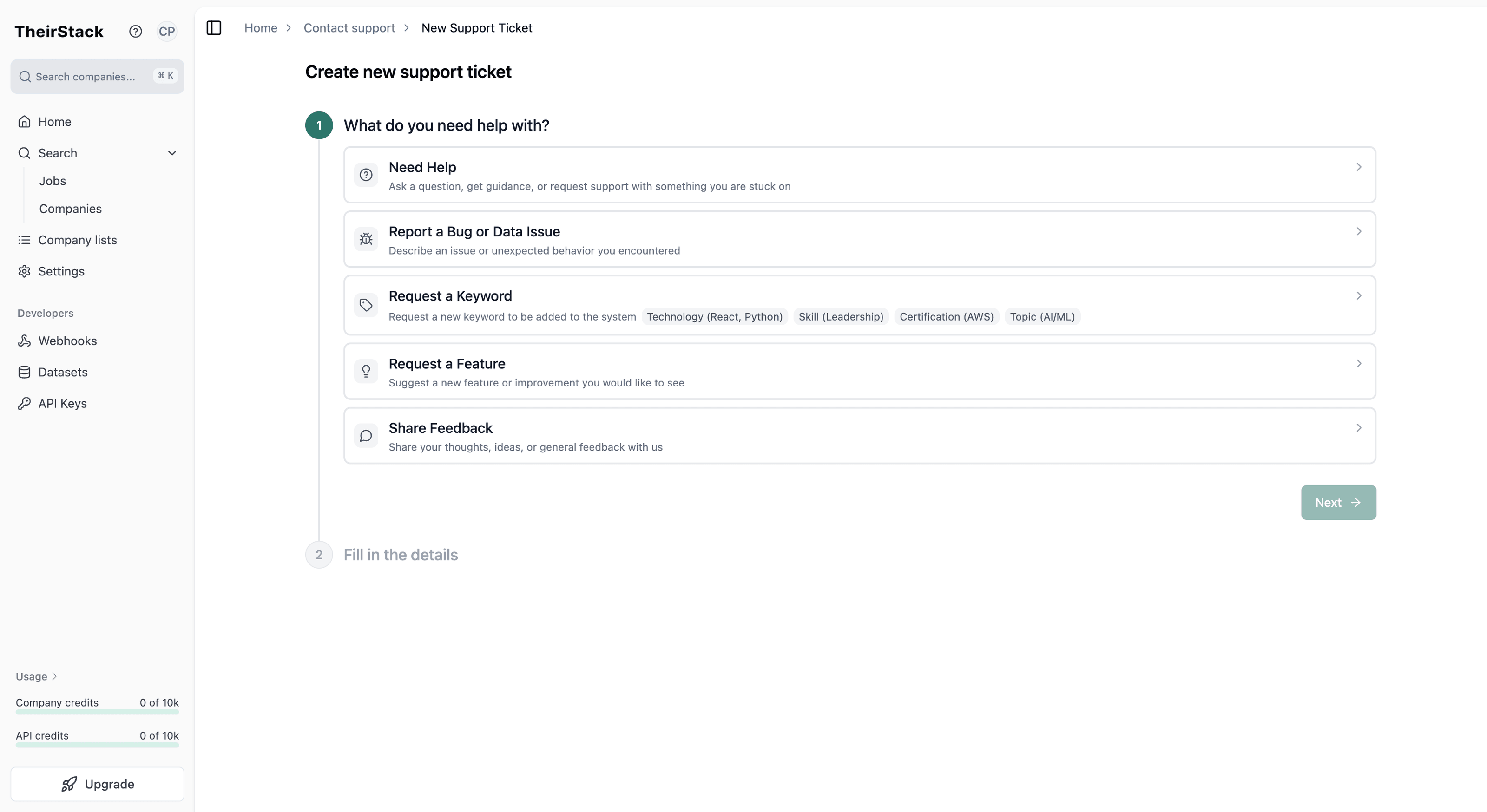
Fill in the technology details:
- Name — the name of the technology (e.g., "Drizzle ORM")
- URL — a link to the technology's website or documentation (helps our team verify and set up detection)
- Synonyms — any alternative names or abbreviations (e.g., "drizzle-orm", "DrizzleORM")
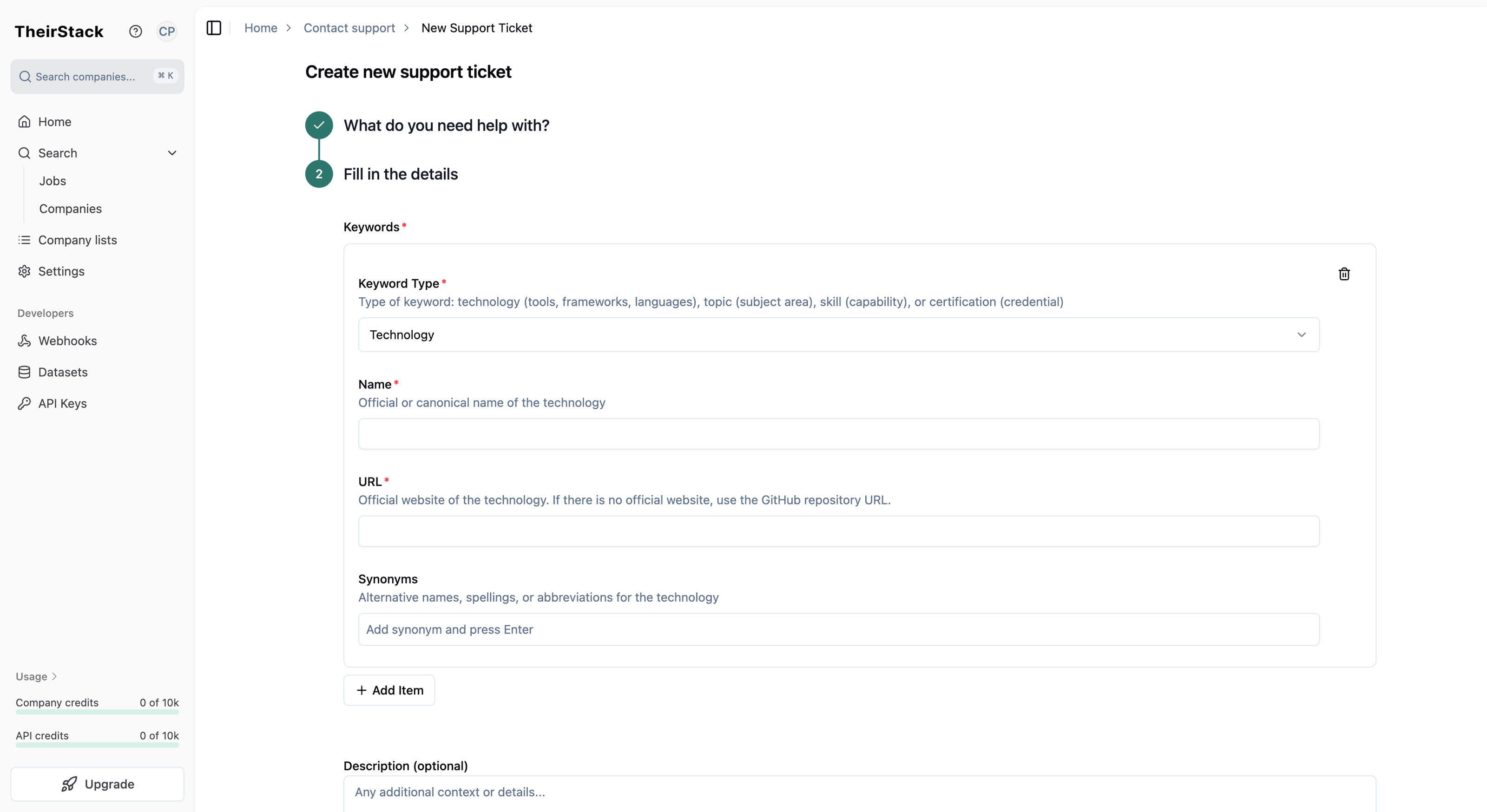
Submit the request. Our team will review it and add the technology to the catalog. You'll be notified when it's available.
For more on using technology filters in your searches, see How to Target Companies by the Technology They Use and How to Build Lead Lists with Technographic Data.
How is this guide?
Last updated on
How to Build a Targeted Lead List Using Technographic Data
Step-by-step guide to building targeted sales lead lists by filtering companies based on their tech stack using TheirStack's [[total_technologies]]+ technology database.
How to Choose the Best Way to Access TheirStack Data
Guidance to help you choose the most suitable way to access TheirStack data (App, API, Webhooks, or Datasets) for your use case, scale, and freshness needs—without prescribing a single path.