
Make
Learn how to connect TheirStack with Make.com — pull job postings and company data on-demand via HTTP modules, or automate real-time notifications through webhooks.
Make.com is one of the most powerful no-code platforms. It lets you connect thousands of apps and automate workflows without writing any code.
There are two ways to integrate TheirStack with Make:
- Webhook trigger (recommended) — Receive real-time notifications whenever new jobs or companies match your search criteria. No code, no scheduling, no API calls to manage.
- HTTP module — Pull job postings, company data, or technographic information on-demand by calling the TheirStack API directly from a Make scenario.
Webhooks — the recommended approach
Webhooks are the easiest and most reliable way to connect TheirStack with Make. Instead of polling the API on a schedule, TheirStack pushes new results directly to your scenario the moment they appear — with built-in deduplication, so you never process the same job twice or waste API credits on duplicate retrievals.
Send a Slack message for every new job found
The easiest way to get real-time Slack notifications is to combine a TheirStack Saved Search with a webhook:
Get saved search
Get jobs meeting saved search criteria
Send Slack message
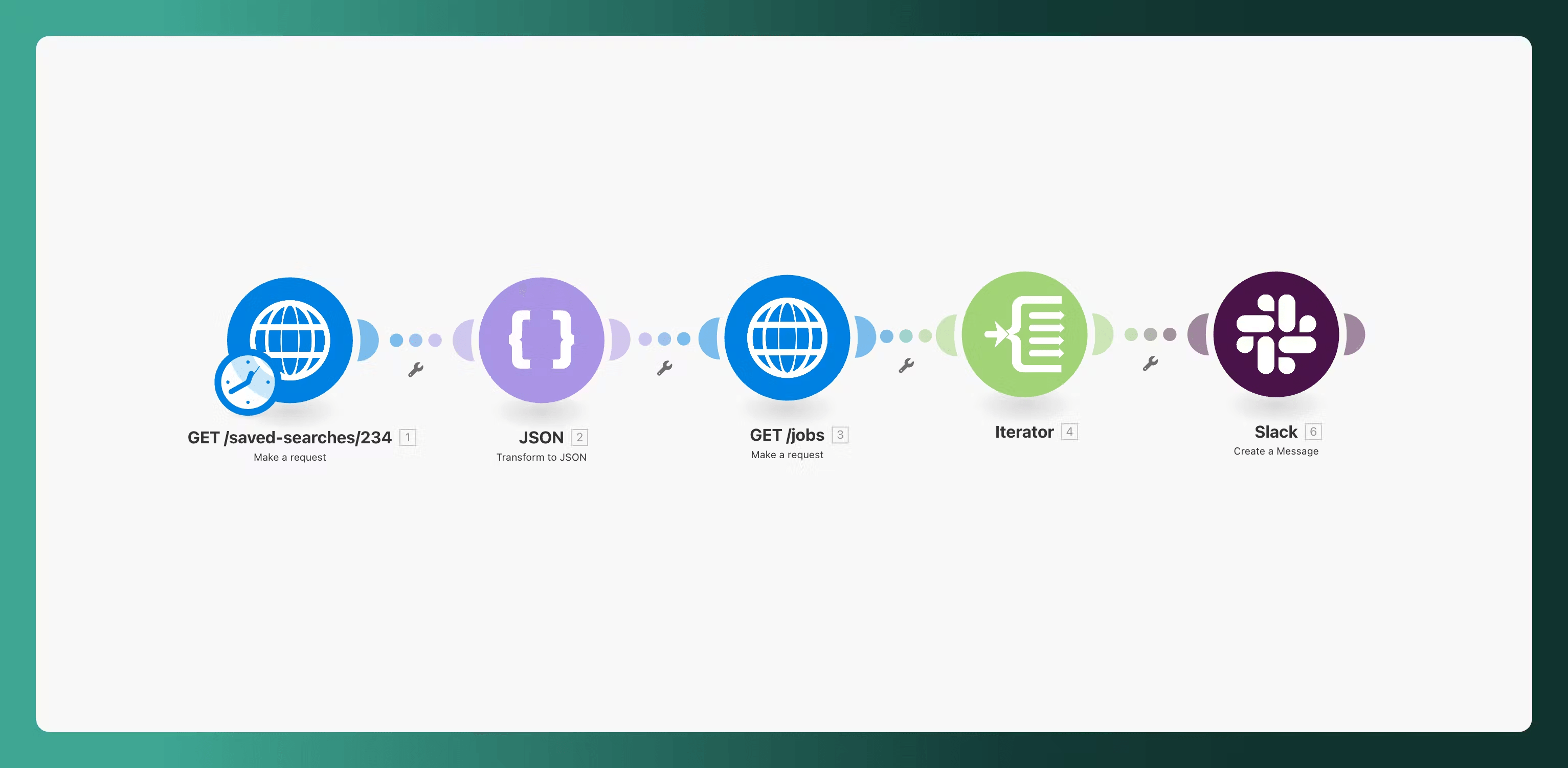
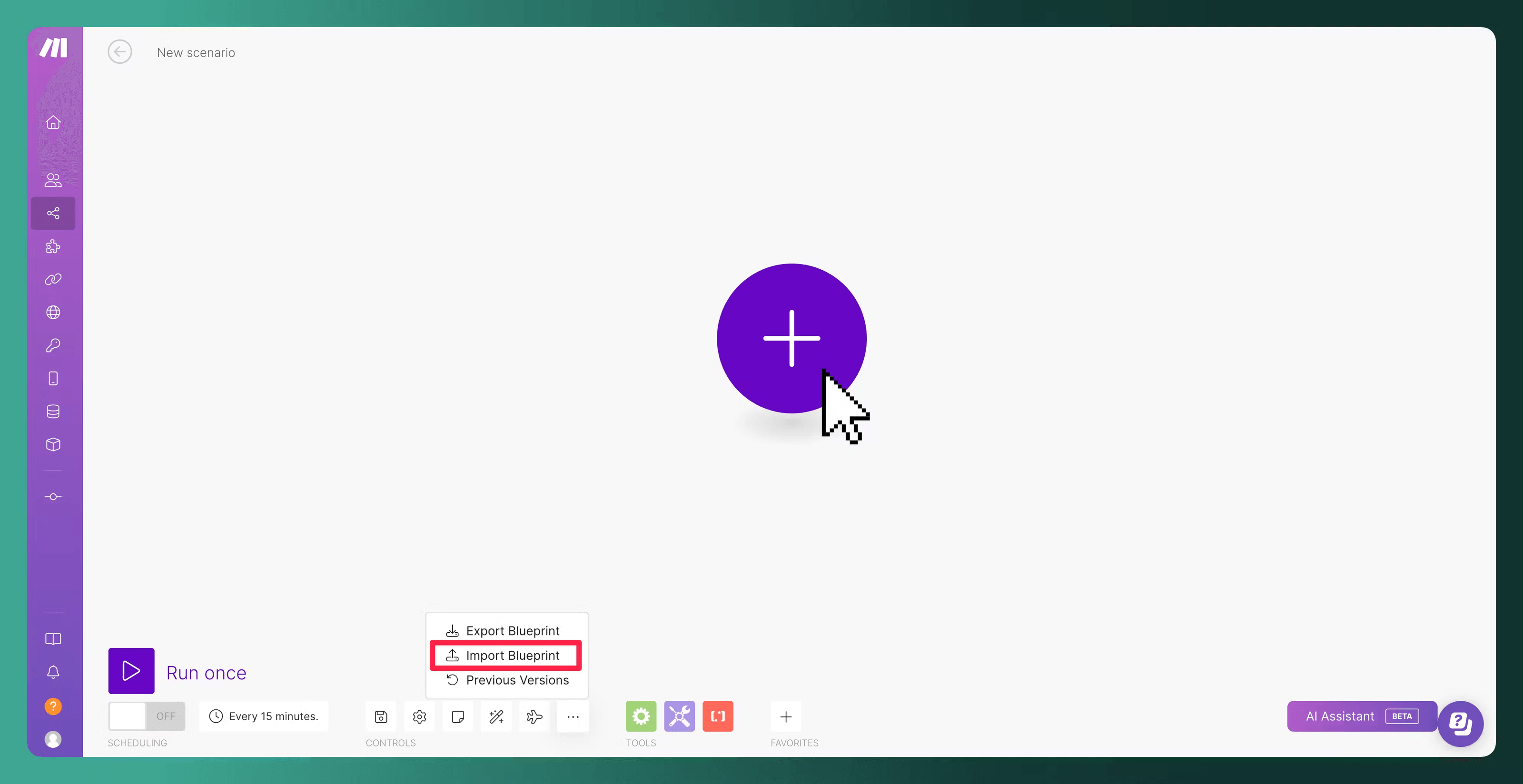
Import the Make blueprint
We have created a template to help you configure your scenario. Click on Import Blueprint and import this blueprint.
For more details on setting up webhooks, see:
Why webhooks over the API?
| Webhooks | HTTP module (API) | |
|---|---|---|
| Setup complexity | Minimal — paste a URL in TheirStack | Requires configuring auth, headers, body, and pagination |
| Real-time | Yes — triggered instantly on new results | No — runs on a schedule you define |
| API credits | Only charged for genuinely new results | Each record costs 1 credit per fetch — duplicates are charged again |
| Deduplication | Built-in — TheirStack only sends new results | You must implement deduplication yourself (e.g. tracking discovered_at timestamps or excluding already-seen job_ids) |
| Filter management | Managed in TheirStack UI | Duplicated in Make module configuration |
The API is best suited for user-triggered actions (enrichment, one-off lookups) rather than periodic data syncing. If you're building a scheduled scenario to pull new jobs, webhooks are the right tool for the job.
Alternative: Pull data with the HTTP module
Consider using webhooks instead
If you're building a scenario to periodically sync new jobs or companies, webhooks are the better choice. The API approach requires you to handle pagination, deduplication, and scheduling yourself — and every record returned costs 1 API credit, even duplicates. Webhooks deliver only new results, in real-time, with no extra logic needed.
If you need to pull data on-demand — for example, to enrich records from another module or to run a one-off query — you can call the TheirStack API directly using Make's HTTP module.
Quick setup from TheirStack App
The fastest way to get started is to copy a pre-configured HTTP module directly from the TheirStack app:
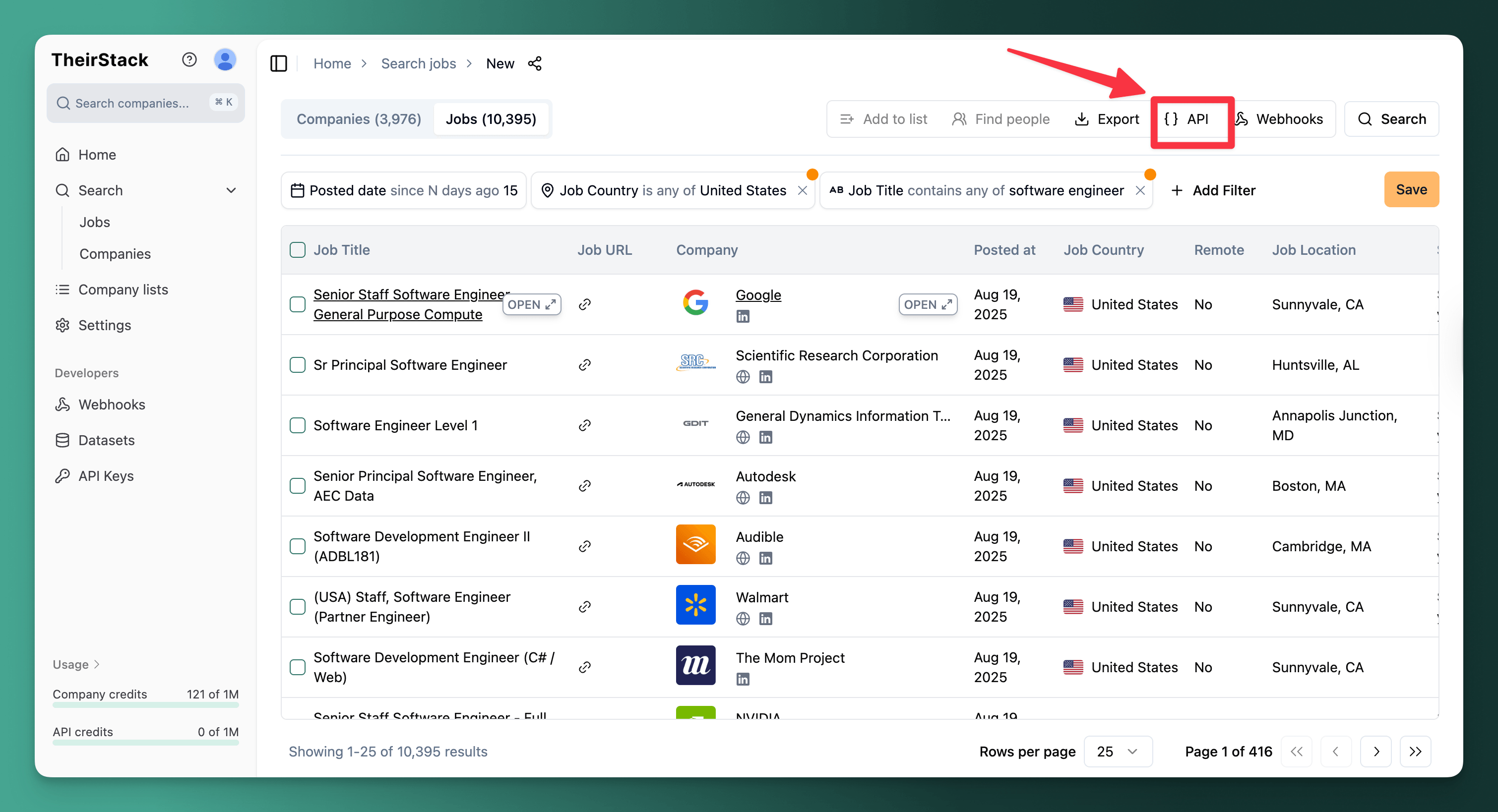
Go to app.theirstack.com, run a job or company search with your desired filters, and click the API button.
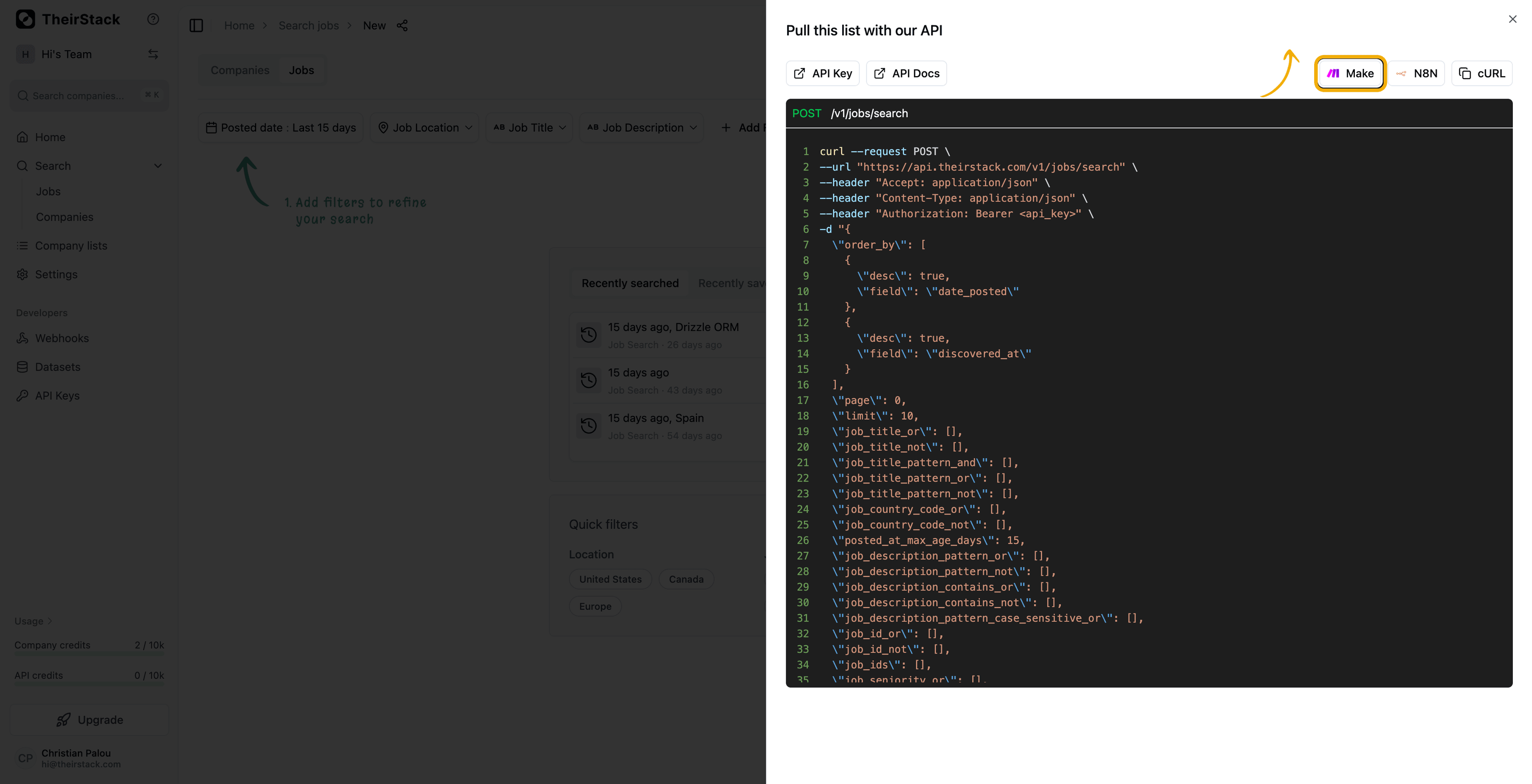
Select the Make tab and click Copy HTTP module. This copies a fully configured Make HTTP module to your clipboard — including your API key, headers, and search filters.
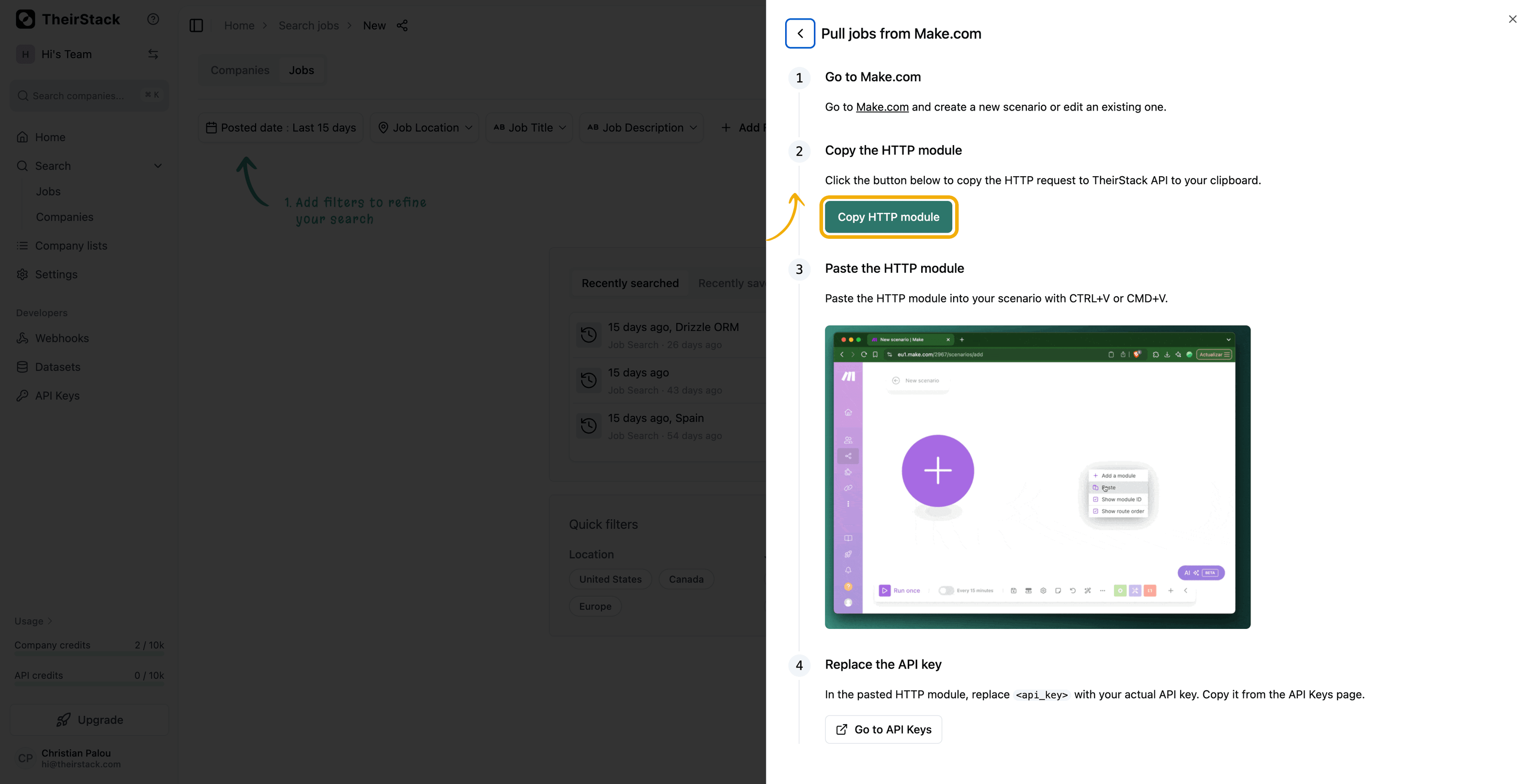
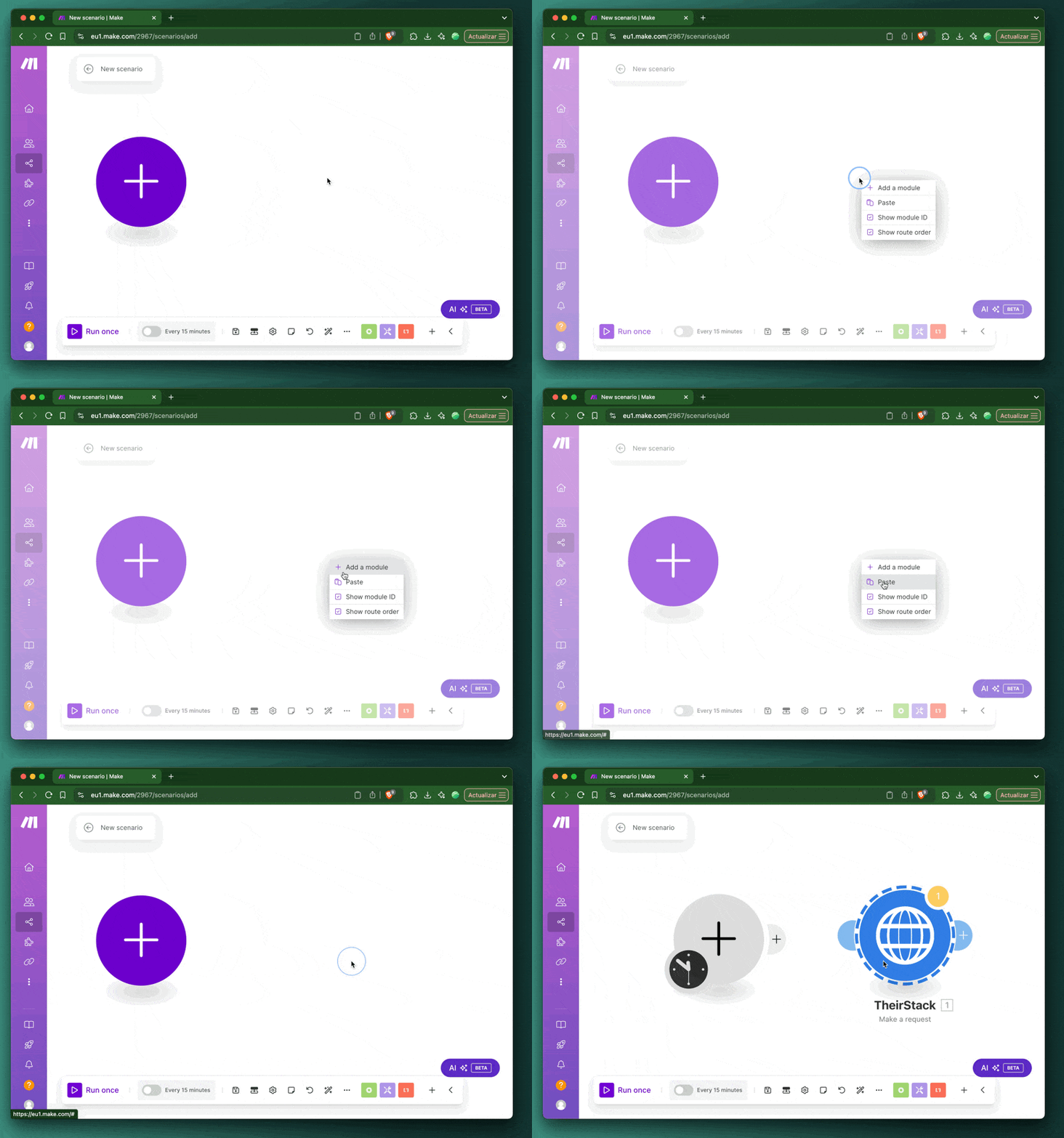
Go to Make.com, open your scenario, and paste with CTRL+V (Windows) or CMD+V (Mac). The HTTP module will appear pre-configured and ready to run.
Manual setup
If you prefer to configure the HTTP module manually:
Create a new scenario on Make.com or open an existing one.
Add an HTTP - Make a request module to your scenario.
Configure the module with the following settings:
- URL:
https://api.theirstack.com/v0/jobs/search(or/v0/companies/searchfor companies) - Method:
POST - Headers:
Authorization:Bearer YOUR_API_KEY(get your API key)Content-Type:application/json
- Body type:
Raw - Content type:
JSON (application/json) - Request content: Your search filters as JSON, for example:
{
  "job_title_or": ["software engineer", "developer"],
  "posted_at_max_age_days": 7,
  "limit": 25
}
Click Run once to test the module and inspect the response.
See the API Reference for all available endpoints and filter options.
Use cases
- Real-time job alerts (webhook): Get notified the moment a new job is posted matching your criteria — send to Slack, email, or a spreadsheet.
- CRM enrichment (API): Pull technographic data about companies in your CRM and route enriched records back using Make's CRM modules (HubSpot, Salesforce, etc.).
- Lead routing (webhook): Automatically route new job postings to the right sales rep based on company size, location, or tech stack.
Frequently asked questions
What is the difference between the HTTP module and webhook approach?
The webhook approach is the recommended way — TheirStack pushes data to Make in real-time whenever new results match your saved search. No scheduling, no pagination, no wasted API calls. The HTTP module is useful when you need to pull data on-demand, such as enriching records from another module or running a one-off query.
How do I handle pagination in Make?
Pagination only applies when using the HTTP module (webhooks handle this automatically). The TheirStack API supports limit and page parameters. To paginate through results in Make, use a Repeater module to loop through pages, incrementing the page parameter on each iteration until no more results are returned.
How is this guide?
Last updated on
Clay
Learn how to add a new column in a Clay table with TheirStack data or create an entirely new table in Clay with live job posting and technographic data from TheirStack.
N8N
Learn how to connect TheirStack with N8N — pull job postings and company data via HTTP Request nodes, or automate real-time notifications through webhooks.