Favourite Technologies

Co-Founder at TheirStack
The problem: When you open a company profile to check its tech stack, you have to manually search through dozens of technologies to find the ones you care about. Every time, the same repetitive filtering.
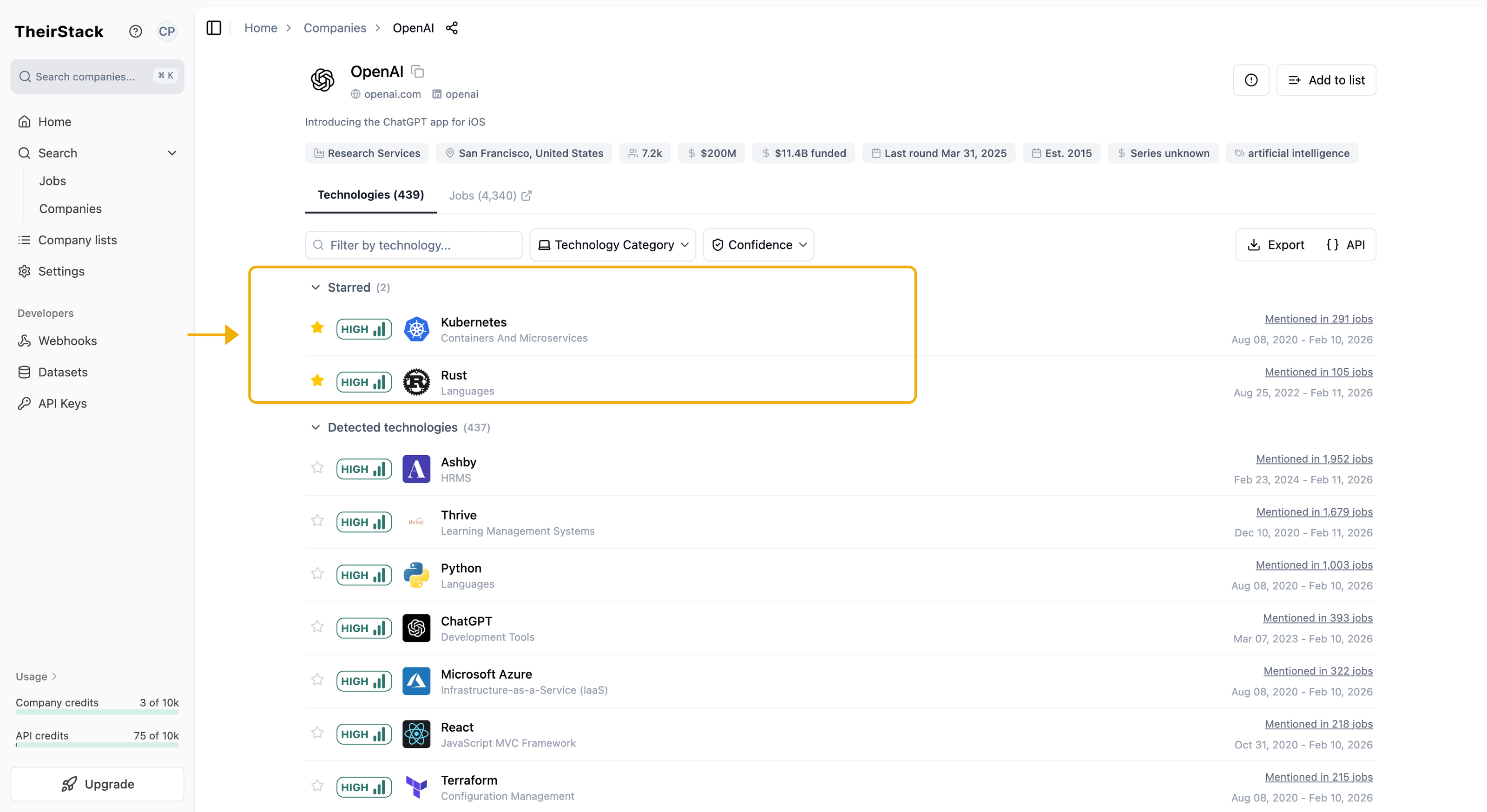
The solution: You can now mark technologies as favourites. Starred technologies appear first everywhere — in company profiles and in search filters.
Open any company profile, search for a technology, and click the star icon to add it to your favourites.
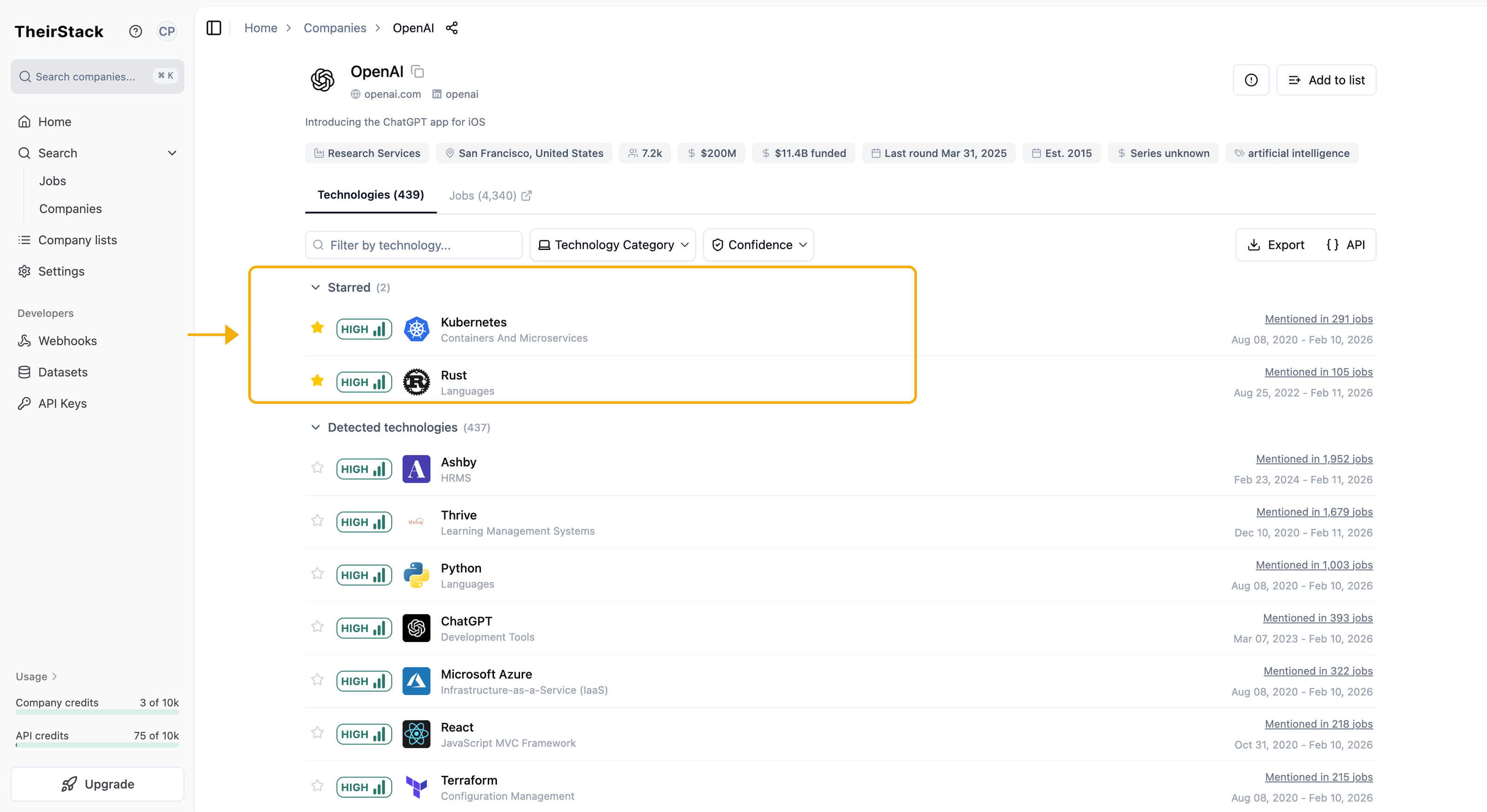
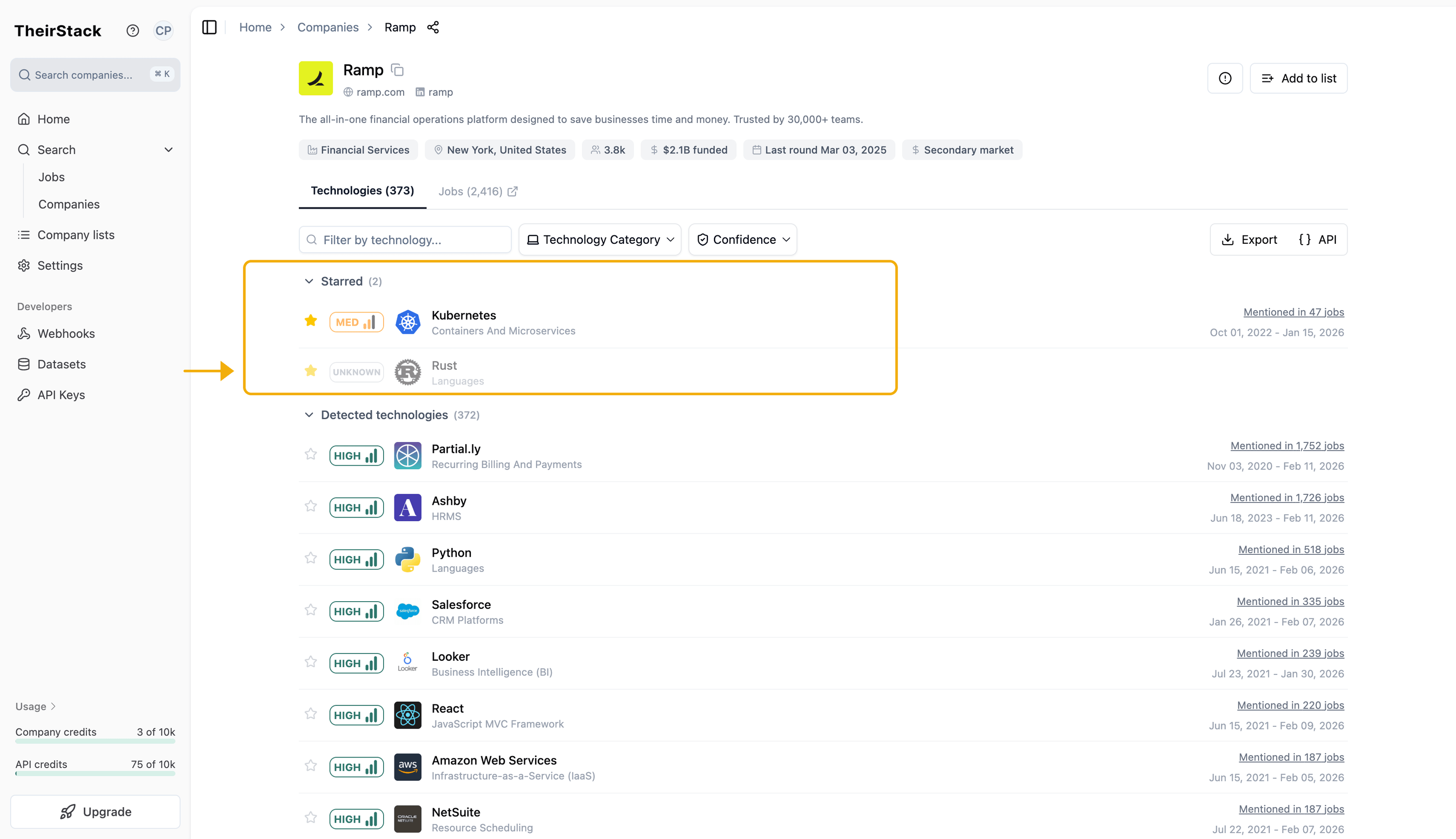
From now on, when you open any company profile, your favourites appear at the top — so you can instantly check if a company uses the tools you're tracking. If a favourite technology is not detected for that company, it will still show up in the starred section marked as unknown, confirming the company is not using it.
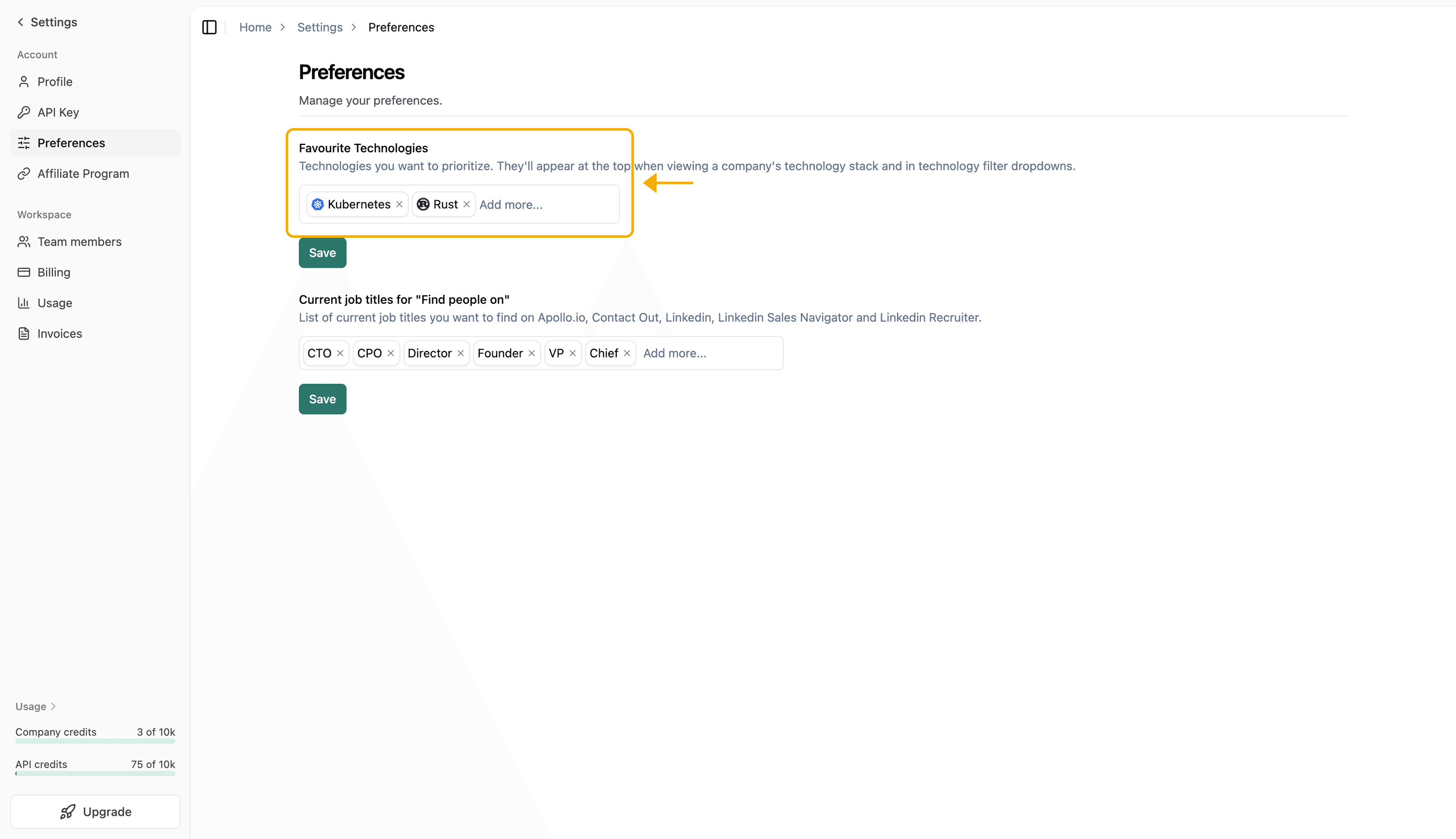
You can also manage your favourite technologies from Settings → Preferences at any time.
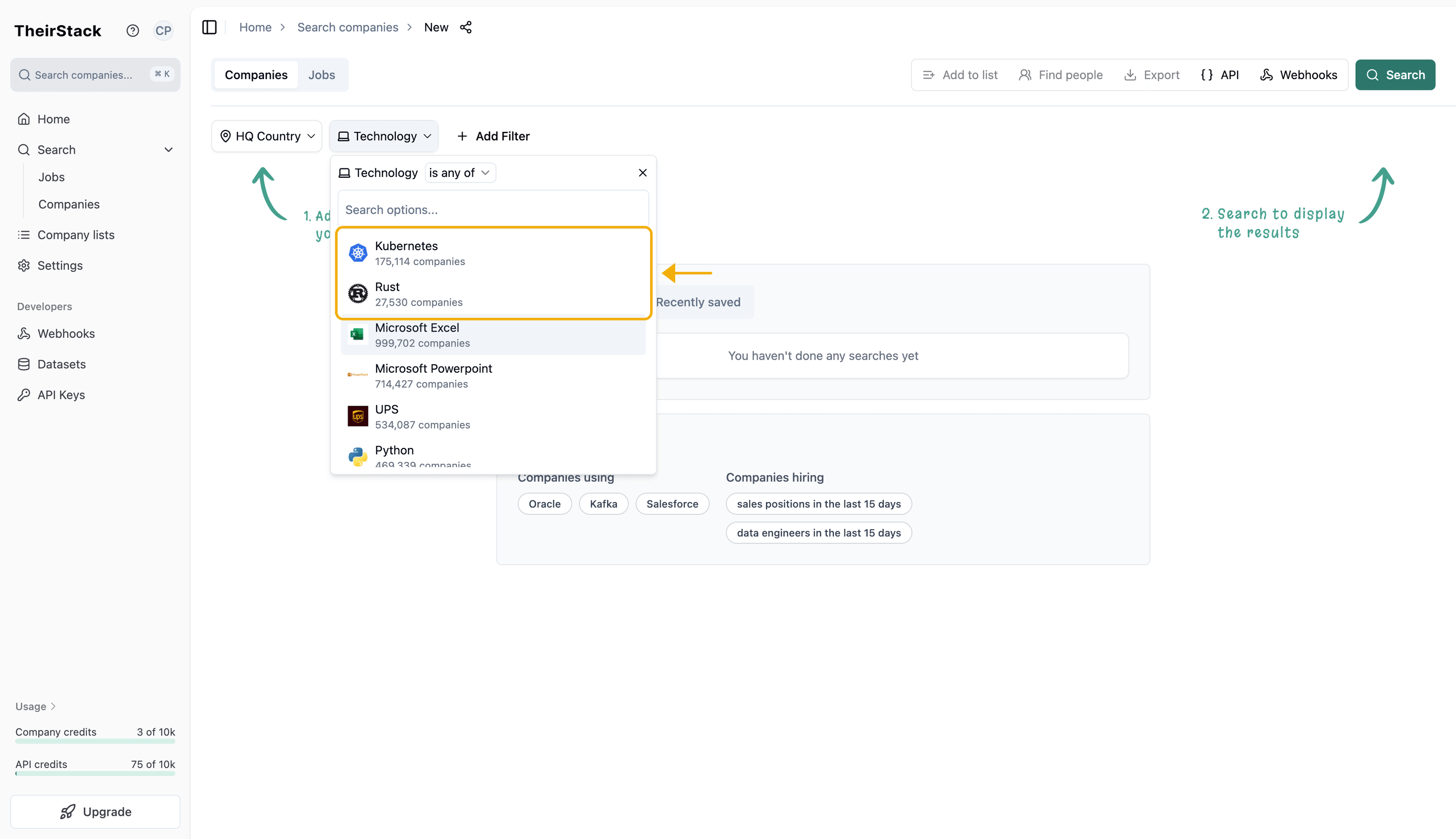
Your favourites also appear at the top of the technology filter in company search, making it faster to build searches around the technologies you track most.