
Your competitors found out about that open role before you did.
While you were browsing LinkedIn this morning, another agency already reached out to the hiring manager. They got there first because they weren't browsing—they had an automated alert.
Job postings are public declarations of hiring need. Approved budget. Active timeline. Proven demand. If you can reach a company before competitors even know the role exists, you win more deals.
This guide shows how recruiting agencies automate prospecting with job posting data—and why this beats manual job board checking.
Why Job Postings Beat Every Other Prospecting Signal
When a company posts a job, they're telling the world three things:
- They have budget — The role has been approved and funded
- They have a timeline — They need to fill this position soon
- They have a specific need — The job description tells you exactly what they're looking for
This is more actionable than any other intent signal. Unlike vague "buying intent" data that guesses what companies might need, job postings are explicit declarations of demand.
First Call Wins
Multiple agencies approach the same company for the same role. The one that calls first—while the hiring manager is still defining the search—gets the meeting.
Manual job board checking means you're always behind. By the time you find a posting through daily browsing, other agencies have already made contact. Automated alerts put you first in line.
How Recruiting Agencies Can Automate Job Monitoring
TheirStack aggregates job postings from 362k sources—including LinkedIn, Indeed, Glassdoor, company career pages, and ATS platforms—into a single searchable database. You can set up automated alerts to get notified when new jobs match your criteria.
Here's how to set it up:
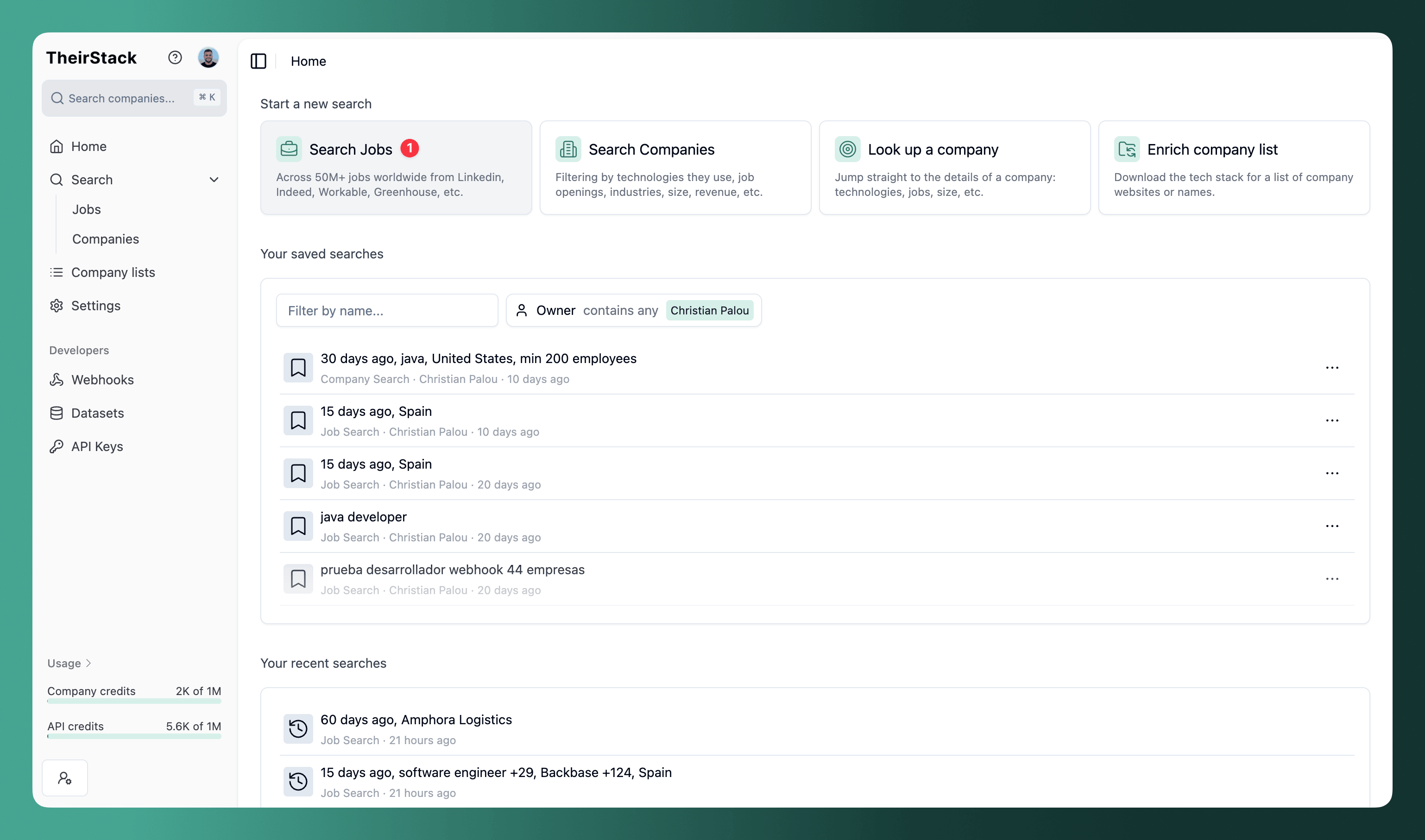
Create a job search with your criteria
Go to Job Search and add filters for the types of roles you want to monitor:
- Job title: The roles you specialize in placing (e.g., "Software Engineer", "Sales Director", "Data Scientist")
- Location: Countries, states, or cities where you operate
- Company size: Target companies that typically need external recruiting help
- Industry: Focus on sectors where you have expertise
Filter out competitor agencies
Use the "Company Type" filter to show only jobs from direct employers. This excludes jobs posted by other recruiting agencies, consultancies, and outsourcing firms—so you only see opportunities where you can add value.

For more granular control, you can also exclude specific industries like "Staffing & Recruiting" or filter by company description patterns. See our guide on excluding recruiting agencies for details.
Save the search
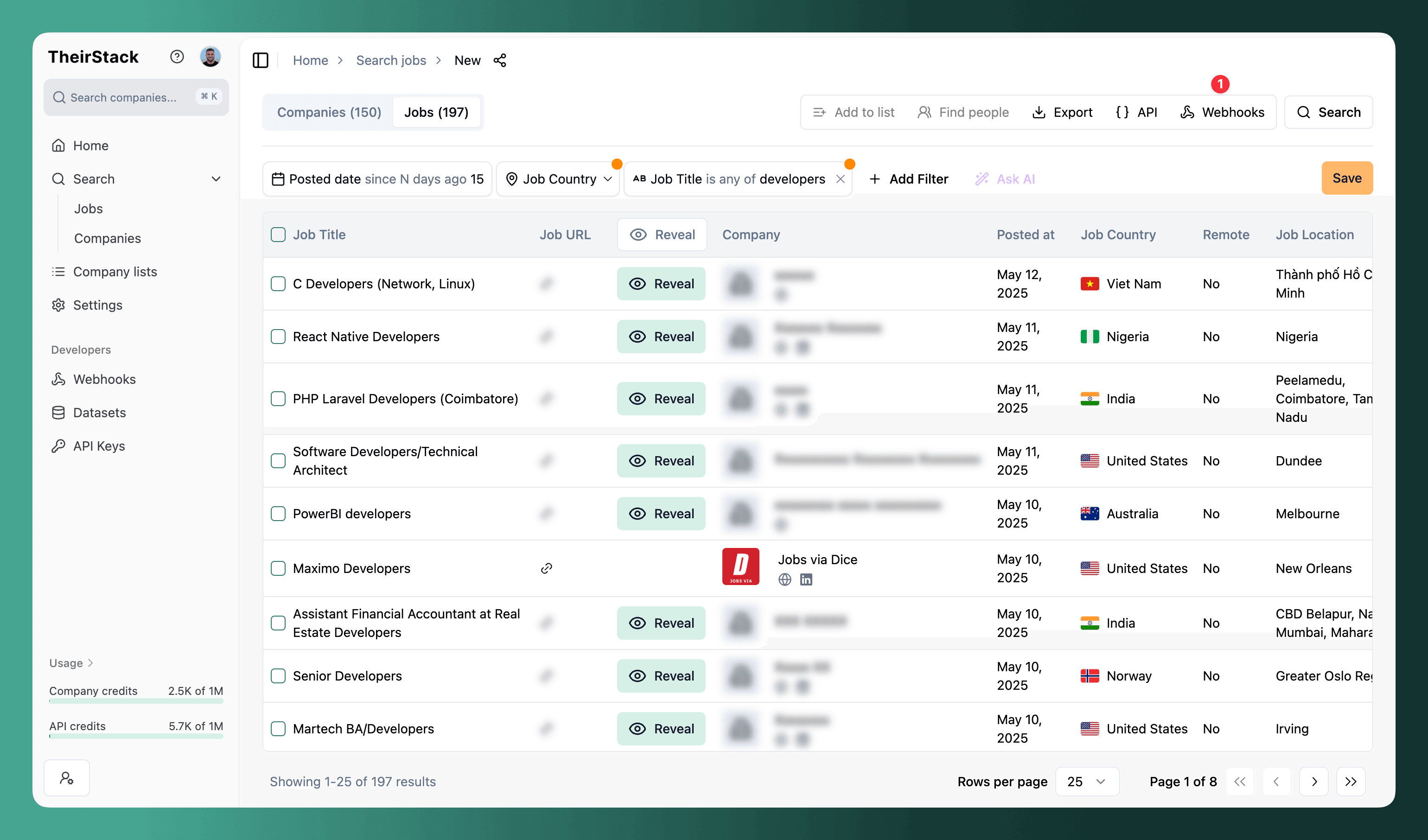
Click the Save button to save your search. You need to save the search before you can create automated alerts.
Create a webhook for real-time alerts
Click the Webhooks button in the top right corner of your saved search.
Configure your webhook settings
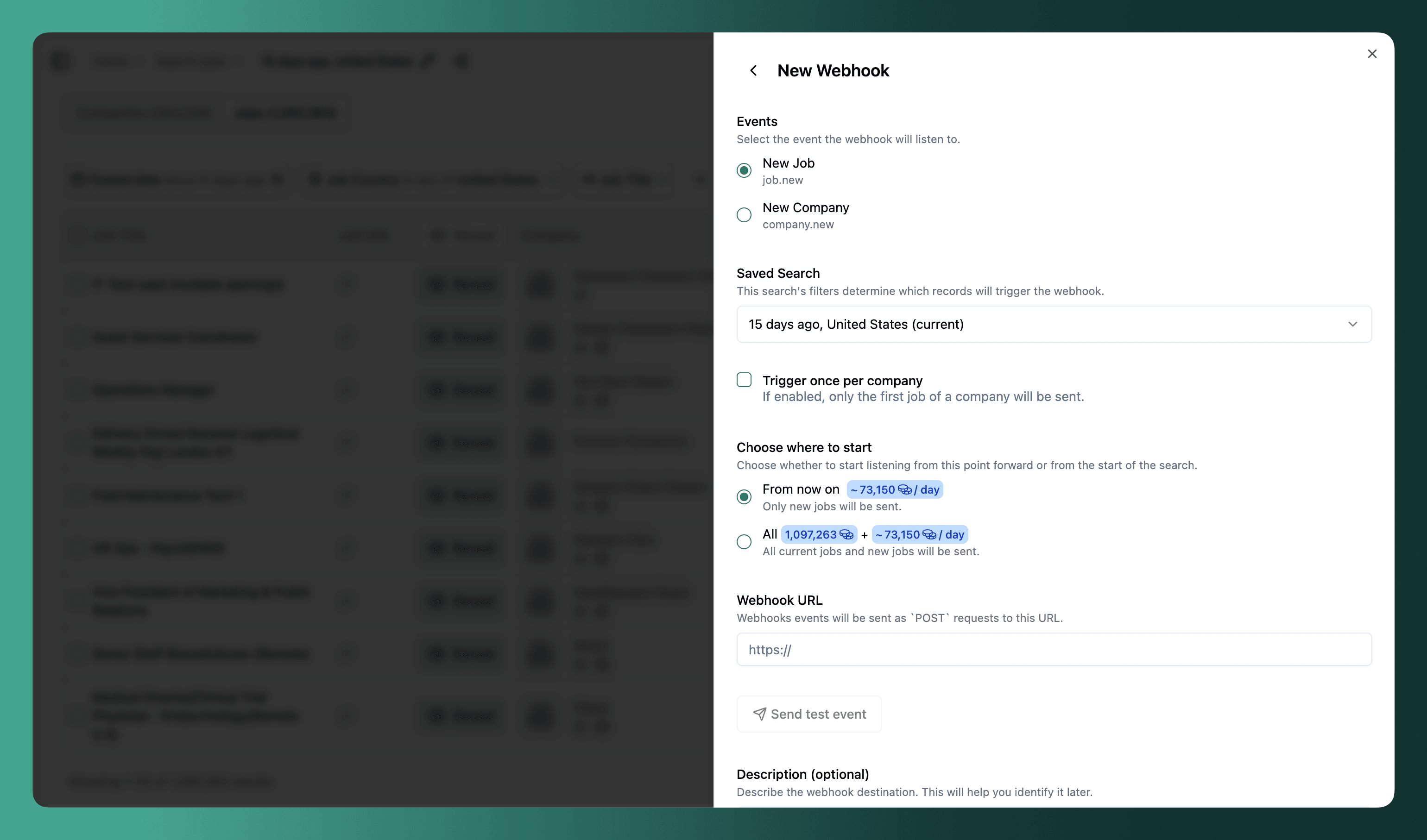
Key settings for recruiting agencies:
-
Trigger once per company: Enable this if you only need to know that a company is hiring in your specialty—not every individual role. You'll get one alert per company, which is cleaner for outreach workflows.
-
Where to start:
- From now on: Only new jobs posted after you create the webhook
- All time: Include existing jobs that already match your search (useful if you want to immediately work a list of current opportunities)
-
Webhook URL: Paste the endpoint from your automation tool (Make, Zapier, n8n) or your custom system
Click "Send test event" to verify your connection works before saving.
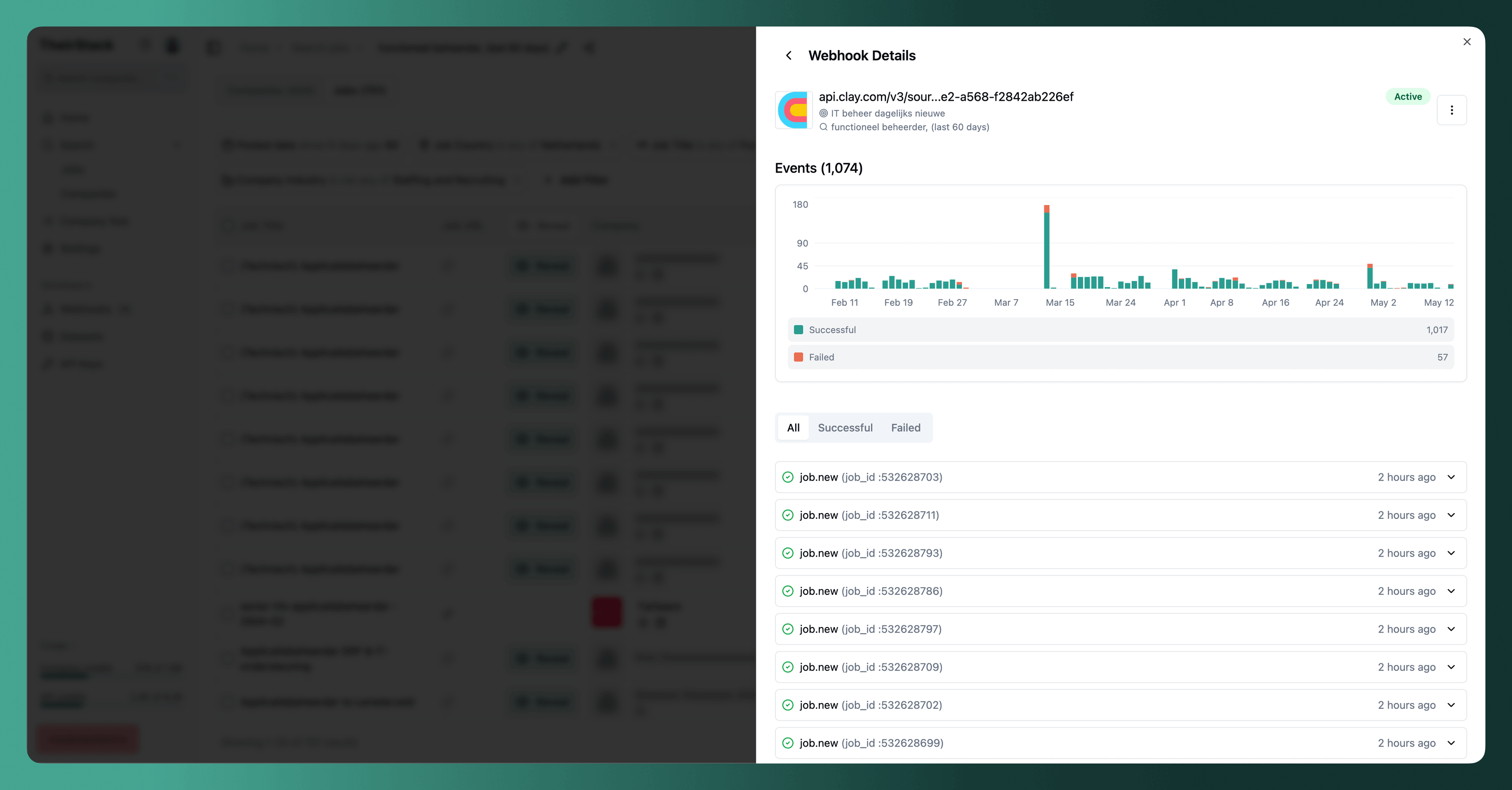
Monitor incoming alerts
Once configured, you'll receive real-time notifications as new jobs match your criteria.
For a complete walkthrough, see How to set up a webhook.
Real-Time Alerts vs. Daily Digests: Which Should You Use?
TheirStack offers two ways to receive job alerts:
Webhooks (Real-Time)
Webhooks send notifications instantly when new jobs match your criteria. They're best for:
- High-volume agencies that need to respond quickly to new opportunities
- Teams using CRMs where you want to automatically create leads
- Slack-based workflows where you want team visibility on new roles
Webhooks integrate with Make, Zapier, n8n, Slack, Salesforce, HubSpot, and any custom system that accepts HTTP requests.
Email Alerts (Daily/Weekly)
Email alerts send a digest of new matching jobs on a schedule. They're best for:
- Solo recruiters or small teams with simpler workflows
- Supplementary monitoring where real-time isn't critical
- Quick setup without any integration work
To enable email alerts, toggle the option on your saved search. See Email Alerts for details.
Where to Send Your Job Alerts
Slack
Get instant team notifications when relevant jobs are posted. Your team sees new opportunities together, and can coordinate who reaches out.
See our guide: How to send jobs to Slack
CRM (Salesforce, HubSpot)
Automatically create leads or accounts when companies post jobs matching your criteria. The webhook payload includes company name, domain, job details, and more—all the data you need to populate a CRM record.
Use Make or Zapier to connect TheirStack webhooks to your CRM.
Make / Zapier
Build custom workflows that trigger on new job postings. Examples:
- Add the company to a prospecting sequence
- Enrich the lead with additional data
- Notify specific team members based on job type or location
- Log the opportunity in a spreadsheet
Custom Systems
If you have your own tools, webhooks deliver JSON payloads directly to any HTTP endpoint. See the webhook event schema for the data format.
Use Cases for Different Recruiting Specialties
Tech Recruiting Agency
Monitor developer roles at high-growth companies:
- Job titles: "Software Engineer", "DevOps", "Data Engineer"
- Company filters: Series A-C startups, tech industry
- Location: Your target markets
- Keywords in job description: Specific technologies you specialize in
Executive Search
Track C-level and VP openings:
- Job titles: "CEO", "CFO", "VP Engineering", "Chief Product Officer"
- Company size: 100+ employees (companies that need formal executive hiring)
- Filter for jobs with known hiring manager for direct outreach
Healthcare Staffing
Focus on healthcare industry and specific roles:
- Industry filter: Healthcare, Hospitals, Medical Practices
- Job titles: "Registered Nurse", "Physician", "Medical Technician"
- Location: Specific states or regions where you have licenses
Multi-Specialty Agency
Run separate alerts per team:
- Create different saved searches for each specialty
- Route webhooks to different Slack channels or CRM pipelines
- Use "trigger once per company" to avoid duplicate outreach
Getting Hiring Manager Contact Information
For many job postings, TheirStack provides the hiring manager's name, role, and LinkedIn profile. This is the person who posted the job—often the recruiter or the direct hiring manager.
To focus on jobs where this data is available, use the "Has hiring manager" filter set to "Yes".
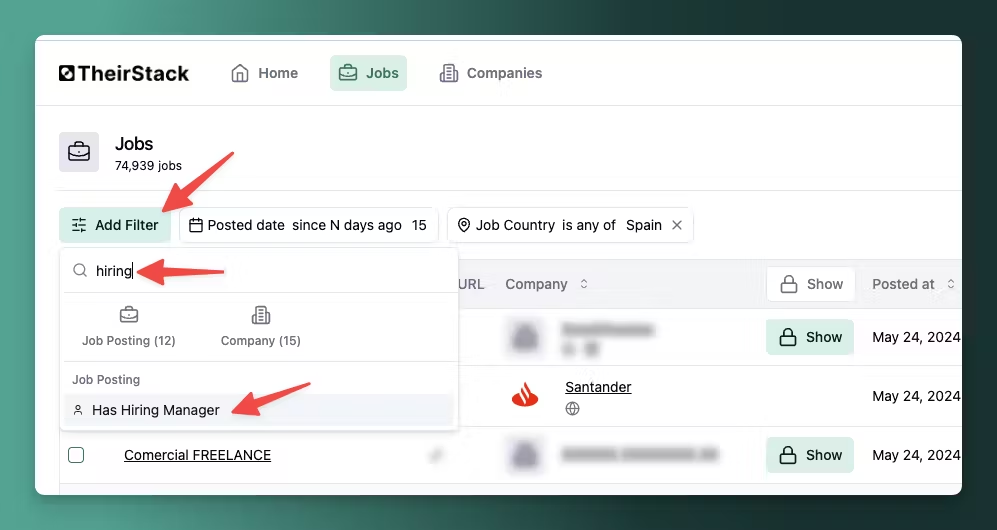
With the hiring manager's LinkedIn profile, you can send a direct, personalized message about the specific role they're trying to fill.
See Hiring Manager data for more details.
Why Other Prospecting Methods Fall Short
Manual Job Board Checking
Browsing LinkedIn, Indeed, and company career pages every day is time-consuming and puts you behind faster-moving competitors. You'll miss roles posted after your daily check, and you can't scale this approach across multiple specialties or geographies.
Generic Scraping Tools
Tools that scrape job boards require technical setup and maintenance. When job boards change their HTML structure, your scraper breaks. You also have to build your own deduplication and alerting logic.
All-in-One Platforms
Some platforms offer job monitoring as part of a broader recruiting suite. The trade-offs:
- Delayed updates: Often daily or weekly batches, not real-time
- Limited integrations: Email reports only, no webhooks or CRM connections
- Fewer sources: May only cover major job boards, missing company career pages and niche platforms
TheirStack focuses specifically on job data infrastructure: 362k sources, real-time webhooks, and flexible integrations. You get the data when you need it, where you need it.
Data Coverage
TheirStack monitors job postings from:
- 362k job boards, ATS platforms, and company career pages
- 195 countries worldwide
- 251M active job listings
New jobs are discovered continuously, so your alerts fire as soon as we detect new postings.
Historical data back to 2021 is available if you want to analyze hiring patterns or identify companies that have recurring needs in your specialty.
Get Ahead of Your Competitors
Every hour you spend manually checking job boards is an hour your competitors are using automated alerts. Set up monitoring in minutes and start getting notified the moment target companies post new roles.
Further Reading
- How to monitor job postings automatically — Complete guide to automated job tracking
- How to set up a webhook — Step-by-step webhook configuration
- How to send jobs to Slack — Slack integration walkthrough
- Excluding recruiting agencies — Filter out competitor job posts
- Hiring manager data — Get decision-maker contact info
- Email Alerts — Simpler alternative to webhooks