Now you can rerun any export's search in one click

Christian Palou
Co-Founder at TheirStack
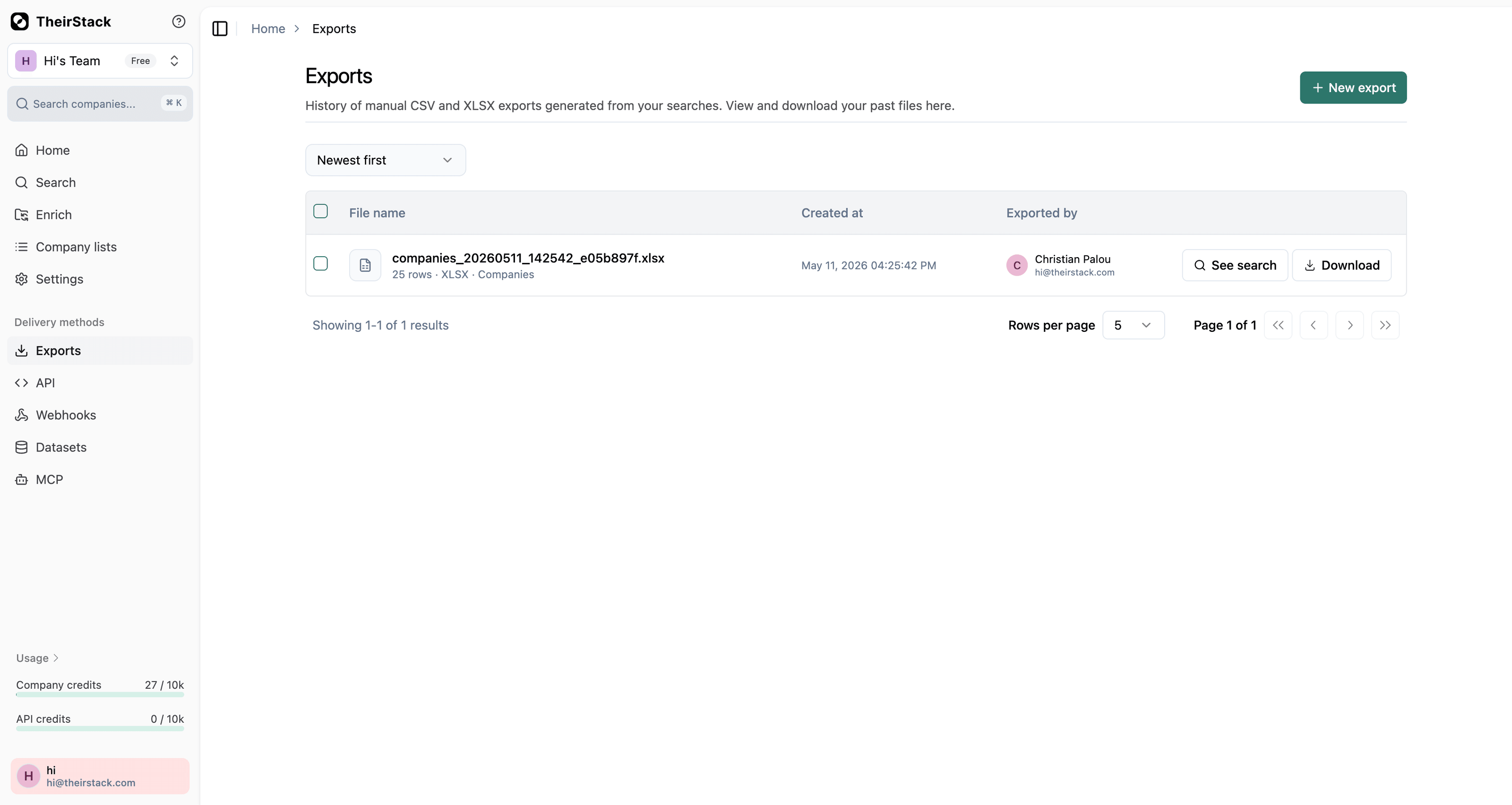
Every row in Export History now has a See search button.
Click it and you land on the search page (jobs or companies) with the exact filters that were used to create that export — pre-applied. From there you can:
- Inspect what the export was built on, instead of guessing from the file name.
- Re-run the same search to get fresh results.
- Tweak a filter (add a country, widen the date range, change the keyword) and export again.
Previously, repeating an export meant rebuilding the entire query by hand. Now it's one click from the history table.
The button only appears when the export was built from a re-runnable search (job and company searches). It's hidden for older exports created before we started snapshotting filters, and for export types that aren't searches (company lists, technographics, keyword exports).