New Webhooks page: see at a glance which ones are firing

Christian Palou
Co-Founder at TheirStack
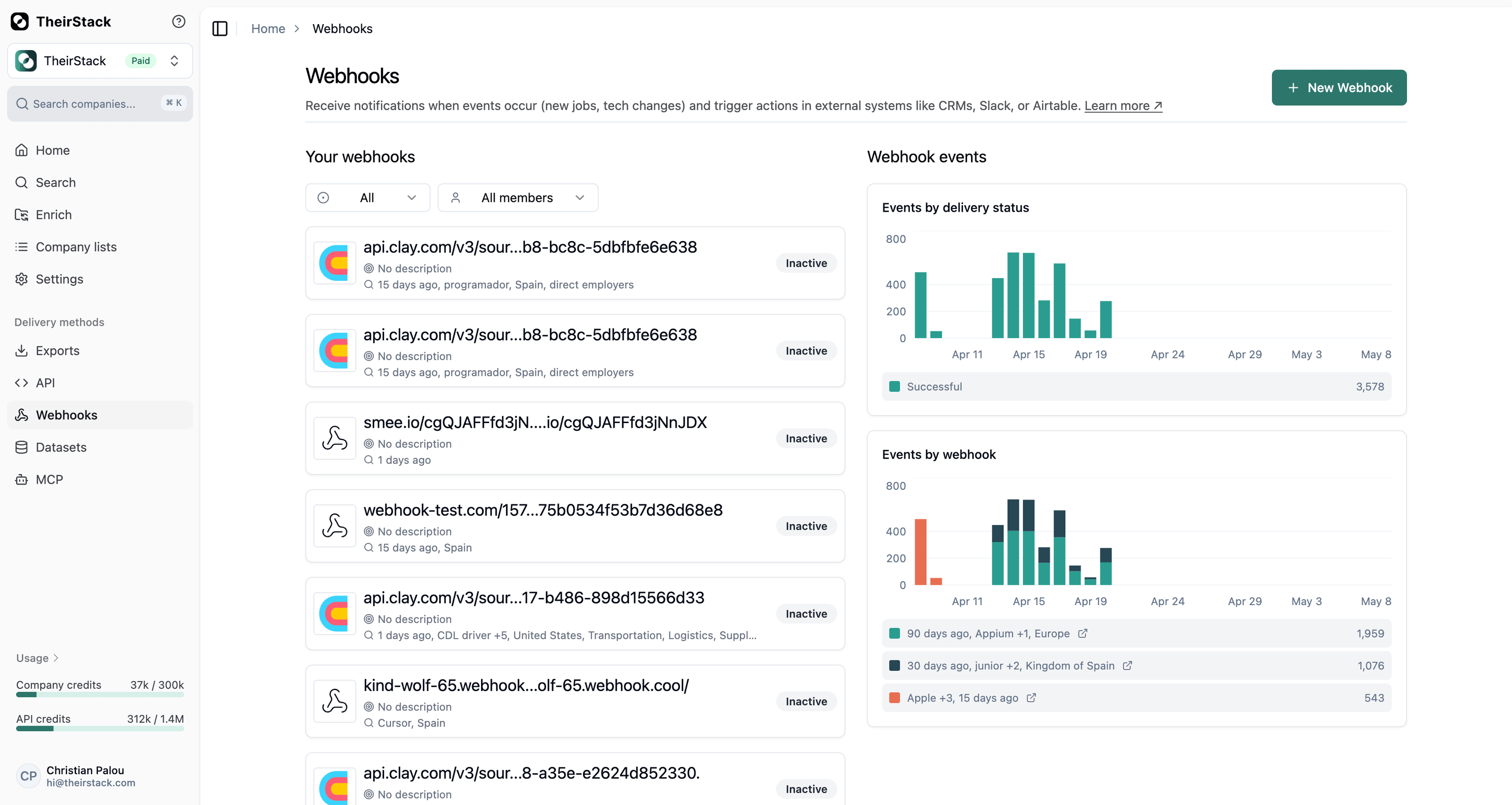
The Webhooks page got a full redesign so you can see how your webhooks are performing without clicking into each one.
What's new
- Executions chart, side by side with the list. The page now has two columns: your webhook list on the left, and an executions chart grouped by webhook on the right. One look tells you which webhooks are firing the most, which ones went quiet, and which ones are erroring.
- Filter by status. A new status filter lets you focus on
Active,Inactive,Archived, orAll. Defaults to Active so the noisy archived ones stay out of the way. - Filter by team member. On shared workspaces with many webhooks, filter the list to only the ones a specific teammate created.
- No more gaps in the chart. The chart now plots every day in the range, even days with zero events — so trends are easier to read.
More on how webhooks work in the webhooks documentation.