
Notification Preferences
Learn how to control which emails TheirStack sends you. Toggle off any notification category from Settings to stop those emails instantly.
Getting too many alerts from TheirStack? From your Notification Preferences you can stop a specific type of alert — just toggle off the category you don't want to receive anymore.
Where to find it
From the Home page, open Settings in the left sidebar (the gear icon near the bottom).
Click Preferences in the Settings sidebar, under the Account section.
You'll land on the Preferences screen, which shows a list of toggles grouped by category.
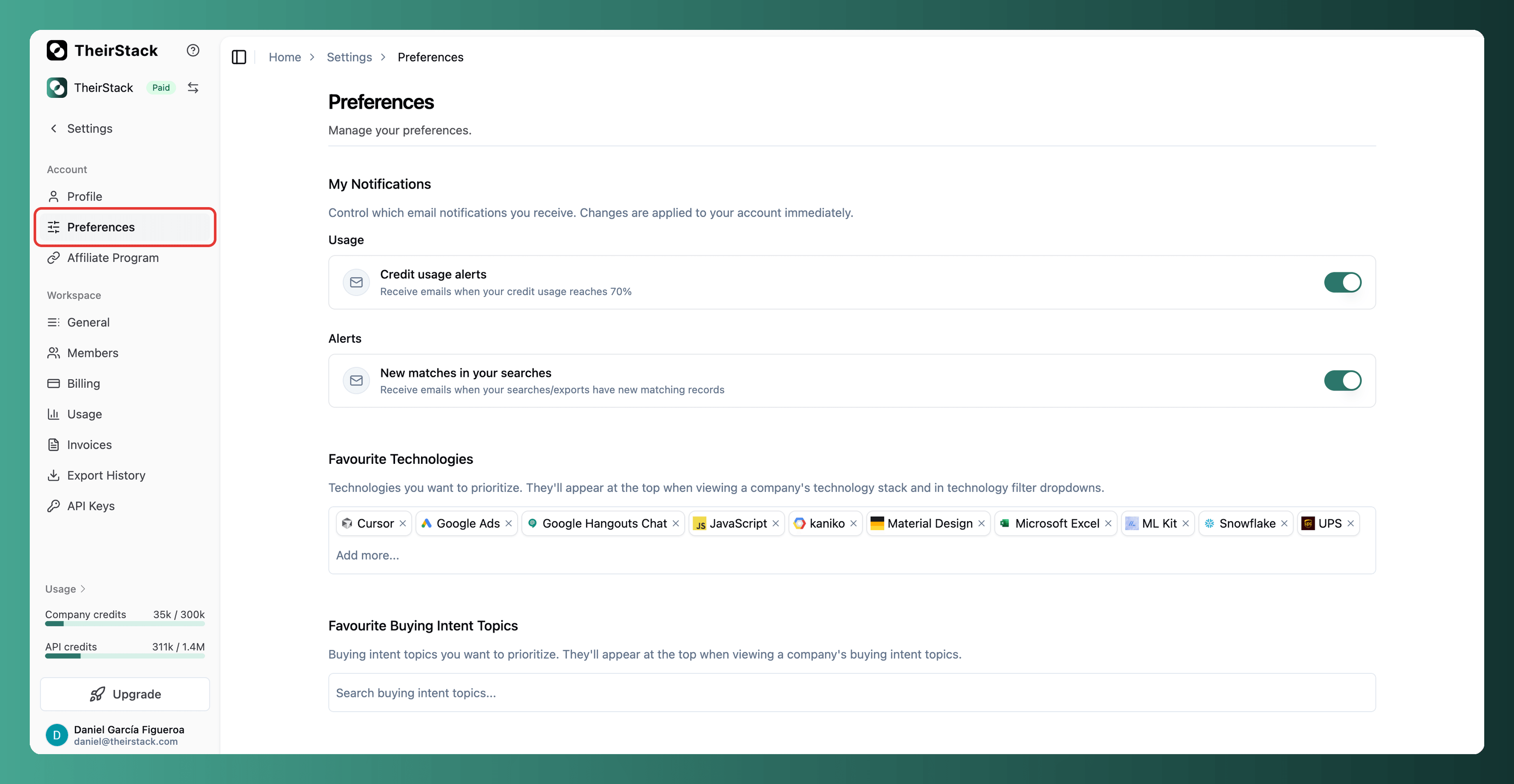
Switch any toggle off to stop receiving every email tied to that category. Changes apply to your account immediately.
Available preferences
Toggles are grouped into two categories:
- Usage: Emails when your monthly company credits or API credits consumption reaches 70%, 90% and 100% of your plan quota
- Alerts: The daily and weekly emails that let you know when one of your saved searches has new matching records compared to the previous run
Related
How is this guide?
Last updated on