Now you can export your Signals feed to Excel

Christian Palou
Co-Founder at TheirStack
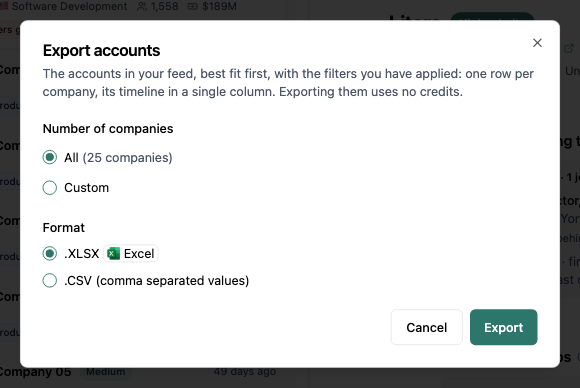
You can now download the accounts your Signals found as an Excel or CSV file, one row per company in the order the feed shows them. Each row has:
- The company's name, domain, website, LinkedIn, industry, country, employees and revenue.
- Its priority and score, the signals it meets and its strongest signal summed up in a sentence.
- With HubSpot connected, its CRM status, owner and a link to its record.
- In the last column, its timeline of every signal it meets, newest first, with the job ads or technologies behind each one and the sentence that matched.
In Excel, a timeline cell reads like this:
2026-11-10 · Hiring a GTM Engineer (Target role)
Acme is hiring a GTM Engineer
- Job ad, 2026-11-10: GTM Engineer · Madrid, Spain · https://…
  “You will own our Clay tables and outbound workflows”
- 4 more job ads behind this signal

2026-10-02 · Uses a competitor (Competitor)
Acme uses Clay
- Technology, since 2025-03-02: Clay, named in 12 job ads, the last on 2026-10-15
The file keeps the filters you have on the feed, so filter it first to export only the accounts you need, up to 50,000 per export. Exporting uses no credits, because you already paid for each company when its signal found it. You can download the file again from Exports for 7 days.
To try it, open Signals and click Export at the top of Accounts.