Find your best Signals accounts with four new filters

Christian Palou
Co-Founder at TheirStack
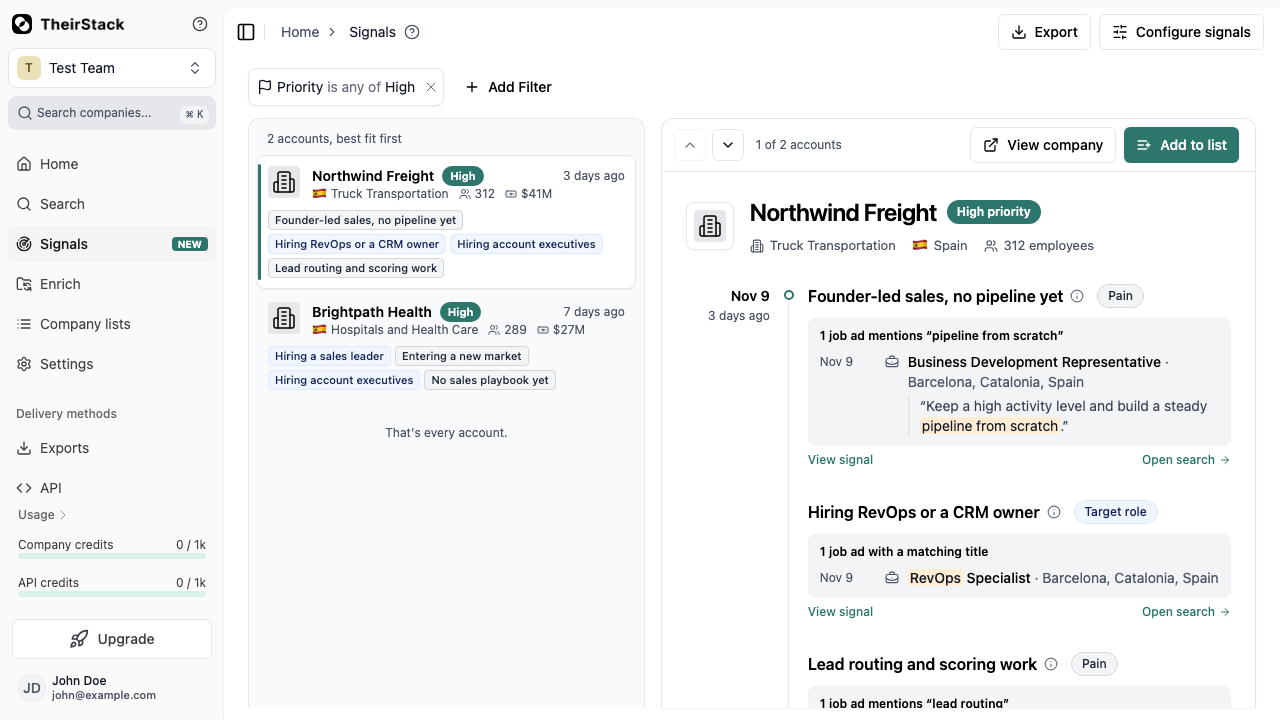
The Accounts page of Signals has four new filters:
- Priority keeps the High, Medium or Low priority accounts, or any mix of them (how priority works).
- Signal type keeps the accounts that meet a signal of the types you pick, such as Competitor or Target role, and works out their priority from those signals alone.
- Latest evidence keeps the accounts whose newest job ad or technology is from the last 7, 30 or 90 days.
- Number of signals keeps the accounts that meet 2 or more, or 3 or more, of your signals.
They combine with Product to pitch, Signal and, with HubSpot connected, CRM status. For example, High priority accounts with evidence from the last 7 days that aren't in your CRM are the ones to call this week.
The filters stay in the page's link, so you can bookmark a view or send it to a teammate. Exporting the feed only takes the accounts they keep.
To try them, open Signals and add a filter above the feed.