Cap how much a webhook sends and spends each day

Co-Founder at TheirStack

Product Engineer at TheirStack
A webhook sends every record that matches its saved search. Point one at a broad search, or at the whole history of a search instead of only new records, and the credits add up fast. Now you can put a ceiling on it.
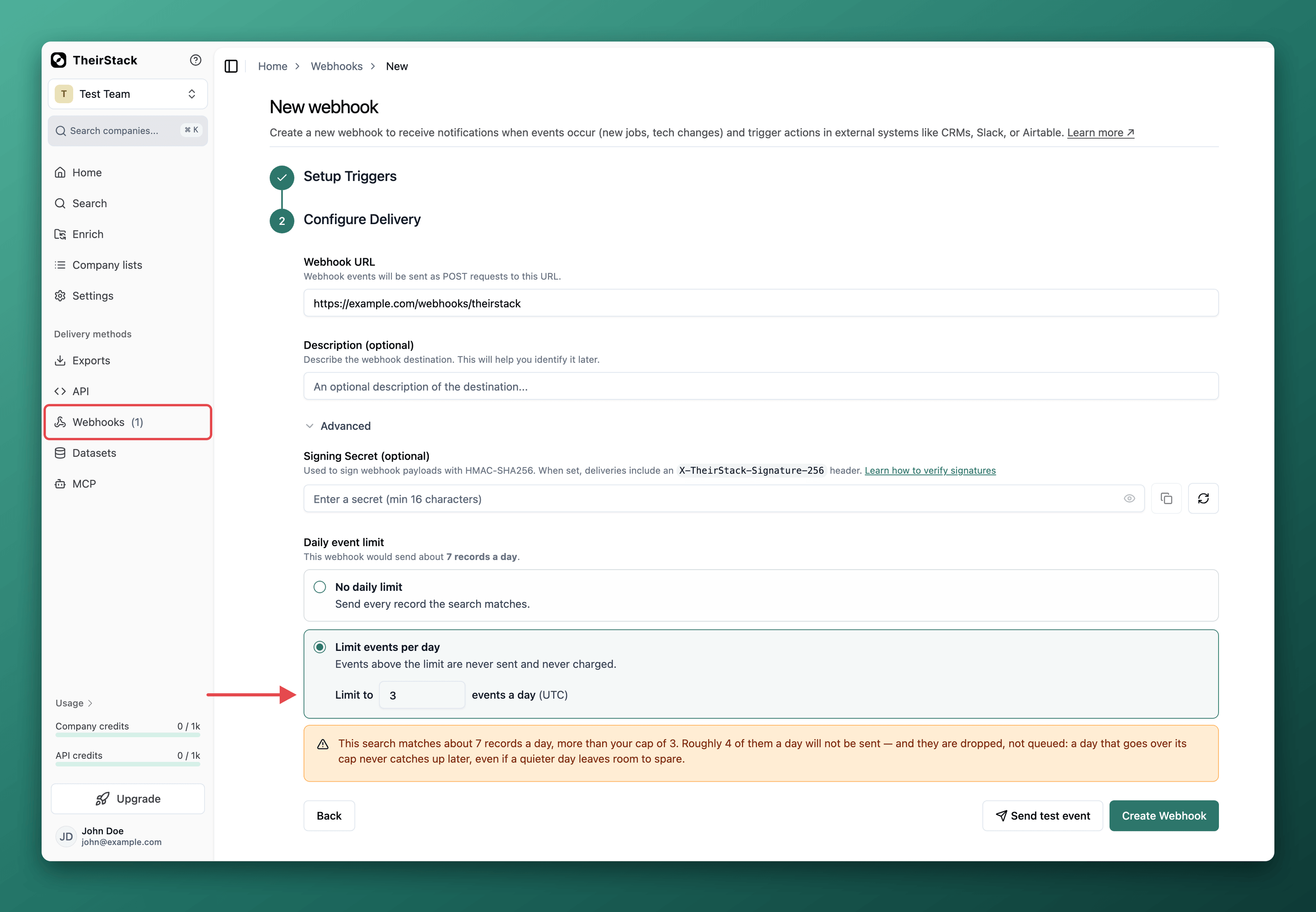
Set a daily event limit (max_events_per_day) on any webhook. Once it has sent that many events in a day, it stops until midnight UTC. An event stopped by the limit is never sent and never charged, so the cap bounds what the webhook costs you, not only what it delivers.
In the app
When you set a limit, the form shows how many records the search has matched per day over the last week, and warns you if your cap sits below that, with how many records a day you would miss. You can still save it: getting less than everything is a normal thing to want, and the warning is there so it is a decision rather than a surprise.
In the API
Send max_events_per_day when you create a webhook on POST /v0/webhooks, or change it later on PATCH /v0/webhooks/{id}. Leave it empty for no limit.
To size it, GET /v0/webhooks/volume-estimate returns what the search matches per day and what that costs, so you can pick a cap before you turn the webhook on:
{
    "search_id": 123,
    "records_last_7_days": 1050,
    "avg_records_per_day": 150,
    "credits_per_record": 1,
    "avg_credits_per_day": 150
}
With MCP
The webhook tools are on our MCP server now, so an assistant connected to your workspace can create a webhook, or add a limit to one you already have, without leaving the chat. Tell it to keep a webhook under 100 events a day and it makes the change for you.
More on how the daily event limit behaves, including why records over the cap are dropped rather than queued and what happens when you lower it mid-day, in the daily event limit documentation.