
Job Search
Search and filter job postings by title, technology, salary, location, and 20+ other attributes. Combine with company filters to find jobs at companies matching your ICP.
TheirStack aggregates 256M job postings from 365k sources across 195 countries into a single searchable interface with 20+ filters. Search by job title, technology, salary, location, company size, industry, and more.
Open a new job search
Go to Job Search and click Search. By default, it returns jobs posted in the last 15 days in your country.
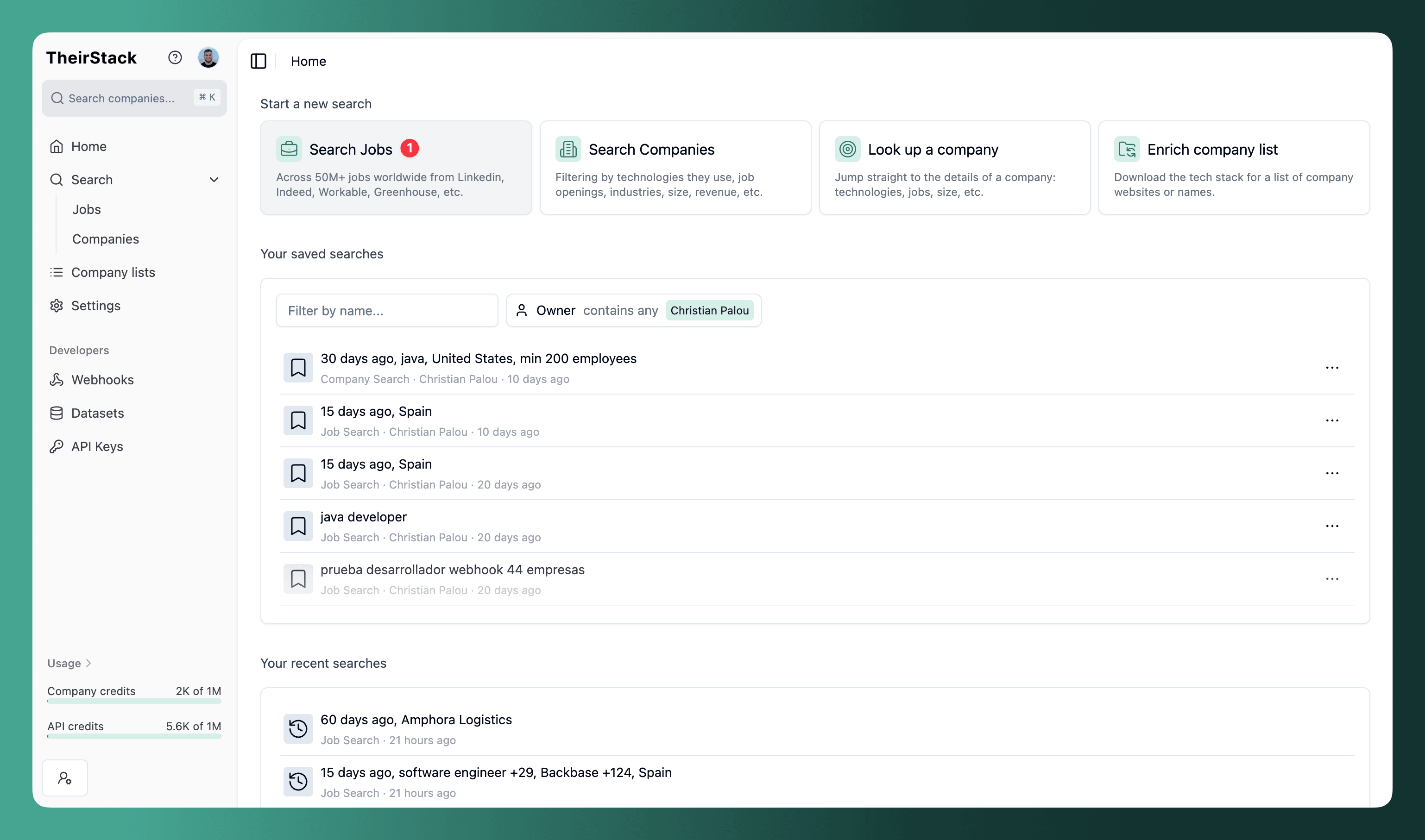
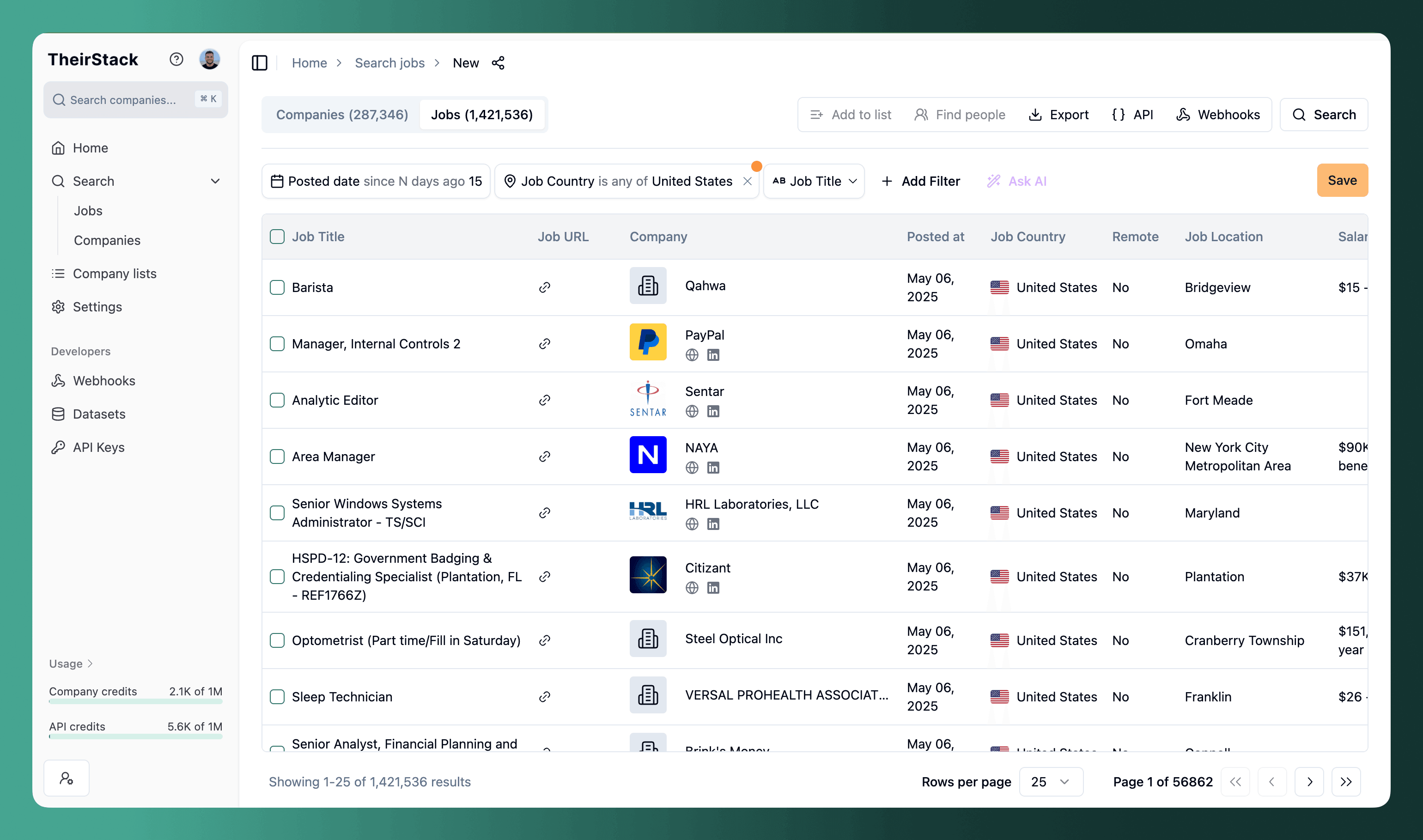
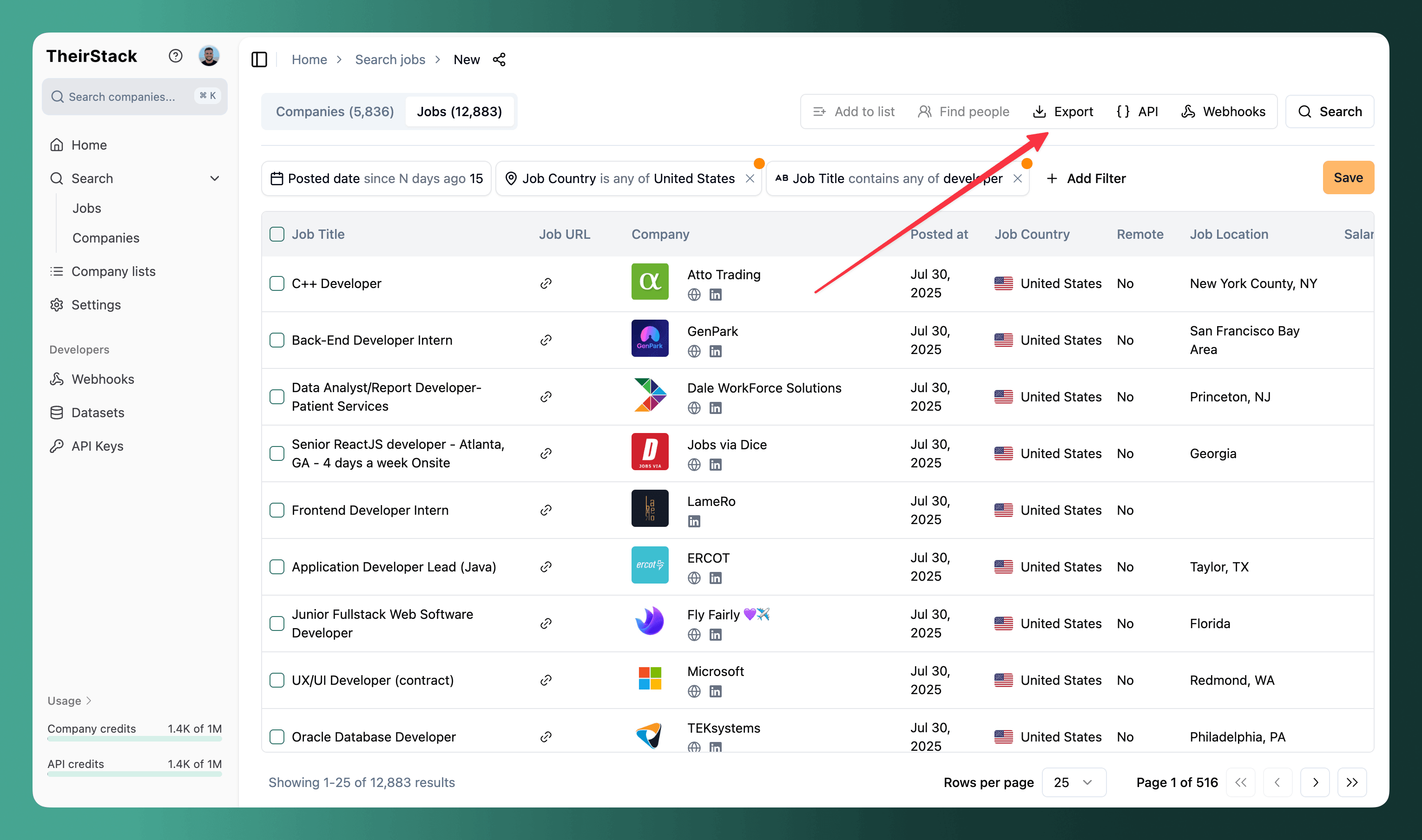
Results appear in seconds. Each row shows job title, company, location, date posted, salary (when available), remote status, and source.
Filters
The filter bar sits at the top of the search, above the results table. Click Add filter to see all available filters (on a narrow screen or mobile the filters collapse behind the filter icon in the toolbar, a funnel with a "+", tap it to open the same panel). Type to search. Most filters support multiple operators ("contains any of", "does not contain any of", "is any of", "is not any of"), so you can include and exclude on the same attribute.
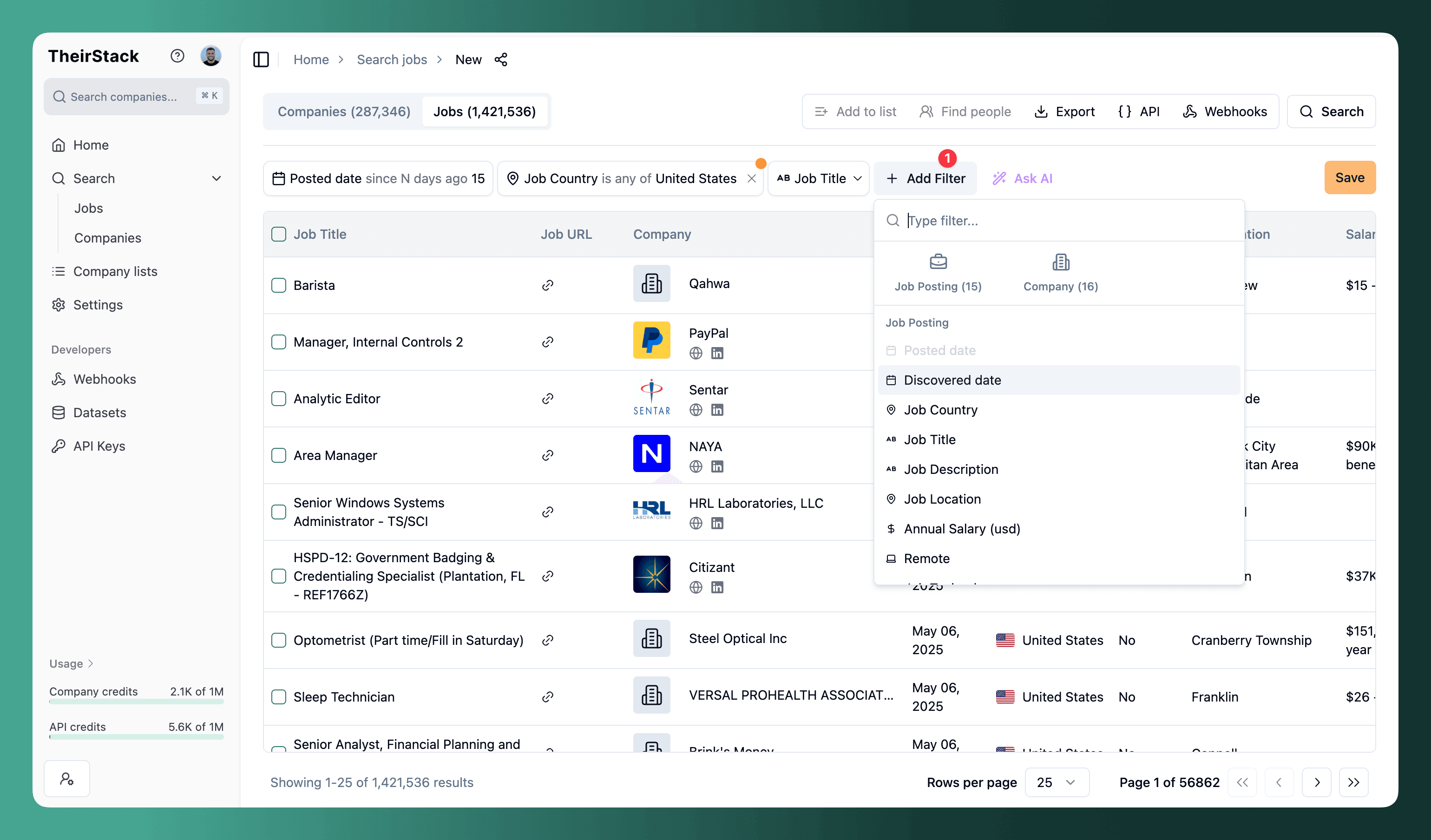
Job filters
| Filter | What it does |
|---|---|
| Job title | Match by role name. Add multiple titles, one per line. Operators: "contains any of", "does not contain any of", regex. |
| Job description | Search full description text. Supports keywords and regex patterns. |
| Job technology | Technologies mentioned in the job (e.g., Snowflake, Kubernetes). Supports "is any of", "contains all of", "is not any of". |
| Buying intent topic | Topics signaling purchase intent extracted from the job posting. |
| Job country | Filter by country. Add multiple or exclude specific ones. |
| Job location | Filter by city or region (geocoded). |
| Date posted | How far back to search. Default is 15 days; set to "all time" for historical data. |
| Discovered date | When TheirStack first found the job — useful for catching recently indexed older postings. |
| Annual salary (USD) | Set minimum/maximum annual salary. |
| Workplace type | Show on-site, hybrid, or remote jobs. You can select multiple workplace types. |
| Seniority level | Junior, Mid-level, Senior, Staff, C-level. |
| Employment type | Full-time, Part-time, Contract, Internship, Freelance, and more. |
| Has hiring manager | Only show jobs where a hiring manager's LinkedIn profile has been identified. |
| Easy apply | Only show jobs that support direct application (vs. redirect to company website). |
| Includes reports-to role | Only show jobs that mention the role the person reports to. |
| Job source | Filter by origin domain (linkedin.com, indeed.com, greenhouse.io, etc.). |
| Job Closed | Show only closed jobs (is closed), only open jobs, or all. Use the date range operator to filter by when the job was closed — useful to surface recently filled roles. |
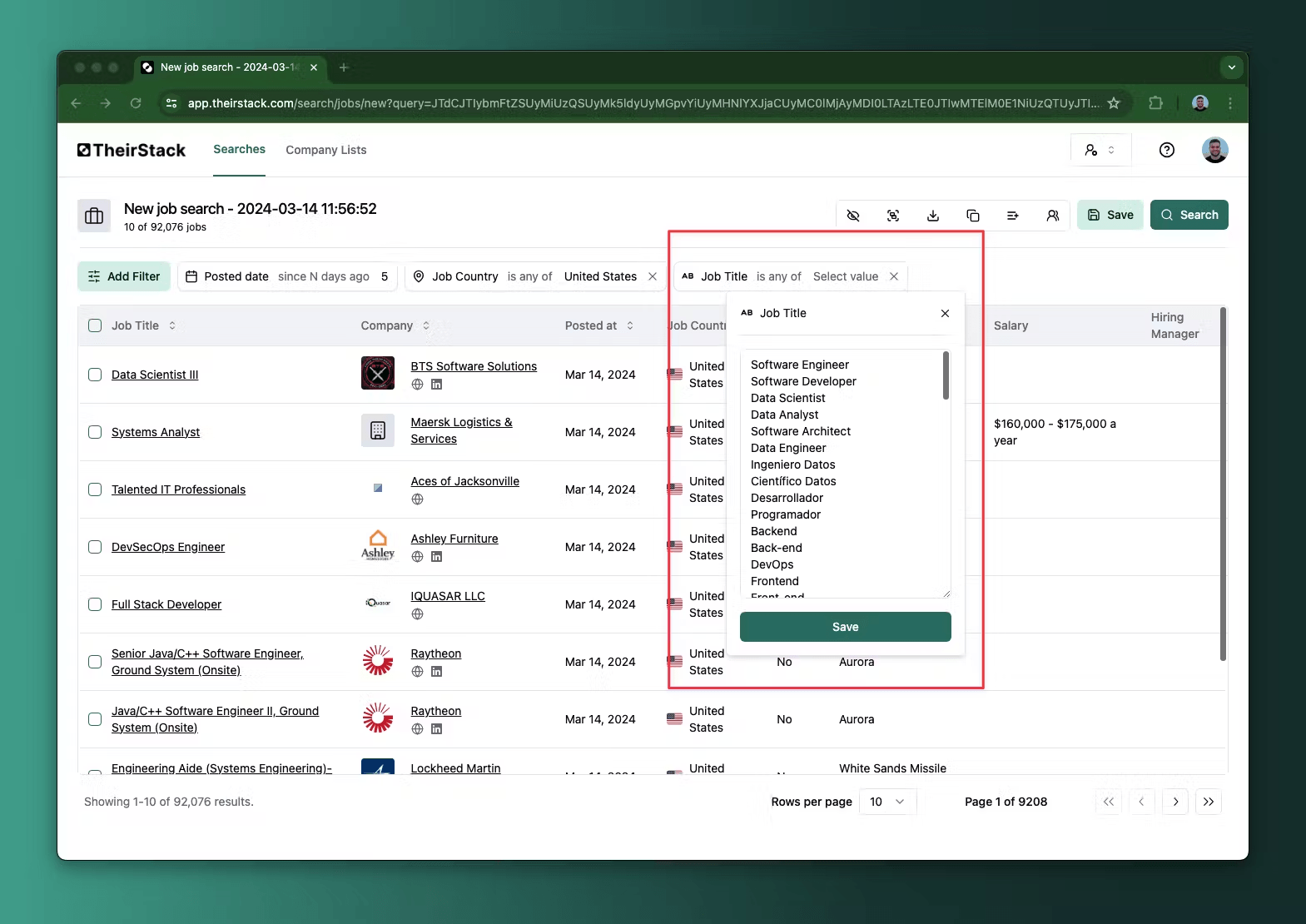
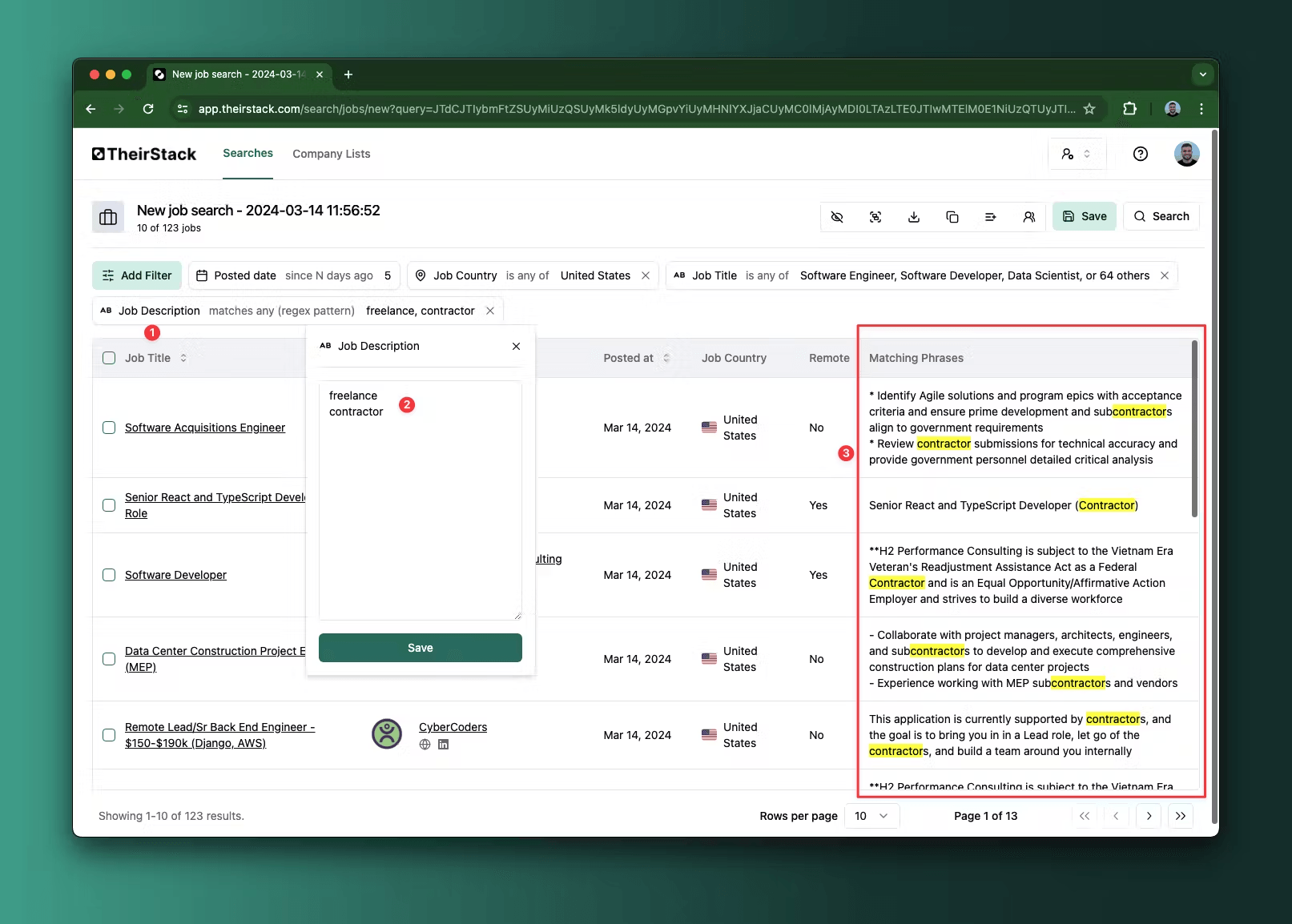
Pro tip: To get only technical roles, paste a curated list of 60+ tech job titles into the job title filter.
Company filters
| Filter | What it does |
|---|---|
| Company name | Include or exclude by name. Supports exact match, partial match, and catalog lookup. |
| Company description | Keywords or regex in company descriptions. |
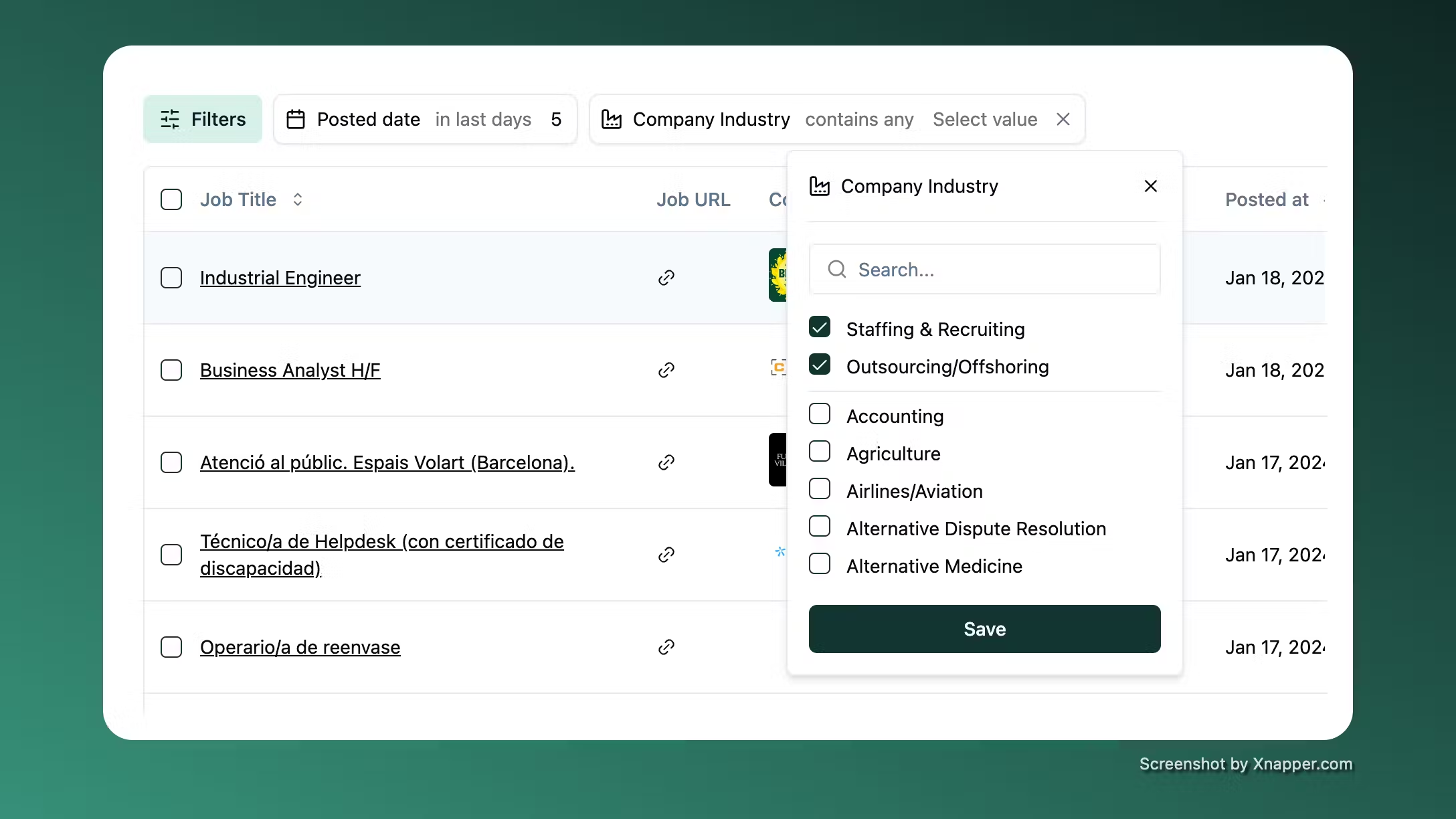
| Company industry | Include or exclude industries. |
| Company HQ country | Filter by headquarters country. |
| Company city | Filter by headquarters city. |
| Employees | Employee count range. |
| Company revenue | Annual revenue range in USD. |
| Company funding | Total funding raised in USD. |
| Company funding stages | Pre-Seed, Seed, Series A through J, Post-IPO, and more. |
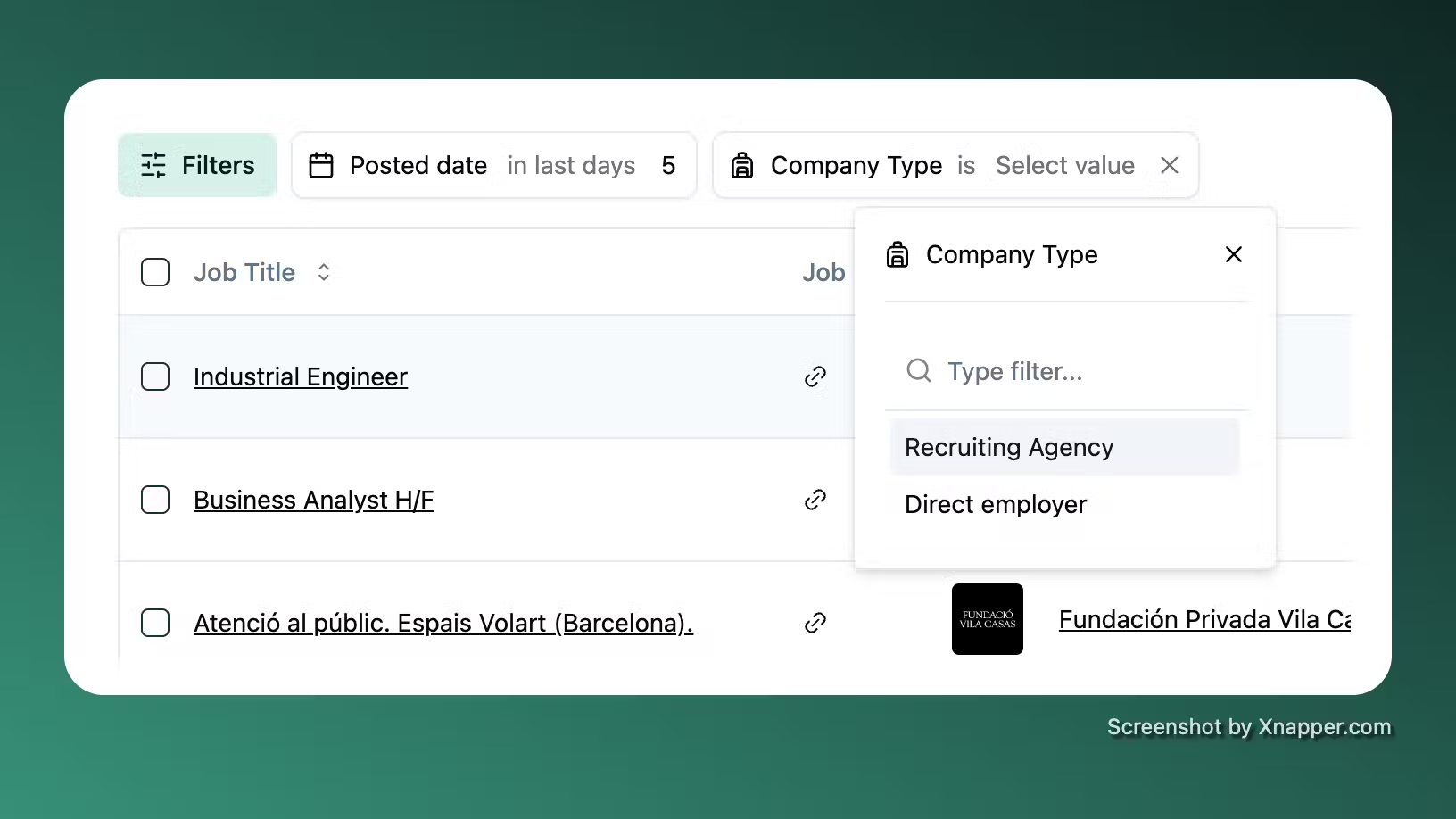
| Company type | Direct employer vs. recruiting agency. See excluding agencies. |
| Company technology | Technologies in the company's stack — not just what's in the job post. |
| Company buying intent topic | Topics the company is actively interested in, based on their jobs and online signals. |
| Company list | Include or exclude companies from your saved company lists. |
| Website domain | Include or exclude specific domains. |
Understanding the results
Job details
Click any job title to see the full posting — description, required skills, location, salary, seniority level, employment type, and the original source URL. If you haven't revealed that company yet, clicking the title asks you to confirm the reveal first, then opens the posting with everything unblurred. TheirStack stores all historical data, so even expired jobs remain accessible.
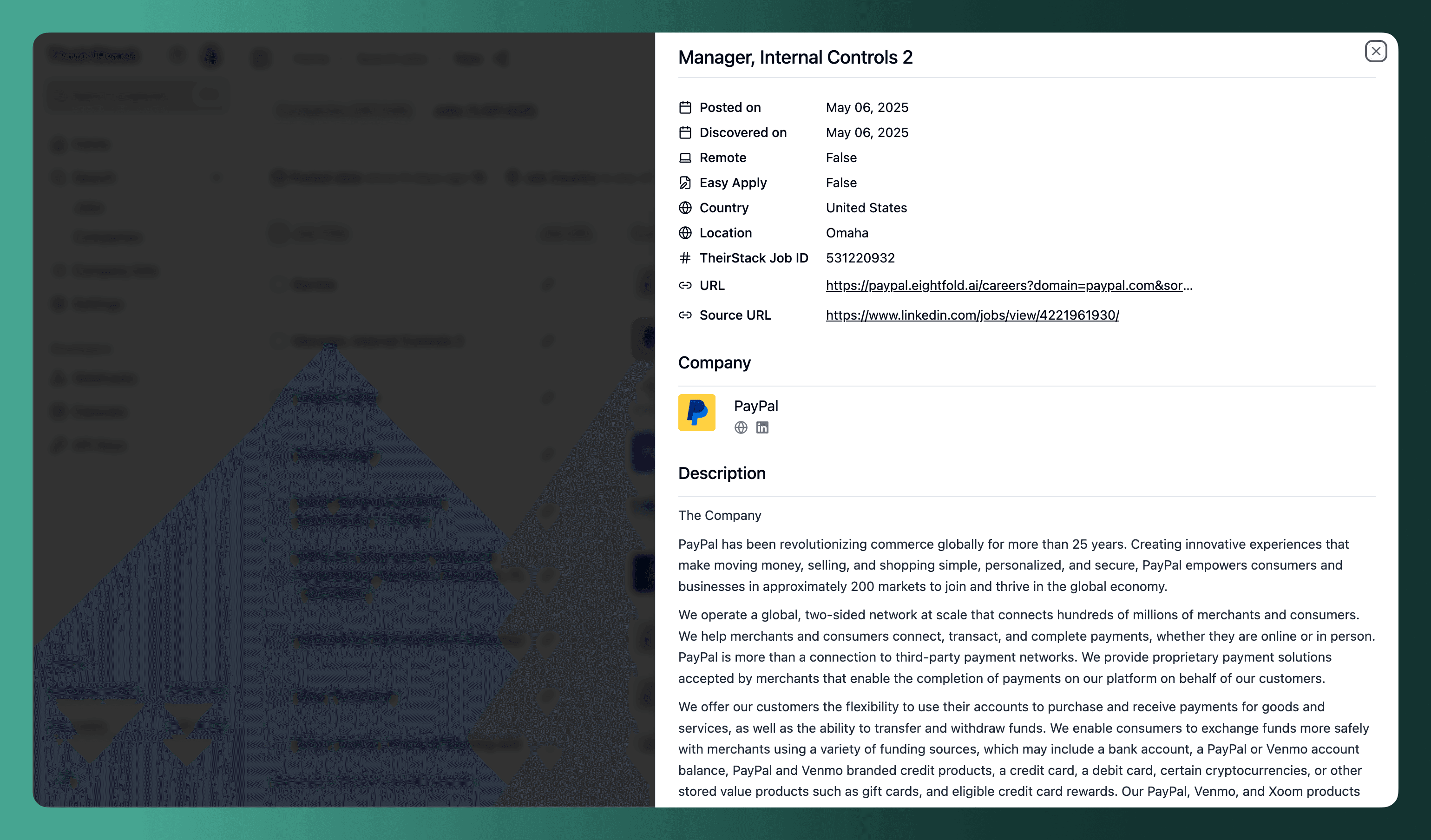
When a hiring manager has been identified for a job, their LinkedIn profile is shown directly in the results table and the job modal.
Company profile
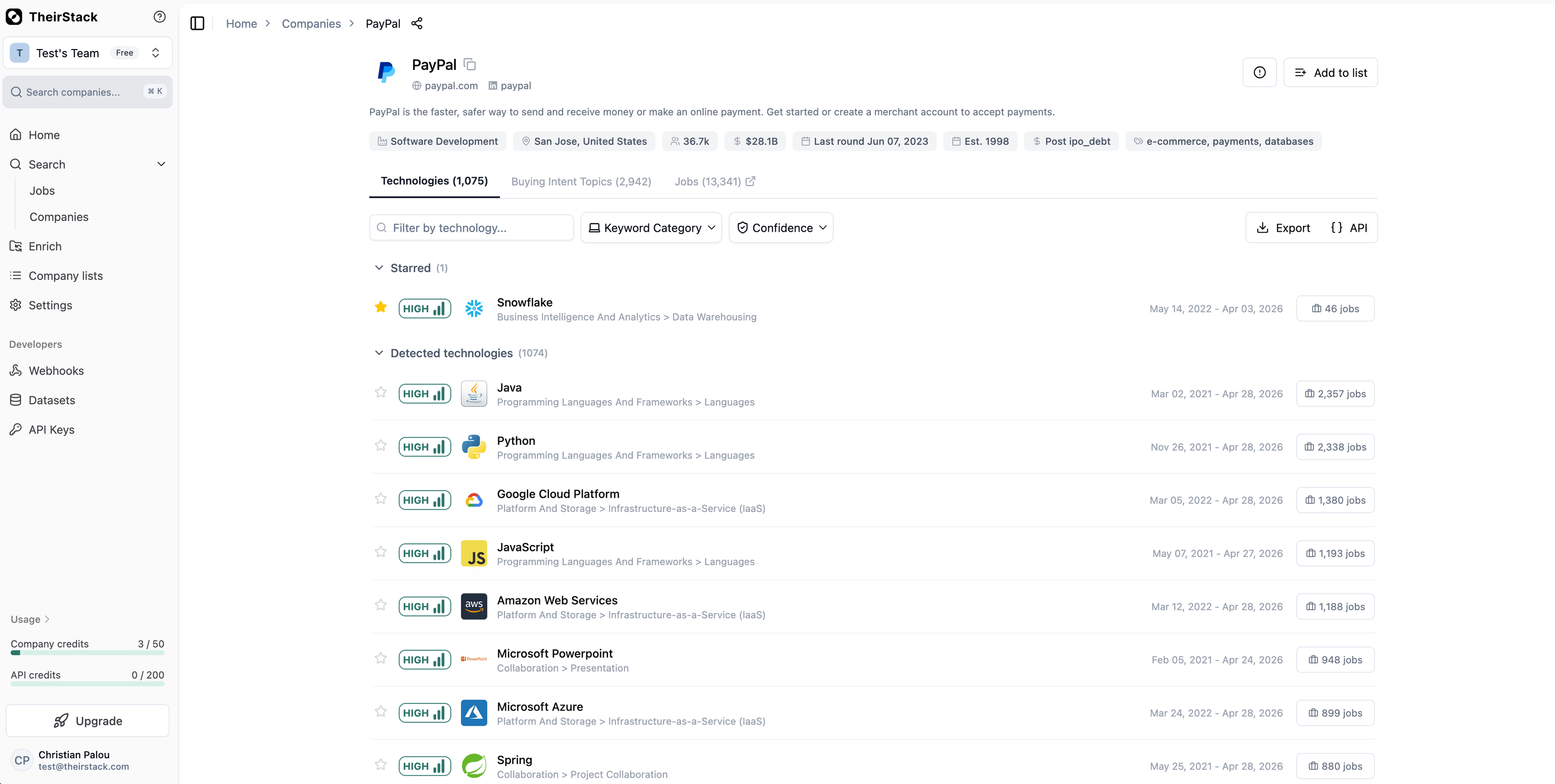
Click any company name to open its profile with headcount, revenue, funding, industry, and headquarters. The Technologies tab shows the full tech stack with confidence levels, job mention counts, and first/last seen dates.
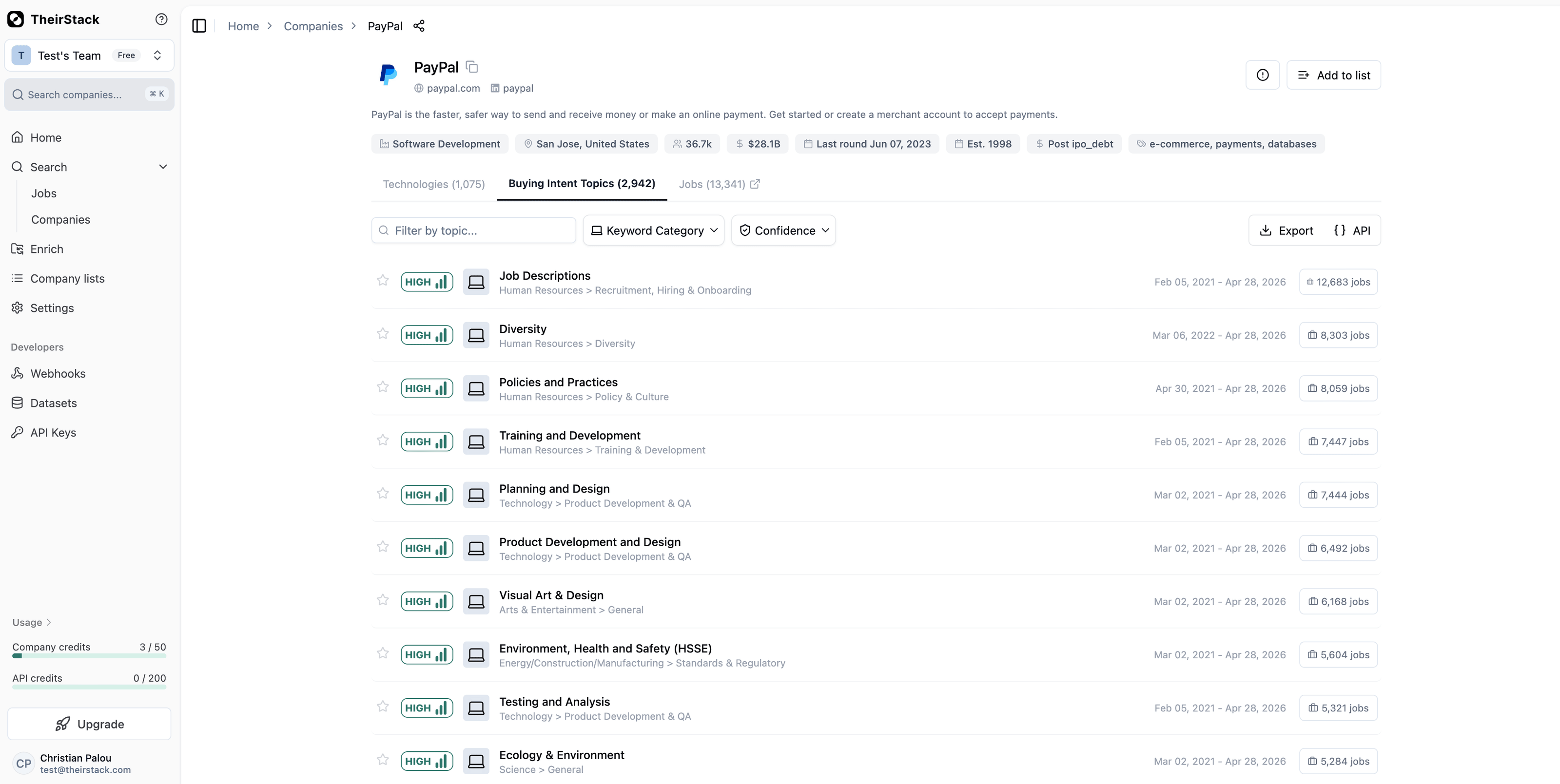
The Buying Intent Topics tab reveals what the company is actively investing in.
Reveal company data
Results appear in preview mode — company names and domains are blurred. Click Reveal to unlock a company's full data. Each reveal costs 1 company credit and gives you access for 90 days.
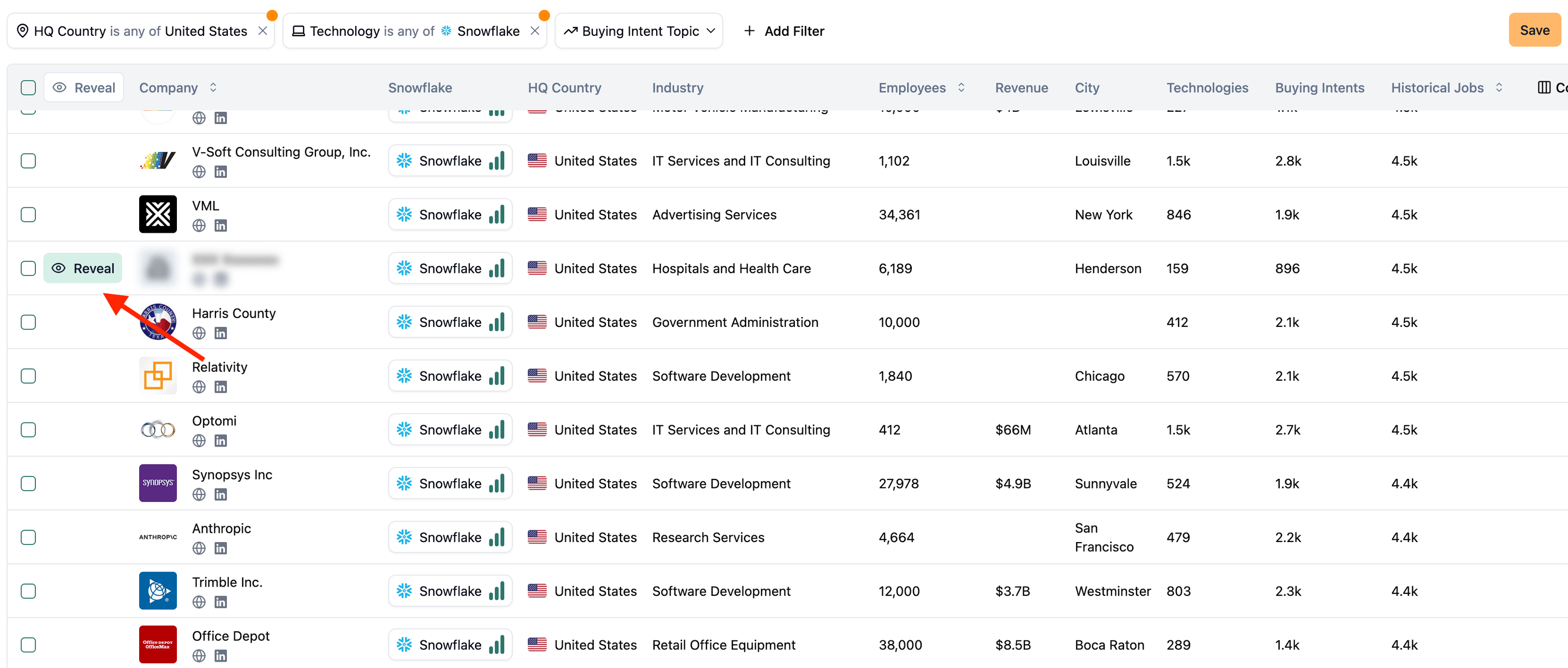
Every revealed company is automatically added to your Companies Seen list.
Customize columns
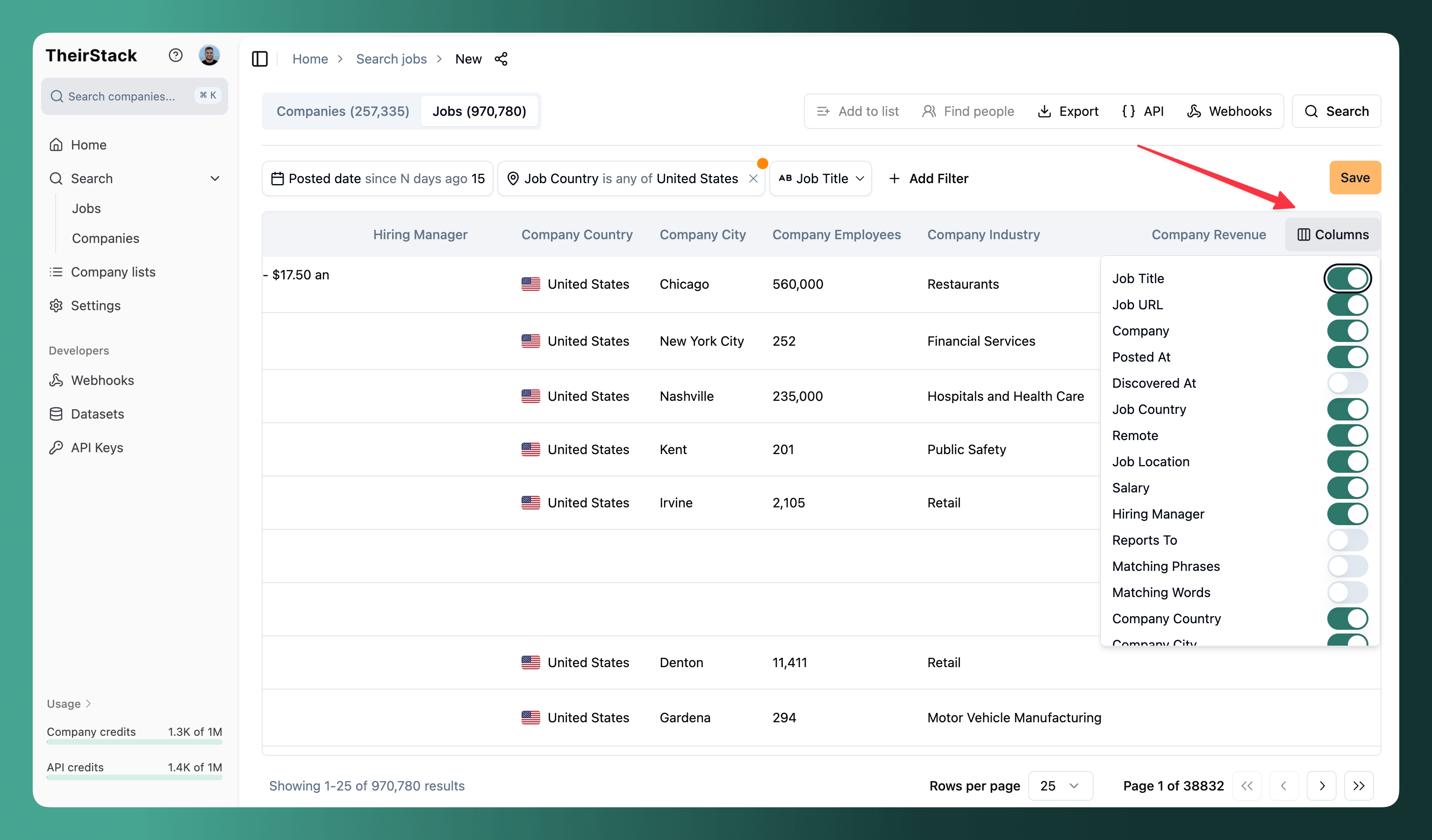
Click Columns in the table header to show or hide columns. Available columns include salary, remote status, hiring manager, employment type, matching keywords, company revenue, and more.
Bulk actions
Select multiple rows using the checkboxes, then:
- Add to company list — Organize revealed companies into lists for tracking and deduplication
- Find people — Look up contacts at selected companies via Apollo, LinkedIn Recruiter, LinkedIn Sales Navigator, or ContactOut
Export data
Click Export to download results as CSV, Excel, or push them to external systems via webhook.
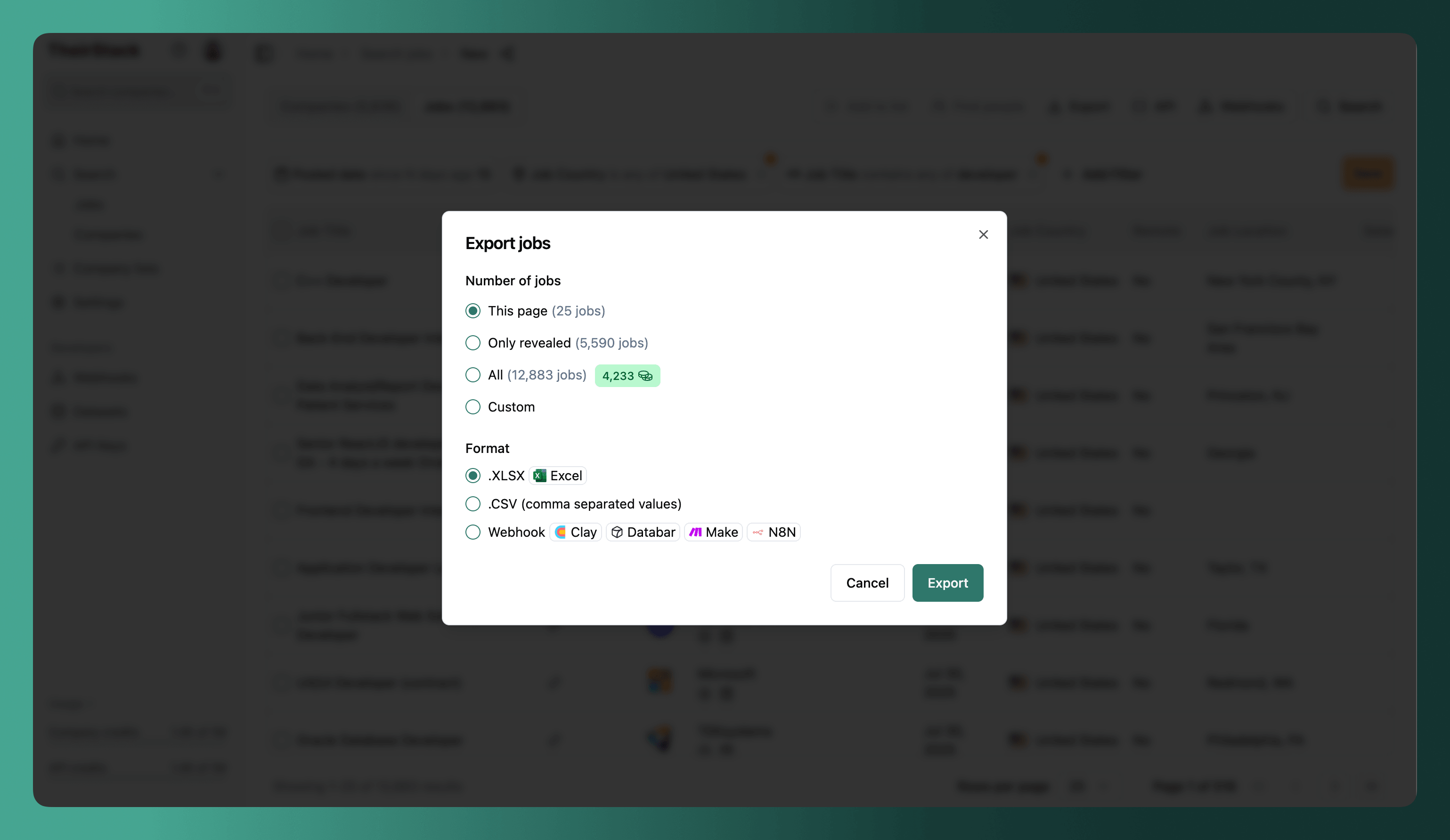
Each option shows its cost in company credits.
Jobs per company per export
A single export returns at most 200 jobs per company — see why this cap exists.
- When your search matches more than 200 jobs from the same company, the export keeps the 200 most recent and leaves out the rest. The export dialog shows a note whenever this happens, comparing how many jobs match your search with how many the export will actually include.
- The cap is per company, so exports spanning many companies aren't penalized — you can export up to 200 jobs from each.
- To pull all of a company's jobs (beyond 200), use the Job Search API, billed in API credits (1 API credit per job).
Get the API equivalent
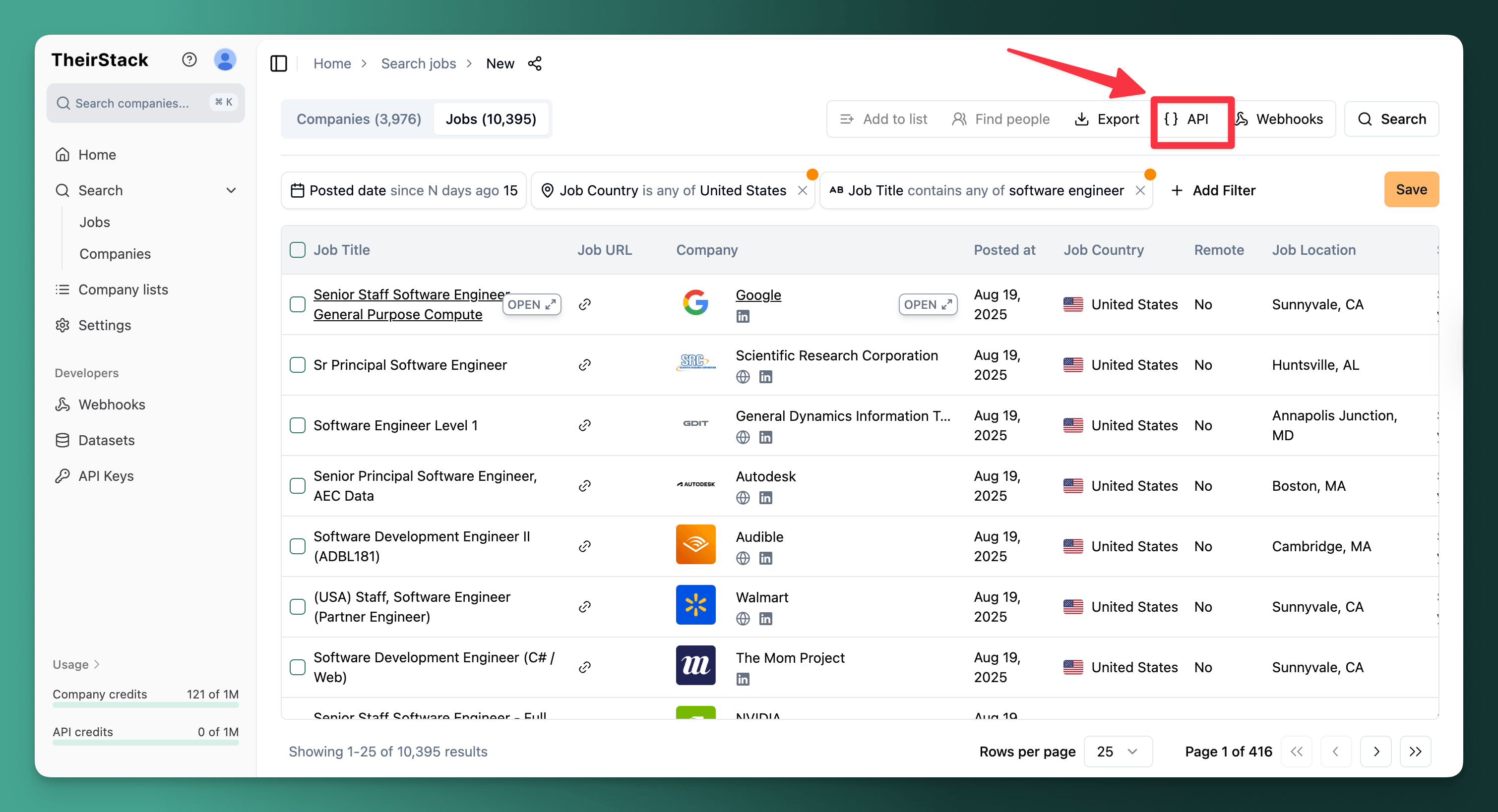
Click the API button to see the cURL command for your current search. Copy it to use the same query programmatically, or use it as a starting point for Make or N8N integrations.
Example searches
Find companies building data teams
You sell a data integration tool and want to find mid-market companies actively investing in their data stack.
- Job title: "Data Engineer", "Analytics Engineer", "Data Platform Engineer" (contains any of)
- Job technology: Snowflake, Databricks, BigQuery (is any of)
- Company type: Direct employer
- Employees: 100–1,000
- HQ Country: United States
- Date posted: Last 7 days
- Company list: is not in "Already contacted"
Find clients with open roles in your specialty
You place React developers and want to find companies with open roles right now — plus the hiring manager to pitch to.
- Job title: "Frontend Developer", "React Developer", "UI Engineer" (contains any of)
- Job technology: React, Next.js (is any of)
- Company type: Direct employer
- Employees: 50–500
- Has hiring manager: Yes
- Date posted: Last 15 days
Track technology adoption in a vertical
You want to understand which cloud technologies healthcare companies are investing in.
- Job technology: Kubernetes, Terraform, AWS, Azure, GCP (is any of)
- Company industry: Healthcare, Biotechnology
- Employees: > 200
- Date posted: Last 90 days
Monitor what competitors are building
You want to track what technologies your competitors are hiring for to anticipate product moves.
- Company name: your competitor names (is any of)
- Date posted: Last 30 days
- Job title: "Engineer", "Developer", "Architect" (contains any of)
Find recently filled roles at a target company
You want to know which roles a company filled in the last 30 days — useful for outreach to newly hired decision-makers.
- Company name: your target companies (is any of)
- Job Closed: is closed
- Job Closed: closed date → last 30 days
Newly hired VPs, engineers, or heads of department are in their first weeks on the job and evaluating their toolstack.
Find companies with compliance needs
You sell security or compliance software and want to find companies with regulatory requirements.
- Job description: "SOC 2", "HIPAA", "GDPR", "ISO 27001" (contains any of)
- Job title: "Security Engineer", "Compliance", "GRC", "CISO" (contains any of)
- Company type: Direct employer
- Employees: 200–5,000
- Date posted: Last 15 days
Save, share, and automate
Save — Store your search with all its filters to reuse later. Edit the name, re-run it anytime, or duplicate it to create variations.
Share — Copy the search URL to share the exact same query (with all filters) with a teammate.
Email alerts — Enable daily or weekly notifications for new matches on a saved search. See Email Alerts.
Webhooks — Push new matches to Slack, your CRM, or any system in real-time. See Webhooks.
Next steps
- Find people at the companies you're interested in
- Monitor job postings automatically with webhooks and alerts
- Save your search and set up email alerts for new matches
Guides
How to Search Job Postings Across 328,000+ Sources
How to monitor job postings automatically
How to find old job postings
FAQs
How is this guide?
Last updated on
Hiring Manager
Discover hiring manager data with names, roles, and LinkedIn profile URLs for job postings. Access and filter via TheirStack's UI and API platform.
Excluding recruiting agencies
Learn how to exclude recruiting agencies from your job search results using company type, industry, and description-based filters in TheirStack.